

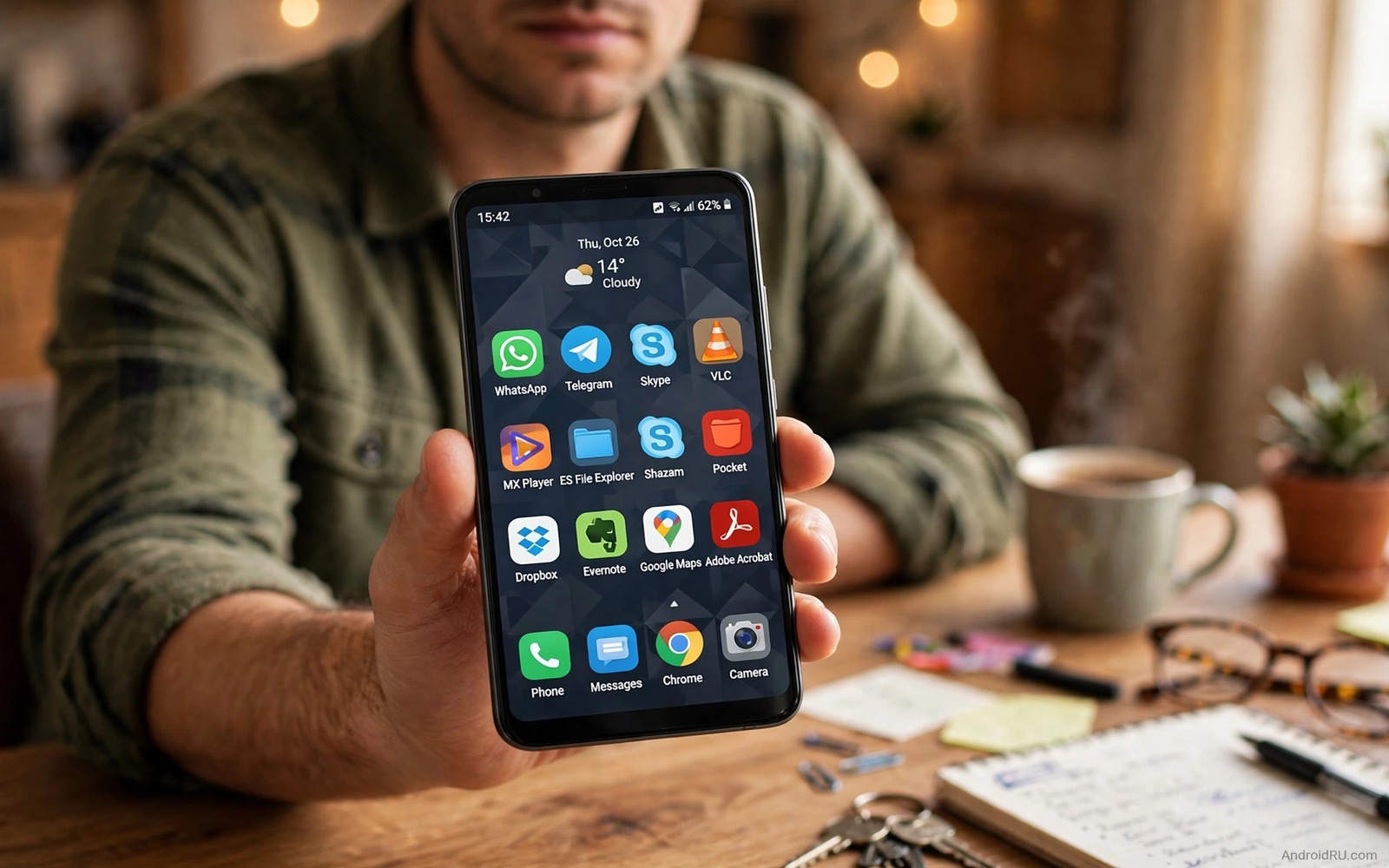
7 Apps Removed from Play Store That Are Still Worth Installing
An app can vanish from the listing without being bad. A developer can stop paying a fee, stop updating a page, or break a new rule. A small team can run out of time. A useful tool can lose its page while the app itself still works well. That gap matters because many users only search the main listing. When the page is gone they assume the app is gone too. In many cases the app lives on through the developer site, an open source archive, or a trusted independent catalogue.
This guide names seven real apps that left the Play listing and are still worth your time, with honest notes on what still works and what does not. Each one gets its own section: what it does, who it suits, its strengths, its weaknesses, and a verdict. You will also get a simple safety routine to run before you install any app from outside the main listing, because a removed app deserves a closer look than one you can grab with a single tap. If you are new to outside installs then first read how to sideload apps safely and build your routine from there.
A word of caution before the list. Removal is not a badge of quality. Some apps were removed for good reasons, and some copies floating around under famous names are fakes. The seven apps below earned their place because the original developer still offers them, the code is open, or the app works fully offline with no server to shut down. Judge every copy you find by its developer trail, not by its icon.
Why Good Apps Leave the Play Listing
Listing rules change often and small developers struggle to keep up. A rule about background access, payment methods, or target versions can force a rewrite. A solo developer may choose to leave rather than rebuild an app for free. A company may retire an app to push users to a newer product. None of those reasons mean the old app stopped working. They mean the page no longer fits the current business or policy picture.
Some apps leave because they offer a feature the listing now limits. A call recorder, a system tool, or an ad blocker can hit a policy wall. The feature may still work on your phone with the right permission. The listing simply will not host that version any more. That is why removed apps need a different judgement. You judge the developer, the code, and the permissions. You do not judge the app only by its listing status.
Payment disputes cause removals too. The most famous case on this list left the listing after its maker added a direct payment option that bypassed the platform fee. The app kept working, the company kept updating it, and millions of players kept playing. The listing was the casualty, not the product. Keep that distinction in mind as you read the list below.
The 7 Removed Apps Still Worth Installing
Here is the list, in the order I would try them. Each entry stands on its own, so skip to the one that solves a problem you actually have. The table below gives you the quick version first, then each app gets a full section with pros, cons, and a verdict.
| App | What it does | Why it left | Still works? |
|---|---|---|---|
| Fortnite | Battle royale game | Payment dispute, 2020 | Yes, via Epic Games app |
| Flappy Bird | Simple arcade game | Developer pulled it, 2014 | Yes, offline play |
| ES File Explorer | File manager | Removed for policy issues, 2019 | Yes, older builds offline |
| Clean Master | Cleaner and booster | Removed for policy issues, 2019 | Partly, old builds only |
| YouTube Vanced | Video app with extras | Discontinued, 2022 | Partly, via ReVanced forks |
| AdAway | System-wide ad blocker | Ad policy conflict | Yes, via F-Droid, root |
| Grooveshark | Music streaming | Legal settlement, 2015 | No, legacy interest only |
1. Fortnite: the battle royale that outgrew the listing
Fortnite is Epic Games’ battle royale, the game where 100 players drop onto an island and the last one standing wins. It left the Play listing in August 2020 after Epic added a direct payment option inside the game, which broke the platform payment rules. Google removed it the same day, and Apple did the same on its own store. The game itself never stopped. Epic kept updating it, kept running seasons and live events, and kept serving Android players through its own Epic Games app, which you install directly from Epic.
Who it is for: players who want the full Fortnite experience, including new seasons, creative mode, and cross-play with friends on console and PC. If you already play on another device, the Android version syncs your progress through your Epic account, so nothing is lost by switching screens.
Pros: the full game with regular seasons and events; cross-play and shared progress through an Epic account; direct updates from the developer with no middleman; the same maps, modes, and cosmetics as every other platform.
Cons: you must install the Epic Games app first, which is an extra step; the game is large, often several gigabytes with updates, and needs a fairly powerful phone; battery drain is heavy during long sessions; the removal means no automatic updates through the main listing.
Verdict: Fortnite is the strongest entry on this list. It is a live, maintained game from a major developer, and the only thing missing is the listing page. If your phone can run it, install it from Epic directly and ignore the copies that promise the same game from random file sites.
How to get Fortnite safely today
Go to the Epic Games site in your browser and get the Epic Games app from there. Open it, sign in with your Epic account, and install Fortnite from inside it. That chain keeps you on the developer’s own channel from start to finish. If a site offers you a lone Fortnite file with no Epic app attached, walk away.
2. Flappy Bird: the tiny game that broke the internet, then vanished
Flappy Bird is a one-tap arcade game: you tap the screen to keep a small bird flying between green pipes, and one wrong tap ends the run. It became a global craze in early 2014, then its developer, Dong Nguyen, pulled it from the listings in February 2014 because the attention had become overwhelming. The game itself is tiny, fully offline, and almost comically simple, which is exactly why it still works a decade later.
Who it is for: anyone who wants a quick, offline time-killer with no account, no ads, and no learning curve. It suits short waits, commutes, and the kind of idle moment where a big game would be too much.
Pros: the file is tiny and runs on almost any phone; it works fully offline with no account and no server; the gameplay is instantly clear; high-score chasing is strangely addictive for a game with one button.
Cons: there are no updates and no new features, ever; the game is brutally hard, which frustrates many players; the name is heavily copied, so fake versions with ads and extra permissions are everywhere; there is no cloud save, so scores live only on your device.
Verdict: Flappy Bird is worth installing only if you get a clean copy from a source you trust, or you accept a well-known clone that is honest about what it is. The game itself holds up. The hunt for a safe copy is the hard part.
3. ES File Explorer: the powerful file manager with a complicated past
ES File Explorer was once the most popular file manager on Android, with a built-in media player, cloud connections, network browsing, and a root explorer. It was removed from the Play listing in 2019 amid policy problems around ads and background behaviour. Older builds still work, and for people who liked its all-in-one approach, no single replacement covers exactly the same ground.
Who it is for: users who manage files across local folders, network shares, and cloud accounts from one app, and who are comfortable with a file manager that offers a lot of power in exchange for careful setup.
Pros: a wide feature set in one app, from archive handling to network browsing; a mature interface that long-time users know by heart; works offline for local file tasks; the older clean builds are light and fast.
Cons: the reasons for its removal should make you cautious; newer builds bundled features many users never asked for; no updates through the main listing, so security fixes depend on where you got your copy; some features expect broad permissions.
Verdict: install an older build only if you know exactly which version you want and you trust the source. For most people today, a maintained open file manager is the safer daily choice, and ES File Explorer is a nostalgia pick rather than a default recommendation.
4. Clean Master: the cleaner that cleaned itself off the listing
Clean Master, from Cheetah Mobile, was the big-name cleaner and booster app: junk cleaning, memory boosting, battery saving, and antivirus in one package. It was removed from the Play listing in 2019 after policy violations around ads and data handling. Old builds still run, and the core cleaning tools still do what they claim on the surface.
Who it is for: honestly, almost nobody today. It suits only users on very old phones who already know the app and want its familiar one-tap cleaning, and even then only with the network permission kept in mind.
Pros: the one-tap junk clean is simple and fast; the interface is easy for non-technical users; older builds run well on low-end phones.
Cons: the removal followed serious policy and trust problems; modern Android manages memory and junk better on its own, so the benefit is small; old builds receive no fixes; the app historically asked for broad access.
Verdict: this is the weakest entry on the list, included because people keep asking about it. Try a modern maintained cleaner or simply use the built-in tools in your phone settings first. Install Clean Master only if you have a specific reason and a trusted copy, and keep its permissions tight.
5. YouTube Vanced: the video app with the features everyone wanted
YouTube Vanced was a modified YouTube client that added background playback, an ad blocker, and extra controls like SponsorBlock, which skips sponsored segments. It was never on the main listing, and it was discontinued in March 2022 after legal pressure from Google. The project itself is gone, but its community successor, ReVanced, carries the same ideas forward as an open project where users patch the official app themselves.
Who it is for: viewers who watch long videos and want playback to continue with the screen off, or who want finer control over sponsored segments and video quality. It suits heavy viewers far more than casual ones.
Pros: background playback and extra controls change daily viewing habits; SponsorBlock saves real time across long videos; the ReVanced community keeps the idea alive with open patches; no account beyond your normal Google sign-in is needed for the patched app.
Cons: the original Vanced is dead and its old builds grow stale; ReVanced needs a patching step that is more work than installing a normal app; updates can break after official app changes; modified clients sit in a grey area, so expect breakage and plan for it.
Verdict: do not chase old Vanced builds. If the features matter to you, look at the ReVanced project through its own community channels and decide whether the patching effort is worth it. For most viewers, the official app with its own Premium trial is the simpler path.
What replaced YouTube Vanced, and what to watch for
ReVanced is the community continuation, built as a patcher rather than a ready-made app. That design is honest but technical: you supply the official app, apply patches, and install the result. Fake sites sell ready-made Vanced files with extra code inside, so treat any site offering a one-tap Vanced install as a red flag and stick to the project’s own documentation.
6. AdAway: the quiet ad blocker for rooted phones
AdAway is an open source ad blocker that edits the hosts file on your phone, so ads are blocked system-wide rather than inside one browser. It was removed from the Play listing because it conflicts with the advertising policies of the platform, and it has lived on F-Droid ever since. It needs root access to edit the hosts file, which limits its audience but also defines its strength: once set up, it works everywhere without running in the background.
Who it is for: rooted users who want system-wide ad blocking without a VPN or a constantly running app. It suits tinkerers who already manage root access and understand what a hosts file does.
Pros: open source code you can inspect; system-wide blocking with no background battery drain; no account and no cloud service; regular host list updates from the project.
Cons: it needs root, which excludes most users and carries its own risks; it can break apps that depend on ad servers for content; setup requires care, since a bad hosts file can block things you actually want; no listing page means manual updates.
Verdict: AdAway is the best fit on this list for its niche. If your phone is rooted and you understand hosts files, it is a clean, honest tool from a transparent project. If you are not rooted, skip it and use a browser-based blocker instead.
7. Grooveshark: the music service that lives on as a lesson
Grooveshark was a music streaming service that let users upload and share songs, and it shut down in 2015 after a legal settlement over copyright. It never returned in any official form. It earns the last place on this list not because you should install it today, but because it shows the hardest limit of removed apps: when the service behind the app dies, the app dies with it, no matter how good it was.
Who it is for: nobody, as a working service. It suits music fans who want to understand why some removed apps can be saved and others cannot, and collectors who keep old app files as a piece of internet history.
Pros: at its peak it had a huge catalogue built by users; the web player was simple and fast; it showed how community uploads could build a music library.
Cons: the service is gone, so the app cannot stream anything; any file claiming to be a working Grooveshark today is a fake; there is no developer channel left to trust.
Verdict: do not install anything calling itself Grooveshark. Treat it as the cautionary entry on this list. The lesson is to prefer removed apps that work offline or have a living developer, because a dead service cannot be revived by a download.
How to Verify a Removed App Before You Install It
Start with the developer. Look for a personal site, a code archive, or a project page that matches the app name. Check that the developer has a history beyond one app. A real project page will show updates, issues, and a changelog. A fake page will show only a download button and vague claims. If you cannot find a developer trail, skip the app. There are enough good apps with a clear trail.
Next check the file itself. Compare the version and the size with the project page. For file safety learn how to verify APK checksum hashes when a developer publishes one. Run a scan after install and review permissions before you grant anything. Open the app without an account first if that is possible. Watch for requests that do not fit the app purpose. A reader should not ask for your contacts. A file tool should not ask for your location. Those checks take a few minutes and they protect you far better than a star rating ever could.
The five-minute check that catches most fakes
Check the developer trail, check the version and size against the project page, check the permission list before you grant anything, run the app once without an account, and check its network behaviour for a day if your phone allows it. Most fakes fail at least one of those steps. A real app passes all five without drama, because it has nothing to hide and no reason to rush you.
Commands that confirm what you actually installed
After a manual install, you can confirm the package on your own device with the Android Debug Bridge. These commands list packages and show details for one app. They do not install anything and they do not change your phone.
adb shell pm list packages -f
adb shell dumpsys package com.example.app
adb shell pm path com.example.app
adb shell cmd package list packages
Compare the package name and version in that output with the developer page. A mismatch is a reason to uninstall and start over, not a detail to ignore.
Where Removed Apps Tend to Survive
Open source projects often survive on code archives even after a listing page disappears. The code stays public and other developers can keep it alive. Independent catalogues can also host apps that the main listing rejected for policy reasons. A trusted independent catalogue will show the app history and the version list. That history helps you pick a stable version instead of a random build. Avoid random file sites that bundle many apps with no history and no developer link.
Some developers keep a direct download on their own site. That route can be the cleanest option when the site is active and the file matches the project page. Bookmark the developer site and not just the file link. A direct site lets you check for updates and for security notes later. If the site goes dark then treat the app as frozen. A frozen app can still work but it will not get security fixes. To widen your options safely explore the F-Droid guide for open source apps that stay available outside the main listing.
Set a Review Date for Frozen Apps
A removed app with no update channel is frozen in time. It may work today and it may still work next year. It will not get fixes for new Android versions or new security issues. That limit is easy to forget when the app feels familiar. A review date forces a fresh look before habit takes over. Pick a date three months ahead and write it in your notes app with the app name.
When the date arrives, test the app again from scratch. Check startup speed, battery use, and permission behaviour. Check whether a maintained alternative has added the feature you loved. Many open tools catch up quickly once a popular app leaves the listing. If the frozen app still wins on every test then keep it for another three months. If an alternative now matches it then switch while you have time to learn the new tool.
A review date also protects you from silent decay. An app can slowly lose compatibility as Android changes underneath it. A feature that worked last month can break after a system update. A regular review catches that decay early. You can then move your data before the app stops opening at all. That calm move beats a rushed rescue on the day you need the app most.
Another useful test is to run a removed app without network access for a day if your phone allows it. An offline test shows whether the app truly works on your device or whether it secretly needs a server. Many good removed apps pass this test easily because they were built for local tasks. An app that fails offline for no clear reason deserves a second look at its permissions and its network requests.
Common Mistakes When Chasing Removed Apps
A common mistake is chasing a removed app by name alone. Fake copies use the same name and the same icon. They appear on random sites within days of a removal. Always verify the developer and the file before you trust a copy. Another mistake is installing a very old app on a new phone without testing it. An old app can crash, drain battery, or fail on a new Android version. Test it on a secondary profile if you can.
- Trusting a copy because it uses the same name and icon, with no developer trail behind it.
- Installing an old app without checking its last update date or its target Android version.
- Granting all permissions before testing the main feature, instead of granting one at a time.
- Keeping a removed app forever without checking for a safer replacement every few months.
- Paying a random site for a removed app, which can expose your card and buy a fake copy.
People also keep removed apps that no longer work well. They feel loyal to an old favourite even when a newer open tool does the job better. Loyalty is fine but security fixes matter more. If a removed app has no update path then set a review date. Revisit it every few months and ask if a maintained alternative has caught up.
Frequently Asked Questions About Removed Apps
Is a removed app automatically unsafe?
No. Removal can mean a policy change, a retired listing, or a developer choice. Safety depends on the developer, the code, and the permissions. Judge each app on its own evidence, and run the five-minute check in this guide before you trust any copy.
Can I still update a removed app?
Only if the developer still publishes updates through a site or an independent catalogue. If no update channel exists then the app is frozen at its last version. Plan for that limit before you rely on it daily, and set a review date to revisit the decision.
Should I pay for a removed app from a random site?
No. Do not pay through a random site for a removed app. Payment through an unknown site can expose your card and it may buy a fake copy. Use only the developer channel if payment is needed at all, and prefer free open tools when the paid original is gone.
What is the safest place to find removed open source apps?
Open source catalogues like F-Droid are the safest starting point, because they show the source code, the version history, and the build details for each app. Developer sites come next, when the site is active and the file matches the project page. Random file aggregators with no history come last, and usually they are not worth the risk at all.
The Shortlist: Which Removed App Should You Try First?
If you try one app from this list, make it Fortnite through the Epic Games app, because it is live, maintained, and fully working. If you want a tool rather than a game, try AdAway on a rooted phone, or a clean Flappy Bird copy for a quick offline laugh. The rest of the list is a set of honest maybes: ES File Explorer for long-time fans, Vanced’s successor for heavy viewers who accept the patching work, Clean Master only if nothing else fits, and Grooveshark as a reminder that some apps cannot come back.
Your concrete next step is to pick one app from this list that solves a real problem for you, spend ten minutes checking its developer trail, and install it only from the developer channel. Keep a short note of the apps you trust and the ones you rejected, with the reason, so you do not reinstall a rejected app months later when you forget why. A trusted list built from your own tests is worth more than any ranking page.

