

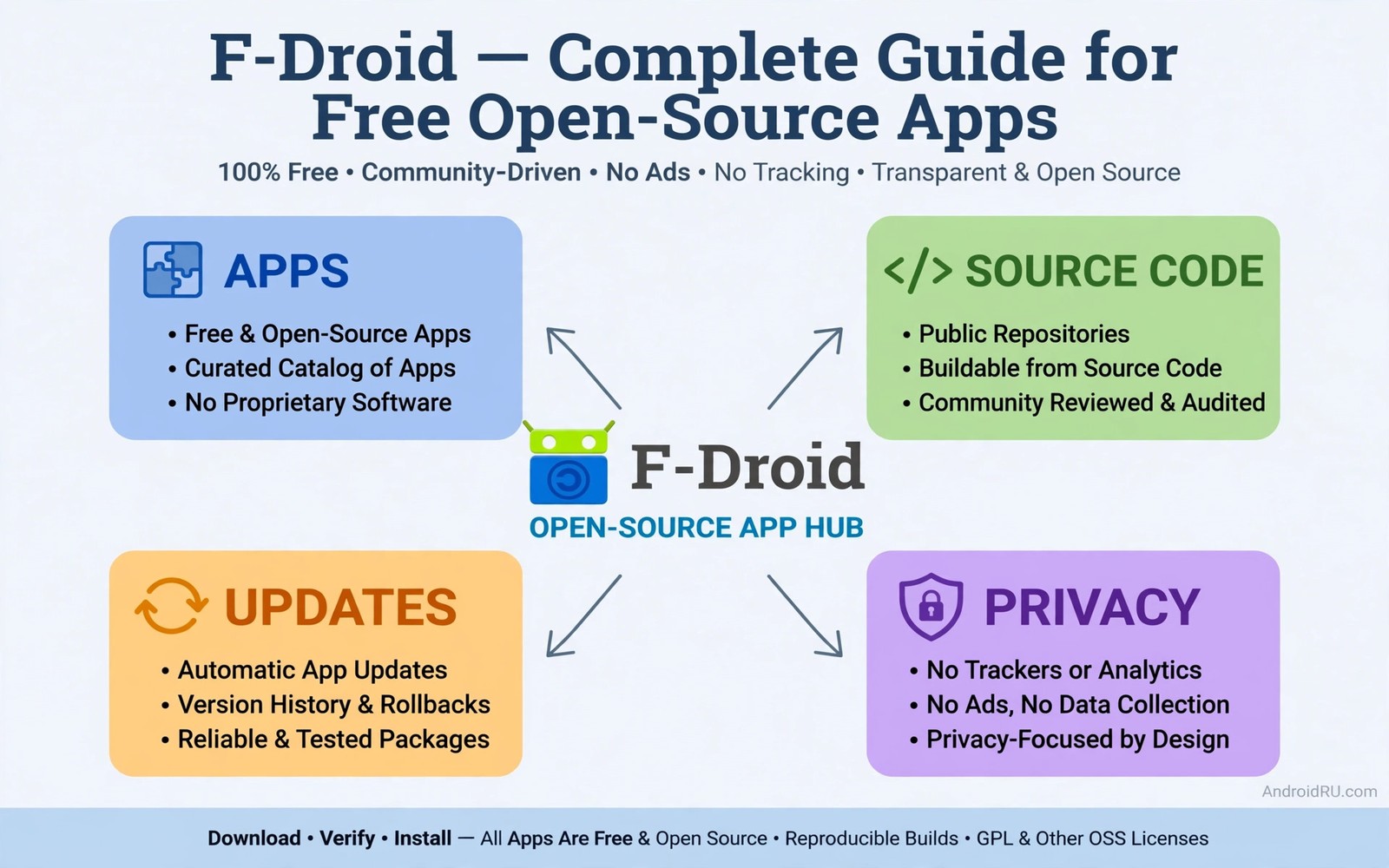
F-Droid is a store built around a simple idea. Android users should be able to get software whose code anyone can read and rebuild. That idea shapes everything about the store from its catalogue to its update system. It also explains why F-Droid feels different from a general app store from the first time you open it.
Every app in F-Droid is free and open source software. Developers publish their source code in public. Volunteers build the app from that source rather than accepting a prebuilt file from the developer. That build process matters because it lets the store verify that the published app matches the published code. A hidden tracker cannot easily survive that check.
The catalogue is smaller than a commercial store and that limit is deliberate. You will not find every popular commercial app here. You will find strong tools for privacy and files and media and communication. For many users that set covers daily needs well. A clear look at the best Play Store alternatives helps you place F-Droid beside other options before you commit to it as a source.
Install F-Droid the right way
Install F-Droid from its official site rather than from a random mirror. Download the store package and allow installs from your browser for that single install. Open the store and let it update its repository index. That index is the catalogue of available apps and their versions. An outdated index can show old versions and hide new security fixes.
After install turn off the browser install permission again. F-Droid itself will handle installs from its own catalogue once you allow it as a source. Keep that permission narrow. Allow F-Droid only and do not extend the same permission to other apps that you test casually. A narrow permission list is the foundation of safe sideloading in general.
Open the settings inside F-Droid and review the repository list. The main repository is enabled by default. Extra repositories exist for specific projects and for archived apps. Add an extra repository only when you understand what it contains and why you need it. Each new repository is a new trust decision.
Find apps that fit your daily needs
Start with categories rather than with search terms. Browse privacy tools and file tools and media tools to see what the catalogue does well. Read each app page fully before install. The page shows the licence and the source link and the version history and the permissions. Those details tell you whether the app is actively maintained.
Check the last update date on every app you consider. An app updated in the last year is likely maintained. An app untouched for three years may still work but it may miss modern Android protections. Old apps can also break on new Android versions in subtle ways. Prefer maintained apps for tools that handle personal files or network data.
Use the anti feature labels on app pages. F-Droid labels apps that contain advertising or tracking or non free network services. Those labels help you avoid surprises. An app with no anti feature labels is not guaranteed perfect but it has passed a stricter transparency bar than most commercial apps.
Understand how F-Droid builds apps
F-Droid builds apps from source code on its own servers. That process is slower than accepting a developer upload. It also creates a verifiable link between code and binary. When a developer updates the code the store rebuilds the app and publishes the new version after checks. That delay is a tradeoff for transparency.
Reproducible builds take this idea further. Some apps can be built by anyone to produce a byte identical file. When a build is reproducible you know with high confidence that the store binary matches the public code. Not every app reaches that standard yet. The app page shows build status so you can favour reproducible apps for sensitive uses.
Signing works differently in F-Droid as well. The store signs the apps it builds. That means an F-Droid version of an app may carry a different signature from the developer version on another store. Android will therefore refuse to update across those sources without a reinstall. Plan for that split before you mix sources for the same app.
Manage updates and old versions
Enable update notifications inside F-Droid so you learn about new versions promptly. Review the changelog before updating a critical tool. Most updates fix bugs or add features but a major update can change behaviour. A quick read of the changelog prevents surprises after an update.
F-Droid keeps older versions available for many apps. That archive is useful when a new version breaks a feature you rely on. Downgrading through the archive is safer than downloading an old file from a random site. The archived file still comes from the same verified build pipeline. Back up your app data before any downgrade.
Set update preferences per app when you need control. You can ignore updates for a specific app while keeping automatic updates for everything else. That control helps with tools that you have tuned carefully. Use it sparingly because ignored updates can leave known flaws unpatched for months.
adb install org.fdroid.fdroid.apk
adb shell pm list packages | grep fdroid
adb shell dumpsys package org.fdroid.fdroid | grep version
The code block above uses the standard Android Debug Bridge command pattern to confirm the F-Droid package and its version after install. It is included so you can confirm the F-Droid package installed correctly and check its version before you add repositories.
Privacy strengths and real limits
F-Droid does not require an account to browse or install. That design removes a whole layer of tracking from the store experience. You can install apps without tying downloads to an identity. For privacy focused users that alone is a strong reason to use the store.
The store cannot fix privacy problems inside every app. An open source app can still connect to a network service that logs data. Read the app description and check network permissions before you assume an app is private. Open source code helps experts audit behaviour but most users will rely on the anti feature labels and community reports.
Some apps need Google services for full function. F-Droid versions may offer a build without those dependencies. That build may lose maps or push notifications. Decide whether the privacy gain outweighs the feature loss for each app. A mapping app without maps is not useful no matter how private it is.
Try F-Droid on a secondary device first
A secondary device is the ideal place to learn F-Droid without disturbing your main phone. An old phone or a tablet can run the store and a handful of test apps. You learn the update flow and the repository settings in a low stakes setting. Mistakes on a test device cost little time and no personal data. After two weeks of comfortable use you can move the same setup to your main phone with confidence. That gradual path suits users who value stability over speed.
On the test device try replacing one category at a time. Start with a file manager and then add a media player and then a notes app. Test each replacement for a few days before adding the next one. That pace reveals which replacements truly fit your habits and which ones only looked good in the catalogue. A replacement that you abandon after one day was not a good fit no matter how strong its reviews were. Patience in testing prevents a rushed migration that you later regret.
Support the developers behind the apps
Free open source software still needs support to survive. Developers maintain apps in their spare time and they pay for hosting and testing devices from their own pockets. Donations and bug reports and translations all help a project continue. Even a short bug report with clear steps helps more than silence. When an app serves you well every day consider what small contribution you can make in return. That support keeps the catalogue healthy for everyone who uses it.
Reporting problems well is a skill worth learning. Describe what you did and what you expected and what actually happened. Include the app version and the Android version. Avoid vague complaints that developers cannot act on. A clear report often leads to a fix in the next release. Your effort as a user becomes part of the quality system that makes open source stores trustworthy.
Keep a simple F-Droid routine
Open F-Droid once a week and check for updates rather than checking every day. Weekly checks catch security fixes promptly without turning maintenance into a chore. Read the changelog for tools that handle personal files and update those first. Leave purely cosmetic updates for later in the same session. That order keeps important fixes ahead of minor changes and it keeps your routine short enough to repeat every week without fatigue.
Common mistakes
The most common mistake is adding many third party repositories at once. Each repository expands what your phone trusts. A weak repository can undermine the strong main repository. Add repositories one at a time and only for a specific app you need.
Another mistake is mixing F-Droid and developer builds for the same app. Signature conflicts will block updates and confuse the update flow. Pick one source per app and stay with it. If you switch sources then back up data and reinstall cleanly.
A third mistake is assuming every F-Droid app is safe for sensitive data. Open source transparency reduces risk but it does not remove it. Check maintenance and permissions and network behaviour for apps that handle passwords or money or private messages.
Frequently asked questions
Is F-Droid free to use?
Yes F-Droid itself is free and every app in its main catalogue is free open source software. Some apps may offer optional donations to developers. No app in the main repository requires payment to use its core features.
Can I use F-Droid alongside Google Play?
Yes you can run both stores on the same phone. Keep one source per app to avoid signature conflicts. Use Google Play for apps that need Google services and use F-Droid for open source tools.
Why are some F-Droid versions older than developer versions?
F-Droid builds from source after the developer releases code. That build and review process takes time. The delay is the cost of verification. Users who need the newest feature immediately may prefer the developer build while accepting a different trust model.
Conclusion
F-Droid earns its place as a hub for free open source Android apps through public code and verified builds and account free access. It will not replace every commercial app but it covers many daily tools with unusual transparency. Your concrete next step is to install F-Droid from its official site today and pick three open source replacements for tools you already use. Test those three for one week before you expand further. Related choices that support this path include third party stores without Google Play Services and open source apps that replace premium utilities and Aurora Store without Google login.

