

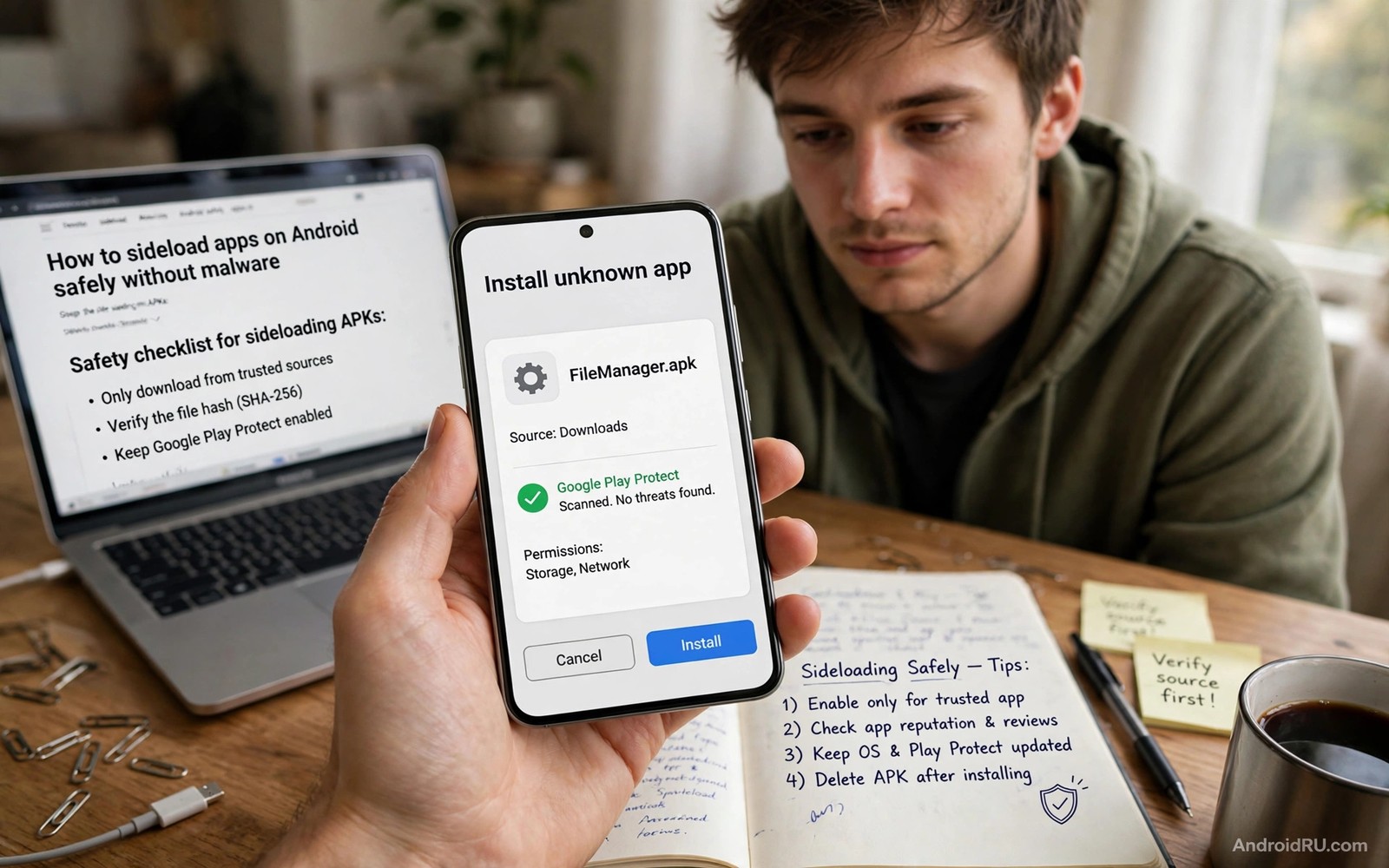
Sideloading safely is a process rather than a single setting. You follow the same steps in the same order every time. That repetition is what keeps you safe when you are tired or rushed or excited about a new app. A checklist removes guesswork from the moment you download a file to the moment you open it for the first time.
Most infections from sideloading do not come from skilled attacks on the phone system. They come from ordinary users tapping through warnings without reading them. A fake app page promises a premium feature for free. A download button hides behind three other download buttons. A permission screen asks for contacts for an app that only edits photos. Each step offers a chance to stop. This guide gives you those stopping points in order.
Before you start you need two habits. First you decide in advance which sources you trust. Second you keep install permission turned off by default. Those two habits alone block most bad installs. A structured method for verifying APK checksum hashes adds a third layer when the developer publishes a fingerprint for the file.
Prepare the phone before any download
Open Settings and confirm that your phone runs a current security patch. An old system with known flaws makes every install riskier. Turn on automatic system updates when they are available. Update the built in security scanner as well. Those updates do not make sideloading safe by themselves but they close holes that modified apps often exploit.
Check the install permission list before you download anything. Open the special app access menu and look at the apps allowed to install unknown apps. Remove any entry you do not recognise. Leave the list empty until you actually need it. An empty list means a stray download cannot turn into an install without your explicit approval.
Decide where downloads will live. Use one folder for APK files so you can review them later. Name files clearly when you save them. A folder full of files called download and download 2 tells you nothing when you try to audit your phone a month later. Good organisation is a safety tool in its own right.
Choose a source you can defend
A defensible source is one you could explain to another person without embarrassment. The developer official site qualifies. A long running moderated repository qualifies. A link in a random video comment does not qualify. A file host page covered in fake download buttons does not qualify. If you cannot explain why you trust the source then you do not trust it enough.
Read the page around the download link. Real project pages show version history and change notes and developer contact details. Fake pages show only a big button and a countdown timer and a promise that sounds too good. The surrounding content is often more revealing than the file itself. Spend two minutes reading it before you tap anything.
Be extra careful with apps that are normally paid. A free copy of a paid app from an unofficial source is almost always modified or pirated or both. Developers rarely give away paid apps through anonymous mirrors. When the offer looks generous beyond reason you should assume the file carries a hidden cost in data or ads or device control.
Download and check the file step by step
Download the file and do not open it at once. Open your file manager and look at the file name and the file size. Compare the size with the size shown on the source page when one is published. A large mismatch means the download is incomplete or different. Delete a mismatched file and download again from the same source.
Check the hash when the developer publishes one. A hash tool on your phone or computer can compute the fingerprint in seconds. Compare every character rather than glancing at the first few. Attackers can craft files that share a short prefix but differ later. A full match is the only match that counts.
Scan the file with your phone security tool before install. Scanning is not perfect but it catches known malware families quickly. Treat a clean scan as permission to continue to the permission review rather than as proof that the file is safe. No single check gives you certainty. The strength comes from stacking checks.
sha256sum downloaded-app.apk
adb install downloaded-app.apk
adb shell pm list packages -f | grep downloaded
The snippet above follows the standard command pattern for file hashing and for the Android Debug Bridge tool. It is included so you can verify the file fingerprint and confirm the installed package path before you open the app.
Read the permission screen slowly
The install screen lists permissions in groups. Read each group and ask whether the app needs it for its stated job. A calculator does not need location. A music player does not need your messages. A photo editor does not need to make calls. When a permission does not fit the job you should cancel and research the app again.
Pay special attention to permissions that survive after install. Accessibility access and notification access and draw over other apps access give an app deep control. Grant those only when the core feature cannot work without them. A sideloaded app that demands accessibility access on first launch should be treated as suspicious until proven otherwise.
Grant permissions gradually after install. Start with the minimum needed to test the core feature. Add more only when a specific feature asks for it and you understand why. Gradual granting keeps a bad app from collecting everything at once during its first minutes on your phone.
Use the app in a limited way first
Open the app without signing in to your main account when possible. Use a test account or a guest mode for the first session. Try the main feature with unimportant content. Watch for popups that appear over other apps or for requests that arrive without any action from you. Normal apps stay inside their own window and ask politely.
Monitor battery and data use for the first few days. A simple tool that consumes heavy background data is behaving unlike a simple tool. Check data usage by app in Settings and sort by background use. Remove any app whose background use cannot be explained by a feature you actually used.
Update only through the original source. When a new version appears elsewhere first you should wait for the original source to publish it. Cross source updates can change the signer and break the trust chain. Patience here protects the whole chain you built during install.
Keep a personal install log
A short install log turns scattered downloads into an auditable record. Write down the app name and the version and the source and the date for every sideload. Add a note about the hash check when you performed one. That record takes less than a minute per app and it pays off when you later wonder where a strange app came from. Without a log you must rely on memory and memory fades quickly after a few installs. A simple note file on your phone is enough and you do not need a special tool to maintain it.
Review the log once a month and remove apps you no longer use. Unused apps still hold permissions and still receive no attention from you. Deleting them reduces your attack surface without costing you anything important. You can always reinstall a logged app later from the same trusted source. That monthly review also reveals patterns such as repeated downloads from a weak source. When you see that pattern you can fix the source choice rather than repeating the same risk.
Recover cleanly when something goes wrong
If an app starts behaving strangely then act quickly and methodically. Uninstall the app first and then revoke any powerful permissions it held. Clear its cached data when the uninstall leaves leftovers. Check the install permission list again to make sure the source that delivered the bad app is no longer allowed. Those four steps remove the immediate threat in most cases and they take only a few minutes.
After removal check your accounts for unusual activity. Look at recent logins and connected devices for services you used on the phone. Change passwords for any account you entered inside the suspicious app. That precaution matters because a fake login screen can capture credentials even when the app looked normal. A password change closes that door even after the app is gone.
Common mistakes
The most damaging mistake is tapping through permission screens to reach the app faster. Speed is the enemy of sideloading safety. Every skipped screen is a check you chose not to perform. Slow down for the thirty seconds that permission review takes.
Another mistake is keeping install permission on for the browser forever. Browsers download many files from many sites. A permanent browser install permission turns every risky download into a one tap install. Turn the permission off after each sideload and the browser returns to being just a browser.
A third mistake is trusting a clean scan as final proof. Scanners miss new threats and modified apps that use legitimate code in harmful ways. Scanning belongs in the middle of your checklist rather than at the end. Permission review and source review must still happen.
Frequently asked questions
Should I delete the APK file after installing?
Keeping the file helps you reinstall the same verified version later without downloading again. Store it in a clearly named folder and delete it only when you no longer need that exact version. A kept file from a trusted source is safer than a fresh download from an unknown mirror.
What should I do if Android blocks the install?
Read the block message carefully before you look for a workaround. A block may mean the file targets an old Android version or the signature conflicts with an installed app. Forcing past a block without understanding it can create a bigger problem than the app solves.
Can I sideload on a work phone safely?
Work phones often carry management policies that forbid sideloading. Check your workplace rules before you install anything outside the approved store. Breaking those rules can risk access to work data even when the app itself is clean.
Conclusion
Safe sideloading is a repeatable routine of source choice and file checks and permission review and limited first use. No step is hard on its own. The discipline is doing all of them every time. Your concrete next step is to open your install permission list today and remove every app you do not actively use for sideloading. Then practise the full routine on one low risk app so the steps feel natural before you need them for something important. You can deepen the routine with safe repositories for original APK files and with the truth about sideloading safety and with installing split APK files correctly.

