

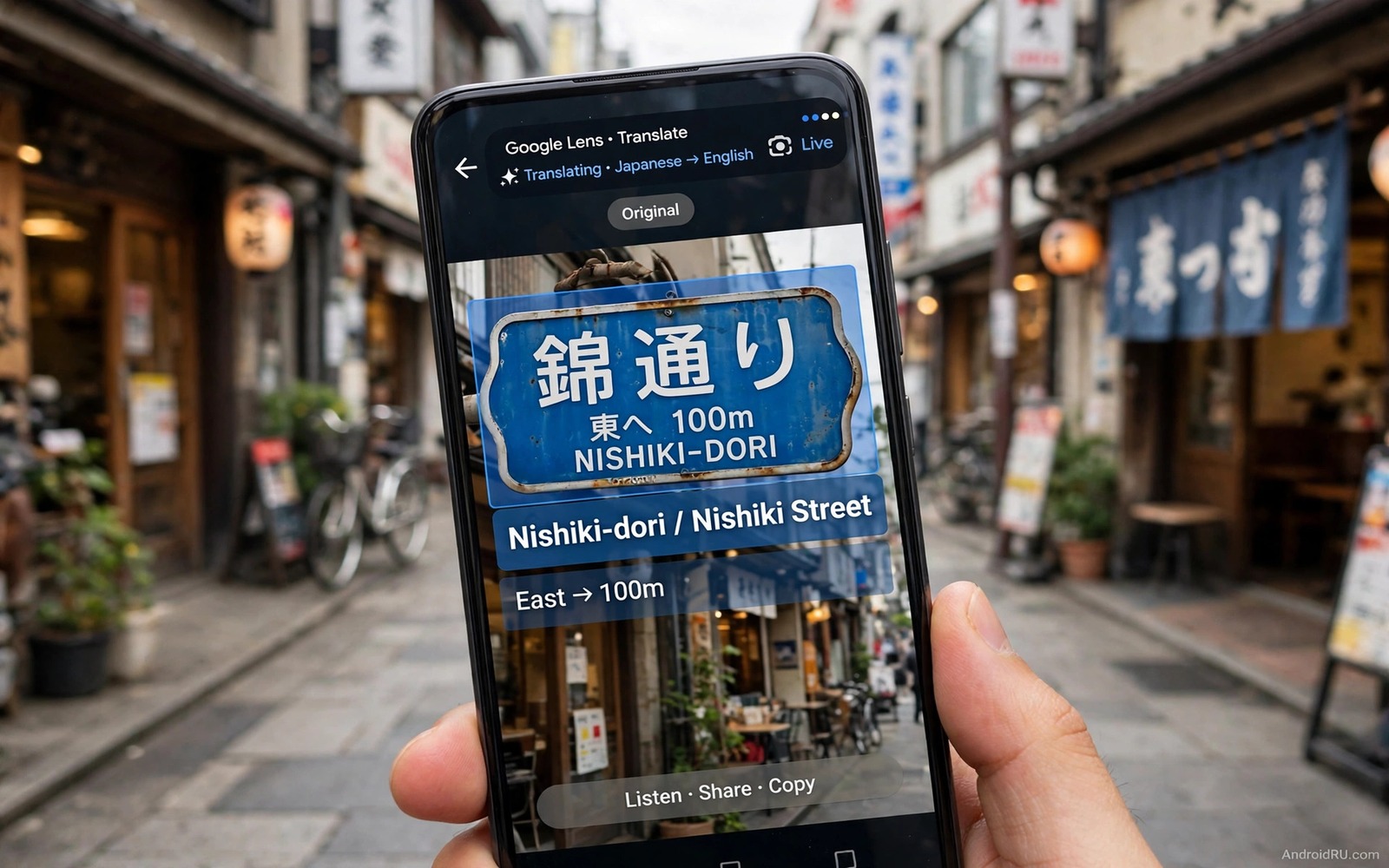
A foreign sign or menu can stop a trip in its tracks. A phone camera translator turns that barrier into a readable overlay in seconds. Point the camera at the sign and the app reads the text and shows a translation on screen. That instant help works for street signs and restaurant menus and product labels. It also helps in a shop where a label holds safety or allergy details that matter.
Camera translation works in two steps. First the camera reads text from the image with text recognition. Then a translation engine converts that text into your language. Both steps need a clear image with good light. A blurry image or a tilted angle can garble the recognition and a garbled input gives a garbled translation. Good camera technique matters as much as the app choice for this tool.
Camera translation pairs well with other camera reuses because the phone camera is a versatile sensor. use a phone as an external USB display monitor shows a different camera free reuse for a phone screen. Start with translation because it solves a clear travel pain. Test it at home with a foreign label before you rely on it abroad.
Choose A Translator App And Languages
Look for a translator app that offers camera mode and offline language packs. An offline pack works without internet and it works in a rural area or a metro without signal. Download the language packs that you need before a trip. A pack that downloads on arrival can fail when the network is weak. A pre downloaded pack is ready the moment you land.
Check whether the app translates in real time overlay mode or in photo capture mode. An overlay mode shows translation live on the camera view and it feels instant. A photo capture mode takes a picture and then translates the text in that picture. Overlay mode suits signs and menus in motion. Photo mode suits a long document where you need time to read the result.
Check language coverage for the exact languages that you need. A major language pair usually works well. A rare language pair may work poorly or may need a photo mode rather than an overlay mode. Test the pair at home with a sample sign image. A home test reveals accuracy before a trip where a mistake could matter for safety or money.
Translate Signs Menus And Labels Step By Step
Open camera translation mode and select the source language and your language. Hold the phone steady and frame the text fully inside the view. Wait a second for recognition to settle before you move. A steady hold gives a cleaner recognition than a quick sweep across a sign. Move slowly across a long sign so each part gets a clean read.
Read the translation and check it against context before you act on it. A menu translation that lists a dish as spicy may use a word that also means hot in temperature. Context from the restaurant and the dish picture can resolve that ambiguity. A sign translation that looks odd may come from a partially recognised word. Reframe the sign and try again when the result looks wrong.
Save a translation when it matters for later. A translated allergy note or a hotel address can be saved as a note or a screenshot. A saved translation helps when you return to the same place later. A screenshot also helps when the app loses network or when the language pack fails. A saved result is a safety net for a live translation.
A Text Recognition Example
The code below is a small developer example that shows how a recognised text string can be passed to a translation function. It takes a text value and it returns a translated value. It does not recognise real camera text and it does not replace a translator app. Use it only to learn how recognition and translation can connect in code. A real app handles camera frames and language models before this step.
String recognised = "Bonjour";
String translated = translate(recognised, "en");
Attribution: the code above is an original example written for this guide. It follows the standard command interface shipped with the Android platform tools and it uses only public commands that work on a normal developer setup.
After the example you can see why recognition quality drives translation quality. A recognised string with a wrong letter gives a translated string with a wrong meaning. A clean recognition gives a clean translation. That chain is why camera technique and lighting matter so much. A good photo is the foundation for a good translation.
Improve Accuracy With Light And Angle
Light is the biggest accuracy factor for camera translation. A well lit sign reads cleanly and a dim sign reads with errors. Move to a brighter spot or turn on the phone flashlight for a small label. Avoid glare on a glossy sign because glare can hide letters. Tilt the phone slightly to move glare away from the text. A small tilt often fixes a glare problem at once.
Angle is the second accuracy factor. A straight on view reads best because letters keep their true shape. A sharp side angle distorts letters and recognition fails. Stand in front of a sign when possible rather than reading it from the side. For a large sign step back so the whole text fits in one frame. A full frame beats a cropped frame for a long sign.
Font and style also affect accuracy. A clear printed font reads well. A handwritten note or a decorative font reads poorly. A stylised logo may fail recognition entirely. When a decorative sign fails try photo mode with a closer crop. A closer crop can help recognition focus on the letters rather than on decoration around them.
Use Translation Safely For Important Text
Safety and allergy text needs extra care because a translation error can cause harm. Read the translation twice and check it against a second source when possible. A second app or a human helper can confirm a critical allergy note. Do not rely on a single camera translation for a medical or safety decision when a human check is available. A human check is slower but it is safer for critical text.
Money and contract text also needs extra care. A price or a date or a term translated wrongly can cause a costly mistake. Photograph the original text and save it alongside the translation. A saved original lets a human translator check the result later. A saved original also helps in a dispute where the exact wording matters. Keep originals for any text with money consequences.
Privacy matters for camera translation because the camera can capture people and private documents by accident. Avoid pointing the camera at private documents that you do not own. Avoid sharing screenshots that contain personal data from another person. A translation screenshot should show only the text that you need. Crop screenshots to that text before you share them.
Offline Packs And Battery Care
Offline packs save data and they work without signal but they use storage. Download only the packs that you need for a trip. Delete a pack after the trip if storage runs low. A pack for a language that you will not use again is dead weight on a phone. A clean pack list keeps storage free for photos from the trip itself.
Camera translation uses battery fast because the camera and the processor run together. Carry a charger or a power bank for a long day of translation use. Take translation breaks between signs rather than leaving camera mode open all day. A camera mode left open can drain a phone in a few hours. Short bursts of translation use far less power than a continuous camera session.
Heat can also build during long camera sessions in hot weather. A hot phone may throttle the processor and slow recognition. Let the phone cool in shade between translation bursts. A cool phone recognises text faster and more accurately. That cooling habit also helps other camera tasks and turn a smartphone into a full wireless trackpad needs a cool phone for a fair test too.
Common Mistakes
One common mistake is to trust a first translation without checking context. A garbled recognition can produce a confident sounding wrong translation. Reframe and retry when a result looks odd. Another mistake is to travel without offline packs. A pack download on arrival can fail on a weak network. Download packs before departure. A third mistake is to use camera translation for critical safety text without a human check. A human check is essential for allergy and medical text.
A further mistake is to shoot a sign from a sharp angle in poor light and then blame the app. Improve light and angle first. A further mistake is to leave camera mode open all day and then face a dead battery. Use short bursts and carry a charger for a long translation day.
A final mistake is to share a translation screenshot that contains private data from another person. Crop screenshots to the needed text only. The same privacy care applies to other camera tools and control a PC mouse and sound directly from Android should be used with the same respect for people in frame.
Frequently Asked Questions
Does camera translation need internet?
It needs internet for online translation. It works offline when you download the language pack before a trip. Download packs at home on Wi-Fi before departure for reliable offline use.
Why is my camera translation wrong?
Poor light and a sharp angle and a decorative font are the usual causes. Improve light and stand straight in front of the sign. Reframe and retry when a result looks odd and check the result against context.
Can camera translation read handwriting?
It reads clear printed text best. Handwriting and decorative fonts read poorly in most apps. Try photo mode with a closer crop for a handwritten note and expect lower accuracy than for printed text.
Conclusion
Download the language packs that you need today and test camera translation on a foreign label at home. Hold the phone steady in good light and read the result against context. That home test proves accuracy before a trip.
After the test passes use camera translation in short bursts during travel and save important translations as notes. Check critical safety and money text with a human helper when possible. Those habits make camera translation a reliable travel tool.
Delete language packs that you no longer need after a trip to free storage. A clean phone plus a tested translation habit is ready for the next trip. Start with the home test today and build confidence from there.

