

A trojan hides inside an app that looks useful while it steals data in the background. It may record keystrokes or capture messages or open a remote channel for an attacker. A factory reset would remove it yet a reset also deletes data and settings that took years to build. Many trojans can be removed without that drastic step when you follow a careful order.
This guide focuses on removal without reset. It covers safe mode and admin rights and app removal and account recovery. Each step uses built in Android controls. The order matters because a trojan that runs during removal can resist uninstall or reinstall itself through a partner app.
Start by staying calm and avoiding new logins on the infected phone. A trojan that captures keystrokes can steal a new password during the cleanup. Change passwords from a clean device after removal rather than during the early steps. That timing protects the new credentials from capture.
Enter safe mode to stop the trojan
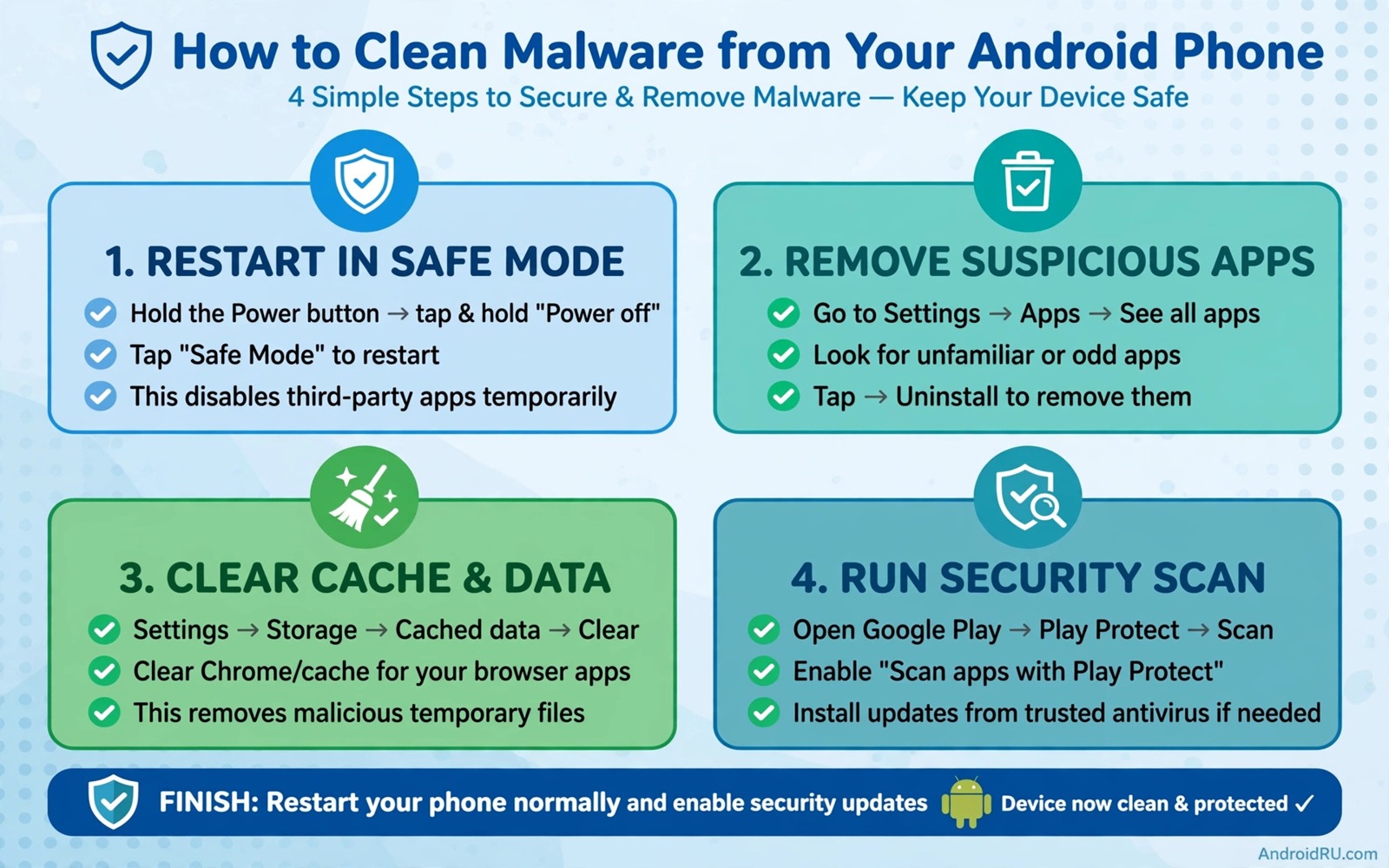
Safe mode loads Android without third party apps running. Press and hold the power button and then long press the power off option to see the safe mode prompt on most devices. Confirm safe mode and wait for the phone to restart with a safe mode label on the screen. Third party apps will appear greyed out yet they remain installed for removal.
In safe mode the trojan cannot run its background service. That pause gives you a clean window to remove it. Open Settings and then open Apps and then open the suspect app list. Work through apps that you do not recognise or that appeared near the start of the problems. Safe mode does not remove the trojan by itself. It only stops it from fighting back.
Note the suspect apps before you remove them. A written list helps you check for partner apps later. A trojan often installs with a second app that restores it after removal. Both apps must go before the phone leaves safe mode. A single removal that leaves a partner behind will fail within days.
Remove admin rights and uninstall
Open Settings and then open Security and then open Device admin apps while still in safe mode. Turn off admin rights for every suspect app. A trojan with admin rights can block uninstall and hide its icon. Removing admin rights restores the normal uninstall button.
Return to the app list and uninstall each suspect app. Tap Force stop first where available and then tap Uninstall. Restart the phone normally after all suspect apps are gone. A normal restart reloads third party apps yet the trojan should no longer be among them. Check battery and data use after the restart for signs of a remaining threat.
Check special app access after the restart as well. Open Settings and then open Apps and then open Special app access. Review draw over other apps and install unknown apps and accessibility access. A trojan may have used accessibility access to read screen content. Revoke accessibility access for any app that does not need it for a real assistive feature. For a full device check read the five signs that show a phone has been hacked and compare your phone against each sign after removal.
Secure accounts and restore safely
Change passwords from a clean device after removal. Start with email because email recovery controls many other accounts. Then change banking and social and work passwords in order of value. Enable two factor authentication where it was missing. A trojan that captured old passwords loses value once every password changes.
Check account activity for unknown logins and sessions. Revoke sessions from unknown devices and locations. A session that stays active after a password change can still access the account in some services. Session revocation closes that gap and it forces a fresh login with the new password.
Review payment history for unknown charges. A trojan may have signed the phone up for premium services or made small purchases. Report unknown charges to the carrier or payment provider at once. A fast report improves the chance of a refund and it flags the merchant for other victims.
A simple trojan removal checklist
The checklist below gives a repeatable routine for trojan removal without reset. Work through it in order and do not skip safe mode. Safe mode is the step that makes the rest of the removal reliable. A removal attempted while the trojan runs often fails.
1. Restart the phone into safe mode
2. Remove device admin rights for suspect apps
3. Uninstall suspect apps and partner apps
4. Restart normally and check battery and data use
5. Revoke risky special app access grants
6. Change passwords from a clean device
This checklist follows the standard controls built into Android and it uses only the menus that ship with the system. No extra tool is required to complete the six steps. The order matters because stopping the trojan comes first and password recovery comes last.
Monitor the phone for a month after trojan removal
A month of monitoring after trojan removal proves that the cleanup held. Check battery and data use weekly during that month and look for a return to normal patterns. A phone that stays clean for four weeks with normal use has likely lost its trojan for good. A phone that shows a spike in week three needs a second safe mode review with a focus on apps installed after the original removal. That second review should look for a partner app that waited before activating. A delayed activation is a common trojan tactic that a single clean day cannot catch.
Check account activity weekly during the same month. A trojan that stole credentials before removal may use them weeks later even after the app is gone. A login from an unknown device in week two points to a stolen password rather than a remaining app. Change that password again and revoke the unknown session at once. That weekly account check closes the gap between app removal and credential recovery and it ensures that a delayed credential use does not go unnoticed.
Test the phone with a trusted security scan at the end of the month. A scan from a trusted security app can confirm that no known trojan signatures remain. A clean scan after a month of clean behaviour gives strong confidence that the phone is safe. A scan that finds a leftover component points to a specific file or app that needs removal. That final scan should not replace manual checks yet it adds an independent confirmation to your own observations.
Rebuild the app list slowly during the monitoring month rather than restoring everything at once. Install only essential apps in the first week and add other apps one by one in later weeks. A slow rebuild makes it easy to spot a new problem because each install has a clear date. A problem that appears after a specific reinstall points directly to that reinstall as the cause. That discipline feels slow yet it produces a phone that you can trust because every app earned its place through a test.
Prevent reinfection after a successful cleanup
Reinfection prevention starts with understanding how the original trojan arrived. A trojan that arrived through an ad install requires a new rule against ad installs. A trojan that arrived through a sideloaded file requires a new rule against sideloading. A trojan that arrived through a fake store app requires a new rule about developer checks. That cause based rule targets the actual entry path rather than a generic warning. A rule tied to a real past infection is easier to follow because the danger feels concrete.
Monitor install sources for a month after cleanup by checking the install unknown apps list weekly. A list that gains a new entry during the month points to an app that enabled sideloading without your knowledge. Remove that entry at once and review the app that enabled it. That weekly source check catches a reinfection path before it delivers a new trojan. A source list that stays clean for a month shows that the entry path remains closed.
Educate other users of the same phone about reinfection risks. A shared phone user who installs apps from ads can reintroduce a trojan that you just removed. A short conversation about the original infection and its cause helps other users avoid the same entry path. That shared understanding protects the phone better than a private cleanup because every user of the phone follows the same install rule. A phone with multiple users needs shared rules more than a single user phone.
Common mistakes
One mistake is uninstalling from the home screen while the trojan runs. A home screen removal may only delete the icon. The app code can remain and continue running. Always uninstall from Settings in safe mode for a trojan suspect.
Another mistake is changing passwords on the infected phone before removal. A keylogging trojan captures the new password at once. Wait until removal is complete and then change passwords from a clean device. That timing is a critical detail that many guides skip.
A third mistake is restoring a backup that contains the trojan. A backup made after infection can carry the trojan back onto a clean phone. Review the backup app list before you restore it. If you need blocking layers read how to block spyware and adware without root and apply its layers after the trojan removal.
Frequently asked questions
When is a factory reset still needed?
A reset is needed when the trojan persists after safe mode removal or when system apps show tampering. A reset is also wise when the trojan held deep system access. Try safe mode removal first and reset only when signs persist after a clean week.
Can a trojan survive an uninstall?
Yes when a partner app restores it or when it gained system level access. A partner app check and a special access review catch most survivors. Persistent signs after removal point to a deeper infection that needs a reset.
Should I install an antivirus after removal?
A trusted security app can add a scan layer after removal. It is not a replacement for safe mode removal and permission review. Use it as one layer and keep its permissions minimal. No single app guarantees a clean phone.
Conclusion
Trojan removal without reset is possible when you stop the trojan first. Safe mode and admin removal and careful uninstall and account recovery together clean most infections. Partner apps and special access grants are the details that decide whether the cleanup holds.
Your concrete next step is to restart into safe mode today and remove admin rights from any app that you do not trust. Then uninstall suspect apps before a normal restart. For ongoing protection read how to use private DNS to block ads and trackers systemwide and set it up after the cleanup.

