

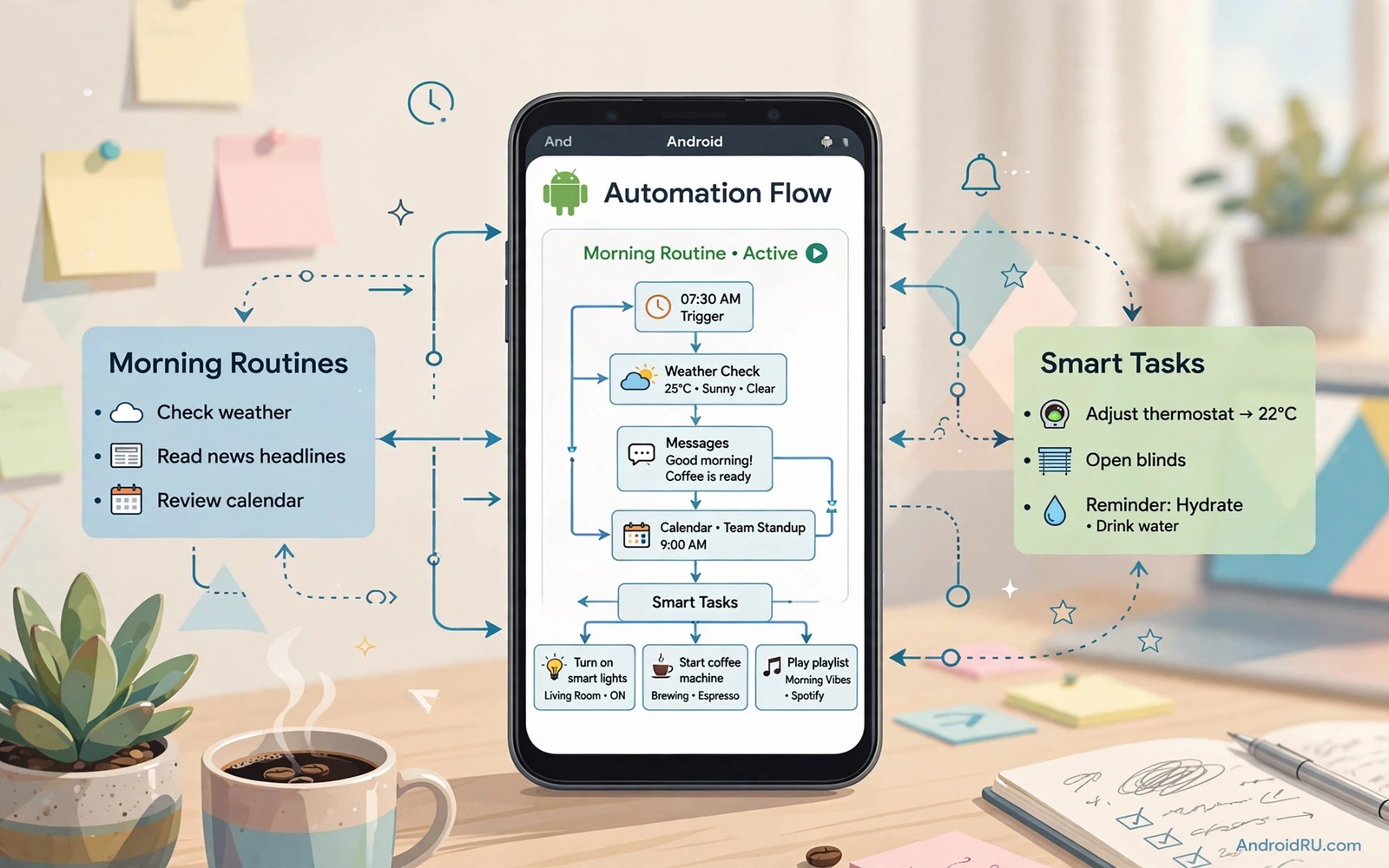
Automation sounds like a power user hobby until you count the taps it removes. A phone that silences itself during a meeting saves a daily interruption. A phone that turns on Wi-Fi at home saves a daily hunt through settings. A phone that backs up photos on charge saves a weekly worry. This guide shows how to build automation that feels invisible rather than clever for its own sake.
Start with a boring repeat rather than an impressive demo. A demo that plays music and sends a message at sunrise looks fun once. A rule that sets a quiet profile during work hours helps every weekday. Boring automation survives because it solves a real friction. Impressive automation dies because it solves a problem you never had.
A good automation app offers triggers and actions in plain language. A trigger is an event like a time or a location or a charger connection. An action is a change like a volume setting or a message or an app launch. A rule links one trigger to one or two actions. Keep the first rules simple so you can understand why each one fired.
Test automation in a safe context before you trust it with important messages. A rule that sends a message to the wrong person at the wrong time causes real harm. A rule that changes volume during a call causes real annoyance. Start with harmless actions like wallpaper or Wi-Fi toggles. Add messaging actions only after the trigger proves reliable for a week.
Triggers that work reliably on Android
Time triggers are the most reliable starting point. A rule that runs at a fixed hour each day fires predictably. A rule that runs on weekdays only avoids weekend surprises. Combine a time trigger with a location condition for extra safety. A work profile that starts at nine only when you are near the office avoids a false trigger on a holiday.
Charger and battery triggers are also reliable. A rule that starts a backup when the charger connects uses idle time well. A rule that lowers brightness when battery falls below twenty percent extends a long day. Those triggers depend on hardware events rather than guesswork. Hardware events rarely misfire in the way a location guess can.
App launch triggers help with focus and routine. Opening a reading app can enable do not disturb automatically. Opening a navigation app can raise media volume and disable auto rotate. Closing the app can restore the previous settings. That round trip design keeps automation from leaving your phone in a strange state after the task ends.
Building your first five rules
Rule one sets a quiet profile during your regular meeting hours. Choose days and times that repeat weekly. Add an exception for starred contacts if urgent calls must reach you. Test the rule by watching the profile change at the start time. Adjust the end time if meetings often run long.
Rule two connects to home Wi-Fi and turns off mobile data when you arrive. That rule saves battery and avoids a weak mobile signal indoors. Add a delay so a brief pass near home does not trigger a switch. A short delay prevents flapping between networks on a walk past the house.
Rule three backs up photos when the phone charges overnight. Choose a folder and a destination you already trust. Limit the backup to Wi-Fi so mobile data stays untouched. Check the backup log in the morning for the first week. A backup rule you never verify is a hope rather than a plan.
Rule four prepares the phone for driving. Opening a maps app can raise volume and open a music app in the background. It can also read notifications aloud if your car supports that feature. Keep the rule simple so it does not distract you while driving. Safety beats cleverness on the road every time.
Rule five creates a bedtime wind down. At a chosen hour the phone can dim the screen and silence non urgent notifications. It can also open a reading app or a sleep timer. A wind down rule works best when it starts gradually rather than cutting everything at once. A gradual change feels like a habit rather than a punishment.
Automation with care and limits
Limit each rule to two actions at first. A rule with six actions becomes hard to debug when one action fails. A rule with two actions shows a clear cause when something goes wrong. You can expand a proven rule later with confidence. Expansion after proof beats complexity on day one.
adb shell dumpsys activity service com.example.automation 2>/dev/null | head -30This short command was included to illustrate service details for an automation package. It shows a simple command that prints service details for an automation package on a connected device. You can use the output to check whether a rule service is running before you blame a rule for not firing.
Monitoring fits naturally beside automation because a rule that misbehaves can drain power quietly. A system monitor can show whether an automation service runs too often in the background. That is why a look at system monitor apps for hardware health helps after you build several rules. Check the monitor weekly until your rules settle into a stable pattern.
Automation for travel and weekends
Travel rules should prepare the phone before you leave home rather than during a stressful departure. A rule that downloads offline maps when you charge the night before a trip saves data on the road. A rule that silences work notifications during a holiday weekend protects rest without manual toggles. A rule that enables a data saving mode when roaming starts prevents a shocking bill. Travel automation works best when it fires before the problem appears rather than after.
Weekend rules should reflect a different rhythm from weekday rules. A weekday quiet profile that starts at nine should not silence a Saturday morning call from family. A weekend rule can delay non urgent notifications until late morning instead of blocking them all day. That softer approach respects rest while keeping urgent contacts reachable. Test weekend rules on a real weekend rather than assuming a weekday rule will adapt on its own.
Seasonal rules deserve a review every three months because life changes faster than a rule list. A school term rule may no longer match a holiday schedule. A sports season rule may fire long after the season ended. Reviewing rules quarterly keeps automation aligned with real life. A stale rule is worse than no rule because it acts with confidence on outdated assumptions.
Debugging a rule that misfires
When a rule fires at the wrong time first check its trigger rather than its actions. A location trigger with a wide radius can fire when you merely pass near a place. A time trigger with the wrong day selection can fire on a weekend. Narrow the radius or correct the days and test again for a week. Most misfires come from a trigger that was slightly too broad rather than from a broken action.
When a rule fails to fire check battery optimisation settings before you blame the app. Aggressive battery saving can kill a background service that waits for a trigger. Exempt the automation app from battery optimisation if the system allows that choice. Test the rule again after the exemption and watch whether reliability improves. A rule that cannot run in the background cannot automate anything at all.
A utility that triggers actions by hand can grow into automation when the same action repeats daily. A clipboard tool that you open every morning can become a scheduled clear instead. That progression is natural because a secret utility app often reveals the repeats that deserve rules. Watch your manual utility use for a week and automate the three actions you repeat most.
Automation and battery life
Automation affects battery life through the triggers it uses rather than through the actions it performs. A time trigger costs almost nothing because the system wakes the rule at a known hour. A location trigger that polls constantly can drain battery throughout the day. Prefer event based location triggers that fire only when the system already knows you moved. That choice keeps automation helpful without turning it into a battery problem.
Rule count also affects battery because each rule adds a small background check. Ten rules that each check a condition hourly add up to constant work. Twenty rules that check conditions rarely cost far less in total. Design rules around events rather than polling wherever the app offers that option. Event design is the single biggest battery win in any automation setup.
A power user core set supports automation because files and search and notes give rules something useful to act on. A rule that backs up notes needs a notes app that exports cleanly. A rule that organises downloads needs a file manager that sorts reliably. That is why essential apps power users install first belongs in any automation plan rather than as an afterthought. Build the core first and then add rules that use it every day.
Common mistakes
The biggest mistake is building twenty rules in one weekend and forgetting what each one does. A forgotten rule can silence an important call or drain battery with a loop. Name each rule clearly and write a one line note about its purpose. Review the list monthly and delete rules that no longer match your life.
Another mistake is automating a message to other people without a manual check. A rule that sends a birthday message at midnight can send the wrong text to the wrong contact. Keep messages manual until a rule proves perfect for a month. Human review costs seconds and prevents embarrassment that lasts far longer.
Frequently asked questions
Do I need root for useful automation?
No. Most time and charger and app triggers work without root. Root opens deeper system actions but everyday automation works well on a normal phone.
Will automation drain my battery?
A few well designed rules use very little power. A rule that polls location constantly can drain battery fast. Prefer event triggers over frequent polling wherever the app offers that choice.
What happens if two rules conflict?
The rule that runs last usually wins for a shared setting. Avoid two rules that change the same setting at the same time. Add a priority note to each rule so you know which one should win.
Conclusion
Build one quiet profile rule for your work hours today and test it for three days. Watch it fire on time and restore settings when the period ends. Add a second rule only after the first one proves reliable without surprises.

