

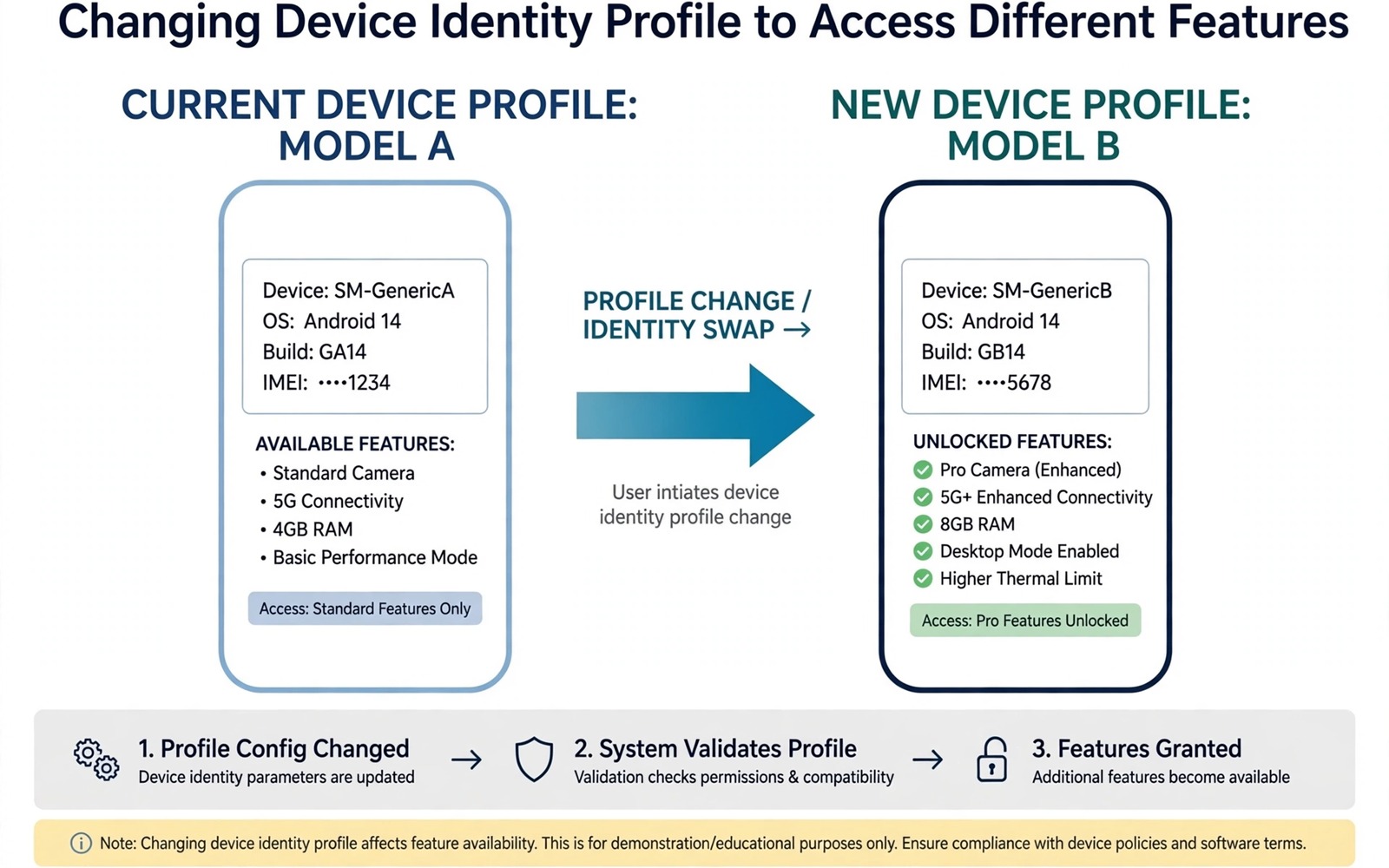
Some apps hide features behind the name of your phone. A camera mode may appear only on a flagship model. A game setting may unlock only on a device with a certain graphics chip. A streaming quality tier may open only for phones on an approved list. Device spoofing changes the identity your phone reports so those gates open. It is a clever trick and it carries real risks that you should understand before you try it.
Apps read identity from build properties that describe the maker and the model and the device code. A spoofing module intercepts those reads and returns a different value for a chosen app. The app then believes it runs on the flagship and it enables the feature it was holding back. The phone hardware does not change in this process. A camera sensor does not gain pixels and a chip does not gain cores. Spoofing unlocks software gates and it cannot create hardware that is not there.
Choose your target carefully because identity touches more than one feature. The same identity that unlocks a camera mode can break payment checks or confuse a cloud backup. Scope the spoof to one app and test the side effects before you widen it. The scoped approach you learn here matches the method in the LSPosed hack to bypass screenshot and screen record blocks where a narrow scope keeps a powerful change under control.
Learn which identity value the app actually checks
Apps check different fields for different gates. One app may check the model name while another checks the device code or the maker name or the fingerprint string that identifies the exact build. A blind spoof that changes every field at once creates more breakage than a targeted spoof that changes only the field the app reads. Read the app behaviour first. Note which feature is missing and search for reports from owners who unlocked it on a similar phone. Those reports often name the exact field that matters.
Test with a harmless app before you touch an important one. Pick a game or a camera app where a wrong identity costs you nothing. Apply the spoof to that app alone and confirm the feature appears. Then check the rest of the phone for side effects. If the test app works and the phone stays stable then you have a method you can trust. If the test app crashes then the spoof value is wrong for your Android version and you should stop and research further.
Apply the spoof to one app only
Use a spoofing module that supports per app scope. Enter the identity values of the donor device exactly as the module expects them. A single wrong character in a device code can make the app reject the spoof or fall back to a worse feature tier. Save your original identity values in a note on your computer before you change anything. That note is your undo button when a spoof causes trouble a week later.
Reboot after applying the scope and open the target app first. Confirm the feature appears and use it for a few minutes. Then open your banking app and your messaging app and check that they still work normally. Identity changes can leak into shared services when the scope is too wide. A quick check of the important apps after every spoof change catches a leak before it becomes a lockout.
Understand the limits of a software identity
A spoof cannot make a weak camera take flagship photos. It can enable a software mode that your sensor can actually support such as a manual mode or a higher bitrate recording option. It cannot enable a mode that needs a sensor your phone lacks. The same logic applies to games. A spoof can unlock a graphics setting but it cannot make a slow chip render that setting smoothly. Expect software gates to open and hardware limits to remain.
su
getprop ro.product.model
getprop ro.product.device
getprop ro.product.manufacturer
getprop ro.build.fingerprint
cat /system/build.prop | grep product
Attribution: the commands above use the standard shell syntax of the platform toolset and the build property reader and they are shown here so you can read every step before you run it on your own device.
Use the inspection commands to record your true identity before any spoof. The fingerprint string is long and a single character matters so copy it exactly into your note. Never share that full fingerprint publicly because it identifies your exact build and device. Keep the note on your computer and not in a shared document.
Watch for account and payment side effects
Changing device identity can confuse services that bind an account to a device. A streaming service may ask you to sign in again. A game may treat the phone as a new device and reset its settings. A payment app may distrust the changed identity and block transactions until you verify again. These reactions are protective and they are annoying. Exclude payment and banking and work apps from every spoof scope without exception.
Cloud backups deserve the same caution. A backup service that sees a new device identity may create a second device entry or overwrite settings for the wrong model. Check your backup list after a spoof and delete any duplicate entry that the spoof created. A tidy backup list prevents a restore from pulling settings meant for a different phone.
Common mistakes
The biggest mistake is spoofing the whole system instead of one app. A global spoof changes identity for every service at once and it creates a tangle of side effects that is hard to unwind. The second mistake is copying a donor identity from a much newer Android version. An app that expects a modern fingerprint on an old system may enable features that crash on the old framework. Match the donor device to your Android version as closely as you can.
The third mistake is forgetting the spoof when an app misbehaves months later. Keep a list of every spoofed app and the donor identity you used. When an app updates and breaks, check the list first. Owners who master scoped changes will also appreciate intercepting and modifying live Android API calls with LSPosed because it teaches the same discipline of changing one behaviour for one app at a time.
Frequently asked questions
Can spoofing unlock paid features for free?
No. Spoofing unlocks device gated features that the app already contains. It does not bypass purchases or subscriptions or licences. An app that checks a purchase on a server will still require that purchase no matter what device name you report.
Will spoofing break system updates?
A per app spoof rarely affects updates because updates check the system identity rather than the app level spoof. A global spoof can confuse update checks and should be disabled before any system update. Return to the true identity for updates and reapply the spoof afterwards if you still need it.
Can an app detect a spoofed device?
Yes. Apps can cross check several identity fields and hardware signals that a simple spoof does not change. A detected mismatch may hide the feature again or trigger a warning. A clean and consistent spoof for one app works better than a sloppy spoof across many fields.
Test a spoof against every app you care about
A spoof test must cover more than the target app. Open your banking app and your messaging app and your cloud backup app after applying a spoof and confirm each one still signs in normally. Identity changes can leak into shared services when a scope is wider than intended. A leak that blocks a payment app during travel costs far more than any feature the spoof unlocked. Test the important apps first and the target feature second because a working feature on a broken phone is not a win. The photo backup experiment in forcing unlimited Google Photos original quality backup shows the same caution because a spoofed identity must never become the only copy of important data.
Document the donor identity and the target app and the date in a note on your computer. That note lets you undo the spoof months later when an app update breaks and you no longer remember what changed. A spoof without documentation becomes a mystery bug that wastes hours of debugging. Documentation also helps you judge whether the spoof still earns its place. A feature you used once in January does not justify a standing identity change in June.
Revisit every spoof after each major system update because updates change how identity is read and reported. An update can expose a mismatch that an older version tolerated. Test the target feature and the important apps again after the update before you assume the spoof still works safely. The debloat list habit in removing preinstalled apps that refuse normal uninstall uses the same post update review because updates silently restore or change the things you customised.
Keep a donor identity library with notes about which feature each donor unlocked and which side effects appeared. A library entry records the donor model and the target app and the feature gained and any problem observed over a week. That library prevents repeating failed experiments and it speeds up future spoofs for similar apps. Update the library when an app update changes the result because a donor that worked last year may fail this year. A library built from your own tests beats a copied list from strangers because it matches your phone and your Android version exactly.
Test a spoof in airplane mode first to see whether the app caches its feature decision locally. An app that unlocks a feature offline proves the gate lives on the device. An app that requires a server check may revert the feature on the next sync regardless of the spoof. That distinction saves you from trusting a spoof that only works until the next server refresh. Offline testing is quick and it reveals the true nature of the gate. A device side gate is a spoof candidate and a server side gate is a dead end for identity tricks.
Conclusion
Device spoofing opens software gates that makers tie to a model name. It works best as a narrow tool for one app and one feature with a recorded original identity and a quick side effect check. It fails as a global disguise that pretends the whole phone is something it is not.
Your concrete next step is to record your true build properties today and pick one harmless app for a test spoof. Apply the spoof to that app only and confirm the feature and check your important apps. If the test passes then you have a safe pattern for future spoofs. For the next scoped skill read the LSPosed hack to bypass screenshot and screen record blocks and compare its narrow scope method with this one.

