

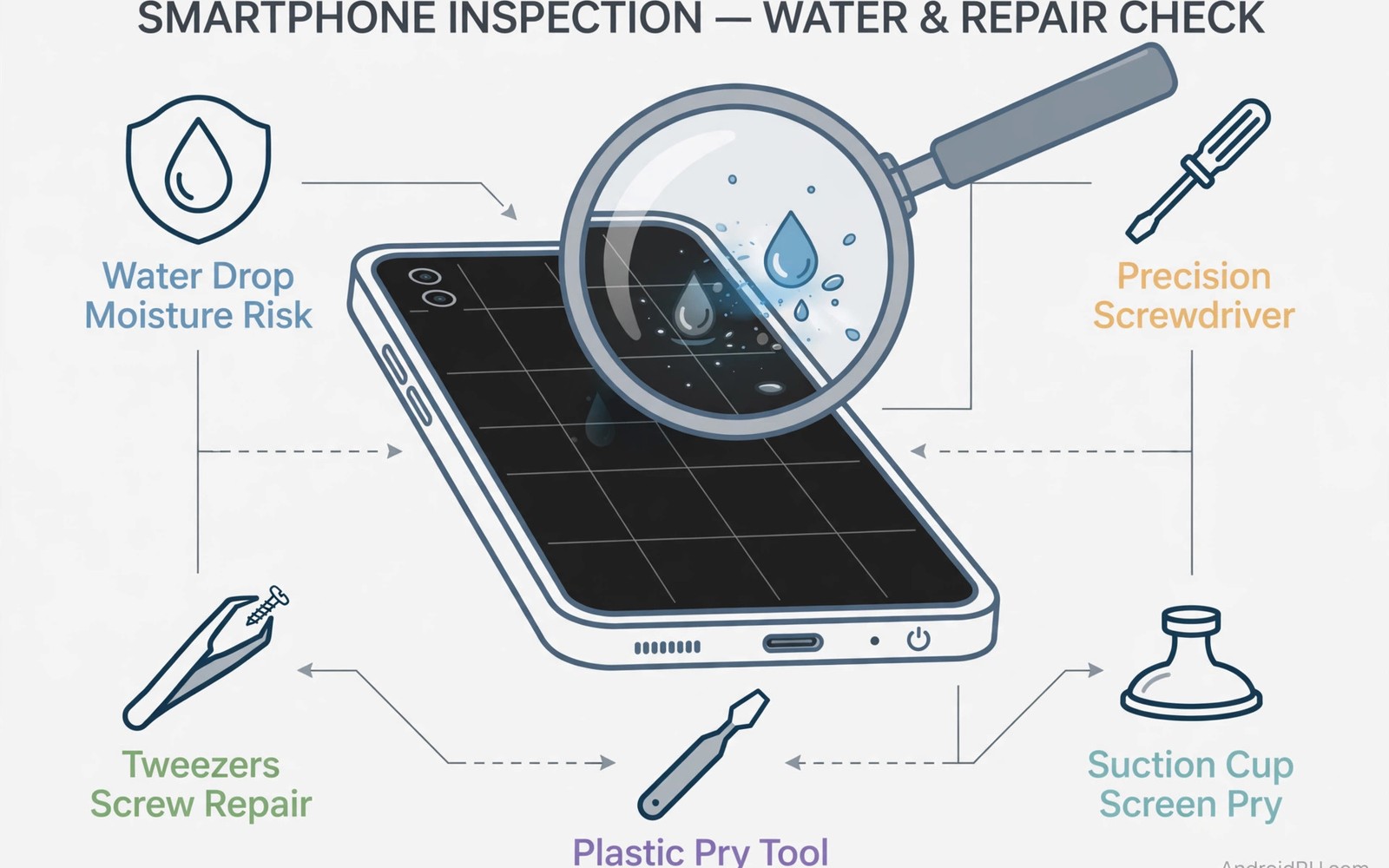
Spotting Water Damage and Unofficial Repairs on Used Smartphones
A used phone can look perfect and still carry corrosion inside, growing slowly and killing circuits months after you pay. I have seen phones that passed a quick shop test, then started dropping calls, muffling speakers, and restarting at random six weeks later, all because liquid reached the board long before the sale. The outside tells a story if you know where to look, and the inside tells another one if you test it properly.
This guide shows you how to spot water damage and unofficial repairs on a used smartphone before money changes hands. You will learn where liquid contact indicators hide, what corrosion looks like in a charging port, how to read screen gaps and tool marks, how to judge a repair by its fit and finish, and which functional tests catch faults that a clean exterior hides. It is written for anyone buying a used phone in person, from a shop or a private seller, and it ends with a checklist you can run in about twenty minutes.
Why Water Damage Hides So Well in Used Smartphones
Water damage hides well because phones are sealed, because corrosion grows slowly, and because a quick dry can hide immediate symptoms without stopping the damage. A phone dropped in a sink, caught in rain, or left in a steamy bathroom may work perfectly for weeks, while mineral deposits quietly bridge circuits and eat at solder joints. Intermittent faults appear first, then speaker distortion, then random restarts, and full failure can arrive months later.
Sellers may not even know about past liquid exposure. A previous owner may have dried the phone quickly, or the phone may have been exposed before they owned it, and the damage was never recorded. That uncertainty deserves the same caution as confirmed exposure, because the risk to you is the same. A careful inspection before paying is the only protection you have, since most private sales offer no warranty at all.
Unofficial repairs add a second layer of risk, because a phone that was opened loses some of its original sealing, even when the repair itself was good. A screen replacement is common and often excellent, but a board repair after water damage is far riskier, and a rushed repair with cheap parts can fail under heat. Your job is not to reject every repaired phone, it is to tell a good repair from a bad one, and to price the risk honestly.
Liquid Contact Indicators and Charging Ports: Your First Checks
Start in good light with a flashlight, and take your time. Sellers who rush you may be hiding faults, while a careful seller welcomes a slow inspection. Begin with the SIM tray, because many phones carry a liquid contact indicator inside the tray slot. Eject the tray, shine your light inside, and look for a small white or coloured dot. A white indicator usually means no liquid contact was detected, while a red or pink indicator means liquid reached that point.
That indicator is one clue among many, not a verdict on its own. Not every phone has a visible indicator, and absence of an indicator proves nothing alone. Some indicators sit deeper inside the phone, where only a technician can see them, and some phones have more than one. If you find a red indicator, treat it as a serious warning, ask direct questions, and look for corroborating signs before you decide.
Inspect the charging port next, with your flashlight angled across the contacts. Green or white deposits around the contacts signal past liquid exposure and corrosion, while rust spots on the SIM tray or inside the port are another warning. Check the speaker grilles for mineral stains, which look like pale crusty residue, and look inside the headphone jack if the phone still has one. Any one of these signs deserves deeper questions, and two together should make you pause.
Reading the indicators and ports
How to read a liquid contact indicator correctly
Look for a clean white dot for no contact, and a solid red or pink dot for contact, but beware of dots that look faded, patchy, or tampered with. A dot that has been scraped or bleached is a sign that someone tried to hide exposure, which is worse than the exposure itself. Photograph what you see, so you have a record if faults appear later, and compare the indicator with the seller’s story about the phone’s history.
Smell and touch clues at the ports
Smell the phone gently at the ports. A musty or chemical smell can follow liquid damage, while a strong cleaning smell can hide prior damage. Neither smell proves damage alone, but both justify extra caution. Feel the port too: a charging cable that wobbles, or a port that feels loose, can follow corrosion or a rough repair, and it will only get worse with daily use.
Screen, Frame and Camera Lens Clues
Look for fog under the camera lens, because fog inside a lens means moisture entered the housing, and it rarely clears fully on its own. Hold the phone under bright light, tilt it slowly, and watch for cloudy patches inside any lens, front or rear. Check the main camera, the ultrawide, and the front camera in turn, because one fogged lens is enough to reject a phone at full price.
Look for water stains under the screen as well. They appear as faint cloudy patches, often near the edges, and tilting the screen under light reveals them. A screen that shows a pale watermark when it is off, or uneven brightness when it is on, may have had liquid behind the display. Run a plain white image at full brightness and look for blotches, because that test exposes stains that a colourful wallpaper hides.
Check for gaps between the screen and the frame, because uneven gaps suggest a screen replacement, and a replaced screen may not seal as well as the original. Press the screen edges gently and listen for movement or creaking, which suggests weak adhesive. Weak adhesive means weaker water resistance, and it also means the screen could lift further with heat or a drop. Compare both sides of the frame, and ask questions about any asymmetry you find.
What fogging, stains and uneven gaps really mean
Fogging means moisture got inside a sealed space, stains mean liquid dried there and left minerals behind, and uneven gaps mean the phone was opened and resealed imperfectly. None of these proves the board is damaged, but each one raises the chance, and together they form a pattern. One small clue can be innocent, but three small clues pointing the same way are a warning you should not ignore.
Screws, Seals, Adhesive and Signs of Unofficial Repairs
Ask the seller directly whether the phone was ever opened, and which shop did the work if it was. Honest sellers answer directly, and a screen replacement is common and often acceptable, while a board repair after water damage is riskier. Ask for repair receipts and part details, because documentation shows the shop name, the part type, the repair date, and the warranty terms. Undocumented repairs force guesswork, and guesswork deserves a discount.
Check the back panel fit closely. A replaced back may sit slightly proud of the frame, and glue residue along the edges signals a rushed repair, while a quality repair leaves clean edges. Look at the frame for tool marks, small scratches near seams that follow a repair opening, and compare both sides for asymmetric wear. Check that screws match the original types and sit flush, because mismatched screws suggest a hurried job with whatever was at hand.
Test water resistance claims with scepticism. No used phone guarantees original water resistance, because seals degrade with age, drops, and repairs, and a repaired phone almost certainly lost some sealing. Treat every second-hand handset as splash resistant at best, and never submerge a second-hand handset to test it, because that test can destroy a phone that would otherwise have served you well. A seller who invites you to dunk the phone is either careless or dishonest.
How to tell a quality repair from a rushed one
Quality repairs use genuine or high-grade parts, so a genuine screen matches colour and brightness closely, while a low-grade screen looks dim and blue tinted. Quality repairs leave clean external work, with even adhesive lines, matching screws, and connectors that sit firmly. A shop warranty of 90 days shows confidence, while a shop with no warranty shows the opposite, so ask for repair warranty terms in writing whenever you can.
Functional Tests to Run Before You Pay for a Used Phone
Functional tests catch faults that your eyes miss, because corrosion causes intermittent faults that appear only under heat or load. Run these tests in order, take notes, and do not let a seller hurry you through them. A phone that passes all of them is far safer than one that merely looks clean, and a phone that fails even one deserves a lower price or a walk away.
Step 1. Test speakers, microphones and all cameras
Play music at low volume, then at high volume, and listen for muffling or distortion, because water damaged speakers sound dull or crackly. Record a voice memo, play it back, and check for distortion or dropouts, which point to microphone damage. Open every camera, test focus at close and far distances, and watch for fog, slow focus, or a camera that refuses to open. Test the front camera too, because it is often the first to fog.
Step 2. Test charging, heat and battery behaviour
Plug in a charger and watch for heat, disconnects, or a charge that stalls, because corrosion in the port causes exactly those symptoms. Leave the phone charging for a few minutes and feel the back for unusual warmth, then unplug and check the battery percentage drops normally. A phone that charges only at certain angles has a damaged port, and that repair is not cheap.
Step 3. Run a load test for ten minutes
Open a demanding app or game, play a video at full brightness, and keep the phone busy for ten minutes, watching for random restarts, screen flicker, or sudden shutdowns. Corrosion faults often appear only under heat, so a phone that idles fine can fail under load. Note any shutdown or flicker, and treat it as a serious warning, because it points to board damage rather than a simple part fault.
Step 4. Test sensors, buttons and biometrics
Check the compass, the proximity sensor, and auto-brightness, because compass and proximity faults often follow liquid exposure. Test every button, the volume rocker, and the fingerprint sensor, and check face recognition in normal light. The fingerprint and biometric checks guide explains how to test these thoroughly, and a phone with several small sensor faults likely suffered liquid damage, so walk away from multi-fault devices.
What to do if a test fails in the shop
Stop, photograph the fault, and ask the seller to explain it before you continue. A seller who offers a clear history and a fair price cut may still be worth dealing with, but a seller who dismisses a restart or a muffled speaker is telling you how they will behave if the phone fails later. Write the fault in your notes, and do not let embarrassment push you into paying full price for a faulty phone.
Why Water Damage Appears Months Later
Corrosion grows slowly after liquid exposure, because mineral deposits bridge circuits gradually, and a phone may work perfectly for weeks after contact. Intermittent faults appear first, then random restarts and speaker distortion, and full failure can arrive months later. This delay is what makes water checks essential before purchase, because a phone that works today is not proof that it will work in three months.
Repair shops can clean corrosion, but they cannot reverse all damage. Cleaning removes deposits from accessible areas, while hidden deposits under chips remain and continue growing slowly. A cleaned water damaged phone still carries higher risk, so price that risk into any offer, or reject the phone. Ask whether the phone was professionally cleaned, when it happened, and whether the shop warranties its work.
Water resistance ratings do not protect used phones, because ratings apply to new phones under lab conditions, and seals degrade with age and drops and repairs. A second-hand handset rated for water resistance may fail in rain, so treat ratings as history rather than current protection. Never test a used phone by submerging it, and never trust a seller who claims a used phone is fully waterproof.
Drying Myths and Real Damage After Liquid Exposure
Rice drying is a popular myth with poor results. Rice absorbs little moisture from a sealed phone, rice dust can enter ports and cause new faults, and rice drying delays professional cleaning while corrosion grows. Professional cleaning within hours saves more phones than any home remedy, so rice belongs in kitchens rather than repair kits.
Hair dryers cause heat damage during drying attempts. Hot air warps adhesives and screens, pushes moisture deeper into the phone, and can damage batteries dangerously. Never use hot air on a wet phone. Power it off immediately instead, and seek professional drying, which uses controlled methods safely.
Charging a wet phone risks short circuits that can destroy boards instantly and damage batteries dangerously. Wait for full professional drying before charging, because patience after liquid exposure saves devices and impatience destroys them permanently. Silica gel helps slightly for surface moisture, but it cannot remove internal moisture, because sealed phones trap moisture inside regardless of external desiccants. Internal moisture needs professional disassembly and direct cleaning of boards.
Buying a Phone With Repair History: When to Accept and When to Walk Away
Repair history alone should not end a deal. Screen replacements are routine and often excellent, battery replacements improve phones measurably, and speaker replacements restore audio fully. Quality repairs extend device life genuinely, so judge repair quality rather than repair existence. A well repaired phone can outperform an untouched worn phone, especially when the repair is documented and warranted.
Board repairs deserve deeper scrutiny than part swaps, because board work involves soldering and component replacement, and quality varies enormously between technicians. Poor board work fails under heat stress, so ask which board components were replaced and whether the shop warranties board work. Board warranties shorter than 90 days signal low confidence, and multiple repairs suggest a troubled device history, with repeated drops weakening internal connectors invisibly.
Before you pay, confirm the phone is genuinely what the seller claims, because a phone with hidden damage is often also a phone with a hidden history. The IMEI verification steps help you document each clue and confirm originality, and photos protect you if faults appear later. The comparison in used flagships versus new budget phones also applies here, because a used flagship with a clean history often beats a new budget phone, while a used flagship with hidden water damage is a worse buy than either.
Price a single good repair fairly without fear, price multiple repairs cautiously, and reject phones with several corrosion signs together, no matter how low the price. A cheap phone that dies in two months is not a bargain, it is a loss, and the money you save on the purchase price will go to a replacement or a repair that may not succeed.
Quick Reference Checklist Before You Pay
Run this checklist in order, in good light, and tick each item off in your notes. If you find one warning sign, keep looking, and if you find three, walk away or demand a large price cut and a written warranty from the seller.
- Check the SIM tray indicator colour with a flashlight, because a red or pink dot means liquid contact occurred.
- Look for green or white deposits inside the charging port, because those deposits mean corrosion is present.
- Inspect speaker grilles for mineral stains and residue, because crusty residue follows liquid drying inside the phone.
- Smell ports gently for musty or chemical odours, because unusual smells justify extra caution.
- Look for fog inside camera lenses under bright light, because fog means moisture entered the housing.
- Tilt the screen to reveal faint water stains, because cloudy patches near the edges point to liquid behind the display.
- Check for uneven gaps between screen and frame, because uneven gaps suggest a screen replacement.
- Press screen edges gently for movement or creaking, because movement suggests weak adhesive and weaker sealing.
- Look for tool marks and scratches near frame seams, because tool marks show the phone was opened.
- Ask whether the phone was ever opened for repair, and ask which shop performed any repair work.
- Check the back panel fit for glue residue, because visible adhesive signals a rushed repair.
- Test speakers at low and high volumes for muffling, because water damaged speakers sound dull or distorted.
- Record audio and play it back for microphone distortion, because mic faults often follow liquid exposure.
- Test all cameras for fog and focus faults, including the front camera.
- Run a demanding app for ten minutes and watch for restarts, because heat exposes corrosion faults.
- Test compass and proximity sensors after suspected damage, because sensor faults often follow liquid exposure.
- Reject phones with several corrosion signs together, and price single good repairs fairly without fear.
- Never submerge a used phone to test water resistance, because that test can destroy a working phone.
Written notes turn a quick look into a reliable record. Share the notes with the seller when negotiating, because clear records help repair shops assess the phone later, and they protect you if the seller disputes a fault after the sale. Photograph the indicator, the port, and any gaps you find, and keep those photos with your receipt.
Frequently Asked Questions About Water Damage and Used Phones
Can a phone with a red liquid contact indicator still be worth buying?
It can be, but only at a steep discount, and only if every other test passes cleanly. A red indicator means liquid reached the phone, not that the board is dead, so a phone that passes a ten-minute load test, shows no corrosion in the port, and has clear speakers and cameras may still serve you well. Insist on a lower price that reflects the risk, get any seller promise in writing, and budget for the chance that it fails within months.
How can I tell if a screen was replaced with a low-quality part?
Compare colour and brightness with a known good phone of the same model, and look for a dim, blue-tinted display, uneven brightness, or touch that feels less responsive at the edges. Check the fit around the frame, look for glue residue, and test auto-brightness in different light. A low-grade screen is not always a deal breaker, but it should lower the price, and it often comes with other shortcuts in the same repair.
Should I buy a used phone that was repaired after water damage?
Usually no, unless the price is very low and you accept that it may fail. Board repairs after water damage can fail months later, even after professional cleaning, because hidden deposits keep growing under chips. If you do buy one, treat it as a short-term phone, back up your data daily, and do not store irreplaceable photos only on that device. A clean phone with one good screen repair is a far safer buy.
What should I do if I find water damage after I already paid?
Document everything immediately with photos and notes, contact the seller the same day, and check whether any warranty, shop guarantee, or consumer protection applies to your purchase. If you bought from a shop, ask for a repair, a replacement, or a refund in writing, and keep copies of every message. If you bought privately with no warranty, your options are limited, which is why the inspection before paying matters so much.
What to Do Next Before You Hand Over Money
Your next step is simple: take this checklist, a flashlight, and a charger to your next viewing, and run the full inspection without rushing. Check the indicator, the port, the lenses, the gaps, and the adhesive, then run the speaker, camera, charging, and load tests, and write down what you find. If the phone passes, pay a fair price with confidence, and if it fails, walk away without regret, because another used phone will come along, and a phone that dies in two months is not a bargain at any price.
Buy the cleanest phone you can afford, favour documented repairs over undocumented ones, and remember that a slow inspection is the cheapest insurance you will ever buy for a used smartphone. That twenty minutes in good light can save you months of faults, a dead board, and the cost of buying the same phone twice.

