

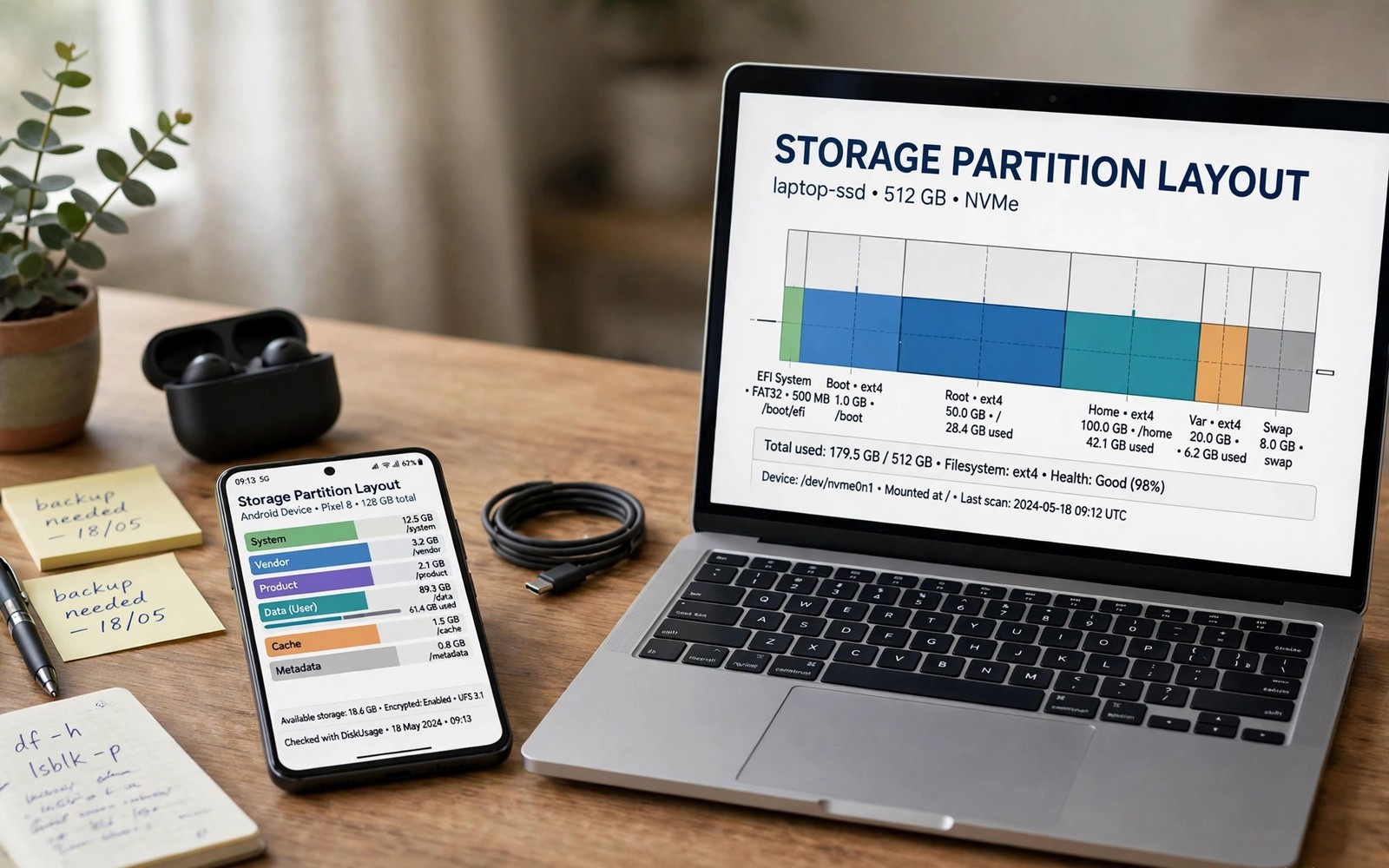
Custom recovery was simpler on older Android phones. Fixed partitions and separate recovery made flashing straightforward. Newer structures changed that simplicity fundamentally. Dynamic partitions and verified boot and slots interact in complex ways. Recovery developers must track all of them at once.
This guide explains each structural change and its recovery impact. It does not argue against security improvements. Many changes protect ordinary users genuinely. It simply shows why recovery work now needs more care and newer tools.
From Fixed to Dynamic Partitions
Older phones assigned fixed sizes to system and vendor partitions. Recovery knew exactly where each partition lived. Flashing wrote images to known fixed locations. That predictability made recovery code simpler and more reliable. Mistakes were still possible but layouts were easy to reason about.
Dynamic partitions replace fixed sizes with logical partitions inside super. Logical partitions resize as updates require different space. Recovery must parse super metadata to find partitions. It must also handle resizing safely during installs. That metadata layer adds failure modes that fixed layouts lacked.
- Fixed partitions had predictable locations and sizes
- Dynamic partitions resize logical units inside a super partition
- Recovery must parse metadata to locate logical partitions
- Resizing mistakes can affect several partitions at once
Verified Boot and Signature Checks
Verified boot checks partition integrity before Android starts. The bootloader verifies signatures against trusted keys. Modified partitions fail verification on locked bootloaders. Unlocking permits custom images but changes security posture. Some makers add extra checks beyond standard verified boot.
Recovery itself faces verification on newer layouts. Recovery inside boot images inherits boot verification rules. A recovery image must satisfy the same checks as boot. Unsigned or mismatched recovery builds simply will not boot. Developers must work within verification rules rather than around them.
Rollback protection adds another verification layer. It blocks booting older software versions after updates. Recovery builds tied to older versions may be rejected. Version matching between recovery and system grows stricter. Users must track versions more carefully than before.
Slots Multiply Complexity
Slot layouts duplicate core partitions for seamless updates. Recovery must know which slot is active and healthy. Flashing the wrong slot produces confusing no change results. Slot metadata corruption can block both slots at once. Recovery code must handle slot state gracefully in all cases.
Dynamic partitions and slots combine into a harder problem. Logical partitions exist per slot inside shared super space. Space accounting must consider both slots together. An update to one slot can fail from space used by the other. Recovery and update tools must coordinate that shared space carefully.
Slot foundations are explained in recovery partitions and seamless A and B layouts for readers new to slots. Slots alone are manageable but slots plus dynamic partitions strain tools.
Encryption and Hardware Keys
Modern encryption ties data access to hardware backed keys. Recovery decryption needs cooperation with secure hardware. Each chip family implements that cooperation differently. Recovery developers must adapt per chip and per maker. Generic decryption code no longer suffices.
File based encryption adds per file key complexity as well. Recovery must handle multiple key classes for different file types. Some files unlock early for system use and others later. Backup tools must respect those classes to capture usable data. Partial decryption produces backups that restore incompletely.
Encryption guides recovery expectations strongly. See how custom recovery handles encrypted internal storage for decryption limits. Hardware key diversity is a major reason support varies.
FastbootD as a Necessary Complication
Classic fastboot cannot manage dynamic partitions adequately. FastbootD fills that gap with userspace partition tools. Recovery and FastbootD now overlap in responsibilities. Users must learn both environments for full manual control. Toolchain complexity grows even when each tool works well.
FastbootD entry and behavior vary by device and recovery. Some devices expose it cleanly through recovery menus. Others require specific fastboot commands to reach it. Documentation for FastbootD lags behind its importance on some models. Users discover it only when classic methods fail.
The FastbootD role is detailed in FastbootD mode and how it interacts with recovery for practical workflows. FastbootD solves real problems but adds learning burden.
Why Some Models Lack Recovery Entirely
Some newer models have no working custom recovery at all. Verification layers or missing kernel sources block development. Small maintainer teams cannot cover every chip and maker variant. Popular models attract maintainers while niche models wait. Device choice now affects recovery availability more than before.
Kernel source availability shapes recovery feasibility strongly. Recovery needs kernel code adapted to each device. Makers release sources on different schedules and completeness levels. Incomplete sources delay or block recovery ports. Users should check recovery availability before buying for modification.
fastboot getvar current-slot
fastboot reboot fastboot
fastboot getvar super-partition-name
The commands above illustrate slot and super queries in fastboot modes. Variable support differs by bootloader and device. Use queries as diagnostics before structural operations. Diagnostics prevent blind flashing on complex layouts.
What Users Can Do About It
Choose devices with known recovery support when modification matters. Check build lists and maintainer activity before purchase. Keep recovery updated for your Android version and layout. Updated builds track structural changes better than stale ones. Version matched recovery is now essential rather than optional.
Learn slot and dynamic concepts before flashing newer phones. Old tutorials from fixed partition eras mislead on new layouts. Follow device specific guides for your exact model and version. Generic advice fails more often on complex layouts. Specificity is the new safety rule.
Recovery update discipline helps enormously with new structures. Follow updating custom recovery for new Android releases as part of every major upgrade. Current recovery handles new layouts far better than old builds.
Looking Ahead
Partition structures will likely keep evolving toward security and flexibility. Recovery projects adapt but adaptation takes time after each release. A gap between Android release and recovery support is now normal. Users should expect that gap and plan upgrades around it. Patience after major releases prevents broken recovery states.
Community maintenance remains the backbone of custom recovery. Supporting maintainers and reporting bugs accurately helps everyone. Clear bug reports with device and version details accelerate fixes. The ecosystem survives on that cooperation. Users benefit most when they contribute careful reports.
Vendor and Product Partition Growth
Vendor partitions grew as hardware support moved out of system. Product partitions grew as maker customizations expanded. System partitions shrank relatively as components migrated elsewhere. Recovery must now handle more partitions than before. Each added partition brings its own update and verification rules.
Component migration also fragments troubleshooting knowledge. A camera fault may live in vendor rather than system now. An audio fault may live in product overlays instead. Fault location knowledge must track migration trends. Old system centric diagnosis misses migrated components.
Update packages now touch many partitions in coordinated ways. A single update may revise system and vendor and product together. Partial updates that miss one component cause mismatched behavior. Recovery and update tools must apply coordinated sets atomically. Coordination failures produce subtle feature breakage.
Recovery Developer Challenges
Recovery developers face a moving target with each Android release. Layout changes arrive faster than small teams can adapt. Testing across many models multiplies adaptation work. A fix for one model may break another model subtly. Broad testing is expensive for volunteer projects.
Documentation for new layouts often lags behind releases. Developers reverse engineer changes from behavior and code. That process takes time after each major release. Users experience the lag as missing recovery support. Patience and bug reports help developers close gaps faster.
Despite challenges, recovery projects continue adapting steadily. Dynamic partition support improves with each generation. Encryption support expands chip by chip over time. The ecosystem moves slower than before but still moves. Long term prospects remain positive for popular models.
- Hardware support migrated from system to vendor partitions
- Updates now coordinate many partitions together
- Developers adapt to layout changes model by model
- Popular models gain support faster than niche models
Advice for Buying Mod Friendly Phones
Mod friendly buying starts with recovery availability research. Check official recovery build lists before purchasing. Look for active maintainers and recent releases for candidates. A phone without recovery support limits future options greatly. Purchase decisions lock in modification possibilities for years.
Bootloader unlock policy matters as much as recovery builds. Some makers allow unlocking freely through official tools. Others restrict unlocking by region or carrier or time. Research unlock policy for your exact variant before buying. An unlockable variant beats a locked sibling model.
Kernel source release history also predicts modification friendliness. Makers with prompt source releases support community development. Makers with delayed sources slow recovery and kernel work. Community forums track source release reputations well. Reputation research before purchase pays off for years.
The steps above follow the approach described in the official developer documentation for this platform. That documentation explains dynamic partitions and verified boot in general terms. It also covers encryption and slot concepts that shape recovery difficulty. Combine it with device notes for your exact model.

