

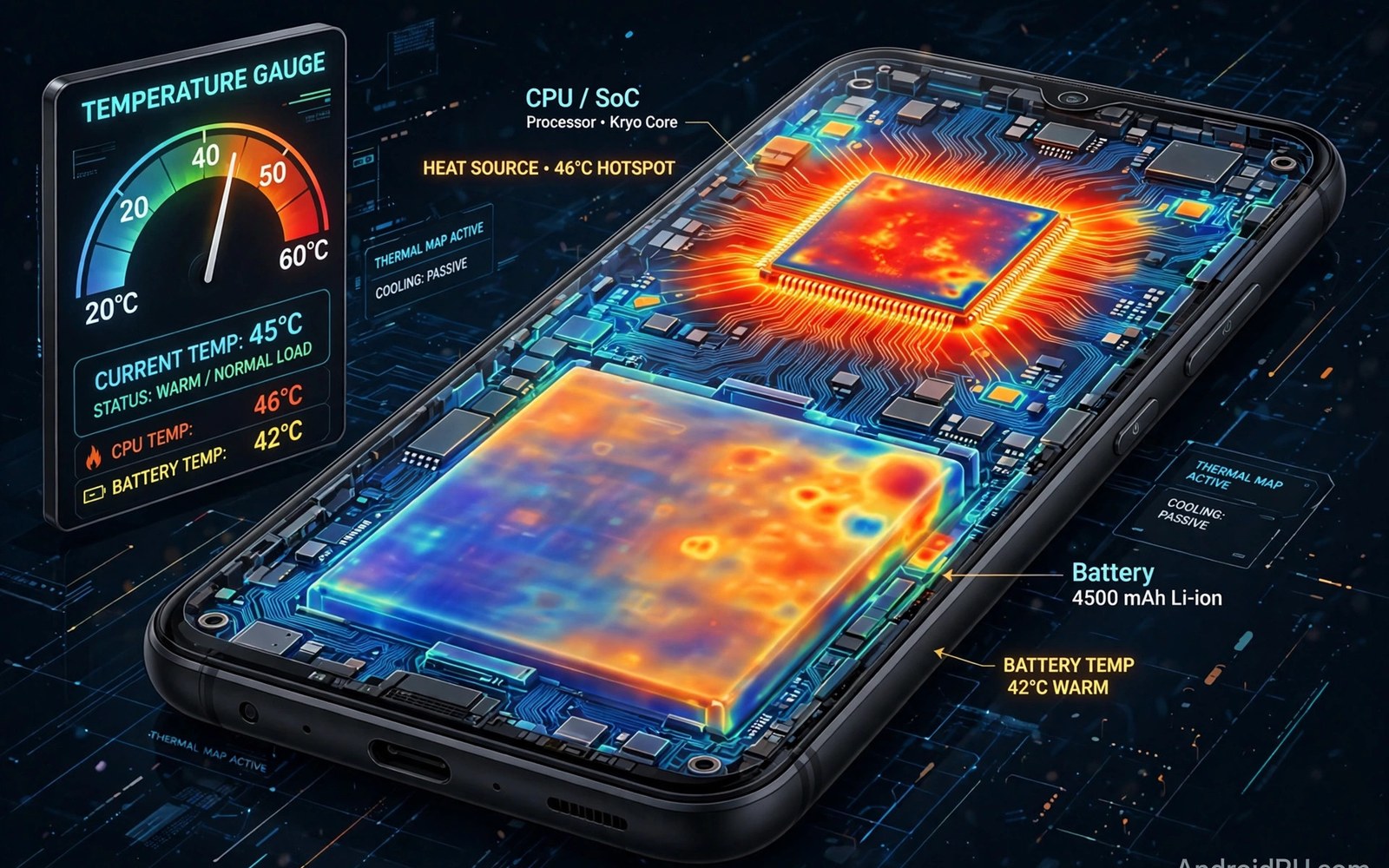
Thermal monitoring apps show how hot your phone really gets. Heat affects speed and battery life and long term hardware health. A good monitor tracks temperature across the chip and battery and warns you before throttling kicks in. This guide explains what to watch and which alerts actually help. This article covers thermal monitoring apps in plain language for everyday Android users.
Heat is normal during games and charging and video recording. Danger starts when heat stays high for a long time. A monitor turns that vague warmth into numbers and trends. If you want to benchmark under heat then log temperatures during the test so you can separate chip power from thermal limits.
Which temperatures matter most
Chip temperature drives throttling decisions. When the chip gets hot the system lowers speed to cool down. Battery temperature affects safety and lifespan. A battery that stays above forty five degrees during charging ages faster than a cool one.
Skin temperature is what your hand feels. It matters for comfort but it lags behind chip temperature. A phone can feel warm while the chip is already throttling. Track chip and battery numbers directly and treat skin warmth as a late signal and not an early warning.
How throttling shows up in monitor data
Throttling appears as a temperature plateau followed by lower clock speeds. A monitor that logs clock speed next to temperature makes this visible. You will see speed drop as temperature crosses a threshold. That threshold varies by phone model and by software version.
Short spikes are harmless. A spike during a game load or a camera burst cools fast. Sustained high temperature is the real problem. Look at the trend over ten minutes and not at one peak second. A flat high line means the cooling system cannot keep up.
Setting alerts that help instead of annoy
Set a battery alert at forty five degrees during charging. Set a chip alert near the throttling point for your model. Alerts should prompt one action. Stop charging or pause the game or move to shade. An alert that fires constantly will be ignored so keep thresholds realistic.
Log data instead of watching it live. A log shows patterns across days and across apps. You may learn that one game heats the phone far more than others. That insight guides real choices like lowering graphics settings for that game only.
Cooling habits that actually work
Remove the case during heavy gaming or long recording. A thick case traps heat and raises sustained temperature. Avoid direct sunlight while charging. Sunlight adds heat that the phone cannot shed fast enough.
Charge with a slower charger overnight. Fast charging generates more heat than slow charging. Pause demanding apps while charging since charging plus gaming stacks two heat sources. Small changes like these cut peak temperature more than any cooler accessory.
When heat signals a real problem
A phone that overheats during light use needs attention. Check for a rogue app draining CPU in the background. Check battery health since a failing battery can run hot. Update software since thermal tuning improves with updates.
Swelling or a hot spot on one side of the phone needs service. Do not keep using a swelling battery. Back up data and visit a repair shop promptly. Heat plus swelling is a safety issue and not a performance quirk.
Battery temperature versus chip temperature
Battery and chip temperatures tell different stories. Chip temperature spikes fast under load and cools fast after. Battery temperature rises slowly and stays high longer. A monitor that shows both helps you separate a short gaming spike from a long charging heat soak. Treat battery heat as the long term aging signal.
Charging heat deserves its own watch. Fast charging raises battery temperature steadily for many minutes. Wireless charging adds more heat than wired charging in most cases. If battery temperature crosses forty five degrees during charging then switch to a slower charger. That one change often cuts peak battery heat sharply.
Heat during video recording and calls
Video recording heats phones fast since camera and encoding and display all work together. Long 4K recordings push sustained temperature high. Pause between clips on hot days. Shade the phone when recording outdoors. Heat warnings during recording protect the battery and should not be ignored.
Video calls heat phones through camera and network and display together. A long call on a weak signal heats more since the radio works harder. Move closer to the router for calls. Use audio only when video is not needed. Small choices like these keep calls comfortable and the phone cool.
Cooling accessories worth it or not
Clip on fans help gaming phones by moving air across the back. They cut a few degrees in sustained play. That margin can delay throttling by minutes. Fans help most on phones with hot spots near the chip. They help least on phones that throttle from battery heat instead.
Thermal pads and cases with vents offer smaller gains. A vented case beats a thick sealed case for heat. Avoid cases with metal plates that trap heat against the back. Test any accessory with a monitor log. If sustained temperature does not drop then the accessory is decoration.
Software settings that reduce heat
Lower screen brightness to cut display heat. Cap frame rate in games to cut GPU heat. Disable background refresh for apps you rarely open. Each setting trims a heat source. Combined they can drop sustained temperature several degrees.
Update software regularly since vendors tune thermal policy in updates. A phone that throttled hard at launch may behave better after a year of updates. Check update notes for thermal mentions. Test again after each major update to see whether tuning changed.
Logging heat across seasons
Summer heat changes everything. A phone that stays cool in winter may throttle in summer. Ambient temperature sets the floor for cooling. Log heat in different seasons to learn your phone limits. Summer logs justify lower graphics settings for the season.
Indoor heating matters too. A warm room raises sustained temperature like summer outdoors. Note room temperature next to heat logs when you compare across days. Without that context a warm room looks like a phone fault. Context keeps heat diagnosis honest.
Heat and battery swelling warning signs
Battery swelling is the most serious heat related warning. A swelling battery pushes the screen or back cover outward. The phone may rock on a flat table instead of lying flat. Gaps appear around the screen edges. Stop using a swelling phone immediately and do not charge it further. Swelling signals internal damage that heat monitoring alone cannot fix.
Heat plus swelling together demand professional service promptly. Do not puncture or press a swollen battery. Back up data only if the phone still operates safely and coolly. Many repair shops accept swollen phones with special handling. Safety outweighs data recovery when swelling is visible. A monitor log showing sustained high battery temperature before swelling helps the repair diagnosis.
Thermal paste and phone cooling design
Phones move chip heat through graphite sheets and vapor chambers. These passive systems spread heat across the frame for dissipation. Vapor chambers suit flagship gaming phones best. Graphite sheets suit thin phones where space is tight. Neither system uses fans or moving parts. Their limits explain why sustained loads always throttle eventually on a phone.
Case choice interacts with cooling design directly. A thick insulating case traps heat against the frame and defeats the spreading system. A thin case or no case lets the frame shed heat to air. Gaming sessions deserve a thin case at most. Everyday use tolerates any case since loads stay light. Match case thickness to load intensity for sensible thermal behavior.
Monitoring heat during charging overnight
Overnight charging heat matters because it lasts for hours. A phone charging under a pillow traps heat all night. That trapped heat ages the battery faster than any daytime spike. Charge on a hard cool surface with airflow around the phone. Remove thick cases for overnight charging when possible.
Adaptive charging reduces overnight heat by slowing the charge curve. The phone reaches full charge near wake time instead of early in the night. That pattern cuts hours spent at full charge and high temperature. Enable adaptive charging in battery settings when offered. Log one overnight session to confirm the gentler curve actually happens on your phone.
Heat in cold weather paradoxes
Cold weather brings its own thermal quirks. Batteries lose capacity in cold and phones may shut down outdoors in winter. The phone then warms rapidly indoors and condensation can form. Avoid rapid temperature swings by warming the phone gradually in a pocket rather than near a heater.
Cold hands also misjudge phone temperature. A phone that feels cool outdoors may still throttle under load since the chip heats internally regardless of ambient cold. Monitor readings beat hand feel in every season. Log winter gaming sessions to learn whether cold ambient truly helps sustained performance on your model.
adb shell dumpsys thermalserviceThe command above follows the standard syntax for the Android developer bridge and prints thermal service status so you can compare monitor readings with system thermal data.
Common mistakes
The most common mistake is panicking over a single high reading. One spike during a game load is normal. Judge heat by sustained trends and not by peak seconds. A monitor log over a full session tells the true story.
Another mistake is trusting skin feel over sensor data. Hands adapt to warmth and miss gradual rises. Sensor numbers are objective. Check them when the phone feels warm and you will catch throttling early.
People also buy cooler accessories before fixing habits. A clip on fan helps a little but it cannot fix charging while gaming in sunlight. Change habits first. A battery health report can also show whether heat already aged the battery and whether replacement makes more sense than cooling gear.
Frequently asked questions
What temperature is safe for an Android phone?
Battery temperatures under forty degrees are ideal. Short peaks to forty five during gaming or fast charging are normal. Sustained battery temperature above forty five deserves a cooling break.
Do thermal apps drain battery themselves?
Good ones use little power since they poll sensors on a schedule. Avoid monitors that update every second with heavy widgets. A five second interval gives useful data with minimal drain.
Can a monitor prevent throttling?
No. A monitor only reports heat. It cannot change thermal policy. Use its alerts to pause heavy tasks or improve cooling. That action is what prevents sustained throttling.
Conclusion
Thermal monitoring turns heat from a feeling into data. Track chip and battery temperatures and watch sustained trends. Act on alerts with simple cooling habits and your phone will hold speed longer.
Your next step is concrete. Install a monitor and log one full gaming session today. Note the peak and the sustained temperature. Then compare with real-time overlays to see how heat lines up with frame drops in play.

