

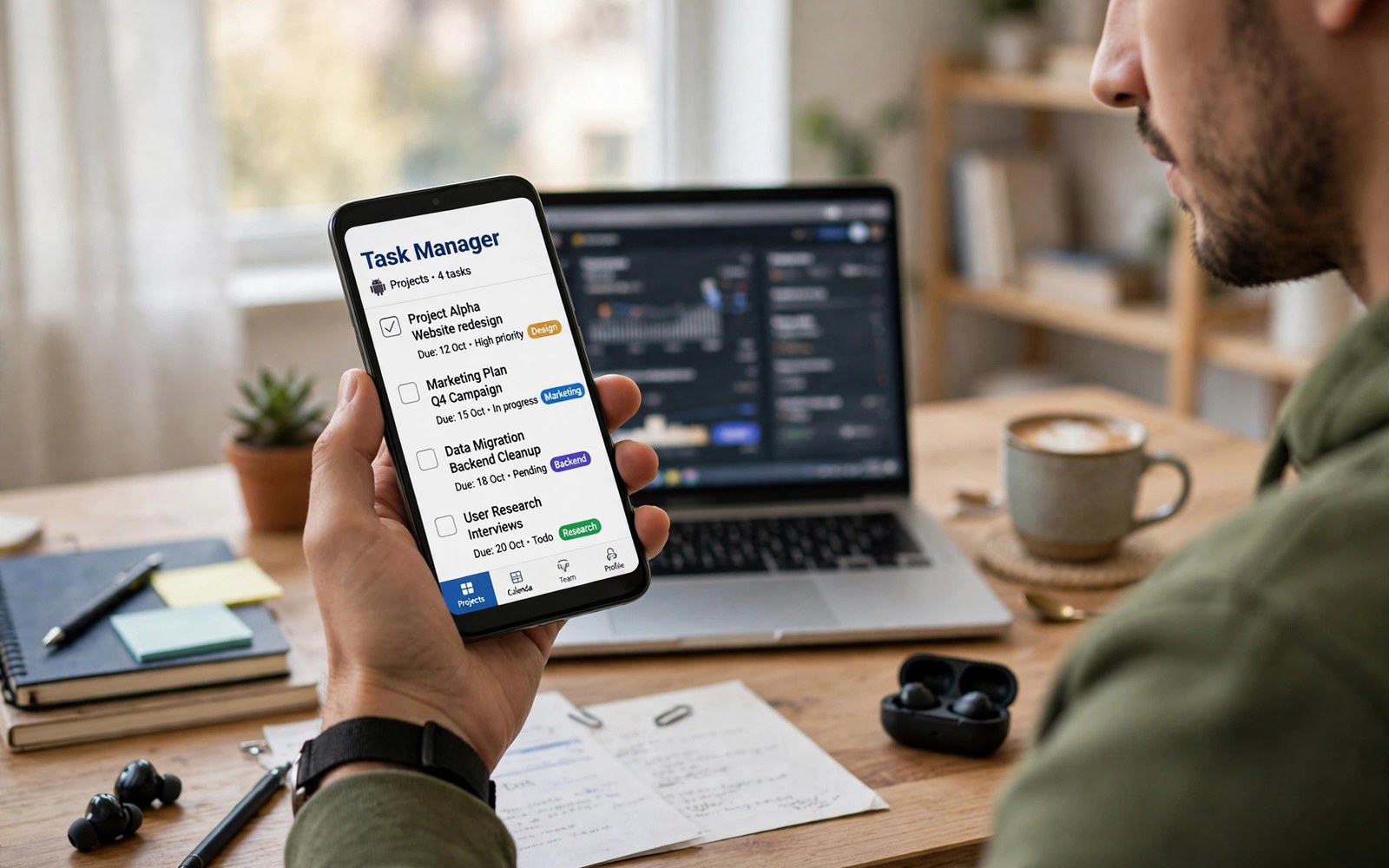
The best task manager apps for Android turn a busy mind into a clear list of next actions. A good task app must show what is due today and what can wait and what is blocked without extra taps. This article compares the features that matter for projects and the habits that make any task app work.
Many task lists fail because they hold wishes and projects and errands in one endless pile. A pile grows until opening the app feels stressful and then capture stops altogether. A task system needs a daily view and a project view and a way to hide work that is not due yet.
Start by separating tasks from projects and from reference notes. A task is one action with a clear finish and a project is a result that needs many tasks. Reference notes hold facts that support tasks but they are not tasks themselves. A closer look at PDF reader apps can help you compare daily tools before you commit to one setup.
What matters most
Priorities must be simple enough to use on a phone in seconds. Three levels work well for most people because five levels turn every task into a debate. A task with no priority at all will drift to the bottom and then vanish from attention.
Due dates need a rule that you actually follow every day. A task due today should mean work today and a task due this week should stay out of the daily view. False due dates train you to ignore real deadlines and they destroy trust in the list.
Recurring tasks save time for habits and bills and regular reports. A recurring task should carry a clear interval and a clear next date after completion. A vague recurring task will reappear at the wrong time and add noise to the daily view.
How to choose the right setup
Solo users need fast capture and a clean today view and reliable reminders. Team users need shared projects and comments and a clear owner for each task. A solo app forced into team work will frustrate a group and a team app forced onto one person will feel heavy.
Calendar integration helps when due dates and appointments share one day. A task app that shows calendar events beside tasks prevents double booking of a busy day. Check whether the integration is two way or read only before you rely on it.
Widgets matter on Android because the today list should live on the home screen. A widget that shows today tasks and lets you check them off without opening the app saves many taps. Test the widget on your launcher because widget quality varies by app and by phone.
A practical daily routine
Start the day by picking three tasks that must finish before anything else. Write each task as an action that takes less than an hour when possible. Break a large task into a first step that you can start at once without extra planning. A related look at document scanning apps can show how a second tool fits the same workday without adding clutter.
Capture new tasks into an inbox during the day and process the inbox once in the evening. Processing means assigning a project and a due date or deleting the task with a clear reason. An inbox that is never processed becomes a second pile of guilt.
End the day by reviewing done tasks and moving open tasks with a new date. A task that moves three times needs a smaller step or a decision to drop it. Honest review keeps the list short and it keeps tomorrow realistic.
Costs and privacy and limits
Free task apps often limit projects or collaborators or file attachments. A free plan may suit one person with a few projects and simple lists. Team work and large attachments and advanced reminders usually need a paid plan.
Task data can include work plans and personal goals that deserve care. Check whether the app stores tasks on its servers and whether it offers a lock or encryption. Do not store passwords or sensitive codes inside a task title or a task note.
Switching cost grows as tasks and projects pile up inside one app. Export support decides whether a future move is easy or painful. Test export early with a sample project before the list grows past a hundred tasks.
A useful example
A task list is only useful when it can leave the app that holds it. The script below saves two tasks as structured JSON with a title and a due date and a priority. Use the same fields inside your task app and export will stay simple.
import json
tasks = [{"title": "Draft report", "due": "2026-11-03", "priority": "high"}, {"title": "Book venue", "due": "2026-11-05", "priority": "medium"}]
open("tasks.json", "w", encoding="utf-8").write(json.dumps(tasks, indent=2))
print(f"Saved {len(tasks)} tasks")
This task export pattern follows the approach described in the official Python documentation for structured data and text files. The same documentation explains how JSON keeps a simple list readable by many tools.
What to check after a week
After a week check whether the today view still fits one screen and still feels doable. A today view with twenty tasks will teach you to ignore the app. Trim the day to three must do tasks and move the rest to a later list.
After a week check reminders by noting which tasks you finished because a reminder fired. A reminder that arrives at the wrong time is worse than no reminder at all. Tune reminder times to moments when you can actually act. A practical look at time-tracking apps can help you judge whether your current setup still earns its place on your phone.
After a week check capture speed during a busy moment. A task that takes more than thirty seconds to capture will often be lost. Shorten the capture form to title and date and let details wait for the evening process step.
Deeper checks for careful users
Project views help when a result needs many tasks across weeks. A board view suits visual work and a list view suits ordered steps. Use one project view per project and avoid switching views daily because switching costs attention.
Labels and filters help only when the set stays small. Five labels cover most work and twenty labels turn filtering into a chore. Delete a label that you have not used in a month and let the list stay simple.
Review habits matter more than app features for long projects. A weekly review that checks every project for a next action prevents stalled work. A project with no next action is a wish rather than a plan and it needs a decision.
Making the choice stick
A task habit sticks when the today list opens on the home screen as a widget. Place the today widget where you see it before messages each morning. A widget hidden on a later screen will lose to social apps every day. A visible today list turns planning into the first action of the day. Test widget placement for a week and move it if you keep skipping the morning review.
A weekly review keeps a task system honest about what is actually possible. Spend twenty minutes each Friday checking every project for a next action. A project without a next action is a wish and it should either gain an action or leave the list. A weekly review also reveals tasks that have waited too long for a decision. A decision to drop a task frees more time than a week of carrying it silently.
Due dates work best when they mean real deadlines rather than vague hopes. Use a due date only when work must finish by that day for a real reason. A task with a hopeful date will train you to ignore dates altogether. A task without a deadline belongs on a someday list rather than on a dated list. Honest dates will rebuild trust in the list within weeks.
Project lists need a clear finish definition or they will grow forever. Define done for each project in one sentence before adding tasks. A project with a clear finish can close and free attention for the next project. A project without a finish will collect tasks until it feels impossible. Write the finish definition at the top of each project page.
Delegated tasks need a follow up date even when someone else owns the work. A task assigned to a colleague without a check date will vanish from attention. A follow up date brings the task back for a gentle check at the right time. A system that tracks delegated work will improve team reliability without nagging. Set the follow up date when you assign the task rather than later.
A task app earns a permanent place when it survives a busy week without a rescue. Test capture during a chaotic day and see whether tasks still reach the inbox. A system that fails on busy days has failed its main purpose. Fix capture friction first because capture is the entry point for everything else. A trusted inbox will keep the whole system alive through hard weeks.
A week of practice
Day one of practice should clear the today list to three tasks and nothing else. Write each task as a single action that can finish today. A today list with three tasks will feel doable from the first morning. A today list with twenty tasks will feel stressful before work starts. Note how many of the three tasks actually finish by evening.
Day three of practice should test capture during a busy afternoon with many interruptions. Capture every new task into the inbox in under thirty seconds each. A capture that stays fast during chaos proves the system works. A capture that slows during chaos shows a form problem that needs fixing. Shorten the capture form to title and date only if needed.
Day five of practice should test the evening process routine with a full inbox. Process every inbox item into a project and a date or delete it with a reason. A process routine that finishes in fifteen minutes will survive daily use. A process routine that takes an hour will be skipped on busy days. Simplify the process until it fits fifteen minutes reliably.
Day seven of practice should review the week and count tasks finished against tasks carried over. A high finish rate with a short today list proves the system works. A low finish rate with a long today list shows that planning was unrealistic. Adjust tomorrow planning from real finish data rather than wishes. Decide on evidence and keep the routine that finished work.
Common mistakes
Most task app failures come from list habits rather than from missing features. The list below names the mistakes that break trust in a list.
- Putting every wish and project and errand into one endless today list.
- Setting false due dates that train you to ignore real deadlines.
- Skipping the evening inbox process until capture stops working.
- Using five priority levels that turn each task into a debate.
- Keeping a project with no next action for weeks at a time.
- Choosing a team app for solo work that only needs fast capture.
Each mistake above is easy to fix with a smaller today list and a daily review. A short list that you trust will beat a long list that you fear. Keep the system honest and the app will stay useful for years.
Frequently asked questions
What is the best task manager app for Android beginners?
Beginners benefit most from an app with fast capture and a clean today view and simple reminders. Complex project features can wait until basic habits feel steady. Start with one app for two weeks before judging it.
How many tasks should I plan each day?
Three must do tasks make a realistic day for most people. Other tasks can sit on a later list without crowding the day. A day with too many tasks teaches you to ignore the list.
Can task apps replace a calendar?
Task apps and calendars serve different jobs and they work best together. A calendar holds fixed appointments and a task app holds flexible actions. Use both and let due dates and appointments share one daily view.
Conclusion and next step
A task manager works when capture is fast and today stays short and review happens daily. Features matter far less than those three habits in real work. Pick an app that supports the habits and then protect the habits with a daily routine.
Your concrete next step is to clear your today list to three tasks tonight and process every inbox item before bed. Repeat that routine for seven days and then judge the app. A trusted short list will change your work more than a new app will.

