

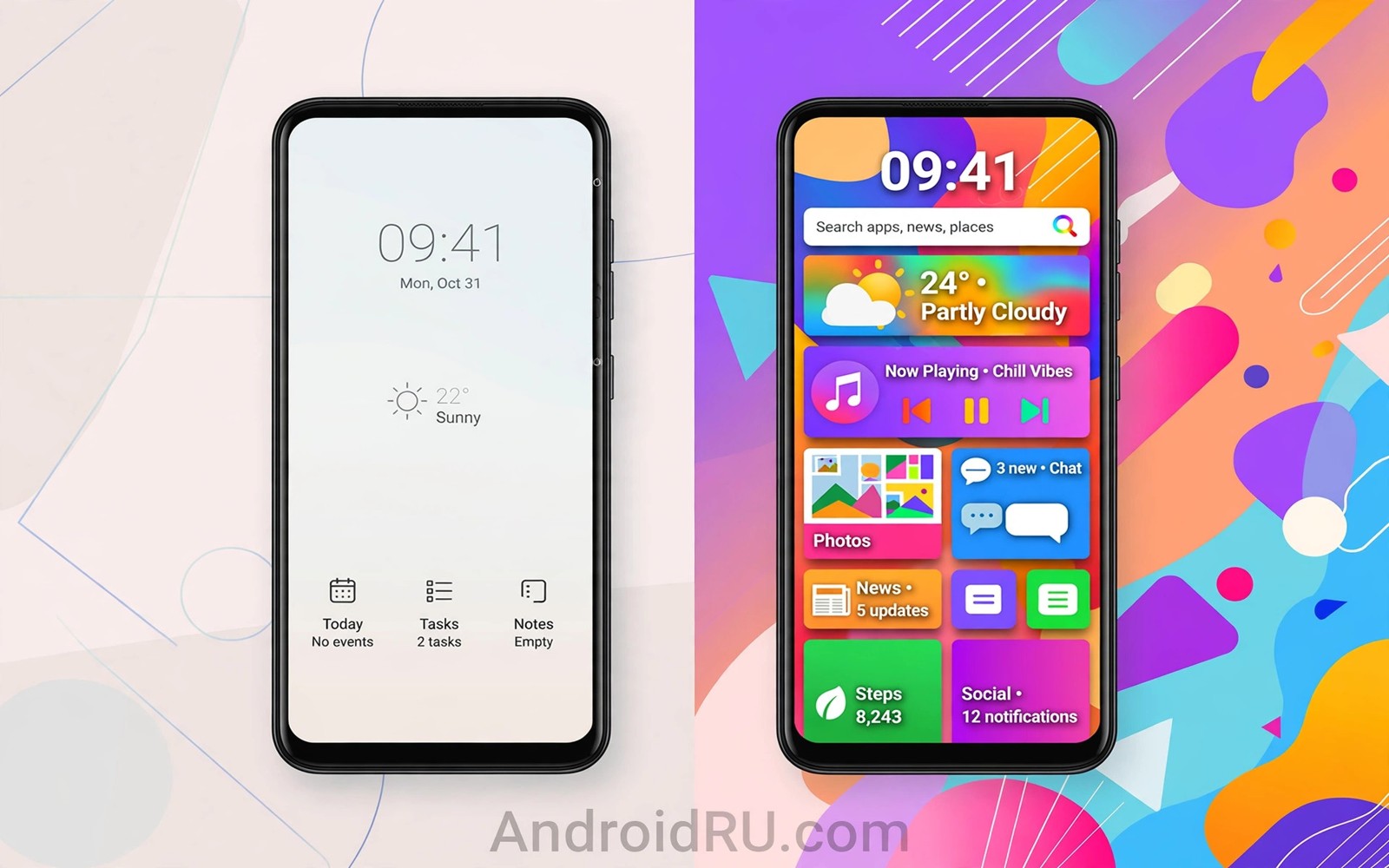
Stock Android vs One UI is a clash between simplicity and abundance. Stock Android ships on Pixel phones. One UI ships on Samsung phones. Samsung sells far more phones worldwide. Pixel sets the Android design standard. Market rules and design rules may crown different winners. This article judges both fairly.
One UI is the most polished maker skin today. Stock Android is the cleanest Google vision. See stock simplicity versus custom skins for the general skin debate. Also read stock performance after two years for aging behaviour. Daily habits decide this contest.
Design philosophy compared
Stock Android values restraint and consistency. Menus stay shallow and typography stays clean. Material You theming adapts colours gently. The design feels calm across apps. Users learn it fast.
One UI values reachability and feature density. Large headers push content down for one hand use. Menus offer more options per screen. The design feels rich and busy. Samsung users enjoy that depth.
Features Samsung adds
One UI adds edge panels and multi window tools. It adds Samsung DeX desktop mode. It adds advanced gallery and notes apps. It adds Good Lock customization modules. Those tools create real daily value.
Stock Android lacks most of those extras natively. Users add third party apps instead. That modular path works but needs setup. Samsung bundles the tools ready to use. Bundle convenience appeals to many buyers.
Updates and support pace
Pixel phones get Android updates first. They get security patches monthly for years. Samsung flagships now promise long support too. Samsung updates arrive weeks or months later. That delay matters to update fans.
Samsung support breadth is impressive across price tiers. Budget Samsung phones get years of patches. Pixel support focuses on fewer models. Both approaches serve users well now. The gap has narrowed greatly.
Camera and AI features
Samsung cameras offer many modes and zoom tools. One UI camera feels feature packed. Pixel cameras offer smarter processing with fewer modes. Pixel photos often win in tricky light. Samsung photos often win in versatility.
AI features differ in style. Samsung AI edits photos and summarizes notes. Google AI assists across search and calls. Both ecosystems grow fast. Your app habits pick the better AI set.
Daily use and battery
One UI on flagships feels smooth and fast. Modern Samsung chips hide skin overhead well. Battery life competes strongly with Pixel. Budget Samsung phones show more skin weight. Stock stays lighter on modest hardware.
Duplicate apps still appear on Samsung phones. Samsung apps sit beside Google apps. Users can disable many duplicates. Cleanup takes time at setup. Stock avoids that chore entirely.
Market verdict
One UI rules the market by sales volume. Stock Android rules design influence. Samsung reaches more hands. Google shapes Android direction. Also consider best custom ROMs for power users if neither interface satisfies you. Custom ROMs offer a third path.
Pick One UI for features and device variety. Pick stock for speed and first updates. Neither choice disappoints on a modern flagship. Your ecosystem habits break the tie.
adb shell pm list packages | grep -i samsung
adb shell cmd appops get com.example.app RUN_IN_BACKGROUND
adb shell dumpsys battery | grep -i level
These commands follow the pattern shown in the official Android developer documentation for adb package and battery tools. They only inspect packages and battery state.
One UI Good Lock modules worth trying
Good Lock modules let Samsung users reshape One UI deeply. Home Up changes home screen grids and folders. QuickStar tweaks quick settings layout. NavStar changes navigation bar style. Each module targets one area. That focus keeps tweaks manageable. Install one module at a time and test it. That habit prevents confusion.
Theme Park builds custom themes without root. It recolours system apps and icons. That tool satisfies many theming urges. It cannot change settings menus fully. It still transforms daily appearance greatly. Theme Park suits users who want fresh looks safely. It reverses cleanly when removed.
Sound Assistant adds per app volume controls. That feature helps users who juggle media apps. Routines automates settings by time and place. Automation reduces daily taps. Those tools show One UI depth at its best. Stock Android lacks several of them natively. That depth justifies One UI for many buyers.
Good Lock availability varies by region. Some modules hide in certain countries. Users sideload modules when needed. Sideloading carries small risks. Prefer official Galaxy Store sources when possible. That caution keeps tweaks safe. Check availability before promising features to others.
Samsung versus Pixel camera philosophy
Samsung cameras prioritise vivid colours and versatility. Photos pop on social feeds immediately. Zoom range exceeds Pixel rivals. Night modes brighten scenes aggressively. That style pleases many casual photographers. Critics call the colours unrealistic. Fans call them lively. Taste decides this debate rather than measurements. Measurements cannot settle colour preference.
Pixel cameras prioritise computational realism. Photos look natural in tricky light. Shadows retain detail. Skin tones stay accurate. That restraint pleases photography purists. Casual viewers sometimes find Pixel photos dull. Dullness here means accuracy. Accuracy versus vividness is a taste split. Neither side is wrong. Pick the style your eyes prefer.
Video philosophies differ similarly. Samsung video offers many modes and resolutions. Pixel video offers strong stabilisation and processing. Stabilisation matters for handheld clips. Mode variety matters for creative users. Different users rank these differently. Test video in your typical scenes. Typical scenes predict satisfaction better than spec sheets. Specs hide stabilisation quality.
Selfie cameras reveal philosophy gaps clearly. Samsung selfies smooth skin by default. Pixel selfies keep skin texture natural. Smoothing divides users sharply. Some love smooth selfies. Others hate plastic skin. Check default settings before judging. Defaults can be adjusted on both. Adjusted comparisons beat default comparisons. Adjust first and then judge.
Long term camera updates favour Pixel slightly. Google improves processing through updates. Samsung improves through new hardware more. Old Samsung phones gain less from updates. Old Pixel phones gain more processing improvements. That pattern matters for long owners. Buyers who keep phones for years should weigh it. Update gains extend camera life.
One UI versus stock for business users
Business users need reliable email and calendar sync. Stock Android syncs Google Workspace smoothly. One UI syncs Microsoft tools smoothly too. Both ecosystems work well. Ecosystem choice drives interface choice. Google shops suit stock. Microsoft shops suit Samsung. Shops should match phones to tools. Matching reduces friction daily. Friction reduction saves employee time. Time savings justify phone choices. Choices should follow workflows.
Device management tools differ between platforms. Samsung Knox offers deep management features. Knox enables containerised work profiles. Containers separate work and personal data. Separation protects company data. Stock Android offers work profiles too. Knox adds hardware backed security. Hardware backing strengthens containers. Strength matters for regulated industries. Regulated users should weigh Knox heavily. Weight reflects compliance needs.
Long term support contracts favour Samsung breadth. Samsung sells business models in bulk. Bulk sales include support agreements. Agreements guarantee update windows. Windows matter for fleet planning. Fleet planning needs predictable timelines. Pixel fleets suit smaller teams. Smaller teams value simplicity. Simplicity reduces IT burden. Burden reduction matters for small IT teams. Teams should match size to vendor.
Accessory ecosystems affect business choices too. Samsung DeX turns phones into desktops. Desktops suit travelling workers. Workers dock phones at hotels. Hotel desks become offices instantly. Stock phones lack DeX equivalents. Equivalents exist through third party docks. Third party docks work less smoothly. Smoothness matters for travelling staff. Staff productivity depends on docking. Docking is a Samsung advantage.
One UI hidden features tour
One UI hides powerful features in settings menus. Menus contain Labs options. Labs options preview experimental tools. Experimental tools include gesture tweaks. Tweaks improve one handed use. Use improvements delight discoverers. Discoverers share finds online. Online sharing spreads knowledge. Knowledge improves all users. Users should explore Labs cautiously. Caution prevents unstable experiments.
Edge panels hide productivity shortcuts. Shortcuts launch apps instantly. Instant launches save taps. Taps saved accumulate daily. Daily accumulation matters. Matters for busy users. Busy users love panels. Panels customise easily. Easy customisation invites experimentation. Experimentation finds ideal setups. Ideal setups speed work.
Routines automate phone behaviour by context. Contexts include location and time. Time based routines silence nights. Nights silenced improve sleep. Sleep improvement is valuable. Valuable automation is invisible. Invisible automation feels magical. Magical phones delight owners. Owners share routines online. Sharing spreads good ideas.
Common mistakes
Judging One UI from old versions misleads. Modern One UI is far lighter. Judging stock from Pixel only also misleads. Other stock phones vary in update pace.
Disabling Samsung system apps blindly breaks features. Disable slowly and test. Assuming sales volume equals design quality confuses two contests. Judge design and market separately.
Ignoring long term update promises risks disappointment. Check the promise for your exact model tier. Flagship promises differ from budget promises.
Frequently asked questions
Is One UI better than stock Android?
It depends on your priorities. One UI wins on features and device choice. Stock wins on simplicity and update speed. Modern flagships make both excellent daily choices.
Does One UI slow phones down?
Rarely on modern flagships. Budget phones show more overhead. Stock stays lighter on modest hardware. Test your price tier in person when possible.
Can I get stock Android on a Samsung phone?
You can flash a custom ROM on some Samsung models. That carries unlock trade-offs. A launcher can mimic stock looks without flashing. Full stock needs a ROM install.
Conclusion
One UI wins market reach and feature depth. Stock Android wins purity and update speed. Both are mature in 2026. Your feature needs and update patience decide.
Your concrete next step is to list the Samsung features you use weekly today. If the list is short then stock may please you more. If it is long then One UI earns its place.

