

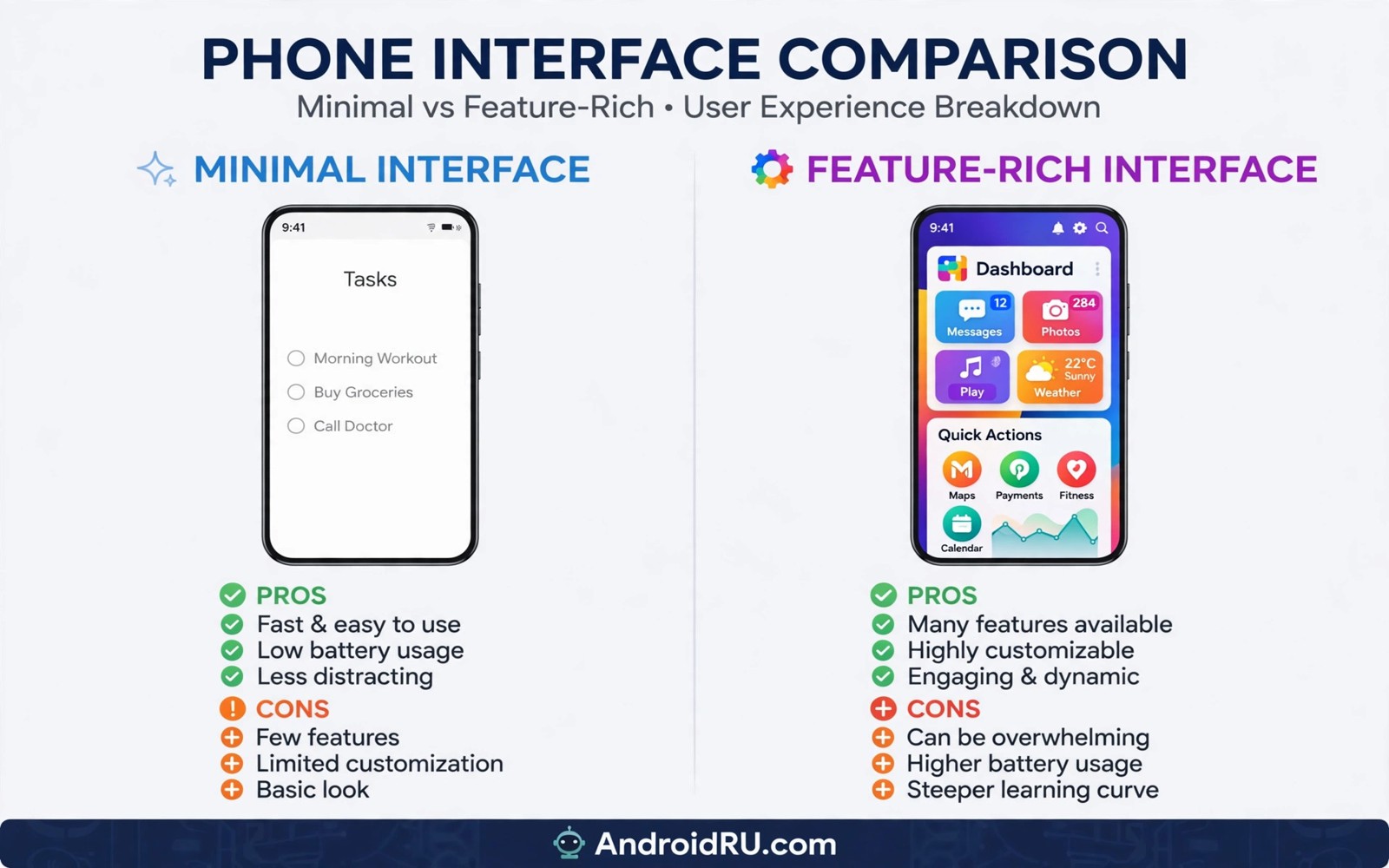
Stock Android simplicity vs feature-rich custom skins is a debate about taste and priorities. Stock feels clean and fast. Custom skins add tools and flair. Neither approach wins for every user. This article compares daily life on both. You will see which interface fits your habits.
Skins differ from custom ROMs in one key way. Skins ship from the phone maker as the default system. Custom ROMs replace that system later. For the ROM side see best custom ROMs for power users. For a direct ROM face off see LineageOS against Pixel Experience. This article stays on maker software versus stock.
What stock Android feels like daily
Stock Android keeps menus simple and animations smooth. Apps launch without extra layers in the way. Settings follow Google design patterns. New users learn the system fast. Long term users enjoy consistent updates to the same design.
The cost of simplicity is fewer built in tools. Stock lacks some maker extras like advanced gallery editors. You add those tools through apps instead. That modular approach keeps the system lean. It also means more app installs for some tasks.
What custom skins add
Custom skins add split screen tricks and edge panels and themes. They add advanced camera modes and gallery tools. They add per app settings and gesture shortcuts. Power users gain real daily shortcuts. Casual users gain visual variety.
Skins also add duplicate apps in some cases. A maker gallery may sit beside Google Photos. A maker store may sit beside Play. Duplicates confuse some users and consume storage. You can disable many of them. The cleanup takes time.
Speed and battery in practice
Stock usually feels lighter on modest hardware. Fewer background services mean fewer wakeups. Battery life benefits on phones with small cells. Custom skins have improved greatly though. Modern flagships hide skin overhead well.
Heavy skins can still lag on budget phones. Animations and extra services add load. Light skins stay close to stock speed. Judge by your price tier. Flagship skin overhead matters less than budget skin overhead.
Updates and long term support
Stock phones from Google get fast updates for years. Other stock style phones vary. Maker skins often delay major Android updates. Skin makers must adapt each new version. That work takes months on large lineups.
Security patches also vary by maker. Some skins ship monthly patches reliably. Others slip to quarterly cycles. Check the update record for your model line. Past pace predicts future pace better than promises.
Camera and maker features
Maker skins win on camera features in most cases. Night modes and zoom tools tie into skin software. Gallery editors also tie into the skin. Stock camera apps are simpler. Pixel phones are the exception with superb stock cameras.
Other maker features include stylus tools and desktop modes. Foldable skins add multitasking layouts. Stock lacks those device specific tools. If you bought a phone for a special feature then the skin is part of the value. Removing it loses that value.
Choosing based on your habits
If you value speed and fast updates then stock suits you. If you value built in tools and visual variety then a rich skin suits you. Test both in a store when possible. Also weigh stock performance after two years for long term behaviour. That article shows how each approach ages.
Consider your tolerance for clutter too. Some users enjoy tweaking themes daily. Others want a phone that stays out of the way. Neither preference is wrong. Pick the system that matches your daily patience.
adb shell pm list packages | grep -i theme
adb shell cmd appops get com.example.app RUN_IN_BACKGROUND
adb shell dumpsys battery | grep -i level
These commands follow the pattern shown in the official Android developer documentation for adb package and battery tools. They only inspect packages and battery state.
Launcher tricks that mimic stock or skin feel
Launchers let you reshape a skinned phone without flashing anything. A Pixel style launcher can mimic stock Android closely. It changes home screen and app drawer and gestures. It cannot change settings menus or system apps. That limit matters for purists. For most users the home screen is the daily face of the phone. Changing it changes the daily feel substantially.
Icon packs and widgets extend the mimicry further. A Material You icon pack softens a heavy skin. A clean widget set declutters the home screen. Those small changes reduce visual noise daily. They cost little and risk nothing. They also reverse in seconds. That reversibility beats flashing for cautious users.
Gesture navigation settings bridge another gap. Stock gestures feel different from maker gestures. Most launchers offer gesture tweaks. Experiment with sensitivity and animation speed. Small tweaks can make a skin feel like stock. Test for a week before judging. Muscle memory needs time to adapt to any change.
Launchers cannot fix update delays or duplicate apps. They only reshape the surface. Users who need fast updates still need stock or a ROM. Users who only dislike looks can stop at a launcher. That distinction saves many users from risky flashing. Try the launcher path first and judge honestly.
How skins affect accessibility
Accessibility features differ sharply between stock and skins. Stock Android offers consistent screen reader behaviour. Maker skins sometimes alter accessibility menus. Those alterations confuse users who rely on them. Test accessibility tools before committing to a skin. A skin that breaks a needed tool is unusable regardless of beauty. Accessibility needs outrank visual taste always.
Font scaling behaves differently across skins. Stock scaling stays predictable across apps. Some skins scale inconsistently in system menus. Inconsistent scaling frustrates low vision users. Check font scaling in settings and in third party apps. Test your most used apps specifically. General claims about scaling mislead. App specific tests reveal truth.
One handed modes help users with limited reach. Samsung one handed mode is among the best available. Stock Android offers a simpler reachability gesture. The Samsung version shrinks the whole screen. The stock version pulls content down. Different users prefer different approaches. Test both styles in a store. Hands on tests beat descriptions for accessibility.
Colour correction and contrast tools vary too. Stock tools follow Google standards closely. Skins add extra filters and themes. Extra options help some users and confuse others. More options do not always mean better access. Simplicity helps users who need predictable behaviour. Complexity helps users with specific needs. Match the toolset to the user rather than chasing counts.
Voice control and switch access need stable system behaviour. Skins that change menus frequently disrupt learned patterns. Stock menus change slowly across versions. That stability helps users who memorise layouts. Frequent redesigns tax those users heavily. Accessibility users should favour stability over novelty. That preference deserves respect in reviews. Reviewers rarely weigh it enough.
Skin performance on budget phones
Budget phones reveal skin weight most clearly. Limited RAM amplifies background service costs. Extra services consume memory daily. Memory pressure kills background apps. Killed apps reload slowly. Reloading feels like lag to users. Stock systems avoid much of that pressure. Light skins approach stock behaviour. Heavy skins worsen pressure sharply. Budget buyers should prefer light systems. Light systems preserve responsiveness longer.
Storage speed on budget phones compounds skin weight. Slow flash storage punishes heavy systems. Heavy systems write more logs and caches. More writes slow cheap storage further. That cycle degrades budget phones fast. Stock systems write less. Less writing preserves storage speed. Preservation matters over years. Years of heavy writing wear cells. Worn cells slow phones permanently. Light systems protect cheap storage.
Update size matters on budget storage too. Skin updates download large packages. Large packages need free space. Budget phones lack free space often. Update failures follow from full storage. Stock updates tend to be smaller. Smaller updates succeed more often. Success matters for security. Failed updates leave holes open. Holes endanger budget users most. Budget users need reliable updates desperately.
Battery size on budget phones is often modest. Skin services drain small batteries faster. Drain differences show clearly on small cells. A five percent drain gap matters hugely. Stock systems conserve small batteries better. Conservation extends daily usability. Usability decides budget satisfaction. Satisfaction on budgets is fragile. Fragile satisfaction breaks with drain. Drain control is a budget priority.
Skin settings worth exploring first
Explore gesture settings on any new skin first. Gestures shape daily navigation. Navigation affects every task. Every task benefits from good gestures. Good gestures feel natural quickly. Natural feel takes a week. A week of testing reveals preference. Preference guides final settings. Final settings should match hand size. Hand size affects reachability. Reachability matters for large phones.
Explore theme settings second. Themes change colours and icons. Colours affect readability. Readability affects eye strain. Eye strain grows over long days. Long days need comfortable themes. Comfortable themes use calm colours. Calm colours reduce fatigue. Fatigue reduction improves satisfaction. Satisfaction grows from small comforts.
Explore battery settings third. Battery settings control background apps. Background control extends screen time. Screen time is precious on small batteries. Batteries drain from chatty apps. Chatty apps need restriction. Restriction preserves power. Power preservation extends days. Days extended feel liberating. Liberation from chargers is joyful.
Common mistakes
Judging a skin from screenshots alone misleads. Skins feel different in hand over days. Test gestures and settings depth in person. Relying on launch reviews also misleads. Skins change with updates over time.
Disabling every maker app at once can break features. Disable slowly and test between changes. Some maker apps support camera or themes. Removing them blindly causes odd bugs.
Assuming all skins are heavy is outdated. Modern skins vary widely. Some are near stock in weight. Check real user reports for your model.
Frequently asked questions
Is stock Android faster than custom skins?
Often yes on budget and midrange phones. Flagship phones show smaller gaps. Real speed depends on the specific skin and hardware. Test your price tier rather than trusting slogans.
Do custom skins drain more battery?
They can drain slightly more due to extra services. The gap is small on modern flagships. Battery settings and usage habits matter more. Measure your own routine for a fair answer.
Can I get stock Android on a skinned phone?
You can install a custom ROM on some models. That replaces the skin entirely. It carries unlock and warranty trade-offs. A launcher can mimic stock looks without replacing the system.
Conclusion
Stock wins on simplicity and update speed. Rich skins win on built in tools and device features. Your habits and hardware tier decide the better fit. Neither choice is a mistake when made knowingly.
Your concrete next step is to list the three maker features you actually use each week today. If that list is empty then stock will likely please you. If it is long then a rich skin earns its place.

