

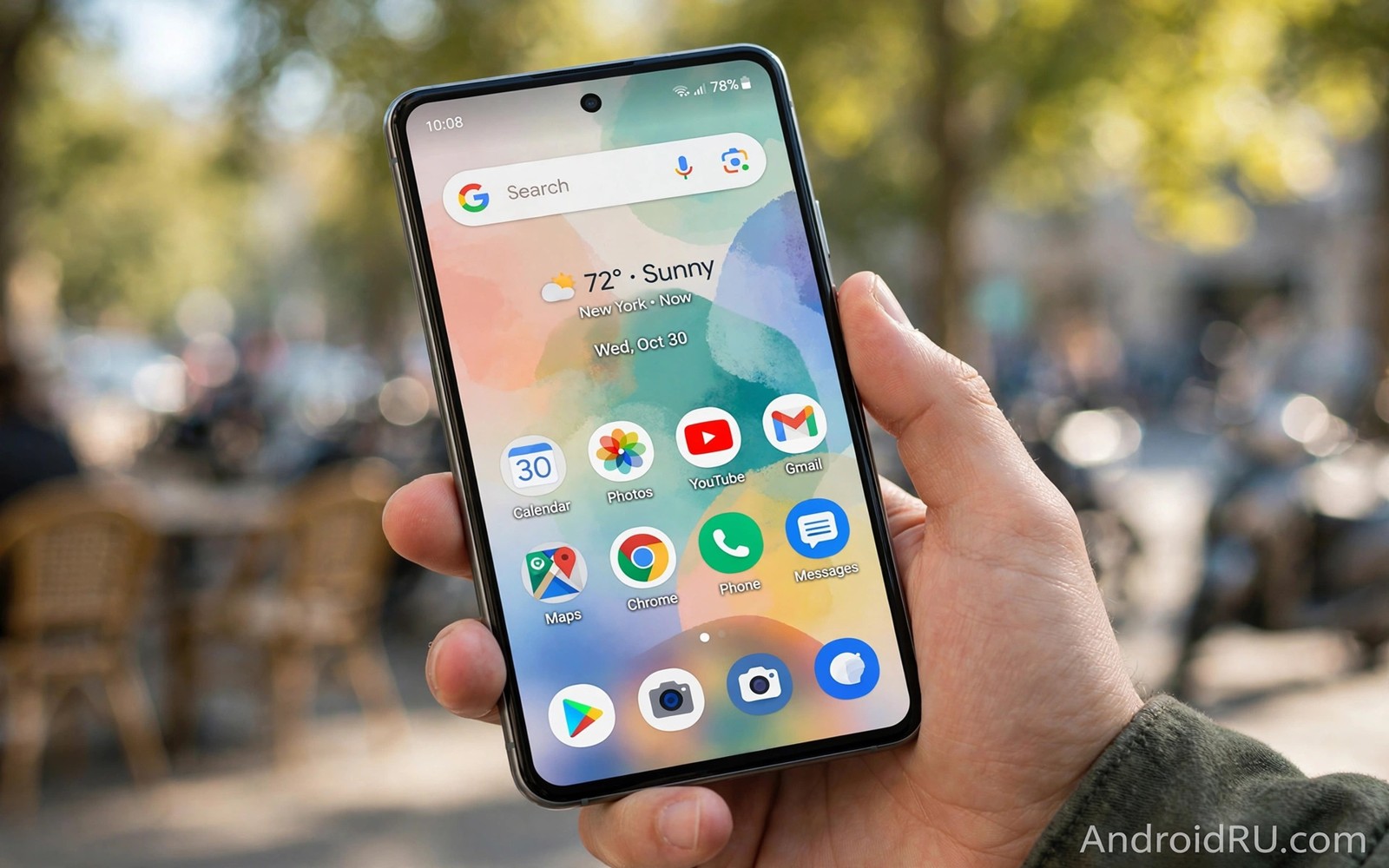
Pixel Experience ROM promises Google Pixel features on any device. That promise draws many users. Pixel software feels polished and smart. Pixel phones cost more than many budgets allow. This ROM bridges that gap on supported models. This article explains what you truly gain.
Pixel Experience copies Pixel design and apps closely. It is not a real Pixel phone. Camera and AI features vary by hardware. See LineageOS against Pixel Experience for the main rival view. Also read stock simplicity versus custom skins for the stock context. Set expectations before flashing.
What Pixel Experience includes
Pixel Experience includes the Pixel launcher and system theme. It includes Pixel wallpapers and sounds and boot animation. It includes Google apps integrated cleanly. The interface feels unmistakably Pixel. Daily navigation matches Pixel gestures.
The Plus edition adds customization options. You can tweak status bar and gestures and buttons. Standard edition stays faithful to Pixel stock. Both editions target a clean daily driver. Choose based on your tweak appetite.
Pixel features that transfer well
Pixel launcher features transfer well to most devices. Smart text selection and live captions may work. Google Assistant integration feels native. System gestures feel smooth on good builds. These software features need little special hardware.
Pixel wallpapers and styles transfer fully. Call screening depends on region and carrier. Some AI features need Pixel chips or cloud support. Expect software polish more than hardware magic. That distinction keeps expectations honest.
Camera reality on non Pixel phones
Camera is where expectations often break. Pixel camera quality relies on Pixel sensors and tuning. Other phones keep their own sensors. Pixel Experience cannot copy Pixel sensor tuning. Results depend on your phone camera and maintainer work.
Many users add a camera port app for better shots. Results vary by sensor and port version. Test daylight and night shots after install. Compare against your old stock camera. Keep stock firmware ready if camera matters most.
Device support and build quality
Pixel Experience supports a wide roster of devices. Build quality varies by maintainer. Popular models get frequent updates. Rare models may lag behind. Check release dates for your codename before install.
Official builds carry higher trust than unofficial ports. Official maintainers follow project standards. Unofficial builds may still be good. Read user reports carefully for unofficial work. Device threads reveal real quality fast.
Updates and long term use
Updates arrive over the air on official builds. Monthly security patches follow project pace. Major Android upgrades need clean flashes sometimes. Back up before major upgrades always. That habit protects your data.
Long term use feels stable on maintained models. Battery and speed stay close to Pixel stock feel. App compatibility stays high with Google services built in. Banking checks still need attention on unlocked devices. That caveat applies to all custom ROMs.
Who should install it
Pixel fans on a budget should try it first. Users who love Google design will feel at home. Users who need top camera quality should test carefully. Also review custom ROM maintenance updates for update habits. Good maintenance keeps Pixel Experience smooth for years.
Tinkerers may prefer more customizable ROMs. Pixel Experience values purity over endless tweaks. Plus edition softens that limit. Pick standard for purity and Plus for tweaks.
fastboot flash recovery recovery.img
adb sideload pixel-experience.zip
adb shell getprop ro.build.display.id
These commands follow the pattern shown in the official Android developer documentation for fastboot and adb. They show a typical flash sequence for learning.
Pixel features that need cloud or region support
Some Pixel features depend on cloud services rather than local code. Call screening needs carrier and region support. Live translate needs server models for some languages. Those features may stay silent on a Pixel Experience phone. The ROM cannot conjure server support. Users in unsupported regions will miss those features. That limit is not a ROM bug. It is a service boundary.
Now Playing song recognition needs a local database. That database updates through Google services. Pixel Experience usually handles it well. Recognition may lag on new releases. Patience usually resolves it. Check service updates before reporting a bug. Many apparent bugs are simply pending updates.
Pixel camera AI features need specific processing pipelines. Some need Pixel silicon for speed. Others run in the cloud with delay. Expect slower or missing AI edits on other hardware. Standard photo capture still works well. AI extras are a bonus rather than a promise. Judge the ROM on core photography first.
Regional availability affects Pixel features more than users expect. Features roll out country by country. A feature working in one country may hide in another. That rollout logic lives in Google services. The ROM cannot override it. Users who travel may see features appear and vanish. That behaviour confuses but it is normal.
Pixel Experience on tablets and large screens
Pixel Experience on tablets brings Pixel tablet design to other hardware. Large screen layouts adapt apps to two columns. That adaptation helps reading and multitasking. Not every tablet app supports large layouts well. Test your key apps on a tablet build. Some phone apps stretch awkwardly on tablets. Stretching annoys daily tablet users. Phone ROMs on tablets need app checks.
Multitasking on large screens differs from phone use. Split screen and floating windows matter more. Pixel Experience supports standard Android multitasking. Maker tablets add extra multitasking tools. Those tools may vanish after switching. Users who rely on maker multitasking should test carefully. Losing a daily workflow hurts more than gaining a theme. Workflows outrank looks on productivity devices.
Stylus support varies on tablet ROMs. Maker stylus features tie into stock software. Custom ROMs may support basic stylus input only. Pressure sensitivity may work partially. Palm rejection may differ. Artists should test stylus apps thoroughly. A basic stylus test takes minutes. Skipping it risks a broken creative workflow. Test before committing a tablet.
Battery expectations differ on tablets. Tablets idle for days between uses. Idle drain matters more than peak speed. Pixel Experience idle behaviour is generally good. Test idle drain over a weekend before judging. Weekend tests reveal real tablet patterns. Daily phone tests mislead for tablets. Match the test to the device role.
Update cadence for tablets often lags phones. Fewer tablet maintainers exist. Check tablet specific release history. A phone build date does not guarantee a tablet build. Tablet users should verify separately. That separate check prevents disappointment. Device role changes support reality.
Pixel Experience camera ports explained
Camera ports adapt Google Camera to non Pixel phones. Ports translate Pixel processing to other sensors. Translation quality varies by sensor. Popular sensors get excellent ports. Rare sensors get weak ports. Port developers test on specific models. Model specific ports work best. Generic ports work poorly often. Choose ports built for your sensor. Sensor matching decides photo quality. Quality gaps surprise new users. Surprises fade with research.
Port configuration files tune processing per device. Config files set noise reduction levels. They set HDR strength and sharpening. They set colour balance targets. Good configs come from community testing. Testing iterates across many samples. Samples reveal sensor quirks. Quirks need config compensation. Compensation improves results dramatically. Dramatic gains reward config hunting. Hunting takes time but pays off. Payoff shows in every photo.
Port updates track Google Camera releases. New releases add features and processing. Ports lag releases by weeks. Lag is normal for community work. Patient users wait for stable ports. Impatient users try alpha ports. Alpha ports crash frequently. Crashes ruin photo moments. Moments matter more than features. Stable ports beat new features for memories. Memories deserve reliability.
Multiple camera apps can coexist peacefully. Keep the stock camera app as backup. Use the port for special scenes. That dual setup covers weaknesses. Weaknesses in one app get covered by another. Coverage redundancy is wise. Wise photographers carry two tools. Two tools beat one perfect tool myth. Myths about perfect cameras mislead. Reality favours redundancy.
Pixel Experience Plus versus standard
Plus edition adds tweaks standard lacks. Tweaks include status bar options. Options include gesture remapping. Remapping suits power users. Power users enjoy deep control. Control depth can overwhelm newcomers. Newcomers should start with standard. Standard feels pure and simple. Simplicity aids learning. Learning precedes tweaking. Tweaking comes after familiarity.
Standard edition updates may arrive slightly earlier. Earlier updates reflect simpler testing. Simpler testing means fewer variables. Fewer variables mean faster validation. Validation speed matters for security. Security patches should arrive promptly. Prompt patches protect users. Users on standard gain speed. Speed differences are small. Small differences still matter monthly.
Switching editions needs a clean flash usually. Clean flashes wipe data. Wiping data costs setup time. Setup time discourages frequent switching. Switching should follow a decision. Decisions need trial weeks. Trial weeks reveal true preference. Preference emerges from daily use. Daily use beats feature lists. Lists mislead but use reveals.
Common mistakes
Expecting full Pixel camera quality misleads. Sensor hardware limits results. Test camera before committing daily. Assuming all Pixel AI features transfer also misleads. Some need Pixel hardware or region support.
Flashing an unofficial build without reading reports risks bugs. Official builds deserve priority. Skipping a backup before install risks data. Unlock wipes data on most phones.
Choosing Plus when you wanted pure Pixel feel causes confusion. Read edition differences first. That small check prevents reinstalls.
Frequently asked questions
Is Pixel Experience the same as a Pixel phone?
No. It copies Pixel software design closely. Hardware and camera tuning stay tied to your phone. You gain Pixel feel without Pixel hardware. That trade suits many budgets.
Does Pixel Experience include Google apps?
Yes. Google apps integrate into the build. You do not need a separate GApps package in most cases. Follow the device guide to confirm. That simplicity appeals to new users.
Which edition should I choose?
Choose standard for faithful Pixel feel. Choose Plus for extra customization options. Both share the same base stability. Your tweak appetite decides.
Conclusion
Pixel Experience delivers Pixel polish to many phones. Launcher and design transfer best. Camera and AI features transfer only partly. Maintainer quality decides daily success.
Your concrete next step is to check official Pixel Experience support and recent releases for your codename today. If releases look fresh then back up and plan the install.

