

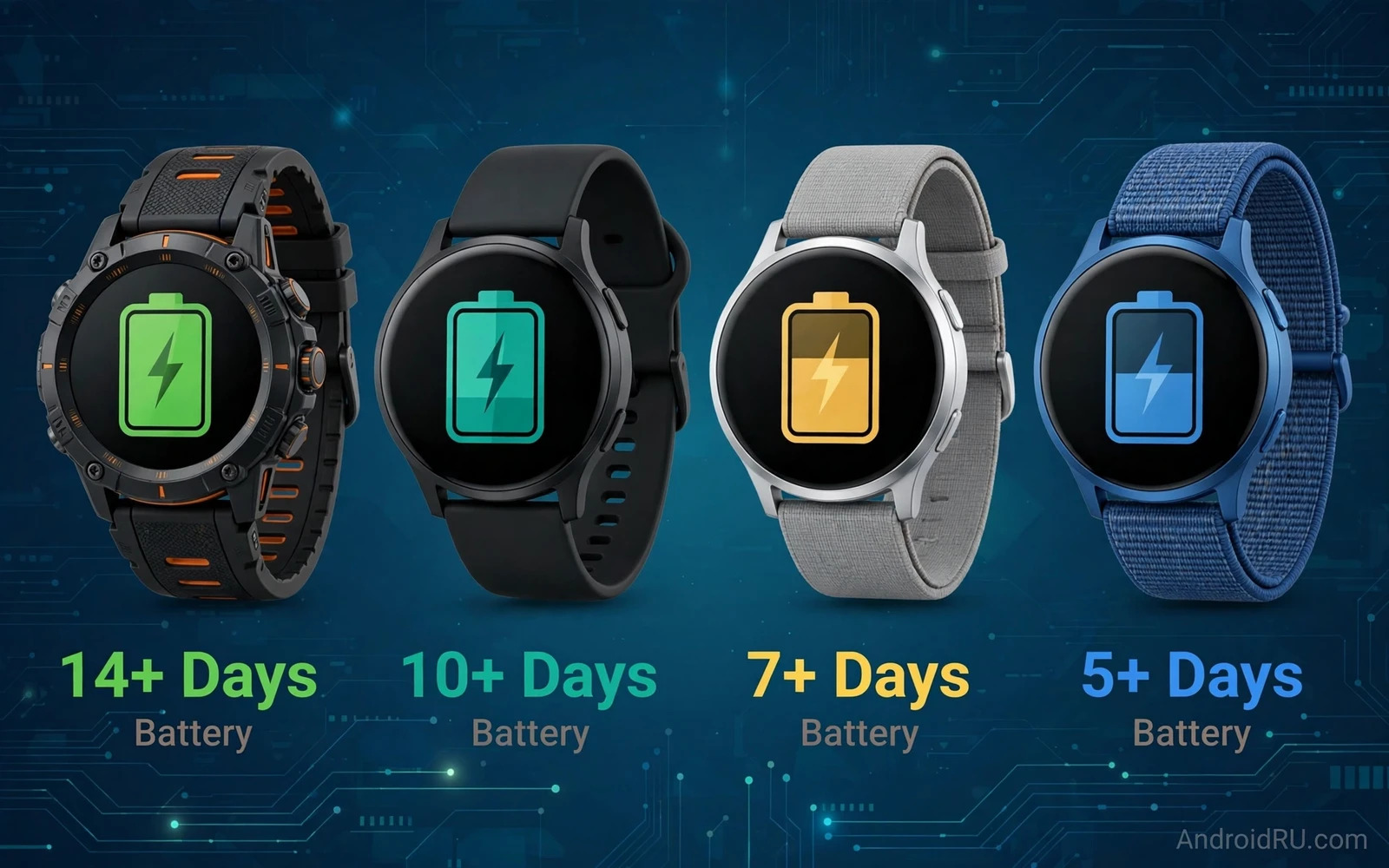
Why Multi Day Battery Changes Watch Use
A smartwatch that dies nightly becomes a chore rather than a companion. You remove it before sleep and you lose sleep tracking. You forget to charge it in the morning and you lose daytime tracking. You carry a charger on short trips for a device that should simplify travel. A watch that lasts several days removes all of that friction. You wear it to sleep without planning. You travel for a weekend without a watch charger. You track health continuously rather than in fragments.
Multi day claims need careful reading because test conditions vary enormously. A maker may claim many days with always on display off and with limited notifications and without GPS workouts. Real use with always on display and with daily workouts and with frequent notifications cuts that claim substantially. This guide focuses on real use patterns rather than laboratory maximums. It explains which settings cost the most power and which watches sustain long life under honest daily load.
What Drains A Watch Battery Fastest
Display behaviour drains watch batteries fastest. Always on display keeps pixels lit all day and it costs hours of endurance. Brightness in sunlight costs more because the screen fights glare. Watch faces with animations and with many complications cost more than simple faces. A simple face with moderate brightness can add a full day compared with a bright animated face on some watches. Choose a face for endurance when battery tops your list.
GPS workouts drain power second fastest. Outdoor runs and rides with continuous GPS and heart rate tracking consume energy steadily. Longer workouts cost more obviously. Cellular connectivity costs more again because the watch radio works hard to hold a mobile signal without phone help. Sleep tracking costs little by comparison because the screen sleeps and sensors sample gently. Notifications cost little individually but hundreds of vibrations and screen wakes per day add up noticeably.
Wear OS Watches And Battery Tradeoffs
Wear OS watches offer the richest Android app ecosystem. They run full apps for maps and music and payments and messaging. That richness costs battery because a full smartwatch platform runs more background services. Wear OS watches with multi day claims usually achieve them through large batteries or through efficient chips or through power saving modes that limit features. Check what a power saving mode disables before trusting a multi day claim that depends on it.
App choice shapes Wear OS endurance strongly. A watch face with frequent complications updates drains faster. A music app that streams over cellular drains faster than one that plays downloaded music. A navigation app with constant GPS drains fastest of all. Users who treat a Wear OS watch as a phone companion with selective app use enjoy far better endurance than users who run every feature constantly. App strategy context appears in the Wear OS apps to extend smartwatch capabilities guide where useful apps are weighed against daily practicality.
Health Tracking Without Nightly Charging
Health tracking gains the most from multi day battery. Continuous heart rate and sleep stages and activity trends need uninterrupted wear. A watch that charges nightly misses sleep data regularly unless the user charges at a consistent daytime hour. A multi day watch captures sleep every night and it captures resting heart rate trends without gaps. Those complete trends reveal patterns that fragmented data hides.
Sensor accuracy still matters beside endurance. A long lasting watch with poor heart rate accuracy misleads training decisions. A long lasting watch with good sleep staging helps recovery decisions. Test sensor behaviour during your own workouts rather than trusting generic claims. Wrist fit affects accuracy greatly because a loose watch slides and loses sensor contact. A comfortable band that stays snug during sleep and during workouts improves both accuracy and wear consistency. Broader watch choice context appears in the top smartwatches compatible with Android phones overview where compatibility and health features are compared across brands.
Charging Speed And Charging Habits
Charging speed matters even for multi day watches because top ups rescue forgotten charges. A watch that refills substantially during a shower and breakfast routine forgives forgetfulness. A watch that charges slowly punishes a missed night more harshly. Check time to half charge rather than time to full because a quick partial charge often suffices for another day. Magnetic puck chargers vary in speed so use the supplied charger for fastest results.
Charging habit design helps more than charger speed. Charge during a daily shower when the watch would be off wrist anyway. Charge during a desk work block when notifications matter less. Avoid letting the battery hit empty repeatedly because deep discharges stress small batteries over time. A multi day watch makes these habits easy because charging becomes a brief top up rather than a nightly obligation. Budget watch buyers also care about endurance per price and the best smartwatches under 200 for Android comparison covers affordable watches where battery life varies widely.
Display Settings That Save Days
Display settings offer the largest endurance lever. Turning off always on display often adds a day or more. Lowering brightness manually in indoor settings saves power without harming readability. Choosing a simple watch face saves power and reduces distraction. Limiting wrist raise sensitivity prevents accidental screen wakes during sleep and during desk work. Each setting alone saves a little. Together they transform endurance.
Notification filtering offers the second largest lever. Allow vibrations only for important contacts and apps. Silence social app vibrations that buzz constantly. Batch low priority notifications to phone checks rather than wrist alerts. That filtering improves focus as well as battery life. A wrist that buzzes constantly distracts and drains simultaneously. A wrist that alerts selectively feels calm and lasts longer.
Choosing By Lifestyle
- Endurance athletes need GPS efficiency and multi day life with daily workouts
- Sleep trackers need at least two full days including overnight wear
- Travellers need weekend life without carrying a watch charger
- Minimalists need simple faces and filtered notifications for maximum life
- App lovers should accept shorter life in exchange for full Wear OS apps
- Every buyer should test always on display cost during the return window
Final Verdict
The best multi day Android watch balances endurance with the health and app features you actually use. A watch that lasts a week but tracks poorly serves nobody well. A watch that tracks beautifully but dies nightly serves sleep trackers poorly. Prioritise continuous wear for health trends and choose display settings that protect endurance. Test real use during the return window with your own workouts and notifications. The winning watch is the one that stays on your wrist day after day without demanding nightly attention. That quiet reliability is the true multi day achievement.
Sleep Tracking And Night Wear Comfort
Sleep tracking is the feature most transformed by multi day battery because it requires overnight wear without exception. A watch that needs nightly charging forces a choice between charging and sleep data. Most users choose charging and lose sleep data on charging nights. A multi day watch removes that choice entirely. You wear it every night and you wake to complete sleep stages and resting heart rate and sleep duration without planning around a charger.
Night wear comfort decides whether sleep tracking actually happens. A bulky watch with a stiff band disturbs light sleepers. A slim watch with a soft flexible band disappears on the wrist overnight. Band material matters because silicone bands can trap sweat during warm nights while fabric bands breathe better but absorb moisture. Try both materials across seasons when possible. A band that feels fine during daytime workouts may feel irritating after eight hours of sleep contact.
Sleep data accuracy depends on wear tightness as well as on sensors. A loose watch slides during sleep and creates gaps in heart rate data. A snug watch stays in place but must not cut circulation or cause discomfort. Find the tightness that balances accuracy and comfort by testing for several nights rather than judging one night. Sleep staging algorithms also need several nights to establish personal baselines. Judge sleep tracking after a week of consistent wear rather than after a single night that may reflect an unusual evening.
Night mode settings protect sleep quality itself. A watch screen that lights brightly on every notification disrupts sleep. A good night mode silences vibrations except for alarms and dims the screen to minimal brightness. Theatre mode or bedtime mode on many watches achieves this with one toggle. Enable a bedtime routine that activates night mode automatically at your usual sleep time. That automation prevents the common mistake of forgetting to silence the watch on a tired evening.
Watch Bands And Sensor Accuracy
Watch bands affect sensor accuracy more than most buyers realise because sensors need stable skin contact. A band that loosens during workouts lets the watch slide and creates heart rate gaps. A band that fits snugly keeps sensors aligned but must stay comfortable for all day wear. Sport bands with many adjustment holes suit changing wrist size through heat and exercise. A band with coarse adjustments may sit too loose or too tight with no comfortable middle setting. Try the band during a real workout before judging it on a calm shop visit.
Band material also affects skin comfort during long wear. Silicone bands resist sweat and wash easily which suits athletes. Fabric bands breathe better in heat but dry slower after swimming. Leather bands look elegant for office wear but suffer under sweat and water exposure. Metal bands feel premium but add weight that tires small wrists during sleep. Own two bands when budget allows with a sport band for workouts and sleep and a dressier band for office days. Swapping bands takes seconds and it extends both comfort and sensor reliability.

