

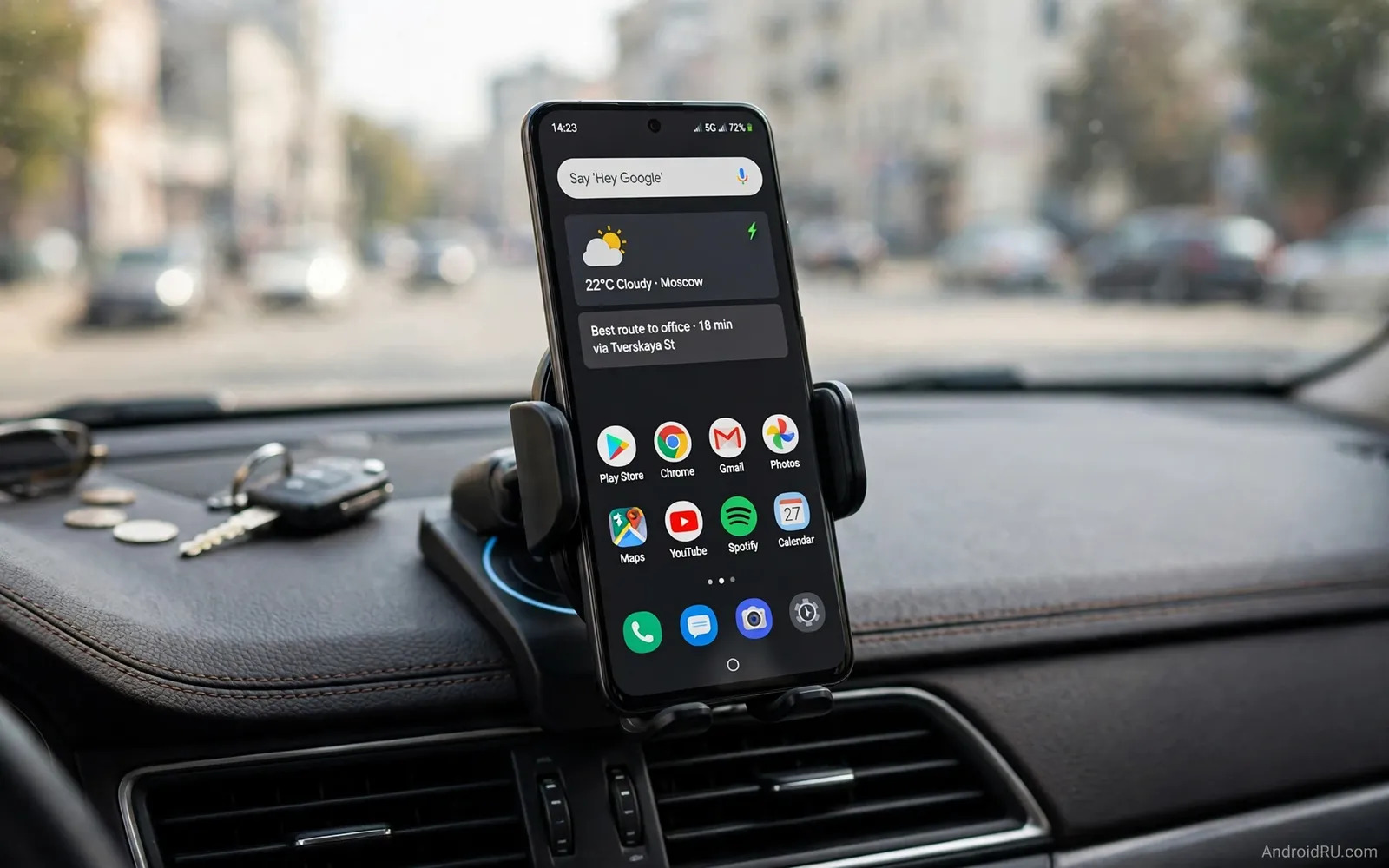
Why Mount Choice Affects Safety And Navigation
A car mount holds your phone where you can see navigation safely. A poor mount shakes on rough roads. A shaking screen makes directions hard to read. A falling phone distracts the driver dangerously. A good mount stays firm through bumps and turns. It also keeps the phone within easy glance range. It keeps the phone away from airbag zones. Airbag zones sit on steering wheels and dashboards. A phone in an airbag path becomes a projectile in a crash. Check your car manual for airbag locations. Place mounts outside those zones always. Place mounts where the screen does not block the road view. A mount that blocks mirrors creates new risks. A mount that blocks vents may affect climate control. Balance visibility and safety in placement choice.
Wireless charging adds convenience to a good mount. A charging holder refills the phone during drives. Navigation drains battery quickly on long trips. Charging during navigation prevents a dead phone at arrival. A holder with proper alignment charges reliably. A holder with poor alignment charges slowly or not at all. Alignment depends on phone size and case thickness. Thick cases can increase distance to charging coils. That distance reduces charging efficiency. Check case compatibility before you buy a charging holder. Test charging with your actual case installed. Note charging speed during navigation use. Navigation plus charging creates heat in the phone. Heat can slow charging in warm cars. Vent placement can help cool the phone during charging.
Vent Dash Windshield And Cup Holder Mounts
Vent mounts clip onto air vent slats. They sit close to the driver in many cars. They install quickly without adhesive. They also block airflow from that vent. They may wobble on weak vent slats. They may damage vent slats over time in some cars. Check vent strength before you choose this type. Horizontal vents suit many vent mounts well. Vertical vents suit fewer vent mounts. Round vents suit special adapters only. Dash mounts use adhesive or suction on flat surfaces. They offer flexible placement on dashboards. They may leave residue on some dashboard materials. They may fail in extreme heat if adhesive weakens. Clean the dash surface before installation. Let adhesive cure for the time stated. That curing step improves long term grip.
Windshield mounts use suction on glass. They offer high placement near eye level. They may violate local laws in some regions. Check local rules before you use a windshield mount. Some regions ban objects on windshields. Some regions allow only small areas for mounts. A windshield mount in hot sun can lose suction. Clean glass improves suction grip greatly. Wet the suction cup slightly if instructions allow. Cup holder mounts sit in a cup holder slot. They keep the phone low and stable. They may block cup holder use for drinks. They suit cars with weak vents and curved dashes. They also suit rental cars without permanent mounts. Choose mount type based on your car shape. Test placement before a long trip. A short test drive reveals shake and glare problems.
Wireless Charging Alignment And Heat
Wireless charging uses coils in holder and phone. Coils must align closely for efficient charging. Misalignment reduces charging speed greatly. It can also create extra heat. Adjustable holders help align different phone sizes. A holder with side arms that center the phone helps. A holder with a bottom foot that adjusts helps too. Place the phone slowly into the holder. Listen for a charging chime or icon. Check the charging icon after bumps. A bump can shift alignment during driving. Realign the phone at safe stops if charging stops. Do not adjust a phone while driving. Pull over safely before you touch the mount. That habit protects you and other road users. Keep the phone screen visible without handling it.
Heat management matters for wireless car charging. Sunlight through a windshield heats phones quickly. Navigation plus charging adds more heat. A phone may slow charging to protect the battery. Vent airflow can cool a vent mounted phone. Dash mounted phones may lack that airflow. A sunshade can reduce cabin heat when parked. Parking in shade helps before long drives. Remove a thick case if heat becomes a problem. A thinner case improves charging and cooling. Use cable charging as a backup on very hot days. Cable charging often creates less heat than wireless charging. It also charges faster in many cases. Keep a cable in the car for those days.
Grip Arms Magnets And One Hand Use
Grip arms hold the phone by its sides. They suit many phone sizes without extra parts. They may press side buttons on some phones. Check button placement before you buy grip arms. Arms with soft pads protect phone edges. Arms that open wide suit large phones. Arms that open narrow suit small phones only. Test arm tension with your phone and case. Arms too tight make removal hard. Arms too loose drop the phone on bumps. Magnetic mounts use a metal plate on phone or case. They allow very fast attach and detach. They may interfere with wireless charging if plates sit over coils. Check plate placement guidance for charging models. Some magnetic charging holders place magnets around coils. Those designs aim to keep charging working. Test charging with the plate installed before long use.
One hand use matters for safe driving habits. A driver should not fumble with a mount while driving. A mount that opens with one hand helps at stops. A mount that needs two hands frustrates daily use. Practice mount use while parked first. Learn the release motion before you drive. Teach passengers the release motion too. A passenger can handle the phone safely while you drive. Keep voice commands as the main control method on the road. Android Auto can handle calls and navigation by voice. A mount supports voice use by keeping the microphone clear. Do not hold the phone in hand while driving where laws ban it. A mount keeps you within legal hands free rules in many regions. Check local hands free laws for your area.
Android Auto And Phone Placement
Android Auto changes how you use a mounted phone. A car with built in Android Auto may need no mount. The car screen shows navigation and calls. A phone can stay in a pocket or console. A car without built in Android Auto needs a mount. The phone screen becomes the navigation display. Place the phone near the car screen height when possible. That height reduces eye movement from the road. Keep the phone screen brightness suitable for day and night. Auto brightness helps in changing light. Manual brightness may suit night driving better. Test brightness on a night drive before long trips. Glare from the phone screen can distract at night. A matte screen protector can reduce glare slightly. A mount angle that avoids direct sun helps more.
Bluetooth connection supports Android Auto and calls. Pair the phone to car audio before driving. Test call audio through car speakers. Test music audio through car speakers as well. A mount near the car microphone improves voice pickup. A mount far from the microphone may reduce clarity. Check microphone location in your car manual. Keep the mount away from noisy vents if possible. Vent noise can affect voice commands. Keep cables tidy around the mount. Loose cables can snag on gear levers. Use clips to route cables along dash edges. A tidy setup reduces distraction and wear.
Power Supply For Charging Holders
Charging holders need power from the car. Most holders use a USB cable to a car charger. A weak car charger limits wireless charging speed. A strong car charger supports faster wireless output. Check holder input requirements on the label. Match car charger output to those requirements. A cigarette lighter adapter often supplies that power. A built in USB port may supply less power. Built in ports often suit data or slow charging. They may not support fast wireless holders well. Test charging speed with each power source. Note which source charges during navigation use. Navigation use can consume power faster than slow charging supplies. That balance can leave battery level flat or falling. A strong power source prevents that problem.
Cable quality affects holder power as well. A low rated cable can cap holder output. A high rated cable lets the holder work fully. The USB C cable ratings for data speeds and wattage explains how to match cable wattage to holder needs. Route the cable away from pedals and controls. Secure excess cable length with clips. Check cable connectors for heat during long drives. A hot connector signals a problem. Replace hot or damaged cables at once. Keep a spare car charger for long trips. A spare prevents a dead navigation setup far from home.
Stability Tests Before A Long Trip
Test any mount on varied roads before long travel. Drive over speed bumps at low speed. Drive on rough roads at normal speed. Take sharp turns in a safe area. Note any shake or slip during each test. Note any noise from loose arms. Tighten adjustment knobs after initial tests. Knobs can loosen during first vibrations. Retest after tightening for a stable result. Check suction cups after temperature changes. Heat and cold can weaken suction over days. Reattach suction mounts after extreme temperature swings. Check adhesive mounts after hot days as well. Adhesive can soften in parked cars under sun. A mount that fails in a test fails safer than on a highway. Replace a failing mount before long trips. Do not rely on a mount you distrust.
Charging tests belong in the same pre trip routine. Drive with navigation on for thirty minutes. Note battery level at start and end. Note whether the phone feels very hot. Note whether charging stops on bumps. A holder that passes these tests earns trust. The GaN chargers and traditional adapters helps you choose a strong power source for that holder. A holder that fails alignment tests needs adjustment or replacement. Try a different case before you replace the holder. A thinner case may fix alignment problems. Try a different mount position before replacement as well. A position with less vibration may improve stability.
Choosing By Car And Driving Style
Choose a vent mount for quick install in a personal car. Choose a vent mount if your vents feel strong. Choose a dash mount for flexible placement. Choose a dash mount if your dash has flat areas. Choose a windshield mount for high eye level placement where legal. Choose a windshield mount if your dash lacks flat areas. Choose a cup holder mount for rental cars. Choose a cup holder mount if other mounts fail in your car. Choose wireless charging if you drive daily with navigation. Choose wireless charging if you dislike plugging cables each trip. Choose a simple grip mount if you prefer cable charging. Choose a simple grip mount if wireless heat worries you. Match mount to car first and charging second. A stable mount with cable charging beats a shaky wireless mount. Safety and stability outrank charging convenience.
Long trips reward a combined power plan. A charging holder covers driving hours. A portable bank covers walking hours after parking. The high capacity power bank for long distance travel extends that plan beyond the car. Test the full plan on a weekend drive first. Note mount stability and charging and heat. A weekend test predicts a holiday trip well. Keep the mount clean and check grips monthly. Dust on pads reduces grip over time. Clean pads with a damp cloth and dry fully. Good care keeps a mount reliable for years.

