

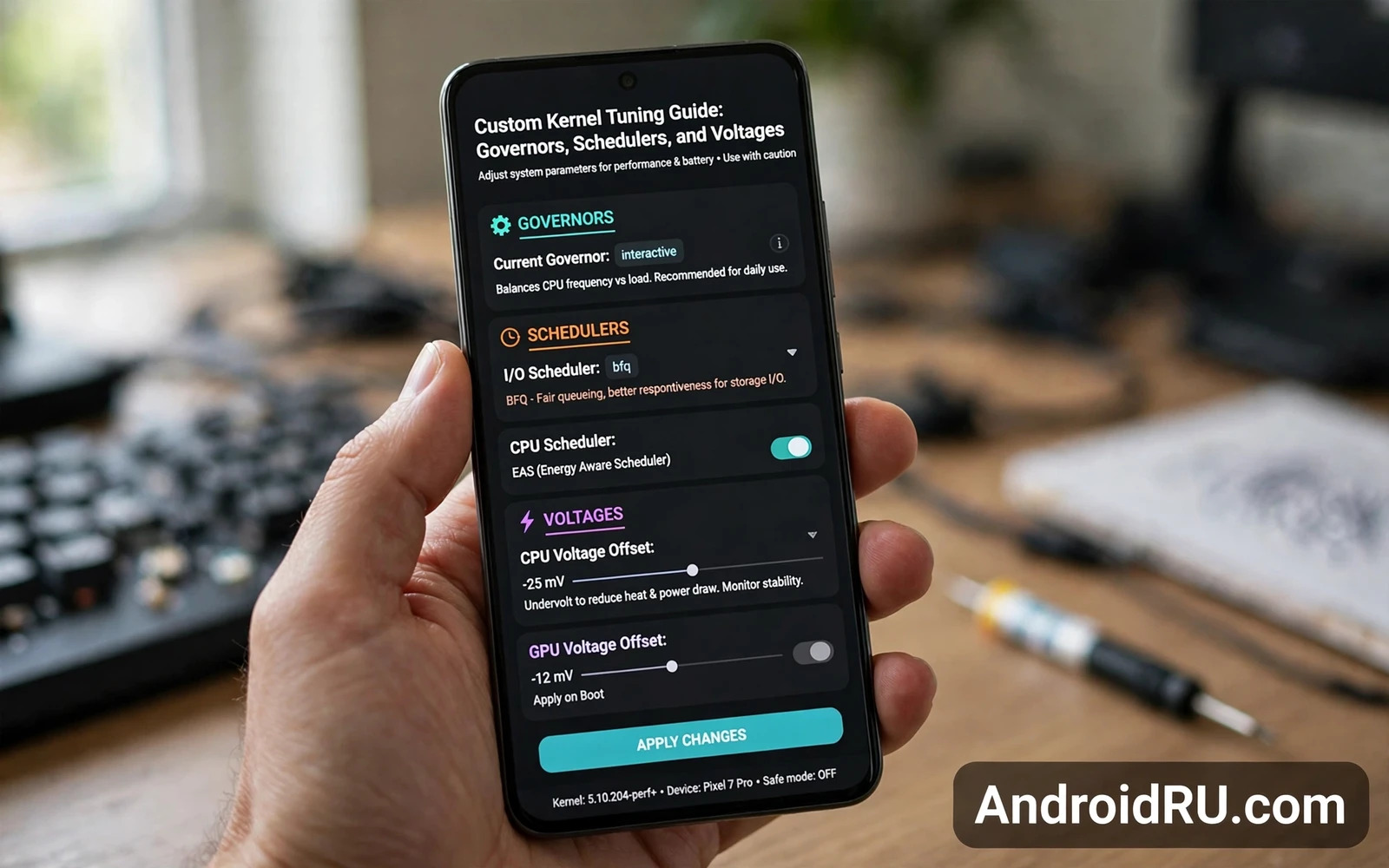
A kernel in plain language
A kernel is the core program that sits between hardware and Android. It manages the processor and memory and battery and drivers. Apps ask Android for work. Android asks the kernel to schedule that work on hardware. A custom kernel changes how the kernel answers those requests. It can expose new controls for speed and power and input response. Those controls look like simple sliders in a tuning app. Behind each slider sits a policy that affects the whole system. Understanding the policy matters more than moving the slider.
Kernel tuning is not a single setting. It is a set of interacting policies. A governor decides processor speed. A scheduler decides which task runs next. A voltage setting decides how much power a speed step receives. An input boost policy decides how fast the system reacts to a touch. Changing one policy can undo the benefit of another. That interaction explains why random slider changes often disappoint. A tuned system balances speed and heat and battery as one design.
Read this warning before you flash or tune any kernel. A custom kernel can void the device warranty. A bad kernel can cause a bootloop. A bad voltage setting can cause instability and data loss. A bad flash can brick a phone when the boot image is damaged. Back up all data before you touch kernel settings. Do not tune a kernel on your only phone without a spare device ready. Keep the stock boot image on a computer for recovery. Kernel work rewards patience and punishes haste.
Governors and what they actually decide
A governor is a policy for processor speed. It watches load and chooses a speed step in response. A performance oriented governor raises speed quickly and holds it high. That behaviour feels responsive yet drains battery and builds heat. A power saving governor raises speed slowly and drops it quickly. That behaviour saves battery yet can feel laggy during sudden work. A balanced governor tries to raise speed only as far as the load truly needs. Most daily use suits a balanced governor. Gaming sessions may suit a more aggressive governor for a limited time.
Governor tuning is about ramp behaviour rather than peak speed alone. A governor that jumps to peak speed for every small task wastes power. A governor that climbs too slowly makes scrolling feel delayed. Tune the ramp by testing real tasks rather than by reading slider labels. Scroll a long feed and note smoothness. Open a heavy app and note launch delay. Play a game and note frame stability over a long session. Those lived tests reveal ramp problems faster than any abstract description.
Some kernels offer many governors with similar names and different histories. Do not chase an exotic governor name. Start with the balanced governor shipped in the kernel. Learn its behaviour over several days. Change one governor trait at a time when the tool allows it. Note the result in plain words after each change. A notebook of small changes beats a memory of random tweaks. When a trait change hurts responsiveness then revert that single trait. That discipline keeps the system understandable.
Schedulers and task fairness
A scheduler decides the order in which tasks reach the processor. A fair scheduler shares time so no single app starves the rest. A throughput scheduler favours heavy work and may delay background tasks. A latency scheduler favours quick response for interactive work. Android needs a mix of those goals. The foreground app should feel instant. Background sync should still finish without draining the battery. A scheduler choice shifts that balance. It does not magically create more processor power.
Input and output scheduling also matters for storage and display smoothness. A storage scheduler decides how read and write requests are ordered. A poor order can make app launches stutter while a download runs. A display pipeline needs steady timing to avoid frame drops. Test scheduler changes with mixed workloads. Run a download while scrolling a feed. Play music while opening a heavy app. Mixed tests expose fairness problems that single task tests hide. A scheduler that only shines in isolation is not a daily scheduler.
Kernel tuning notebook
- Governor name and ramp behaviour
- Scheduler name and mixed workload result
- Voltage change and stability result
- Heat feeling after a long session
- Battery behaviour over several days
Voltages and why small means small
Voltage is the electrical pressure supplied at a given speed step. Higher speed steps usually need higher voltage to stay stable. Lower voltage at the same speed can save power and reduce heat. That saving is called undervolting. Undervolting too far causes crashes under load. Overvolting raises heat and can stress the chip. Both directions carry risk. Voltage work demands the smallest steps a tool allows. A single large voltage jump can turn a stable system into a crashing system.
Test voltage changes under heavy load for long sessions. A voltage that survives light browsing may fail during gaming. A voltage that survives gaming may fail during a cold start of a heavy app. Test across those contexts before you call a voltage stable. Watch for random reboots and app crashes and corrupted files. Any one of those signals means the voltage is too low for that speed. Raise the voltage back by one small step and test again. Stability across contexts is the only pass mark.
Never copy voltage values from another phone even when the model matches. Chips differ in their stable voltage at the same speed. A value that is stable on one unit can crash a sibling unit. Treat published voltage tables as starting hints rather than as prescriptions. Start from stock voltage and move in tiny steps on your own unit. Keep a written record of stock values before any change. That record is your safe return point. A kernel tool that hides stock values deserves extra caution.
A safe tuning workflow
Begin with a verified backup and a saved stock boot image. Choose one policy area for the session. Tune the governor first and test it for several days. Tune the scheduler next and test mixed workloads. Tune voltage last and only after speed behaviour is stable. That order prevents a voltage problem from masquerading as a governor problem. It also keeps each test interpretable. A session that changes everything at once teaches nothing when it fails.
Use profiles to separate daily use from heavy use. A daily profile should favour battery life and cool operation. A heavy profile may favour responsiveness for a bounded session. Switch profiles deliberately rather than leaving a heavy profile active all day. Return to the daily profile after gaming or editing. That habit protects battery health and keeps heat low during ordinary tasks. Profiles turn tuning into a tool rather than a permanent risk.
Revert early and revert fully when instability appears. Restore the last stable profile before you chase a new idea. Flash the stock boot image when a kernel change leaves the phone looping. A clean revert preserves data and confidence. A stubborn push through crashes risks file corruption that a later revert cannot repair. Kernel tuning is a long game. The best tuners are the ones who revert fastest when evidence turns against a setting.
Speed work and kernel work belong together yet they answer different questions. The Android CPU and GPU overclocking walkthrough focuses on raising top speeds for heavy workloads. This kernel guide focuses on the policies that govern those speeds day to day. Read both before you raise a speed step. A higher top speed with a poor governor can feel worse than stock. A sound governor with a modest top speed can feel better than an aggressive overclock. The pair of guides keeps speed and policy in balance.
Kernel work also depends on the gate that allows a custom kernel to boot at all. The bootloader unlocking tutorial explains that gate and the data wipe that comes with it. That warning should be read before any kernel flash. A kernel cannot be tested on a locked device through normal paths. The unlock decision therefore precedes the tuning decision. Plan the unlock and the backup and the recovery path as one project. Tuning begins only after that project is safe.
System level hooks sit above the kernel and change app behaviour rather than hardware policy. The LSPosed API hooking walkthrough explains how hooks intercept calls inside Android. That layer can mimic some tuning effects at the app level. It cannot replace governor or scheduler policy at the kernel level. Knowing the difference stops a reader from chasing a kernel problem with an app hook. It also stops a reader from chasing an app problem with a kernel change. Each layer has its own proper tool.
Signs that tuning is working
Good tuning feels boring in daily use. Scrolling stays smooth without heat. Apps launch promptly without battery panic. Games hold frame stability across a long session. The phone cools quickly after heavy work ends. Battery drain stays predictable across similar days. Those quiet signs matter more than any single speed number. A tuned phone should disappear into the task at hand. When the phone constantly demands attention for heat or crashes then tuning has failed. Return to stock and start again with smaller steps.
Reading kernel changelogs with care
A kernel changelog lists changes in terse technical language. Read it slowly and look for governor changes and scheduler changes and driver changes. A changelog that mentions a new governor deserves a fresh round of testing. A changelog that mentions a power change deserves battery observation. A changelog that mentions a camera or sensor driver deserves a check of those features. Skipping the changelog turns an update into a surprise. Reading it turns an update into a planned test.
Test a kernel update on a spare device first when that option exists. A spare device absorbs the risk of a bad update. A main device should receive only a kernel version that already proved stable elsewhere. That staging habit mirrors good practice in larger systems. It feels slow for a personal phone. It prevents a bad kernel from breaking daily communication. Patience in staging is cheaper than panic in recovery.
Keep old kernel versions saved with notes about their behaviour. A new kernel that disappoints can be replaced by the previous version quickly when that version is saved. A note about battery behaviour for each version speeds the choice. A note about heat behaviour does the same. Version history turns kernel tuning into a controlled experiment. Without history every update becomes a fresh gamble with no memory.

