

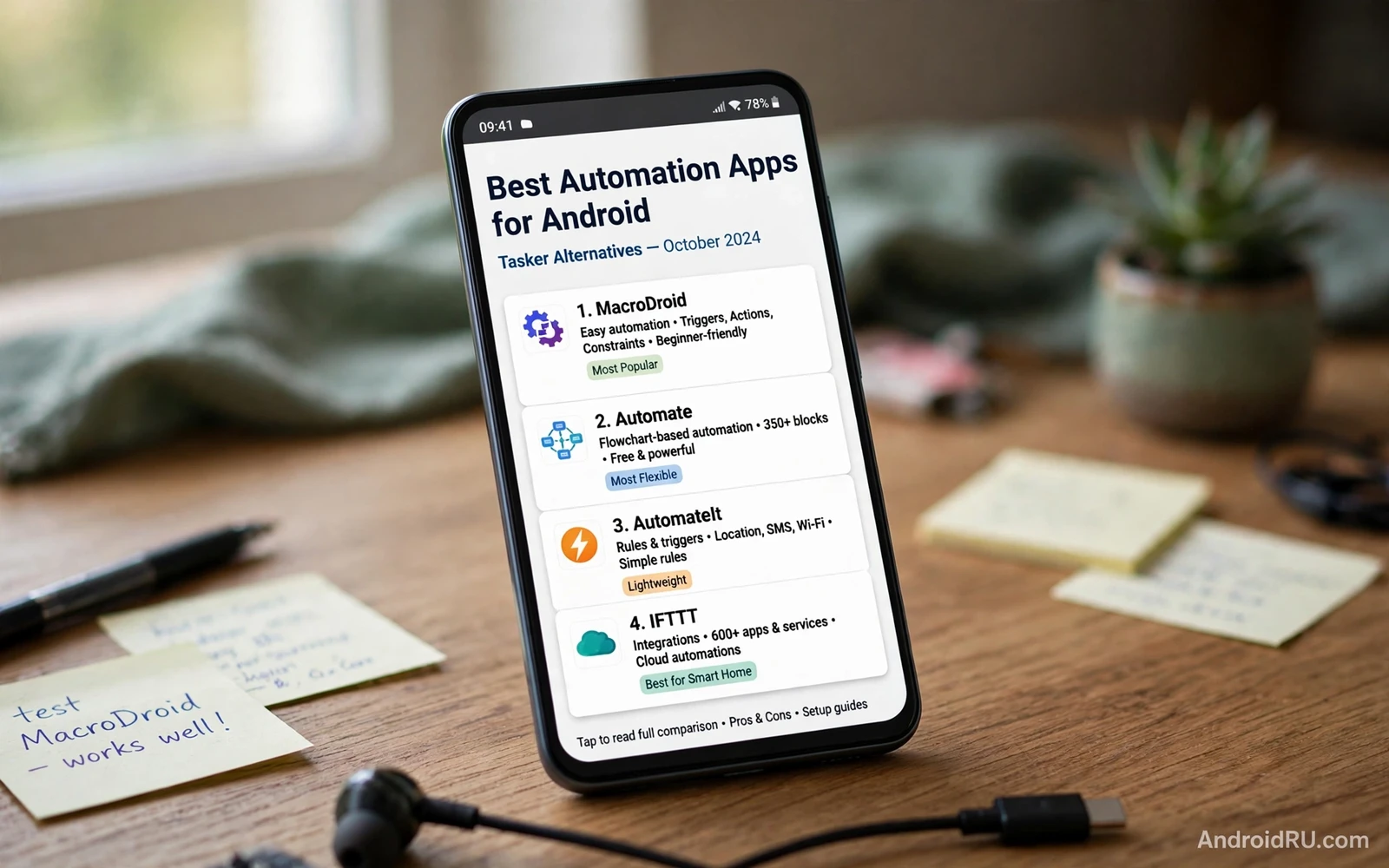
Automation removes repetitive taps from your day. A phone can silence itself at bedtime. It can turn on Wi-Fi at home. It can lower brightness at night. It can send a preset message when you arrive at work. Those small routines add up to real time saved. Tasker is a famous tool for this work. Many alternatives offer a simpler path to the same result.
An automation app works with triggers and actions. A trigger is an event like a time or a location or a connection change. An action is a change like a setting toggle or a message or an app launch. A routine links one trigger to one or more actions. A good routine feels invisible. It just happens at the right moment.
Simplicity matters more than raw power for most people. A tool with a clear routine builder gets used. A tool with a steep learning curve gets abandoned. The best Tasker alternative for you is the one that you will actually build routines in. Start simple. Add complexity only when a simple routine proves useful.
Routine Ideas That Save Time Daily
Bedtime routines are a great first project. A routine can lower brightness at a set time. It can enable Do Not Disturb. It can silence media volume. It can open a reading app. One trigger can prepare the whole phone for sleep. A morning routine can reverse those steps at wake time.
Location routines help at home and at work. A home routine can connect to home Wi-Fi. It can raise media volume. It can open a smart home app. A work routine can silence calls. It can lower brightness. It can open a calendar app. Location routines need location permission. Grant it only to a tool that you trust.
Connection routines handle driving and travel. A car Bluetooth routine can open a navigation app. It can raise volume. It can read messages aloud. A headphone routine can open a music app. It can set a comfortable volume. Those routines remove fiddly setup at the moment when you need to focus on the road.
Battery routines protect a long day. A low battery routine can lower brightness. It can turn off sync. It can close heavy apps. A charging routine can restore normal settings when power returns. Battery routines work best with gentle changes. Drastic changes can annoy you when they trigger at the wrong moment.
Choosing An Automation Tool
Look for a clear routine list first. You should see every routine at a glance. You should toggle a routine off with one tap. You should edit a routine without rebuilding it. A messy routine list leads to forgotten routines that trigger at odd times. A clear list keeps automation under control.
Look for trigger variety next. Time and location and connection triggers cover most daily needs. Battery and app triggers cover the rest. A tool that lacks a trigger that you need will frustrate you. A tool that offers hundreds of triggers can overwhelm you. Match trigger variety to your real routines.
Look for action safety next. A tool should ask before it sends a message. It should ask before it deletes data. It should log what it did. A log lets you trace a surprise change back to a routine. A tool without a log makes debugging hard. Safety controls matter more than exotic actions.
Permission scope deserves a hard look. Automation tools often need broad access. They may need accessibility access. They may need notification access. They may need location access. Read each permission request. Grant only the access that your routines truly need. Remove a tool that demands unrelated access.
Building Your First Routines Safely
Start with one routine that solves one annoyance. Pick a routine that you can test in minutes. Build it. Test it. Watch it trigger. Fix any surprise. Only then build a second routine. A slow start prevents a tangle of routines that fight each other.
Test routines in safe conditions. Test a driving routine while parked. Test a work routine at home first. Test a message routine with your own second number or a willing friend. A test run reveals wrong triggers and wrong actions before they cause embarrassment.
Name routines clearly. A name like bedtime quiet tells you the purpose at a glance. A name like routine one tells you nothing later. Clear names help you debug months later. Clear names help you share routines with family without confusion.
Add a manual override for every important routine. A quick tile or a home screen shortcut can pause automation for a day. An override saves you when plans change. A routine without an override can become a daily annoyance on holidays and travel days.
Automation Beyond Simple Routines
Productivity apps gain power when automation handles setup steps. A routine can open a notes app at a meeting time. It can silence the phone during a focus block. It can restore sound after the block ends. That kind of setup removes friction from deep work. The wider productivity landscape gives more ideas for such routines. You can browse that landscape through must have Android apps for maximum productivity and pick tools that pair well with automation.
Screen recording can also benefit from a routine. A routine can set brightness and close distracting apps before capture. It can open the recorder at a set time. That preparation makes clips cleaner. The recording side itself needs its own settings for sound and resolution. You can review those settings in screen recorder apps for Android with internal audio support before you automate the setup around them.
Remote work routines link phone and PC. A routine can open a remote app when you connect to office Wi-Fi. It can silence personal apps during work hours. It can restore them after work. Remote access itself is a separate skill with its own security needs. You can study that side through remote desktop apps to access a PC from Android and then automate only the safe setup steps around it.
Common Automation Pitfalls
Routine conflicts cause the most confusion. Two routines that set the same setting can fight. One routine may set brightness high while another sets it low. Review routines that share a trigger time. Keep one routine per setting per trigger where possible. A conflict log helps you spot fights fast.
Location drift can trigger routines early or late. A phone may think that you arrived home while you are still nearby. A wider location radius reduces false triggers. A narrower radius gives precision but more misses. Test location routines for a week before you trust them for important changes.
Battery optimization can kill automation. The system may pause an automation app to save power. A paused app misses triggers. Check battery settings for your automation tool. Allow it to run when its routines matter. Keep that allowance narrow to the tool that you trust.
Over automation is a real risk. A phone that changes constantly can feel unpredictable. Automate the routines that truly save time. Leave the rest manual. A calm phone with a few great routines beats a busy phone with dozens of half working routines.
Automation should give you time back. It should not demand constant fixing. Build slowly. Test carefully. Keep a clear routine list. Keep permissions tight. With those habits a Tasker alternative can handle daily chores quietly while you focus on the work that matters.
Debugging Routines That Misbehave
When a routine triggers wrongly then check its trigger first. A time trigger may use the wrong time zone after travel. A location trigger may use a stale location. A connection trigger may fire on a similarly named network. Trigger errors explain most automation surprises.
When a routine fails to trigger then check battery optimization first. Check app permissions next. Check whether the routine is toggled on. Check whether another routine disabled it. A simple checklist solves most silent failures without rebuilding the routine.
When two routines conflict then list routines by trigger time. Look for overlapping actions on the same setting. Stagger trigger times by a few minutes. Give priority to the routine that matters more. Document the priority choice in the routine name so future edits respect it.
Keep an automation journal for the first month. Note each surprise trigger. Note each missed trigger. Note each fix. A journal reveals patterns that memory misses. A journal also helps you prune routines that cause more trouble than they save.
Share routines with caution. A routine built for your schedule may confuse another person. A routine that sends messages needs explicit consent from the recipient. A routine that changes settings on a shared device needs family agreement. Automation is personal until it touches other people.
Review all routines every few months. Remove routines for old jobs and old places. Update routines for new schedules. A quarterly review keeps automation aligned with real life. Automation that matches life feels invisible. Automation that lags life feels like a bug.
Automation And Privacy Boundaries
Automation tools can see a lot about your day. Location routines reveal where you live and work. App routines reveal which apps you use. Message routines reveal who you contact. Choose a tool with a clear privacy policy. Keep its data on device where possible. Privacy review is part of automation choice.
Voice triggered routines need extra care. A voice trigger can fire from a television or a conversation. A routine that sends messages on voice command needs a confirmation step. Confirmation prevents accidental sends. A routine without confirmation can embarrass you at the worst moment.
Automation on a shared phone needs family rules. A routine that silences the phone at bedtime affects everyone who uses that phone. A routine that opens apps on connection affects shared use. Agree on shared routines together. Personal routines belong on personal devices.
Keep automation documentation simple. A note listing each routine and its trigger helps future troubleshooting. A note also helps when you switch phones. Rebuilding routines from memory takes hours. Rebuilding from a note takes minutes. Documentation is a gift to your future self.
Test a new routine for a full week before you call it finished. A week covers weekdays and weekends. A week covers travel days and quiet days. A week reveals edge cases that a single day hides. A routine that survives a full week earns a permanent place in your list.

