

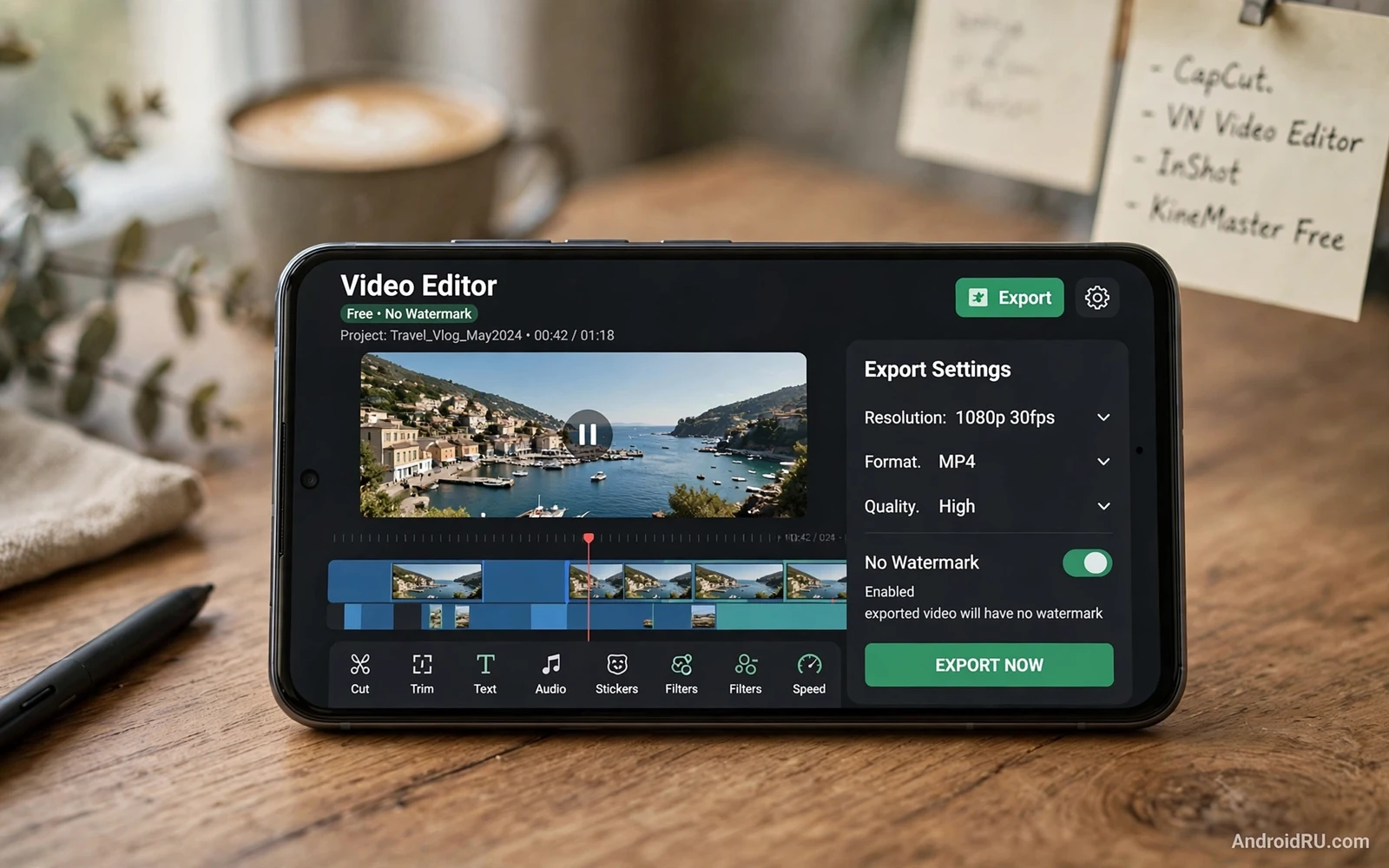
Free video editing on Android has improved enough that a phone can handle short films and social clips and family videos without a desktop computer. The key question is not whether a free editor exists. The key question is whether the free version exports clean video without a watermark and without forcing a low resolution or a short length limit. Some free editors export full quality with no watermark and earn money from optional effects or cloud storage. Other free editors look generous at first and then stamp a logo on the final export or block high resolution export behind a paywall.
Start every evaluation with a real test project instead of trusting a feature list. Import a one minute clip shot on your phone and trim the start and end. Add a title card and a simple transition and background music at low volume. Export the result at the highest resolution the app offers for free. Watch the export on a larger screen and check the corners for a watermark. Check the audio for distortion or sudden volume jumps. Check the motion for stutter after transitions. A test project reveals export limits in ten minutes while a feature list can hide them for weeks.
Resolution and frame rate matter more than the number of filters in the app. A phone that records in high resolution needs an editor that exports in the same resolution without downscaling the result. A clip shot at a smooth frame rate should stay smooth after cuts and transitions. Some free editors cap free exports at a lower resolution that looks soft on a television. Some free editors keep resolution but drop frames during complex transitions. Test with your own footage because a demo clip inside the app may be optimized to hide these limits.
Editing Tools That Matter For Real Projects
Trimming and splitting form the core of every edit and they must feel precise on a small screen. A good timeline lets you drag the playhead frame by frame and snap cuts to exact moments. A good timeline shows audio waveforms so you can cut on a beat or on a pause in speech. A good timeline lets you undo a cut without losing later work. Ripple editing that closes gaps automatically saves time on long projects. Multi track timelines let you layer voice and music and effects without merging them too early.
Text and titles deserve the same care as cuts because a title card sets the tone for the whole video. Choose a font that stays readable on a phone screen and on a television. Keep titles short and place them where they do not cover faces or important action. Add a subtle fade instead of a flashy animation that distracts from the message. Check titles at full screen size because text that looks fine in a small preview may look cramped or blurry after export. Consistent title style across a project looks more professional than a different effect on every clip.
Transitions should serve the story rather than showcase the app. A straight cut works for most changes of scene and it never looks dated. A cross dissolve works for a shift in time or place. A wipe or spin effect works once in a playful project and looks tiring when repeated every few seconds. Keep transition length short so the viewer stays with the content instead of watching the effect. A restrained edit with clean cuts and one or two thoughtful transitions usually beats a busy edit packed with effects.
Audio Color And Export Settings
Audio often decides whether a video feels professional or amateur. Record voice in a quiet room and keep the microphone at a steady distance from the speaker. Lower background music under speech so words stay clear without forcing the listener to strain. Use fade in and fade out on music tracks so the audio does not start or stop abruptly. Check the final mix with headphones and with the phone speaker because a mix that sounds fine on headphones may sound muddy on a small speaker.
Color correction starts with small adjustments rather than dramatic filters. Adjust exposure first when a clip looks too dark or too bright. Adjust white balance when skin tones look too blue or too orange. Add a touch of saturation only after exposure and balance look natural. Apply the same correction to clips shot in the same location so the project feels consistent. A single strong filter across unlike clips can hide problems in one shot while ruining another shot. Save a custom preset when you find a look that works for a recurring series.
Export settings decide the final quality that viewers actually see. Choose the highest resolution and bitrate that the free tier allows for the target platform. A high bitrate preserves detail in fast motion and in foliage and in water. A low bitrate may look fine on a still frame but breaks apart during camera movement. Keep the original project files until you confirm the export plays correctly. Export a short test segment before rendering a long project so a settings mistake does not waste an hour of processing time.
When a project needs cleaner cuts and stronger color tools then top photo editing apps for professional results on Android can sharpen still frames and thumbnails that sit beside the video. A strong thumbnail helps viewers choose the video in a crowded feed. A consistent thumbnail style also helps a series look intentional across many uploads. Still editing and video editing share the same discipline of restraint and consistent color.
Storage Performance And Project Safety
Video projects consume storage fast and a full phone slows editing to a crawl. Free space before starting a project and keep at least several gigabytes free during export. Move finished exports to cloud storage or to a computer and delete raw clips that you will not reuse. Work from internal storage rather than a slow removable card when the app allows it because timeline scrubbing needs fast reads. Close background apps during export so the processor can focus on rendering without thermal throttling cutting performance mid render.
Project safety means more than saving the final video. Save the project file after every major editing session. Keep a copy of the project file separate from the raw footage when possible. Name project files with the video title and a date so older versions stay findable. Test reopening a project after a break before assuming that all media links still work. An editor that stores media references loosely may lose track of clips moved to another folder. A tidy media folder prevents broken links and missing footage.
Editors that also handle large media libraries benefit from best file managers for Android in free and pro versions when raw clips and exports need sorting into project folders. A project folder per video keeps source clips and audio and exports together. A consistent folder pattern makes backup simple because the whole folder moves as one unit. Moving a folder after editing breaks media links in some editors so organize before the first cut rather than after the final export.
Free Tier Limits And Honest Tradeoffs
A truly free editor without watermarks usually limits something else and the limit may be acceptable or not depending on your work. The limit may be the number of exports per month. The limit may be the maximum project length. The limit may be access to premium transitions or stock music. The limit may be cloud storage space for project backup. Read the export screen carefully before investing hours in a project. A limit discovered at export time feels like a trap while the same limit known at the start is simply a constraint to plan around.
Advertising inside a free editor can slow work when ads interrupt the timeline or play with sound during editing. Check whether ads appear only on the home screen or also inside the editor. Check whether an ad can accidentally trigger a purchase or a subscription prompt. A free editor that respects the editing workspace earns patience for its ads. A free editor that interrupts a cut with a full screen video ad does not deserve a long project. Choose the editor that stays out of the way while you work.
Subscription prompts deserve a calm decision rather than an impulse tap. Compare what the paid tier adds against what you actually export each month. If the free tier already exports clean video at full resolution then the paid tier may only add effects you rarely use. If the free tier blocks the resolution you need then a short subscription for a single project may cost less than switching editors mid project. Decide based on exports and deadlines rather than on a countdown timer inside the app.
Playback quality after export also depends on the player that viewers use so best audio and music player apps for Android audiophiles matter when you judge sound on a phone instead of trusting a single built-in player. A dedicated player may reveal distortion that a basic player hides. A dedicated player may also expose a music track that sits too loud under speech. Judge the final mix on more than one device before publishing a video that represents your work.
Free video editing without watermarks is fully possible on Android when you test exports early and respect storage and audio basics. Choose an editor with precise trimming and clean exports and honest free limits. Build projects in tidy folders and save often. Keep transitions restrained and audio balanced. Judge the result on a larger screen and on more than one player. That workflow produces clean professional looking video without paying for features that you do not need.
- Test export with a one minute clip before a long project
- Check corners and audio for watermarks and distortion
- Keep several gigabytes free during editing and export
- Save the project file after every major session
- Use straight cuts and restrained transitions
- Balance music under speech and fade music gently
- Correct exposure before adding strong filters
- Organize media into one folder per project
A second test project helps when the first test passes too easily. Shoot a clip in low light and a clip with fast movement and a clip with loud background noise. Edit all three in one project and export the result at the highest free resolution. Low light reveals noise handling and color banding that a bright demo clip hides. Fast movement reveals frame drops and bitrate limits that a slow clip hides. Loud background noise reveals audio ducking behavior that a quiet clip hides. A project that survives all three stress tests is a project you can trust for client work or for an important family event.

