

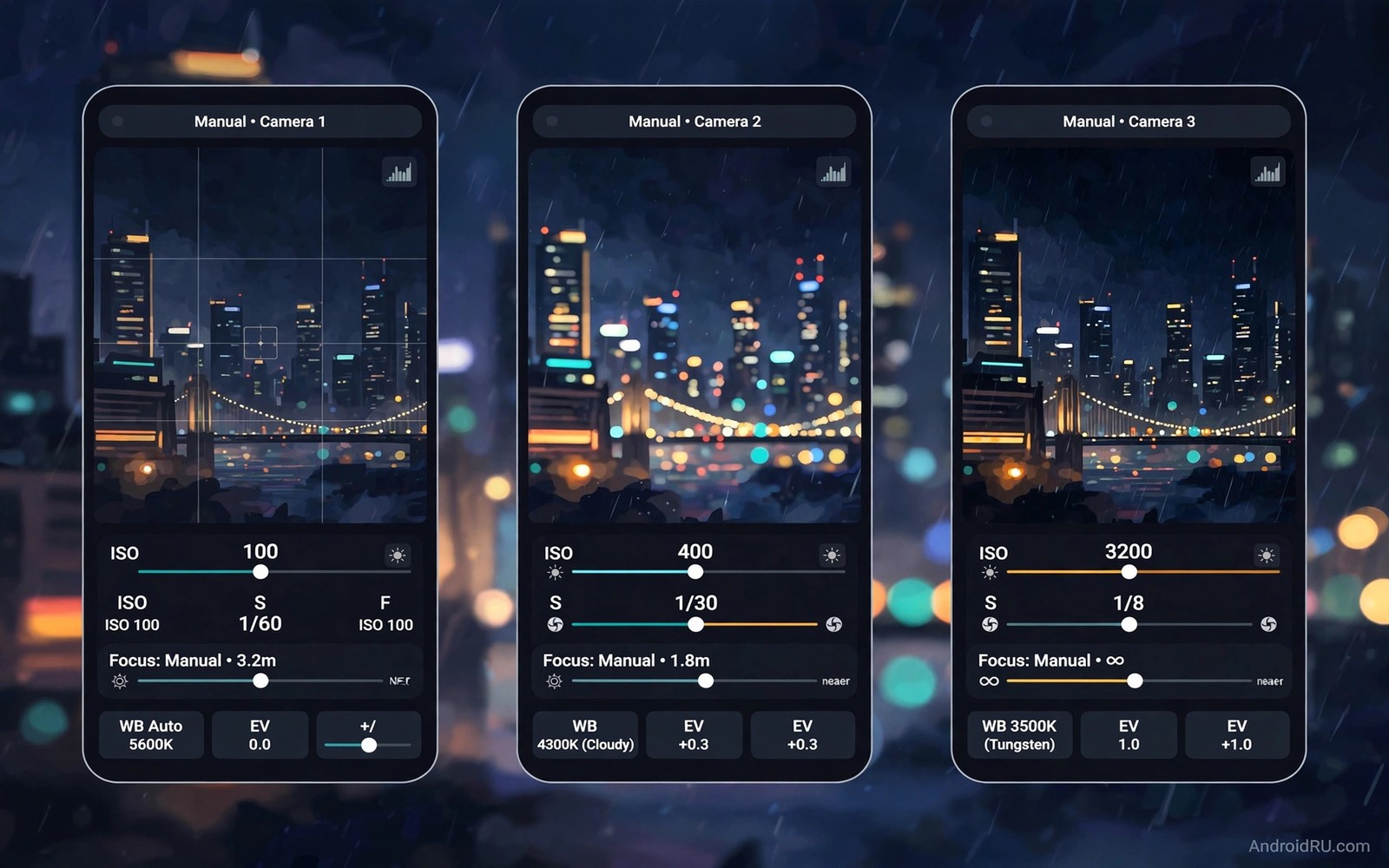
Stock camera apps favour speed over control. They choose ISO and shutter speed and focus for you. That automation works for snapshots. It frustrates photographers who want a specific look. Manual camera apps hand those choices back to you. You set ISO for noise control. You set shutter speed for motion control. You set focus for precise depth control. This guide compares seven strong manual options for Android power users.
Judge a manual app by control depth rather than by filter count. A good manual app offers full ISO range and full shutter range. It offers manual focus with peaking or magnification. It offers RAW capture and a live histogram. It offers exposure bracketing and interval shooting. Filters and beauty modes matter little for power use. Control depth and stability matter most. A beautiful app that crashes during a long exposure is useless.
Test any manual app in your real shooting conditions. Test low light noise at high ISO. Test long exposure stability on a tripod. Test RAW file handling in your editor. Test focus peaking accuracy on a close subject. A spec sheet cannot replace a hands on test. Install two or three candidates and shoot the same scenes with each. Keep the app that feels fastest and most reliable in your hands.
What Power Users Should Demand
Demand a full manual mode rather than a preset with a manual label. Full manual means independent ISO and shutter control. It means focus distance control in metres or steps. It means white balance in Kelvin rather than only preset icons. Kelvin control lets you match mixed lighting precisely. Preset icons force you into broad buckets. Broad buckets fail in mixed neon and tungsten scenes.
Demand RAW capture in a standard format. RAW files let you recover highlights and shadows later. They also let you set white balance after the shot without quality loss. Check that RAW files open in your editor before you commit. Some apps save RAW in a format that a favourite editor reads slowly. A smooth RAW workflow matters as much as RAW capture itself. Test the full path from capture to export.
Demand a live histogram and highlight warnings. A histogram shows exposure distribution before you shoot. Highlight warnings show clipped areas in the preview. These tools prevent blown skies and crushed shadows at capture time. They matter more than a pretty interface. A manual app without exposure feedback forces guesswork. Guesswork wastes the control that manual mode promises.
Compare Control Depth Across Apps
Compare ISO ranges first because low light separates good apps fast. One app may cap ISO at a low value in manual mode. Another app may offer the full sensor range. A full range lets you trade noise for shutter speed deliberately. A capped range forces a slower shutter in dim rooms. That slower shutter blurs moving subjects. Check the ISO ceiling in a dark room test rather than trusting a store page.
Compare shutter ranges next with a tripod test. A good manual app reaches very long exposures for light trails and waterfalls. It also reaches very fast speeds for action freezing. A narrow shutter range limits creative choices at both ends. Test a thirty second exposure for stability. Test a fast sports frame for sharpness. An app that handles both ends earns a permanent place on your phone.
Compare focus tools with a macro subject. Manual focus peaking highlights sharp edges in colour. Focus magnification zooms the preview for precise checking. Both tools help when autofocus hunts in low light. An app with neither tool forces trial and error focusing. Trial and error wastes time on a close subject that moves. Editing RAW photos like a professional photographer shows how precise focus pays off in editing.
Compare Speed And Reliability
Speed matters when a moment lasts seconds. Time how fast each app opens from a locked phone. Time how fast it focuses and fires a first frame. Time how fast it saves a RAW file after a burst. A slow save blocks the next shot. A blocked next shot loses a moment. Keep the fastest reliable app as your default quick camera. Keep a slower deep control app for planned shoots.
Reliability matters more than feature count on a paid shoot. Test each app for a full week of daily shooting. Note any crashes during long exposures or RAW bursts. Note any overheating during video plus manual stills. Note any permission quirks after an update. An app that crashes once during a wedding shoot costs more than its price. Stability over weeks beats a feature list on day one.
Check update history and device support before you pay. An app updated for new Android versions survives phone upgrades. An app abandoned for two years may break on a new sensor. Check whether the developer answers support questions. Check whether RAW support covers your exact phone model. Generic RAW support can fail on a specific sensor. Model specific testing protects your purchase.
Pick By Shooting Style
Pick a deep control app for landscape and long exposure work. Landscape work rewards bracketing and interval shooting and RAW depth. A tripod based app with a clean histogram suits that style. Pick a fast app for street photography. Street work rewards quick launch and quick focus and one handed control. A cluttered interface slows street shooting. Pick the simplest interface that still offers manual ISO and shutter.
Pick a video capable app for hybrid shooters. Hybrid shooters switch between stills and video in one session. An app with manual video exposure and focus pulling saves switching apps. Switching apps loses moments and changes colour handling. A single hybrid app keeps stills and video consistent. Test video manual controls as carefully as still controls. Video autofocus hunting ruins a clip faster than a still miss.
Pick a budget app first when you are new to manual shooting. Free apps teach ISO and shutter relationships without cost. Upgrade only when you hit a clear limit in a free app. A clear limit might be missing RAW or missing bracketing. Pay for the feature you actually miss. Paying for a long feature list you never use wastes money. Free photo editing apps for Android pairs well with any manual capture app in this guide.
Build A Manual Shooting Routine
Build a routine that starts with light assessment. Look at the brightest and darkest parts of the scene. Set ISO low in bright light for clean files. Raise ISO only when shutter speed falls too low for the subject. Set shutter speed for motion first. Set aperture only if your phone offers a true variable aperture. Most phones fix aperture and vary ISO and shutter instead. Learn your phone’s fixed aperture behaviour early.
Set focus deliberately for every planned shot. Use autofocus for moving subjects and manual focus for static scenes. Lock focus and exposure separately when the app allows it. Separate locks let you recompose without losing settings. Take a test frame and check the histogram. Adjust one variable at a time after the test. Changing two variables at once hides which change helped. Slow deliberate adjustment builds manual skill fast.
Review manual shots with settings visible in your gallery. Many gallery apps show ISO and shutter and focal length. Study which settings produced your keepers. Study which settings produced noise or blur. That review links settings to results in your memory. Soon you will guess starting settings before you raise the phone. Manual control then feels fast rather than slow.
manual_iso = lowest clean value
manual_shutter = motion first
manual_focus = peaking on
manual_format = RAW plus JPEG
manual_check = histogram before shoot
The snippet above is an original manual setup checklist written for this guide. It lists only standard camera settings for your own Android phone. It does not copy settings from any outside source.
Save your winning settings as presets when an app supports them. A landscape preset might use low ISO and a small aperture equivalent and RAW capture. A street preset might use auto ISO with a minimum shutter speed. Presets speed up real shooting without losing manual intent. Name presets by scene rather than by number. A scene name recalls the purpose faster under pressure. Review presets every few months as your skill grows.
Common Mistakes
One common mistake is to buy the most featured app before learning manual basics. Features without skill create slow shooting and missed moments. Learn ISO and shutter in a free app first. Another mistake is to shoot everything in RAW without an editing plan. RAW files pile up and slow your phone. Shoot RAW for planned work and compressed files for casual snaps.
A third mistake is to ignore focus peaking and trust the small preview. Small previews hide slight focus misses. Use peaking or magnification for critical focus. A fourth mistake is to judge an app from one indoor test. Indoor tests hide shutter range and heat issues. Test outdoors and at night and on a tripod before you decide. Smartphone pro mode ISO shutter and white balance explained covers the core controls every manual app should offer.
Frequently Asked Questions
Do manual camera apps improve photo quality by themselves?
No. Manual apps give control rather than automatic quality. Good settings in skilled hands beat auto mode. Bad settings in unskilled hands lose to auto mode. Learn exposure basics first. Control then becomes an advantage rather than a burden.
Is RAW worth the extra storage and editing time?
RAW is worth it for high contrast and planned work. RAW holds more data for highlight and shadow recovery. It costs storage and editing time. Use RAW selectively for important scenes. Use compressed files for everyday snapshots.
Can a manual app fix a poor phone sensor?
No app can create sensor data that does not exist. Manual control helps you use a sensor at its best. It cannot beat physics in very low light. A good sensor plus manual skill gives the best results. A poor sensor still benefits from careful exposure choices.
Conclusion
Install two manual camera candidates today and shoot the same five scenes with both. Compare ISO control and shutter range and focus tools and save speed. Keep the app that feels fastest and most reliable in your hands. Delete the other app and learn your keeper deeply for one month.

