

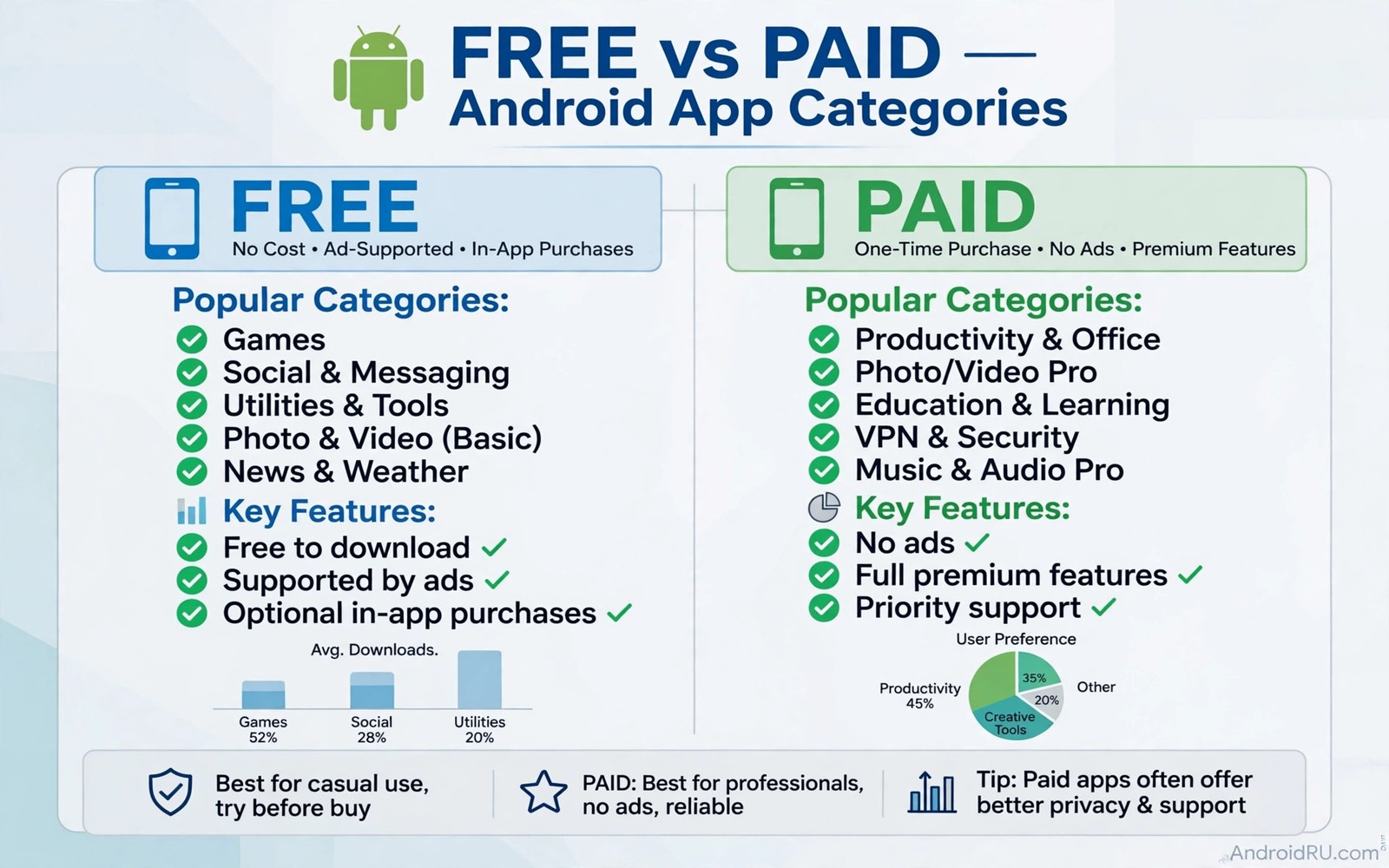
A paid app does not always beat a free app on the job that matters. Many free apps cover the same core task with a cleaner interface and fewer upsells. The difference often sits in extras you never use. A photo editor may charge for filters you never apply. A note app may charge for team features you never need. This guide shows how to judge free apps on real work rather than price tags.
Start with the single task you need done today. Editing a photo for a message has different needs than editing a photo for print. Taking a quick note differs from managing a large research project. A free app that nails the core task wins over a paid app that spreads itself thin. Write the task down before you open any store page.
Free does not mean unlimited. Some free apps limit exports or add a watermark or cap the number of projects. Those limits matter only if they hit your actual workflow. A watermark on a casual photo may not matter. A watermark on a work image matters a lot. Test the export path early so a limit does not surprise you at the end of a project.
Ads change the value equation in a way that a price tag hides. A free app with a banner on every screen can cost more attention than a paid app costs money. A free app with no ads and a donation option can feel better than both. Judge the total cost in money and time and attention together. That broader view keeps a cheap choice from becoming an expensive habit.
How to compare a free app with a paid rival
List the five features you actually used in the paid app last month. Ignore the marketing page and check your own history. If you used only basic editing and export then a free rival can match you. If you used batch processing every week then check that exact feature in the free app. A feature list means little until it maps to your own usage.
Test speed on a real file from your phone. Open a long document or a large photo or a long playlist. Time how long the app takes to load and save. Watch for lag when you scroll or switch tools. A free app that stays smooth on your hardware beats a paid app that stutters on the same device.
Check the export format and the lock in risk before you invest hours. A note app should export plain text or a standard format. A photo app should save full resolution without a forced recompress. A music app should keep your playlists in a portable form. Open formats protect your work if you switch tools later.
Categories where free apps often win
Photo editing is a strong free category because core tools are mature. Crop and exposure and colour balance and sharpening appear in many free editors. A paid editor adds advanced masks and batch presets that many casual users never touch. Test a free editor on a tricky photo with mixed light. If the result looks good on a full screen then the paid extras may not earn their price for you.
Notes and lists are another strong free category. A fast note app with folders and search covers most daily needs. A paid suite adds collaboration and templates and automation that a solo user may never open. Keep your notes in a format you can export. That habit matters more than any single premium feature.
Media players also shine as free tools. A good player handles many formats and remembers playback position. It should offer equaliser controls without a subscription wall. It should not force a login for local files. That simplicity is why a free player often feels better than a paid player loaded with social features.
adb shell dumpsys package com.example.app | grep versionNameThis short command was written to demonstrate a version check for an installed package. It shows a simple command that prints the version name of an installed package. You can use the output to confirm which version you tested before you compare it with a rival.
File handling rewards the same careful test. A free manager that moves and renames in batches can replace a paid suite for most people. That is the same kind of practical comparison behind file managers that go beyond the basics and it applies to many categories. Judge the tool by the job it does on your files rather than by the price on its page.
When paying still makes sense
Pay when a feature saves you measurable time every week. A batch export that cuts an hour of work to ten minutes earns its price fast. A cloud sync that protects client work earns its price through safety. A support channel that answers within a day earns its price when a deadline looms. Those gains are concrete and easy to test.
Pay also when a free app hits a hard limit on your real project. A cap on project count or export size or team seats can block a growing workflow. Check whether the limit comes from the free tier or from the app itself. A limit that only affects large projects should not push a casual user to pay early.
Testing a free rival on a real project
Choose a project with a deadline that matters but not a deadline that punishes failure. A birthday photo edit or a short work document makes a good test because the result matters to you. Run the whole workflow in the free app from import to export without touching the paid app. Note every moment where you hunt for a feature or hit a limit. Those moments reveal the true cost of free far better than a feature comparison table.
Score the test on four measures that reflect real work. Speed measures how long the project takes from start to finish. Quality measures whether the export looks good on a full screen rather than a small preview. Comfort measures whether the interface stays out of your way during a long session. Freedom measures whether you can export the result in a standard format without a lock in penalty. A free app that scores well on all four measures earns a permanent place.
Repeat the test on a second project type before you cancel a paid subscription. A photo editor that handles portraits may struggle with documents. A note app that handles lists may struggle with long research notes. A second project type exposes a narrow strength that a single test can hide. Cancel the paid app only after the free rival passes both project types with results you would happily share.
When a free app stops being free
Pricing changes arrive quietly through updates and new terms. A feature that was free last month can move behind a paywall in a new version. A free tier can add a project cap that blocks a growing workflow. Export your work before every major update so a pricing change never traps your projects. A current export turns a sudden paywall into an inconvenience rather than a loss.
Watch for ads that grow more aggressive over time. A banner on one screen can become a video break between every action. An app that once felt clean can become unusable through ad creep alone. Set a personal limit for ad intrusions and switch when an app crosses it. Loyalty to a free app should end when the ad burden exceeds the money saved.
Photo work shows the free versus paid question in its clearest form because export quality matters so much. A free editor that preserves resolution can replace a paid suite for most casual work. That is why a test of a free photo editor that does everything belongs in any serious free app comparison. Judge the editor by the exported file rather than by the editing screen alone.
Free apps for students and small budgets
Students face a different value question from professionals because every subscription competes with food and transport costs. A free app that handles notes and documents and media can cover a whole semester without a monthly fee. The key test remains the same as for any user. Does the free app handle a real assignment from start to finish without a hidden limit. A free app that passes that test saves money that matters far more to a student than to a company budget.
Small teams face a similar question at a larger scale. A free tool that five people can use without a team subscription saves a meaningful amount each month. The risk grows with team size because a free tier cap can block collaboration at a critical moment. Test the free tier with the whole team on a real project before you commit. A team test reveals sharing limits that a solo test never shows.
Long term cost includes time spent working around free limits as well as money saved. A free app that requires constant exporting to avoid a cap can waste hours across a semester. A free app that handles the workflow cleanly saves both money and time. That balance is why storage matters too because lightweight apps under 10MB help a student phone stay fast without expensive hardware. Judge free apps by total cost in money and time and frustration together.
Free apps and data costs
Data costs form a hidden part of any free app bargain because many free apps download ads and analytics in the background. A free app that constantly fetches ad content can use more mobile data than a paid app that fetches nothing extra. Check data usage for a free app after a week on a mobile connection. A free app with high background data may cost more in data charges than a small one time purchase. Data awareness turns a free choice into a truly cheap choice.
Offline modes reduce data costs dramatically for free apps that support them. A reader that downloads articles on Wi-Fi costs nothing on a mobile connection later. A music player that caches playlists on Wi-Fi avoids streaming data on the road. Test offline behaviour before you judge a free app on a mobile plan. An app that works well offline respects both your data budget and your battery.
Common mistakes
The biggest mistake is installing a free app and assuming it stays free forever. A developer can add a subscription later or move a core feature behind a paywall. Export your work early and keep a backup in a standard format. That habit protects you from a sudden pricing change.
Another mistake is judging a free app by its first screen alone. A clean first screen can hide a weak export path or a slow save. Test the full workflow from import to export before you commit your projects. A full test takes twenty minutes and saves hours of rework later.
Frequently asked questions
Are free apps safe to use for work?
Many are safe when you check permissions and update history. Avoid a free app that asks for access unrelated to its job. Keep work files in a format you can export at any time.
Why would a developer give a good app away free?
Some developers accept donations or sell a separate pro build. Some build a free tool as a portfolio project. A clear funding model is a good sign for long term support.
How do I spot a free app that will add ads later?
You cannot predict every change. Watch the changelog and keep your exports current. Switch early if an update adds intrusive ads to a workflow you rely on.
Conclusion
Choose one paid app you use often and test a free rival on a real project this week. Compare speed and export quality and daily comfort side by side. Keep the free app only if it matches the paid app on the work that matters to you.

