

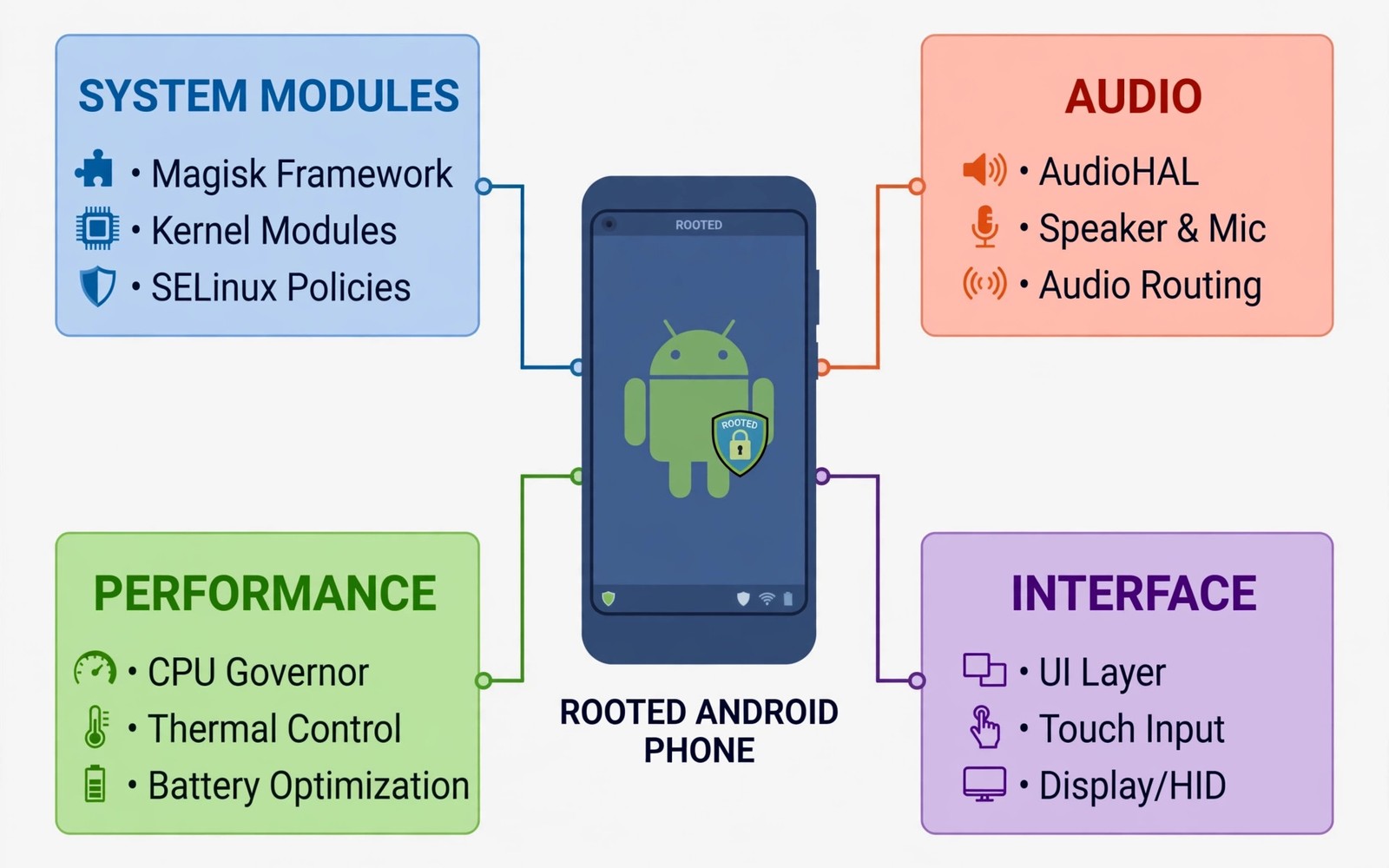
A rooted phone without modules is like a workshop without tools. Root permission alone does little until a module uses it for a clear job. Modules can hide root from apps and improve audio and tune performance and save battery. The right set turns root from a status into a daily advantage. The wrong set turns a stable phone into a bootloop risk. Choosing modules with care matters more than collecting many of them.
This guide covers ten categories of essential modules rather than a blind list of names. Module names change and new forks appear often. Categories stay stable because the jobs behind them stay stable. You will learn what each category does and how to test it safely. Install modules one at a time and test the phone after each one. That habit keeps a bad module easy to identify.
Use trusted module sources and check recent reports for your device before installing. A module that works on one Android version can fail on another. Keep a backup before you install a new module so a problem costs minutes rather than a full rebuild. The ten categories below give a balanced rooted phone without overload.
Hide And Integrity Modules
Hide modules help a rooted phone pass integrity checks for apps that refuse root. They mask root signals and adjust device fingerprints where allowed. Install a hide module first if you need banking or payment apps. Test those apps after installing the hide module and before adding other modules. A hide setup that works alone is easier to fix than a hide setup mixed with ten other changes.
Keep hide modules updated because detection methods change often. An old hide module can fail after a system update. Check for updates weekly if you rely on sensitive apps. SafetyNet attestation fix guide explains the detection side in detail. Hide tools are maintenance tools rather than install and forget tools.
Systemless Hosts And Ad Control
A systemless hosts module lets the phone block known ad and tracker hosts without changing the system partition. It works across apps and browsers that respect host blocking. The benefit is a cleaner browsing experience and less tracker traffic. The risk is breaking an app that depends on a blocked host. Test your main apps after enabling it.
Use a maintained hosts list and update it on a schedule. An old list blocks less and can miss new trackers. A very aggressive list can break video or shopping apps. Start with a standard list and add stricter rules only if needed. Ad blocking module guide covers app level blocking as a complement. Host blocking and app blocking solve different parts of the same problem.
Magisk module install checklist
1. Back up the phone outside the device
2. Install one module at a time
3. Reboot and test core apps after each module
4. Check hide status for banking apps
5. Measure battery over two nights for battery modules
6. Remove any module that breaks a daily app
The example above was written for this guide as a plain summary of the steps in the sections before it. It uses only the menus and options described above and it needs no extra tool to understand. Follow the steps in order so you can see which change helps most. If one step makes things worse then undo that step alone and keep the rest.
Audio Enhancement Modules
Audio modules can add a sound framework or tune audio processing across the system. A good audio module improves clarity on headphones and speakers without distortion. It can add an equalizer that works in every app rather than in one player. Test audio with music and calls and video after installing. An audio module that distorts calls is not worth keeping.
Audio modules vary widely in quality and device support. Some work only on specific chipsets or Android versions. Read device reports before installing. Keep the stock audio settings as a fallback so you can compare before and after. A subtle improvement that stays clean beats a dramatic effect that distorts.
Performance And Thermal Modules
Performance modules tune CPU and GPU behaviour for smoother games or faster app launches. Thermal modules adjust throttling so a phone sustains speed longer. These modules help most on phones that throttle early under load. They help least on phones that already run cool. Measure frame rates and temperatures before and after installing so you judge with data rather than feeling.
Do not stack several performance modules at once. Two modules tuning the same governor will fight each other. Pick one performance module and learn its settings. Benchmark boosting hacks show how tuning can change scores. A stable phone that sustains speed beats a phone that spikes fast and then throttles hard.
Battery And Backup Modules
Battery modules can tune background behaviour and extend standby time. Some adjust doze settings or limit wakelocks from misbehaving apps. Test standby drain over two nights before judging a battery module. A module that saves battery but breaks notifications is a bad trade. Keep notifications working for messaging and calendar apps at all times.
Backup modules help rooted users save app data with full fidelity. A complete backup before a major change is essential for a rooted phone. Automated backup module can schedule backups so you never forget. Store backups outside the phone so a boot problem does not trap them inside a dead device. A backup you cannot reach is not a backup.
Module Updates And Compatibility
Modules need updates when Android changes. A module built for one Android version may fail on the next. Check the module page for supported versions before installing. A module that lists your version explicitly is safer than a module with a vague compatibility claim. After a system update test each module one by one. A module that worked yesterday can break today after an update.
Keep module files and settings notes in one folder. When a module updates and loses a setting then the note restores it fast. Do not enable automatic module updates without checking change notes. An automatic update can introduce a bug while you are away from the phone. Manual updates with a quick test after each one keep a rooted phone stable.
Module Categories To Skip
Some module categories cause more trouble than benefit. Modules that promise to unlock every paid feature often contain bad code. Modules that change core security behaviour can break integrity permanently. Modules that replace system fonts or sounds systemwide can cause boot issues on some devices. Skip categories that lack a clear and trusted author.
A good rule is to skip any module you cannot explain in one sentence. If you cannot say what it does and why you need it then you do not need it yet. A lean module list with clear purposes stays stable. A large list of vague modules invites conflicts and bootloops. Review the list quarterly and remove anything whose purpose you forgot.
Module Safety For Banking Phones
A banking phone with modules needs stricter safety rules than a test phone. Every module is code that runs with system privileges. A malicious module on a banking phone can read sensitive data. Install modules only from authors with a long trusted history. Check module permissions and code behaviour where possible. A module that requests network access without a clear reason deserves suspicion. Remove any module whose purpose you cannot verify. Banking safety outweighs any minor convenience a module offers.
Keep the module list on a banking phone as short as possible. A hide module and one or two trusted utility modules may be enough. Avoid experimental modules on a banking phone entirely. Test experimental modules on a spare device first and move them to the banking phone only after weeks of stable use. Review the module list monthly and remove anything that stopped receiving updates. An abandoned module can become a security risk after an Android update changes its environment. A short trusted list is the safest list for money apps.
Separate banking from experimentation by using profiles or devices where possible. A work profile does not fully isolate root but it can separate app data. A second device fully isolates banking from root experiments. Most users find that a cheap second device for banking is worth the cost. It removes the tension between root freedom and banking safety. Root can then be explored freely on the main device without risking bank access. That separation is a practical compromise that many power users adopt.
Common mistakes
One common mistake is installing ten modules in one session. A boot problem then becomes hard to trace. Install one module and test before adding the next. Another mistake is using modules from unknown sources without checking reports. A bad module can steal data or brick a boot image. A third mistake is skipping backups before module changes. A backup outside the phone turns a failure into a quick restore.
FAQ
How many Magisk modules should I install?
As few as needed for your jobs. Ten categories does not mean ten modules at once. Install the modules that serve a weekly job and skip the rest. A lean module set stays stable longer.
What do I do if a module bootloops my phone?
Boot into safe mode or use the module disable method for your root tool. Remove the last module and reboot. Keep a recovery plan written down before you install risky modules.
Do Magisk modules work on KernelSU?
Some modules work across root methods and some need Magisk specific features. Check the module notes for your root method. Test on your device rather than assuming compatibility.
Conclusion
Back up your phone today and install one hide module first if you need sensitive apps. Test your banking and payment apps before adding any other module. Add audio or performance modules one at a time with a test after each. That patient method builds a rooted phone that stays stable. Review the module list monthly and remove anything you stopped using.
Keep a module diary for the first month after building your set. Note each module and the date you installed it and any problem that followed. A diary turns vague memories into clear evidence when a problem appears later. It also helps you advise other users with the same device. A shared diary entry can save another user hours of trial and error. That community benefit is one of the best parts of rooted Android culture. Share what worked and what failed honestly.

