

Why A Portable SSD Beats Older Backup Tools
A portable SSD is a small fast storage box with no moving parts. It survives drops far better than an older spinning drive. It moves large photo libraries in minutes rather than hours. It fits a pocket alongside your phone with ease. It needs no internet connection for a backup. That offline freedom matters on travel and in weak signal areas. A phone backup to an SSD is fully under your control. No subscription and no upload queue stands between you and your files. For many Android users an SSD is the simplest serious backup tool available today.
Speed is the most obvious SSD advantage for phone backups. A full camera roll can span thousands of photos and videos. A slow drive turns that backup into an overnight chore. A fast SSD turns it into a coffee break task. Faster backups happen more often in real life. A backup that takes minutes gets done weekly. A backup that takes hours gets postponed for months. Postponed backups fail when a phone is lost or damaged. Speed therefore protects your memories indirectly. A fast drive encourages the habit that actually saves your data.
Direct Backup From An Android Phone
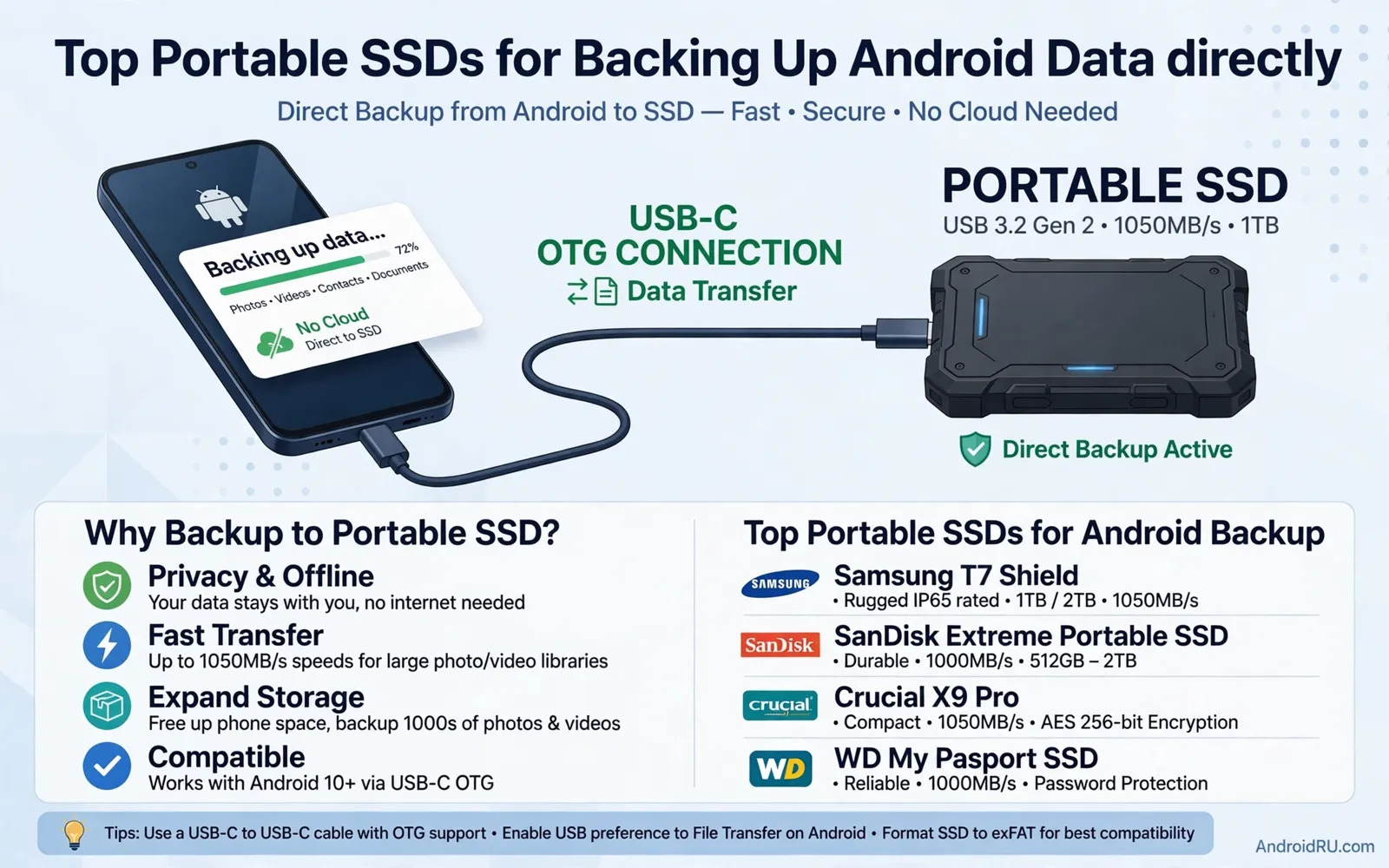
Direct backup means the SSD connects straight to the phone. A USB-C cable links the drive to the phone port. The phone file manager sees the drive as external storage. You copy folders from phone storage to the drive. No computer is needed in the middle. That simplicity suits travel backups perfectly. Back up photos each night in a hotel room. Back up project files after a shoot on location. Direct backup also suits people without a home computer. The phone plus SSD pair becomes a complete backup station.
Check phone support for external storage before buying. Most modern Android phones support external drives over USB-C. Some phones need a specific file format on the drive. Some drives ship in a format that Android cannot write to. Reformatting a drive solves most format problems. Reformatting erases the drive so do it before first use. Back up any preloaded drive files before reformatting. Test a small folder copy before a full backup. A small test reveals format or power problems early. A failed small test is far kinder than a failed full backup.
Capacity Planning For Photos And Videos
Capacity planning starts with your current phone storage use. Check the storage screen in phone settings. Note how much space photos and videos occupy. Note how fast that total grows each month. Buy a drive at least twice your current photo total. Double capacity leaves room for years of growth. Video growth outpaces photo growth for most creators. A single long video project can dwarf months of photos. Creators should buy larger drives without hesitation. A drive that fills in a year forces another purchase soon. A drive with headroom serves for many years happily.
Multiple backups beat one large backup for safety. A single drive can fail or be lost or stolen. Two drives with the same backup survive one failure. Keep one drive at home and one drive elsewhere. Rotate drives weekly for a simple safe routine. Label drives clearly to avoid confusion. A backup habit with two drives costs more upfront. It pays for itself the day one drive fails. Your photos deserve more than a single point of failure. Redundancy is the quiet core of every good backup plan.
Speed Power And Connection Details
SSD speed depends on the drive and the cable and the phone together. A fast drive on a slow cable still moves slowly. A slow phone port can limit even the best drive. The slowest part sets the pace for the whole copy. Use the cable that ships with the drive when possible. That cable is matched to the drive design. A random old cable may limit speed badly. Test copy speed with a large folder before judging a drive. A large folder test reveals real world speed honestly. Small files copy slower than one large file on any drive.
Power demands can surprise first time SSD users. Some drives draw more power than a phone port supplies easily. A drive that disconnects mid copy may need more power. A hub with its own power can solve this problem. A powered hub feeds the drive while the phone manages files. Cable and hub knowledge helps here directly. You can study how USB-C cable speeds and wattage ratings shape power and data together. That knowledge helps you pick a cable that will not starve your SSD. For a full desk setup you can also explore USB-C hubs for expanding tablet connectivity to see how powered hubs handle demanding drives. That hub context turns a flaky direct connection into a stable backup station.
Organizing Backups So You Can Find Files
A backup you cannot navigate is barely a backup at all. Organize folders by year and month for photos. Organize project files by project name and date. Keep folder names short and clear and consistent. Copy the same structure to every backup drive. Consistent structure lets you find files on any drive fast. Add a simple text note in each yearly folder. The note can list the phone and the trip and the event. Future you will thank present you for those notes. A well organized backup feels like a library rather than a warehouse.
Verify backups regularly rather than trusting them blindly. Open random files from the drive each month. Play a few videos and view a few photos fully. A file that opens is a file that survived the copy. A file that fails to open signals a problem early. Early warning lets you recopy from the phone. Late warning after the phone is gone is a disaster. Verification takes minutes and it protects years of memories. Make verification part of your monthly routine. A verified backup is the only backup you can truly trust.
SSD Durability For Travel And Field Use
Travel exposes drives to drops and dust and rain. A rugged SSD adds shock protection and water resistance. A rugged drive costs more than a bare drive. The extra cost pays off on the first hard drop. A bare drive in a padded case can also travel well. A padded case adds bulk but saves money. Choose ruggedness based on your real travel style. A desk only drive needs little ruggedness. A field drive for shoots needs serious protection. A drive that survives your worst day is the right drive for you.
Heat also affects SSD life during long copies. A drive copying a huge library can grow warm. Warmth during a copy is normal within limits. Very hot drives may slow down to protect themselves. Let a hot drive cool before starting another huge copy. Avoid copying in direct sun on a hot day. Shade and airflow keep copies fast and safe. A drive that stays cool lasts longer over years. Treat your SSD as a precision tool rather than as a disposable stick. Careful handling extends its useful life dramatically.
Cloud Backup Versus SSD Backup
Cloud backup offers off site safety without carrying a drive. It needs internet and time for large uploads. It needs a subscription for large storage totals. It can restore files to a new phone from anywhere. SSD backup offers speed and control without internet. It needs physical safety and rotation discipline. The best plan combines both approaches wisely. Use an SSD for fast full backups at home. Use cloud backup for key photos as an off site safety net. Two methods with different weaknesses cover each other well.
Privacy also differs between cloud and SSD backups. An SSD backup stays in your hands physically. A cloud backup lives on servers you do not control. Sensitive files may feel safer on an encrypted SSD. Encryption on the drive adds a password layer. A lost encrypted drive reveals nothing to a finder. A lost unencrypted drive reveals everything to a finder. Enable encryption when the drive supports it. Record the encryption password somewhere safe outside the drive. An encrypted backup without its password is as lost as no backup at all.
Final Advice For Portable SSD Buyers
Buy capacity double your current photo and video total. Buy speed that matches your phone port honestly. Test direct connection with your phone before the return window closes. Buy a second drive for rotation when your budget allows. Organize folders from the very first backup. Verify random files every month without fail. Keep one drive off site for disaster safety. These habits form a backup system rather than a single purchase. A system protects memories while a lone drive merely stores them.
Start your first SSD backup this week rather than next month. Copy your camera roll tonight as a first step. Verify a few files and note the time taken. Schedule a weekly backup reminder on your phone. A backup habit started today beats a perfect plan started never. Your future self will be grateful on the day a phone is lost. That gratitude is the real return on a portable SSD. Protect your Android data directly and simply. Your memories deserve nothing less than a system that actually works.
A Simple Weekly Backup Routine
A weekly backup routine protects data without becoming a chore. Pick one evening each week for backup duty. Connect the SSD and copy new photos and files first. Verify a few random files before disconnecting the drive. Rotate to the second drive every other week. Store the rotated drive away from the first drive. The whole routine takes only a few minutes once it becomes habit. A habit that takes minutes gets kept for years. A routine that takes hours gets abandoned within a month. Simplicity is the secret ingredient of every backup plan that actually works.
A full device backup plan covers more than just photos. App data and documents and downloads deserve backup attention too. A system level backup captures settings and app layouts for fast restores. An SSD copy captures files that system backups may skip. The two methods together cover nearly every loss scenario. You can study how to back up and restore Android data safely and fully to build a complete restore plan around your SSD copies. That complete plan means a lost phone becomes an inconvenience rather than a catastrophe. Start the routine this week and your future self will stay grateful for years.

