

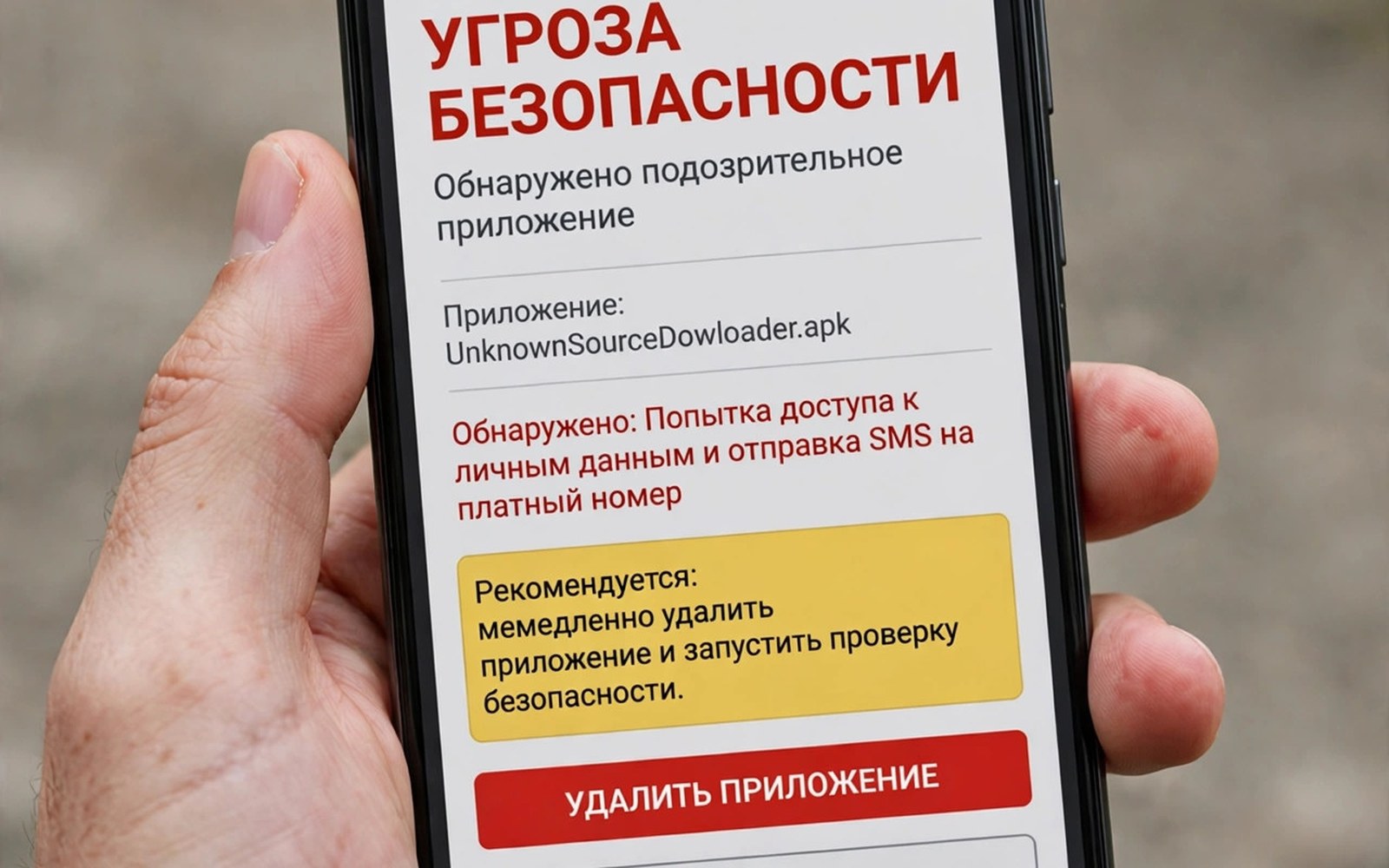
Installing a modded APK file from a third party carries risks that an official store download does not carry for users. A modded file is an app package that someone changed after the original developer built it for release. That change may add a feature or remove a limit or unlock paid content for the user. It may also add hidden code that steals data or shows ads or damages the device. Users cannot see that hidden code by looking at the app icon or its screens. They trust the person who shared the file rather than the original developer of the app. That trust shift is the core danger of modded APK files for everyday users. For how signature checks try to stop tampering see application signature verification checks.
Modded APK files bypass the checks that an official store applies before an app reaches users. An official store checks an app for known malware and for policy violations before listing it. It also checks the developer identity and the app signature for each new version released. A third party file skips those checks entirely when a user installs it directly. That skip removes a layer of protection that many users rely on without realising it. Users who install modded files take on the full risk of vetting the file themselves. Most users lack the tools and time to vet a file properly before installing it on a phone.
Malware Hidden In Modded Files
Malware in a modded file can take many forms that are hard to spot during normal use of a phone. A modded game may include a trojan that runs in the background while the game runs in the foreground. A modded photo app may include spyware that reads photos and messages without a clear prompt. A modded utility app may include adware that shows full screen ads and drains battery during use. Each type of malware hides behind a familiar app name and icon that users already trust. That disguise makes manual detection almost impossible for a normal user without tools. Security software can help but it cannot catch every new variant of a hidden threat.
Malware in a modded file can also persist after the user deletes the modded app from the phone. A modded app may install a second hidden component during its first run on the device. That component may survive deletion of the main app in some cases for Android devices. It may also request device admin rights that make removal harder for a normal user. Users who notice strange battery drain or data use after installing a modded app should act fast. They should uninstall the app and scan the device with trusted security software immediately. They should also change passwords for accounts used on that device as a precaution.
Data Theft And Privacy Loss
Data theft is a major risk when a modded app runs with broad permissions on a phone. A modded app may ask for contacts and location and storage during its first launch for a user. A normal app may ask for the same permissions for a clear feature that the user understands. A modded app may send that data to a server controlled by the person who changed the file. That server may sell the data or use it for fraud against the user later on. Users rarely learn that their data left the device until harm appears in an account. That delay makes data theft from modded apps especially damaging for victims over time.
Privacy loss from a modded app can extend beyond the data that the app itself collects during use. A modded app may read files from shared storage that other apps also use on the device. It may read clipboard contents that hold a password copied by the user for another app. It may listen to microphone or camera input when a permission was granted for a different purpose. Each of those behaviours breaks the trust that a user placed in the original app design. Users should review permissions for every app and revoke permissions that a feature does not need. That review habit reduces harm even when a modded file slips past a user once.
Fake Apps And Payment Fraud
Fake modded apps can mimic a popular app to trick users into entering credentials for a service. A fake banking app may show a login screen that looks identical to the real app screen. A user who enters a password there sends it straight to an attacker server for misuse. A fake social app may show a login screen that harvests a session token for account takeover. Those fakes spread through links and messages that promise a free premium feature for users. Users who want a paid feature for free are easy targets for a fake app scam online. That desire for free content drives much of the modded APK market in many countries.
Payment fraud through modded apps can take money directly from a user account in several ways. A modded app may add a hidden subscription that charges a user each month without clear notice. It may trigger premium SMS messages that add charges to a phone bill for the user. It may steal payment card details entered for a purchase inside the app flow. Users should check bank statements and phone bills after installing any app from outside a store. They should report unknown charges to their bank and to their carrier at once for help. Early reporting limits loss and helps block further charges from the same source.
Updates And Long Term Risk
Updates for modded apps create a long term risk that users often overlook after the first install. An official app receives updates from its developer through a store with signature checks for safety. A modded app receives updates from the person who changed the file or from a third party site. Those updates may contain new malware even when the first version seemed safe to the user. A user who enables auto updates for a modded source invites that risk with every new version. Turning off auto updates for unknown sources reduces that risk but does not remove it fully. Users should prefer official updates from the original developer whenever a safe option exists.
Long term risk also includes loss of support and loss of data when a modded app breaks after an update. An official developer cannot help a user who runs a changed version of their app on a phone. A modded app may stop working after an operating system update changes a system behaviour. A modded app may lose user data when its storage format differs from the official app format. Users who depend on an app for work or for photos should avoid that fragility in daily use. A free feature from a modded app is rarely worth the loss of support and data for a user. That trade-off should be clear before any install decision is made.
adb shell pm list packages | grep -i modded
adb shell dumpsys package com.example.app | grep -i signature
# Remove an unknown app with: adb uninstall com.example.app
Safer Choices For Users
Safer choices start with installing apps only from official stores and from trusted developers for daily use. An official store is not perfect but it adds checks that a third party file lacks entirely. Users should check the developer name and the review history before installing any app from a store. They should check permissions at install and revoke permissions that a feature does not need later. They should keep the operating system and security software updated on the phone at all times. Those habits reduce risk far more than any single security app can do alone for users. For a broader security control view see in-app security controls and integrity checks.
When a user still wants a feature from a modded app the safest path is to ask the original developer for it. Many developers add popular features in a later update when users request them through official channels. A free alternative app from an official store may offer the same feature without modding risk. A trial version of a paid app may offer the feature for a limited time for testing. Those legal options give the feature without the hidden code risk of a modded file. Users should weigh a short term free feature against long term privacy and security costs carefully. That weighing usually favours the official path for most users in the long run.
Helping Someone Who Installed A Modded App
Helping someone who installed a modded app starts with calm advice rather than blame for the install. Ask what app they installed and where they got the file for the install on their phone. Ask what permissions the app requested during its first launch on the device for review. Ask whether they entered a password or payment details inside the app after installing it. Those answers guide the next steps for cleaning the device and protecting accounts for the user. A calm approach encourages honest answers that a harsh approach would hide from a helper.
Cleaning a device after a modded app install starts with uninstalling the app through system settings. Check for a second app with a similar name that may have installed alongside the main app. Check device admin settings for an app that should not hold admin rights on the phone. Revoke admin rights before uninstalling such an app when the system allows that step. Run a scan with trusted security software after uninstalling the suspicious app for safety. That scan may find a hidden component that the main uninstall left behind on the device.
Account protection after a modded app install matters as much as device cleaning for the user. Change passwords for accounts that were used inside the modded app during its time on the phone. Enable two factor authentication for important accounts when the service offers that option for users. Check account activity for logins from unknown devices or locations after the install period. Report unknown activity to the service provider at once for help with account recovery. Those steps limit harm even when data left the device before the app was removed.
Prevention advice after an incident should focus on official sources and permission habits for future installs. Encourage the user to install apps only from official stores for daily use on their phone. Encourage the user to check developer names and reviews before installing any new app from a store. Encourage the user to revoke permissions that a feature does not need after installing an app. Those habits reduce the chance of a repeat incident with another modded file in the future. A short clear prevention list is more useful than a long technical lecture for most users.
Readers who want a related topic can explore APK signing and keystore certificates next in this series.
Conclusion
Third-party modded APK files carry malware and data theft and payment fraud risks for users who install them. They bypass store checks and hide behind familiar app names and icons on a phone. They can steal data and persist after deletion and break after updates in ways users cannot predict. They also lose official support and data safety when something goes wrong later on. Users should install apps from official stores and check permissions and keep devices updated. Those simple habits protect privacy and money far better than any modded feature can offer. When a feature is missing ask the developer or find a legal alternative instead of a modded file.
The steps above follow the approach described in the official developer documentation for Android applications and in widely used testing guidance for mobile software.

