

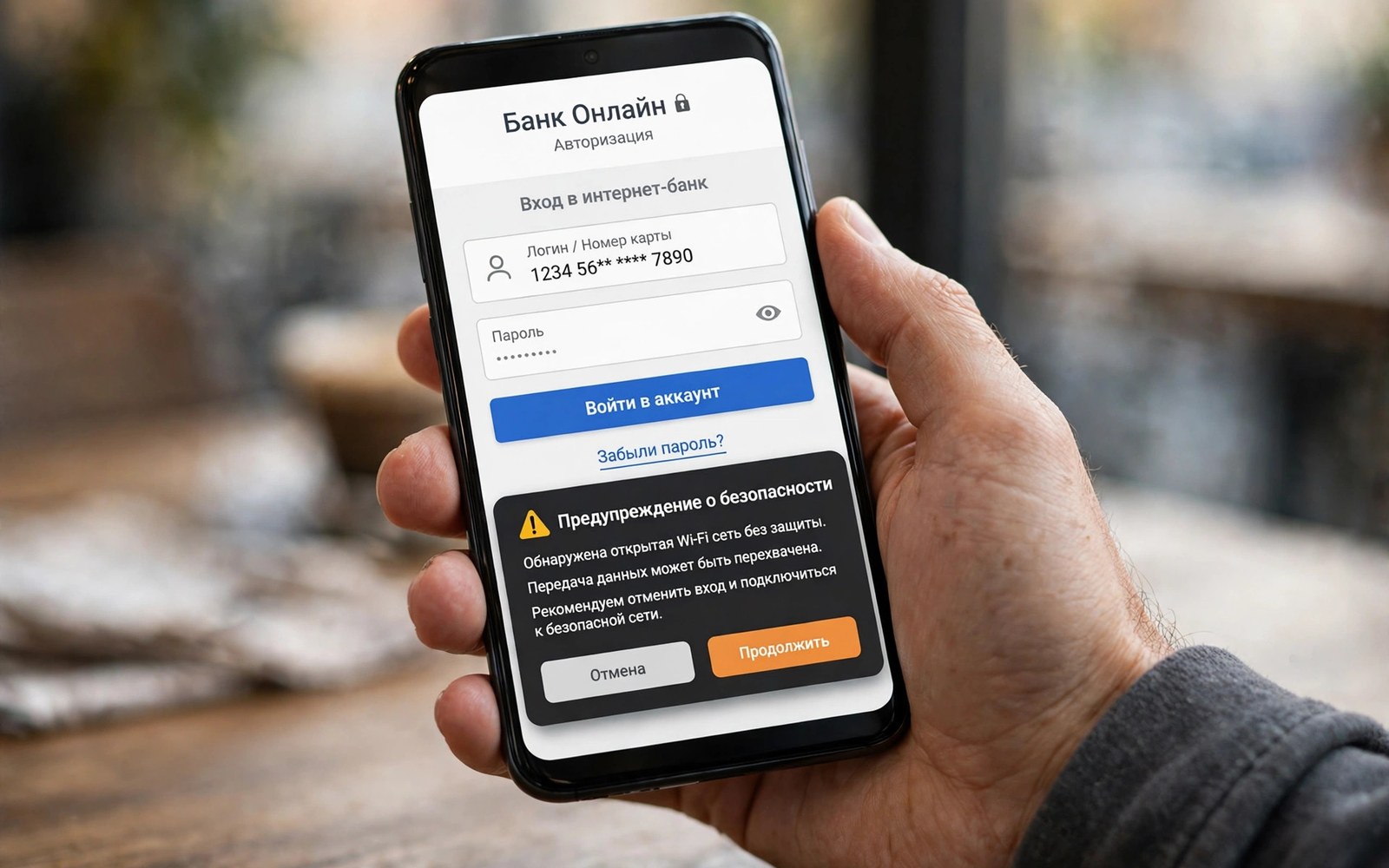
A banking trojan pretends to be a harmless app while it hunts for your login details. It may pose as a flashlight or a game or a delivery tracker. Once installed it waits quietly. It watches for a banking app to open. It then shows a fake login screen over the real app. You type your username and password into the fake screen. The trojan sends those details to an attacker. It then passes you to the real app so you notice nothing wrong. That seamless trick is why trojans succeed.
Trojans differ from simple adware in intent. Adware wants attention and clicks. A trojan wants credentials and money. It may also intercept SMS codes that banks send for verification. It may forward those codes to the attacker. With a password and a code the attacker can log in as you. That combination defeats many basic protections. Defence must therefore cover the app and the login and the code channel together. No single step stops every trojan variant.
Overlay attacks explained
An overlay attack draws a fake screen over a real app. The fake screen copies the real login design closely. It may copy colours and logos and field labels. The user sees no glitch. The user trusts the screen because the banking app icon was tapped. The trojan exploits that trust. It uses overlay permission to draw its fake screen at the exact moment the real app opens. The victim types credentials into the wrong layer. The attacker captures them in seconds.
Overlay permission is the key enabler. Android grants it only when the user allows it. Many users allow it without reading the prompt. A game has no need for overlay permission. A flashlight has no need either. Only apps with a floating window feature need it. Check overlay permission for every installed app. Turn it off for any app without a clear floating feature. That single check blocks most overlay trojans. It costs nothing in daily use for most users.
Watch for small visual clues during login. A fake screen may load slightly slower than the real app. It may lack a fingerprint login option that the real app offers. It may show a keyboard that looks slightly different. These clues are subtle and easy to miss in a hurry. Slow down during banking login. Check the app name in the recent apps view. If the top window belongs to a different app then stop at once. Close it and remove the suspect app.
Keylogging and accessibility abuse
Some trojans abuse accessibility service to read what you type. Accessibility service helps users with disabilities navigate the phone. It can read screen text and observe taps. A trojan with that access can capture passwords as you type them. It can also read SMS codes as they arrive. It can automate taps to approve transfers. This power makes accessibility access a top target for attackers. Grant it only to tools you trust fully and use daily.
Check accessibility services in settings now. Read each entry and ask if the app truly needs it. A screen reader needs it. A password manager may need it for autofill. A simple game never needs it. Turn off any entry that fails that test. Do not grant accessibility access to an app that asks during a game or a tool install. A legit app will explain its need in plain words. A trojan will pressure you with a vague warning. Pressure is itself a warning sign.
Keylogging can also happen through a custom keyboard. A trojan may ask you to switch keyboards. It may pose as a fancy keyboard with themes. Once active it can record every keystroke. Use only a keyboard from a trusted vendor. Do not switch keyboards for a game or a tool app. Check the active keyboard in settings after any new install. A changed keyboard without your clear choice deserves an immediate revert and a removal.
SMS interception and code theft
Banks send one time codes by SMS to verify logins and transfers. A trojan with SMS permission can read those codes. It can forward them to the attacker before you see them. It can also hide the message so you never notice. The attacker then completes a login or a transfer with your code. This attack defeats SMS verification alone. It shows why SMS codes are a weak second factor on an infected phone.
Check SMS permission for every app. Few apps truly need to read all messages. A messaging app needs it. A banking app may need it for autofill. A game never needs it. Revoke SMS access where the need is weak. Consider an authenticator app for key accounts instead of SMS codes. An authenticator generates codes on the device without SMS. It is harder for a trojan to forward. It is not perfect on an infected phone. It still raises the bar for an attacker.
- Turn off overlay permission for apps without a floating window.
- Turn off accessibility service for apps that are not assistive tools.
- Revoke SMS read access from games and simple tools.
- Use an authenticator app instead of SMS codes where offered.
- Check the active keyboard after every new app install.
Fake banking apps and clone stores
Some trojans pose as the bank itself. They copy the bank name and logo and login screen. They appear in search results or in messages. A user who installs the clone enters real credentials into a fake app. The fake app sends them to the attacker. The real bank never sees that login. The victim may not notice until money moves. Check the developer name before installing any banking app. Install it only from a trusted store. Search for the bank name and compare the developer with the official site listing only through the store page.
Clone apps often have low install counts and recent dates. Real banking apps have large install counts and long histories. A new banking app with few installs is a warning. A banking app that asks for overlay and accessibility and SMS at once is a stronger warning. No real bank needs all three at install time. Pause and verify before you grant any of them. For a detailed clone check see identifying fake banking apps and use it before you log in.
What to do after a suspected theft
Act fast if you suspect credential theft. Contact your bank through a known number or a branch. Do not use a number from a suspicious message. Ask the bank to freeze transfers and review recent activity. Change your banking password from a clean device. A still infected phone could capture a new password. Change your email password too because email resets banking access. Enable stronger verification where the bank offers it.
Remove the trojan in safe mode. Safe mode blocks it from running while you delete it. Revoke its overlay and accessibility and SMS rights first. Then uninstall it. Run a scan after removal. Watch bank statements daily for a month. Report the app through the store with factual details. Your report can protect other users. For a safe removal order see removing spyware and adware step by step and follow it closely.
Build a banking safe routine
Keep banking on a clean phone with few apps. Do not install games and tools on the same phone you use for banking if you can avoid it. Use a second profile or a second device for risky installs. Keep the banking phone updated and locked with a strong method. Turn off unknown installs on that phone. Review permissions monthly. This separation limits trojan exposure a lot. It costs some convenience. It pays off in safety for money accounts.
Check bank statements weekly even when nothing feels wrong. Early detection limits loss. Set transaction alerts for every transfer. Alerts give you a live view of account activity. A strange alert at night deserves an immediate bank call. Do not wait until morning to report a strange transfer. Speed matters for recovery. For related delivery tricks see how malicious SMS links target users and keep those red flags in mind.
Spot a trojan before it activates
Many trojans show early clues before they steal anything. They may request a large set of permissions at install time. They may ask for overlay access right after first launch. They may ask you to disable a security setting for a vague reason. Each request alone can look harmless. Together they form a pattern of overreach. A flashlight that wants overlay and accessibility and SMS is not a flashlight. It is a data collector with a flashlight label. Remove it before it ever sees a banking login. Early removal costs nothing and prevents a theft.
Watch app behaviour in the first days after install as well. A new app that runs in the background for hours deserves a check. A new app that uses data at night deserves a check. A new app that shows a permission prompt again after you denied it deserves a check. Repeated prompts are a pressure tactic. A legit app accepts a denial and works with less access. A trojan pushes again because it needs that access to steal. Deny twice and then remove the app. That rule keeps pressure tactics from wearing you down.
Use a dedicated banking check each month
Set a monthly date to review banking app permissions and recent logins. Open the banking app on a clean network and check the login history if the bank shows it. Look for logins from devices you do not own. Look for transfers you do not recall. Check the app list for new apps with overlay or SMS access. A monthly check takes ten minutes and it catches a trojan before it moves money. Pair that check with a password review for email. Email protects banking resets so email safety is banking safety. Keep both strong and keep both monitored.
Protect banking:
Overlay: Settings > Apps > Special access > Display over apps > Off
Accessibility: Settings > Accessibility > Turn off unknown
SMS: Settings > Apps > Permissions > SMS > Revoke
Login: Clean device > New password > Authenticator on
The steps above follow the approach described in the official developer documentation for Android security and app permissions. That guidance stresses least privilege for overlay and accessibility and SMS access. It also stresses user control over powerful permissions. Apply those checks before every banking login.
A banking trojan wins through trust and haste. It trusts that you will grant permissions without reading. It trusts that you will type fast during login. Slow down at both moments. Read permission prompts and question powerful grants. Pause during login and check the app behind the screen. Those two pauses defeat most trojans before they steal anything.

