

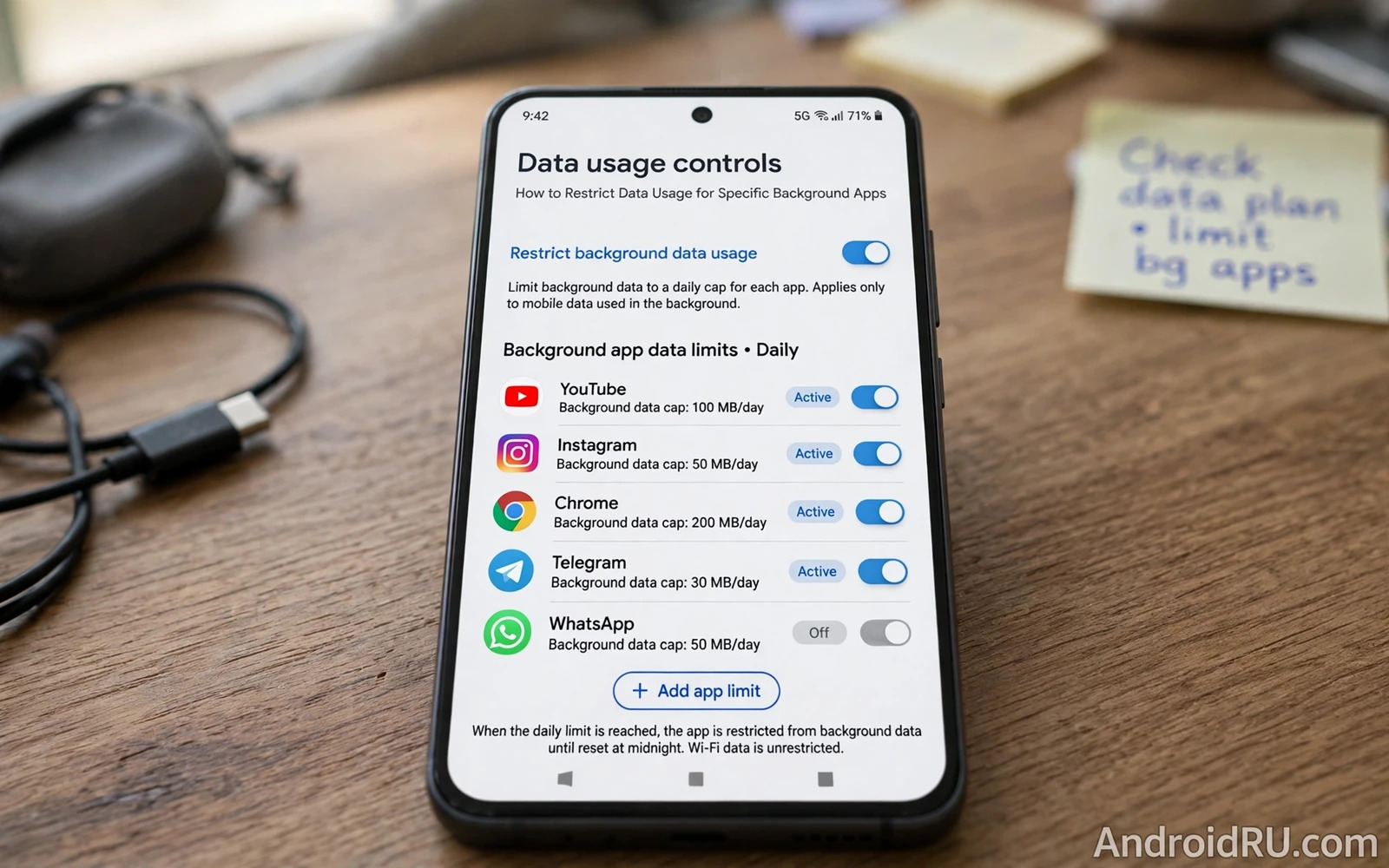
Mobile data costs money and battery and attention when background apps sync without your knowledge. A shopping app refreshing offers overnight and a game downloading promotions and a social app preloading videos can consume a data allowance before you open any of them deliberately. Restricting data usage for specific background apps puts you back in control. Essential apps keep syncing while opportunistic apps wait until you open them on Wi-Fi or in the foreground.
Android separates data controls into background data and unrestricted data and data saver modes. Background data controls whether an app can use mobile data when it is not in the foreground. Unrestricted data lets an app bypass data saver restrictions. Data saver mode blocks background data for most apps at once. Combining per app controls with data saver gives precise control because you can block abusers individually while keeping data saver as a general safety net for apps that you have not reviewed yet.
This guide shows how to find data offenders and how to apply per app restrictions and how to test that messaging and navigation still work and how to handle roaming and limited plans. The goal is not to block every background sync because some syncs deliver value. The goal is to match data freedom to app purpose so that every megabyte serves a function that you actually want.
Find Apps That Consume Data In The Background
Open Settings and then open Network and internet and then open Data usage or Mobile data usage depending on your phone brand. The usage list shows total data per app and the split between foreground and background use. Sort mentally by background use rather than by total use because a video app that you watch daily will naturally show high foreground use. An app with high background use and low foreground use is the offender pattern. A shopping app that used hundreds of megabytes in the background while you opened it twice deserves restriction immediately.
Check usage over the current billing cycle rather than over a single day when your phone offers a cycle view. A single day can mislead because an app update or a large sync can spike one day and then stop. A cycle view reveals persistent background behaviour. Note the top background offenders in a short list before changing anything. That list prevents random restriction and lets you test changes one app at a time with a clear before picture.
Apply Per App Background Data Restrictions
Open Settings and then open Apps and then open the offender app and then open Mobile data and Wi-Fi. Switch off background data for that app while leaving foreground data switched on. The app will still load content when you open it and it will refresh in the foreground normally. It will no longer sync silently while closed. Test the app after restriction by opening it and confirming that content loads. Test it the next day by checking that background usage stopped growing while foreground usage reflects only your deliberate opens.
Apply restrictions one app at a time for apps that might need background delivery. A messaging app restricted by mistake will delay messages until you open it. A navigation app restricted by mistake may fail to download traffic updates. Keep messaging and email and navigation apps unrestricted unless you have a specific reason to limit them. Restrict shopping and games and free utilities first because those categories rarely need instant background delivery. That priority order protects essential communication while silencing the worst offenders.
Data Saver Roaming And Wi-Fi Controls
Switch on data saver when you want a general background block for unreviewed apps. Data saver blocks background data for most apps and lets you exempt specific apps that must sync. Exempt messaging and email from data saver so that important messages still arrive. Data saver works as a safety net during travel or near the end of a billing cycle when every megabyte matters. Switch it off when you return to an unlimited plan if you prefer unrestricted background behaviour for convenience.
Control roaming data separately because roaming charges can dwarf domestic data costs. Switch off data roaming entirely when travelling without a roaming plan or restrict background data aggressively before crossing a border. Check roaming usage in the data usage screen when your phone offers a roaming split. Some apps ignore user expectations about roaming and sync large files over a roaming connection unless background data is restricted. A pre travel restriction pass prevents a shocking bill more reliably than any post travel complaint.
Battery And Performance Benefits Of Restriction
Background data restriction also improves battery life because every background sync wakes the radio and the processor. An app that syncs hourly forces dozens of wakeups per day even when you never open it. Restricting that app removes those wakeups and lets the phone sleep longer between charges. The battery gain varies by app but the direction is consistent. Fewer background syncs mean fewer wakeups and fewer wakeups mean longer standby time. Data control and battery control are the same routine viewed from two angles.
Performance improves as well because background syncs compete with foreground apps for network and processor resources. A phone that feels sluggish while opening a browser may be fighting background downloads from several apps at once. Restricting offenders frees network capacity for the app that you actually use. Test perceived speed after a restriction pass by opening your most used apps and noting load times. A cleaner background often feels like a faster phone without any hardware change.
Review Restrictions Regularly And Avoid Breakage
Review data restrictions monthly because app updates can change sync behaviour and new apps arrive with default background freedom. A monthly review takes only a few minutes when you check the data usage list for new background offenders. Remove restrictions for apps whose purpose changed. A shopping app that you now use for daily delivery alerts may deserve background data again. A game that you abandoned deserves uninstallation rather than continued restriction. Restrictions should follow current purpose rather than fossilising an old decision.
Watch for breakage signals after restriction such as delayed notifications or stale content or failed uploads. Delayed notifications from a restricted app signal that the app genuinely needs background data for its purpose. Restore background data for that app and use a different control such as notification settings or permission review to limit its behaviour. Restriction is a precision tool rather than a blanket ban. The best setup restricts abusers and exempts essentials and gets reviewed whenever behaviour changes.
Data control overlaps background behaviour so pair it with clearing cache and junk files without breaking apps and with disabling location tracking for specific apps while auditing apps that access the camera and microphone reveals background sensor use that data charts cannot show.
- Find background offenders by background use rather than total use over a billing cycle
- Switch off background data per app while leaving foreground data on
- Keep messaging and email and navigation apps unrestricted for timely delivery
- Use data saver as a safety net and exempt only essential apps from it
- Review restrictions monthly and restore data for apps whose purpose changed
Data Controls For Travel And Limited Plans
Travel and limited plans demand a data control pass before departure. Open data usage and restrict background data for every app except messaging and navigation and email. Switch on data saver and exempt only those essential apps. Download maps and media for offline use before leaving Wi-Fi so that travel apps need less mobile data on the road. That preparation prevents roaming shock and keeps essential communication working while opportunistic apps wait for Wi-Fi.
Monitor data daily during travel rather than discovering overuse at the end of a trip. Check data usage each evening and identify any app whose background use grew despite restrictions. An app that bypasses restrictions through unrestricted data status needs that status revoked immediately. A travel companion app that you installed for one trip may deserve uninstallation after the trip ends rather than continued background freedom. Daily monitoring turns data control from a pre travel guess into an active routine.
Restore normal data settings thoughtfully after returning to an unlimited plan. Keep restrictions for apps that proved abusive during travel even when data cost no longer matters because background restriction also saves battery and protects privacy. Restore background data only for apps whose purpose genuinely changed during the trip. A post travel review that keeps good restrictions and removes obsolete ones leaves your phone cleaner than it was before departure.
Data Usage Controls For Children Devices
Children devices need data controls that balance learning needs against cost and distraction. Restrict background data for games and entertainment apps on a child tablet while keeping learning apps and messaging apps unrestricted. Check data usage weekly with the child so that they learn how background syncing consumes an allowance. A weekly check turns data management into a shared learning habit rather than a hidden parental restriction that invites bypass attempts.
Set data warnings at sensible thresholds so that a child device alerts before an allowance runs out. A warning at half allowance and another at three quarters allowance gives time to adjust behaviour before the limit arrives. Teach children to connect to Wi-Fi for large downloads and updates rather than using mobile data for everything. Those habits protect the family data plan and teach responsible device use at the same time. Data controls for children work best as education plus limits rather than limits alone.
Restricting data usage for specific background apps restores control over cost and battery and privacy. Find background offenders and restrict them individually and keep essential apps connected and review the list monthly. That routine stops silent syncing from consuming your allowance while preserving the timely delivery that messaging and navigation genuinely need.

