

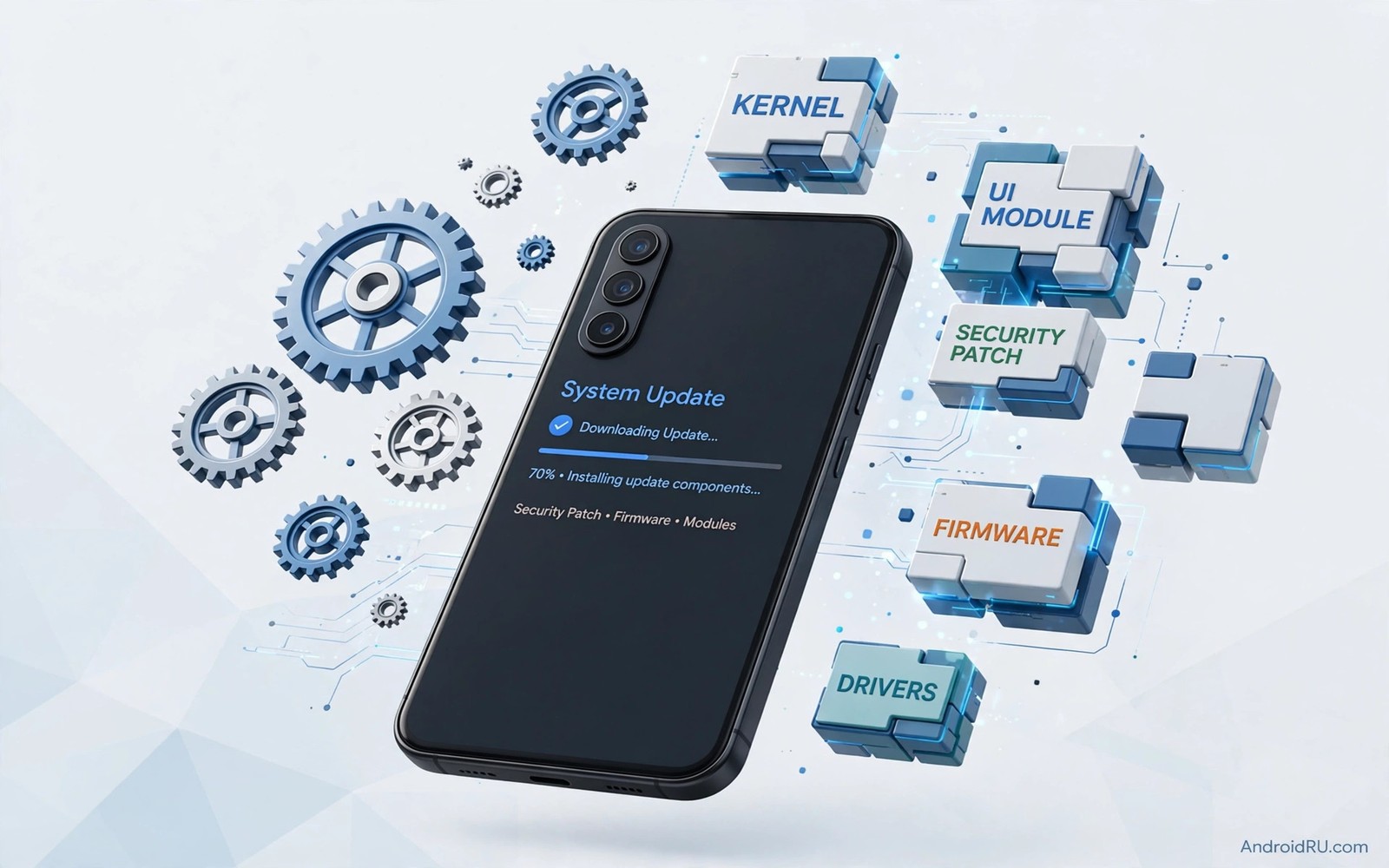
Android updates used to arrive as one large package. A maker built a full system image and tested it for a specific device. A carrier approved it. Users waited months for a fix. That model still exists for major versions. It is no longer the only way Android improves.
Many system components now update through services. Media codecs and networking parts and security modules can update independently. These updates arrive through the store infrastructure without a full system rebuild. They reach many devices faster and with less testing per device. The operating system becomes more modular over time.
This shift changes what a version number means. Two phones on the same major version can have different component versions. Two phones on different major versions can share the same security module. Users need to look beyond the headline version to judge security. This guide explains the new model in plain terms.
From Monolithic Updates to Modules
A monolithic update replaces the whole system at once. Every component changes together. Testing must cover the whole device. A single bug can delay the entire package. This approach is thorough but slow. It also creates long gaps between fixes.
A modular update changes one component at a time. A media component can be fixed without touching the display system. A networking component can be fixed without touching the camera system. Testing focuses on the changed module and its interfaces. Fixes arrive faster and with less risk to unrelated features.
Modularity also helps makers support more devices. A module built once can work across many models with the same interface. A maker does not need to rebuild the module for each device. This reuse reduces cost and speeds delivery. It is a key reason why security patches now arrive faster on many Android phones.
What Play Services Updates Can and Cannot Do
Service based updates can fix many user facing components. They can update location services and media handling and security libraries. They can improve app compatibility and privacy controls. They can also deliver new features to system apps without a full version change.
They cannot replace deep kernel changes. A new kernel version or a new hardware driver usually needs a full system update. A new display pipeline or a new power management core also needs deeper integration. Service updates work within the boundaries set by the system version. They extend a version rather than replacing it.
Users should therefore check two things. First check the system version and the security patch date. Then check the service component versions in settings. A phone with an old system version but current modules may still be reasonably secure. A phone with an old system version and old modules is a larger risk. Both checks matter.
Why Updates Feel Less Visible Now
Modular updates often install in the background. They do not require a long restart. They do not show a large change log. Users may not notice that a component improved. This invisibility is a benefit for convenience. It is a drawback for transparency.
Users who care about security should check update dates regularly. Settings usually show a security patch level and a service version. A recent date suggests active maintenance. An old date suggests a maker or carrier delay. Do not assume that a silent phone is an updated phone. Check the dates once a month.
App updates also play a role. Many system apps update through the store like normal apps. A messaging app or a browser app can gain security fixes without a system update. Keeping apps updated is therefore part of system maintenance. A phone with updated apps and updated modules is stronger than a phone with only a new version number. This layered model is closely related to how seamless partition updates keep devices safe because both approaches reduce downtime during maintenance.
What This Means for Long Term Support
Modular updates extend useful life. A phone that stops receiving major versions can still receive module fixes for a time. This extends security coverage beyond the major version window. It does not extend it forever. Modules eventually depend on newer system interfaces that old versions lack.
Makers still need to commit to major updates for full longevity. A phone with four major versions plus modular fixes will age better than a phone with two major versions plus the same fixes. Users should weigh both numbers when they buy. A long major version promise plus modular delivery is the strongest combination.
Check 1: System version in Settings About phone
Check 2: Security patch date in Settings Security
Check 3: Service version in Settings Apps
Check 4: System app updates in store
Check 5: Restart after a major module update
The checklist above is an original example written for this guide. It is not copied from a vendor document and it does not require a special app or a paid tool. Use it once a month to confirm that your phone is actually receiving maintenance.
Common mistakes
One mistake is to judge a phone only by its major version. A phone on a newer major version with old modules can be less secure than a phone on an older version with current modules. Check patch dates and module dates together.
Another mistake is to disable automatic updates to save data. Automatic updates deliver security fixes that protect personal data. Disabling them to save a small amount of data creates a larger risk. Use Wi-Fi only updates if data cost is a concern.
A third mistake is to assume that a service update fixes a hardware driver flaw. Deep driver flaws need a system update from the maker. If a maker stops system updates then some flaws will remain even with current modules. Check maker support end dates before you rely on modules alone.
A final mistake is to ignore app updates for system apps. A browser or messaging app with a known flaw can expose data even on a patched system. Keep system apps updated through the store. Treat app updates as part of security maintenance.
Frequently Asked Questions
Do service updates replace system updates?
No. Service updates extend and patch a system version. They cannot replace kernel and driver changes. Both types of update are needed for full maintenance.
Why does my phone show different version numbers?
Different components update on different schedules. System version and security patch date and service version each track a different layer. All three should be reasonably current for good security.
Can I force a service update?
Usually you can check for updates in settings and in the store. Service updates roll out in stages. A manual check may find an update earlier. If no update appears then your device may already be current for its region.
When a Module Update Goes Wrong
Module updates usually install quietly. Occasionally a module update can cause an app to misbehave. A media app may crash after a codec update. A location app may behave oddly after a location service update. The first step is to restart the phone and test the app again. A restart clears temporary state that a module change may have left behind.
If the problem persists then check for an app update. App developers often release a fix shortly after a module change. Check the store for updates and install them. If no app update exists then clear the app cache. Clearing cache removes temporary data without deleting your account or your files in most apps.
If the problem still persists then report it with details. Note the module version and the app version and the steps that trigger the problem. A report with a clear reproduction helps a team fix the module quickly. Avoid reinstalling the whole system as a first step. System reinstalls are rarely needed for a single module issue.
Prevention also helps. Keep a note of the last known good state before a major module update. Note which apps you use daily and whether they worked after the update. A short check after each update catches problems early while a fix is still fresh.
Module Updates and App Compatibility
Module updates can break app compatibility in subtle ways. A new media codec may change how a video app decodes a file. A new location service may change how a navigation app requests position. App developers usually adapt quickly. A short period of incompatibility can still occur after a module change.
Users can reduce the impact by keeping apps updated. An app update released after a module change often contains the necessary adaptation. Check the store for app updates after a system module update. Install those updates before you judge whether the module caused a problem.
Developers can reduce the impact by testing against beta modules. A developer who tests early will release an adaptation before the module reaches most users. A developer who waits for a stable module may face a flood of user reports. Early testing benefits both developers and users in a modular system.
Checking Update Dates Monthly
A monthly update check takes only a few minutes. Open settings and note the system version and the security patch date. Note the service version as well. Compare those dates with the current month. A date more than three months old deserves attention.
If an update is available then install it when the phone is charged and on Wi-Fi. Allow background installation to complete before you restart. After the restart verify the new dates. A successful update should show a newer patch date.
If no update appears then check the maker support page for your model. Note the promised support end date. If support has ended then plan an upgrade or limit sensitive use. If support has not ended then contact support about the missing update.
Keep a simple log of your monthly checks. A log with dates and versions helps you spot a pattern of delays. A maker that consistently delays updates is a signal for your next purchase. A log turns vague frustration into evidence.
Monthly checks also catch app update problems. Note whether system apps updated through the store. A system app that has not updated in months may need manual attention. App updates are part of the same monthly routine.
Conclusion
Android system updates managed by services change the operating system from a monolithic package into a layered platform. Modules fix security and compatibility faster than full rebuilds. Major versions still matter for deep changes and new interfaces. Users who check both layers will judge their phone security more accurately.
Your concrete next step is to open settings today and note your system version and security patch date and service version. Compare those dates with the current month. If any date is more than three months old then check for updates and contact your maker support if none appear. For more update context read about why manufacturers extend software support to seven years and why legacy system protections are being removed to see how modular updates fit into long term platform change.

