

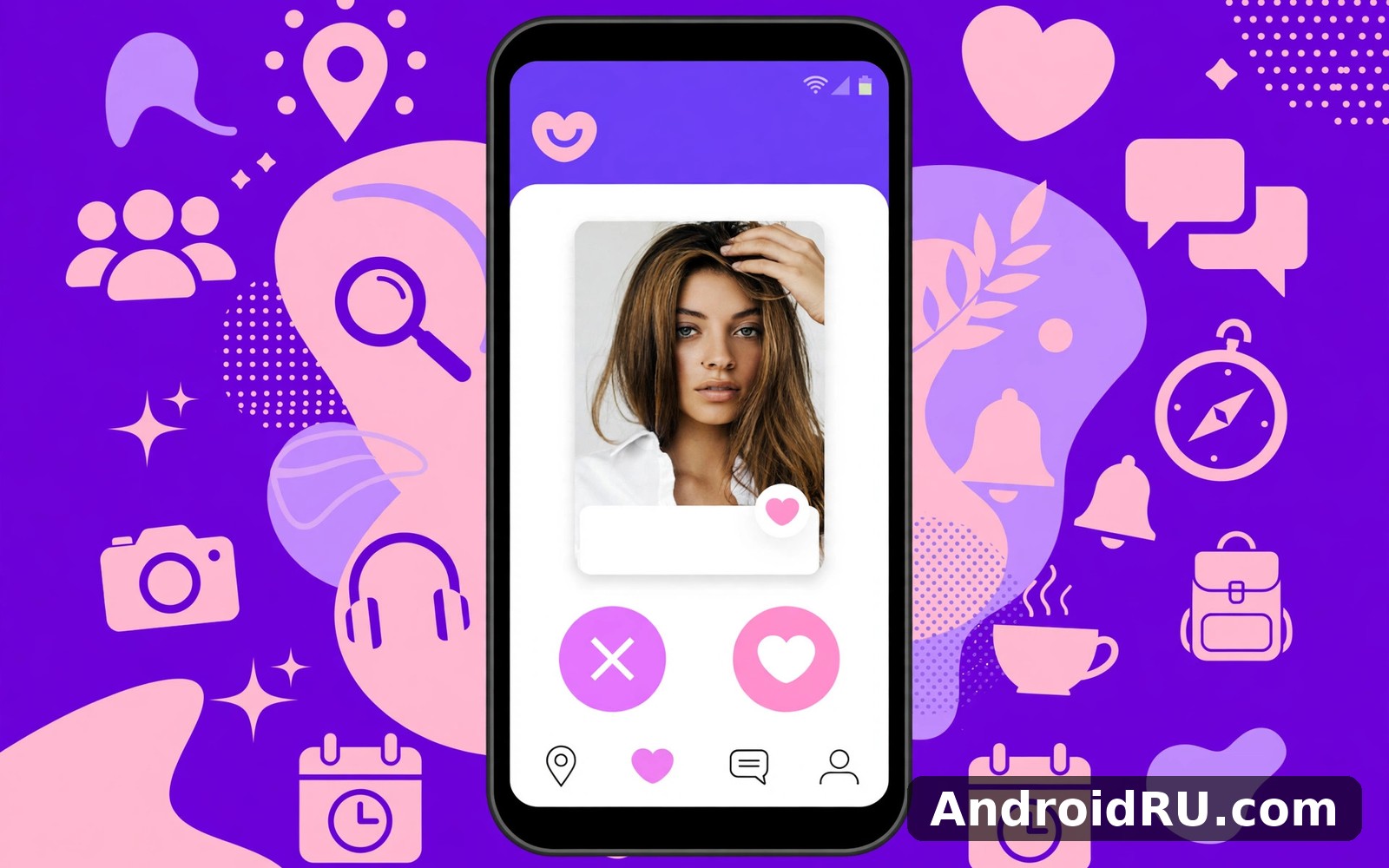
Download APK Badoo Latest Feature Review & Download Source Verification
I tried Badoo while new in a city where I knew nobody. A few conversations led to a coffee and then to a friendship group. The app did what a new city guide could not: it put real people nearby within reach, and it did it without demanding that I spend hours swiping first. That first week taught me what Badoo is good at, where it frustrates, and how to tell a genuine copy of the app from a risky one.
This review looks at Badoo in everyday terms rather than in marketing language. You will learn what it does, how its latest features actually behave, how profile verification works, how it compares with Hinge, Tinder, and Grindr, and how to check a download source before you install. The focus stays on real life rather than on promises, and the verdict stays neutral: Badoo suits some people well and leaves others cold, and both reactions are fair.
What Badoo Does and Who It Is Built For
Badoo is a dating and social app for Android for meeting people nearby. It combines profiles, verification, and chat, with the focus on real meetings rather than endless swiping. It has been around since 2006, which makes it one of the older names in online dating, and it now reports hundreds of millions of registered users across many countries. That scale is a strength in big cities, where the pool of nearby profiles is deep, and a weakness in small towns, where the same faces can repeat quickly.
It suits outgoing people open to meeting strangers locally. Newcomers to a city benefit especially from the local focus, because the app answers the question of who is actually nearby right now. Shy users may prefer longer chats before meeting, and Badoo allows that, though its design pushes toward meeting sooner rather than later. People looking for a serious relationship, casual dating, or simply new friends all use the same app, which means your own profile has to say clearly what you want, or you will waste time on mismatched expectations.
How Badoo Differs From a Pure Swiping App
Most dating apps show you one profile at a time and ask for a yes or no. Badoo keeps that option, called Encounters, but it also shows a grid of people nearby, which feels closer to browsing a room than to dealing a deck of cards. That grid is the heart of the app: you see faces, distances, and a short line of profile text, and you decide who is worth a closer look. I found the grid faster for getting a sense of a city, and slower for careful decisions, because the sheer number of faces tempts you to skim.
The local focus also changes the tone. Profiles tend to be shorter and more direct than on apps built around long written prompts. That suits people who judge chemistry in person, and it frustrates people who want to read a lot before saying hello. Neither approach is wrong; they simply fit different temperaments.
Who Badoo fits best in practice
Badoo fits best if you are new somewhere, if you like meeting people face to face, and if you are comfortable with a large, mixed pool of users rather than a tightly filtered one. It fits less well if you want deep profile essays, strict matching by values, or a small curated set of daily suggestions. Knowing which group you fall into saves you a week of trial and error.
Badoo Features That Matter in Daily Use
Meeting new people nearby is the core promise of the app. Profiles show photos and interests for a quick first impression, location helps turn online matches into real meetings, and chat lets you test the conversation before you commit to a coffee. The features below are the ones I actually used in a week of daily sessions, not a list copied from a store page.
Encounters: Swiping With a Mutual Match Rule
Encounters is Badoo’s swiping mode. You see one profile at a time, swipe right if you like what you see, and a chat opens only when the interest is mutual. That mutual rule matters, because it cuts down on one-sided messages and keeps the inbox calmer than an open inbox would be. I liked the pace of Encounters for short sessions: ten minutes, a dozen profiles, two or three matches, and then I put the phone away.
Here is the catch: Encounters rewards photos far more than words. A profile with strong photos and one dull line will outperform a thoughtful profile with average photos, which is honest to how the feature works but worth knowing before you invest hours in writing. If you use Encounters, spend the effort on clear, recent photos first and on words second.
People Nearby: The Grid That Shows Who Is Close
People Nearby shows profiles sorted by distance, and it is the feature that makes Badoo feel different from its rivals. You can filter by age range, gender, and distance, and you can see who is online now. In a busy city centre the grid refreshes constantly, and I found people within a few hundred metres on a normal afternoon. In quieter areas the same grid can feel thin, which is a fair reflection of the local user base rather than a fault in the app.
Distance is approximate by design, and that is a privacy choice worth appreciating. The app shows a rough distance rather than a pinpoint, so a stranger cannot work out your exact address from your profile. You can also hide your distance or pause your visibility if you want a break without deleting anything.
Profile Verification and Verified Badges
Profile verification adds a layer of trust to browsing. Badoo asks users to verify with a photo, following a pose the app requests, and verified profiles carry a badge. A badge does not guarantee chemistry, and it does not guarantee that every word on a profile is true, but it raises confidence that the person in the photos is the person behind the account. That small trust signal changes the tone of browsing: I found myself reading verified profiles more carefully and skipping unverified ones faster.
Verification is voluntary, so plenty of genuine people never bother with it, especially new users who have not explored the settings yet. Treat the badge as a positive sign, not as a requirement, and treat a missing badge as a reason to chat a little longer before meeting, not as proof that someone is fake.
How photo verification works step by step
Open your profile, choose the verification option, and the app will show you a pose to copy, such as raising a hand or turning your head. Take a selfie in that pose, submit it, and the app compares it with your profile photos. Approval usually takes a short time, and the badge appears on your profile once it passes. If it fails, check the lighting, remove sunglasses, and try again with a clear, front-facing photo.
Chat, Video Calls and Badoo Live
Chat features let matches talk before meeting in person. Conversation reveals compatibility beyond photos, and a good chat can turn a maybe into a definite yes. Messages support photos, voice notes, and stickers, and you can send a gift, a small paid virtual item, to stand out in a crowded inbox. Gifts are a minor feature, but they are popular enough that you will see them mentioned on many profiles.
Video calls let you meet face to face on screen before meeting in person, which I found genuinely useful for a first check. A short video call answers questions a photo cannot: does this person sound like their messages, and does the conversation flow? Badoo Live, the app’s live streaming feature, lets users broadcast and watch streams, which is more of a social feature than a dating one, and it suits people who enjoy the community side of the app.
Badoo Premium: What the Paid Tier Adds
Badoo Premium is a paid subscription that adds features such as seeing who liked your profile, undoing a swipe, browsing in invisible mode, and getting more visibility through boosts. Prices vary by country, subscription length, and current offers, so check the current plan inside the app before you judge the value. The free version is fully usable for matching and chatting, and Premium mainly removes friction and adds visibility rather than opening up the core job.
My own view after a week is that Premium is worth a short trial if you are in a competitive city and your profile is already strong, and a waste of money if your photos are weak, because extra visibility for a weak profile just shows it to more people who pass. Fix the profile first, then decide about Premium.
How Badoo Verification Works and Why It Matters
Dating apps live or die on trust, and Badoo has invested more in verification than most of its rivals. Photo verification, profile moderation, and reporting tools all work together, and understanding them helps you use the app safely and spot the warning signs that matter.
Photo Verification, Moderation and Reporting Tools
Photo verification compares a live selfie with profile photos, which makes it harder for someone to run a profile with stolen photos. Moderation reviews reported profiles and photos, and the app offers blocking and reporting on every profile and chat. I tested the block flow once on a spam account, and the account disappeared from my grid within the day. That is a small test, but it is more than I can say for some apps where reported accounts linger for weeks.
That said, no verification system catches everything. Scammers adapt, stolen photos still slip through, and a verified badge never proves that someone’s intentions are honest. Use verification as one signal among several: a verified profile, a natural chat history, and a willingness to video call before meeting are together a much stronger picture than any single badge.
Red flags worth taking seriously
Be careful with profiles that push you off the app quickly, ask for money or gift cards, refuse a video call while claiming to be local, or tell a story that changes between messages. Any one of those is a reason to slow down, and two together are a reason to stop replying. Report the profile and move on; there are plenty of genuine people on the app.
Badoo vs Hinge vs Tinder vs Grindr: How the Dating Apps Compare
Badoo does not exist in a vacuum, and the honest way to judge it is against the apps people actually compare it with. Hinge is built around prompts and designed to be deleted, Tinder is the largest swiping app, and Grindr serves gay, bi, trans, and queer people looking for dates and connection. Each one has a different centre of gravity, and the table below puts them side by side on the criteria that matter in daily use.
| Criteria | Badoo | Hinge | Tinder | Grindr |
|---|---|---|---|---|
| Main way to browse | People Nearby grid plus Encounters swiping | Profile feed with written prompts | One-by-one swiping | Grid sorted by distance |
| Best for | Meeting people nearby, new in town | Relationship-focused dating | Large pool, casual and serious | LGBTQ+ dating and connection |
| Profile verification | Photo verification with badge | Photo verification available | Photo verification available | Verification options available |
| Chat before meeting | Mutual match or open chat options | Like with a comment to start | Mutual match required | Open messaging without a match |
| Video calls | Yes, in-app video chat | Yes, in-app video and voice | Yes, video chat for matches | Yes, video calls available |
| Live streaming | Yes, Badoo Live | No | No | No |
| Free tier | Full matching and chat free | Core matching free, limits apply | Core swiping free, limits apply | Core browsing and chat free |
| Paid tier focus | Visibility, see who liked you | Unlimited likes, see who liked you | Unlimited likes, Passport, boosts | Ad-free, filters, unlimited blocks |
The table shows why the choice is personal. If you enjoy dating and meeting people then Hinge Dating App Date Chat is a natural next app to try once you know this one, because Hinge’s prompt-led profiles reward people who like to read before they swipe. For a different flavour of the same idea, Tinder is worth a look in its own right, because its huge pool means more matches in most cities, even if the conversation quality varies. And if you want one more comparison before deciding, Grindr gives you another angle on the same kind of app, with a grid-first design that will feel familiar if you liked People Nearby.
None of these apps wins for everyone. Badoo wins on local discovery and verification, Hinge wins on thoughtful profiles, Tinder wins on sheer numbers, and Grindr wins for its community. The right pick is the one whose browsing style matches your temperament and whose user base is strongest where you live.
Setting Up Badoo: Profile, Photos and First Settings
I kept the first setup short and skipped anything that looked optional. That choice paid off because the core screen made sense within a minute. You can always return to settings later when you know what you actually need, and most people only change two or three settings in the first week anyway.
Build a Profile That Gets Replies
Start with clear, recent photos: a smiling portrait, a full-body shot, and one photo that shows you doing something you enjoy. Avoid group photos as your first image, because nobody knows which person you are, and avoid heavy filters, because a date who feels misled in the first minute rarely gets a second one. Write two or three honest lines about what you enjoy and what you are looking for, and say plainly whether you want dating, friendship, or both.
Complete the interests and basic details, because the app uses them to suggest matches and because a bare profile looks unfinished next to complete ones. Verify your photos early, since the badge earns trust from the first day. Then set your distance and age filters to match the area you actually travel in, because matches 100 kilometres away are only useful if you genuinely travel that far.
First Settings Worth Changing in Week One
Open the settings screen once and work through it slowly. Change one thing and see how the app feels afterwards. A calm review beats a rushed overhaul every time. Turn on notifications for matches and messages, but turn off promotional notifications if they distract you. Check your location permission, and set it to while using the app rather than always, so the app only knows where you are when you open it. Review who can see you online, and use invisible mode sparingly, because hiding yourself also hides you from people you might like.
If a permission prompt feels unrelated to what you want to do, deny it for now. You can grant it later when a feature asks for it in context. That habit keeps the app simple and keeps you in control. A quick note on settings: most options sit on one screen, which makes review easy, so open it once and read each option slowly instead of guessing.
A calmer Badoo account in five minutes
Set your distance filter, verify your photos, turn off promotional notifications, and choose who can message you. Those four changes take five minutes and they shape the whole first week. Revisit them after two weeks of real use, because early guesses about preferences are often wrong and real use tells you what actually needs changing.
Badoo Pros and Cons After a Week of Real Use
A week of use reveals things a first session cannot. The app either earns its place or it quietly slides to a later screen. This one earned its place through steady usefulness rather than novelty, and the balance below is the honest picture after seven days of short daily sessions.
Pros of Badoo
- Large nearby pool in cities. People Nearby shows real people close to you, which makes meeting in person practical rather than theoretical, and the grid refreshes often enough to feel alive.
- Photo verification builds trust. Verified badges make browsing calmer, because you spend less time wondering whether a profile is genuine and more time reading the people who are real.
- Free tier covers the core job. Matching, chatting, and video calls work without paying, so you can judge the app properly before spending anything on Premium.
- Video calls before meeting. A short video chat answers questions a photo cannot and makes a first meeting feel safer and less awkward.
- Flexible goals in one app. Dating, friendship, and casual chat all live in the same place, so you do not need three apps for three kinds of connection.
Cons of Badoo
- Profile quality varies widely. Short profiles and photo-led browsing mean you will skim past many thin profiles before you find one worth a message.
- Fake and spam accounts still appear. Verification helps, but it does not catch everything, and new users will meet the occasional spam message or suspicious profile.
- Premium prompts are frequent. The app reminds you about paid features often, which can feel pushy when you are still deciding whether the free version suits you.
- Thin user base outside big cities. In smaller towns the same profiles repeat, and the grid can feel quiet compared with the busiest areas.
Who Badoo Is For
Badoo is for outgoing people who want to meet others nearby, for newcomers to a city, and for anyone comfortable with a large, mixed pool rather than a tightly filtered one. It is less suited to people who want deep written profiles, a small curated set of daily matches, or a strictly relationship-only pool. If you fall in the first group, give it a fair week. If you fall in the second, Hinge or a niche app may fit you better, and that is a fair choice, not a failure of Badoo.
Privacy, Safety and Meeting in Person on Badoo
Privacy settings deserve five minutes during your first week. Open them once and read each option without rushing. Turn off anything you do not understand or do not need. Share only what a feature truly needs to work: a profile photo and a display name go a long way for most uses, and extra personal details rarely improve the experience.
Safety Habits for First Meetings
Chat properly before meeting, and use a video call first if you can. Meet in a public place, tell a friend where you are going and when you expect to be back, and keep your own transport so you can leave whenever you like. Do not share your home address, workplace details, or financial information with someone you have only just met online. Those habits sound basic, but they are the habits that keep a good first meeting good.
On a shared phone, sign out when you finish. It is a small step and it prevents awkward surprises later. A lock screen adds another simple layer of protection. If a conversation turns uncomfortable, block and report without hesitation; you owe a stranger on an app no explanation, and the report helps the next person too.
What to do if a profile feels wrong
Trust the feeling, slow down, and check the signs: a profile that pushes you off the app, asks for money, refuses a video call, or changes its story between messages is worth reporting. Screenshot the conversation if you need a record, then block the account and report it through the app. Genuine people understand caution; scammers rely on you ignoring it.
Badoo Performance, Battery and Data Use on Android
On a mid-range phone the main screen opened without a long wait. Scrolling felt smooth and nothing stuttered during short sessions. Longer sessions stayed steady too, though the phone did warm up slightly during video calls and live streams, which is normal for any app that keeps the camera and network busy at once.
Battery, Data and Phone Storage in Daily Use
Battery use stayed modest when I used the app in short bursts. Background activity is the thing to watch if your battery drops fast, so check the app’s background permission and close the app fully after a long session on older phones. Data use is moderate for browsing and chat, and higher for video calls and live streams, so use Wi-Fi for long video sessions when you can. Phone storage grows slowly as you save more inside the app, and clearing old items now and then keeps things tidy; I do that once a month and it takes less than a minute.
Before you install, take a moment to check your available space. A quick look prevents a failed install at an awkward moment. Also check that your Android version meets the general requirements for modern apps; most current phones qualify without any issue, while older phones may still run the app with slightly less speed. Read the permission list once during install and pause on anything surprising, because you can adjust permissions later from system settings.
Download Source Verification: How to Check Badoo Before You Install
Where you get the app matters as much as how you use it. A modified copy from an unknown source can carry malware, steal login details, or show ads that the real app never shows. Verification takes a few minutes and it is the single most useful habit in this whole review.
Check the Source, the Publisher and the Permissions
Install from the official listing or from a trusted source you already know, and check that the publisher name matches the real Badoo. Read the permission list during install and pause on anything surprising, such as a dating app asking for access that has nothing to do with profiles, chat, or location. Compare the app size and version with the official listing, and be wary of a copy that is much smaller, much larger, or several versions behind without explanation.
When you are ready you can find Click here to download the Badoo app and check the details there before you install. That page brings the app and its guide together in one place, so you can confirm the version and the description before you commit. If you want to try a similar tool, Click here to download the Hinge Dating App Date Chat app. You can also Click here to download the Tinder app when you are ready to compare it with this one.
Warning signs in a download source
Walk away from a source that bundles extra installers, asks you to disable security settings, or promises paid features for free inside a modified file. Those are the classic signs of a tampered copy. A genuine source never needs you to weaken your phone’s security to install a dating app, and a modified copy is never worth the risk to your photos, messages, and login details.
Troubleshooting Badoo: When the App Misbehaves
If the app refuses to open, restart your phone first. That simple step clears most temporary faults on Android. If the problem stays, check for an update, because a stale version can clash with server changes. A missing feature is usually a hidden toggle rather than a real absence, so search the settings screen slowly before you assume the worst, and reinstalling restores defaults if the layout still looks wrong.
Slow loading often comes from a weak connection rather than the app itself. Switch to Wi-Fi or move closer to your router and try again. Patience helps more than repeated tapping. If messages fail to send, check your connection, then check whether the other person blocked or unmatched you, and then restart the app. If notifications stop arriving, check the system notification permission and the battery optimisation setting, because Android can silence an app that it thinks you rarely open.
Everyday Tips That Make Badoo Work Better
Tip one is to set a fixed time for the app each day. A regular slot turns use into a habit without willpower, and morning or evening both work if you stay consistent. Tip two is to ignore most features for the first fortnight and master the core job before you explore the edges. Tip three is to review your settings after two weeks of real use, because early guesses about preferences are often wrong. Finally, spend a minute in the settings screen with fresh eyes after real use, and you will spot the two or three toggles that matter to you.
Should You Install Badoo: A Neutral Verdict
If you are open to meeting people nearby, give it a fair try. Chat properly before meeting and meet in public places. Good connections often start with one brave hello, and Badoo is genuinely good at creating the conditions for that hello: a large nearby pool, verification that raises trust, and chat plus video that let you check the conversation before you commit to a meeting.
That said, the app is not for everyone. The profile quality varies, spam accounts still appear, and the free experience comes with frequent Premium prompts. If you want thoughtful written profiles and a relationship-first design, Hinge may suit you better. If you want the largest possible pool, Tinder may suit you better. Badoo sits between those poles: less curated than Hinge, more local than Tinder, and strongest for people who judge chemistry in person. My verdict after a week is warm but conditional: try it for seven days, use the verification and video features, meet in public, and judge it by the conversations it produces, not by the promises on its listing page.
Frequently Asked Questions About Badoo
Is Badoo free to use?
Yes, the core features are free: you can create a profile, browse People Nearby, swipe in Encounters, match, chat, and video call without paying. Badoo Premium adds visibility and convenience features such as seeing who liked you and browsing invisibly, but it does not open up matching or chatting. Check the current plan inside the app for prices, because they vary by country and subscription length.
How does Badoo photo verification work?
Photo verification asks you to copy a pose the app shows you and take a selfie, which the app compares with your profile photos. Verified profiles carry a badge that tells other users the photos match the person behind the account. Verification is voluntary, and a missing badge does not prove a profile is fake, so use it as one trust signal alongside natural chat and a video call before meeting.
Is Badoo safe for meeting strangers?
Badoo can be used safely if you follow basic habits: chat first, use a video call, meet in a public place, tell a friend your plans, and keep your own transport. Use the block and report tools for any profile that asks for money, pushes you off the app, or refuses a video call while claiming to be local. No dating app can guarantee the intentions of every user, so your own caution is the most important safety feature.
What is the difference between Badoo and Tinder?
The main difference is browsing: Badoo adds a People Nearby grid to its Encounters swiping, while Tinder is built almost entirely around one-by-one swiping. Badoo also offers live streaming and a stronger emphasis on verification, while Tinder offers a larger global pool and features such as Passport for browsing other cities. Both are free to start, both offer paid tiers, and the better choice depends on whether you prefer local discovery or sheer numbers.
Can I use Badoo without showing my exact location?
Yes. Badoo shows an approximate distance rather than a pinpoint, and you can adjust your location permission to while using the app, hide your distance, or pause your visibility. You can also set your search distance manually so you only appear to people within the area you choose. If privacy matters to you, review the location and visibility settings in your first week and change them until they feel right.

