

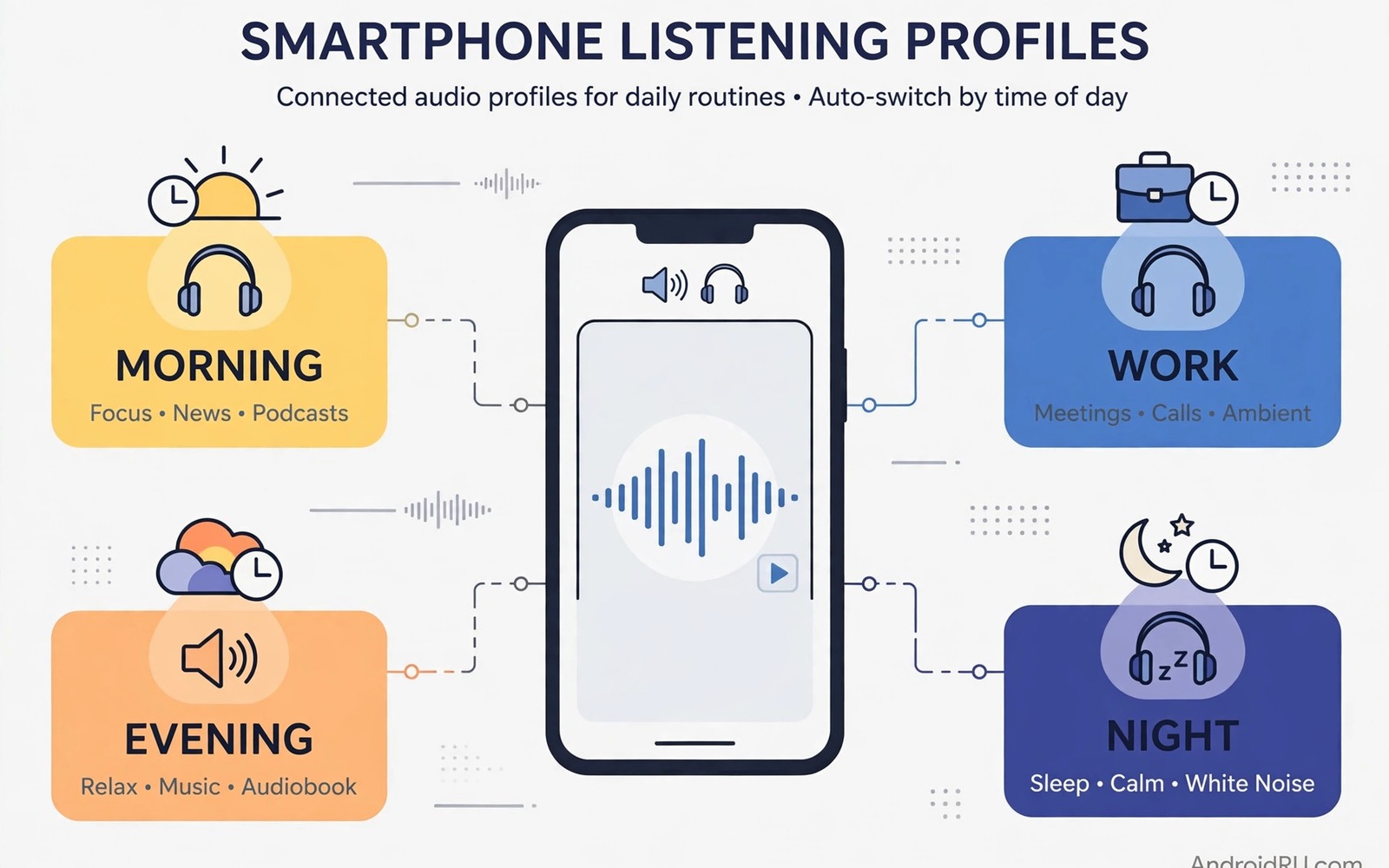
Your ears do not want the same sound all day. Morning news needs clarity and modest volume. Work focus needs steady background sound without sudden alerts. Evening music can be fuller and louder. Night listening needs soft levels that will not disturb sleep. One fixed setting cannot serve all four moments well. Custom audio profiles solve that problem. Each profile stores volume and tone and alert rules for one part of the day. The phone then switches at the right time without daily fiddling.
A profile is a named bundle of audio choices. It can include media volume and ring volume and notification behaviour. It can include an equaliser preset for bass or voice clarity. It can include do not disturb rules for calls from chosen contacts. The exact options depend on your phone and apps. The idea stays the same across brands. Name the moment and set the sound for that moment and let automation do the switching.
This guide builds four practical profiles from scratch. Morning and work and evening and night each get clear settings. You will learn how to trigger profiles by time and by headphone connection. You will also learn how to test each profile without disturbing others. Start with one profile and add the rest over a week. A slow build avoids confusion and lets you tune each profile with real use.
Define four moments before you touch settings
Write down your four moments on paper first. Morning might run from wake up until work starts. Work might run until early evening. Evening might run until bedtime preparation. Night might run until morning alarm. Real times differ for shift workers and students and parents. Use your own schedule rather than a generic template. A profile that fires at the wrong hour will annoy you fast.
For each moment note the main listening task. Morning may centre on news and podcasts. Work may centre on focus music or silence. Evening may centre on films and music with friends. Night may centre on audiobooks at low volume. That task decides volume and tone. News needs clear midrange for speech. Focus music needs smooth tone without harsh highs. Films need fuller bass at moderate volume. Audiobooks need gentle levels and clear consonants.
Also note who may interrupt each moment. Work may allow calls from a manager and family. Night may allow only starred contacts and repeat callers. Evening may allow all calls but silence app alerts. Those choices belong in the profile too. Sound is not only about music. It is about which interruptions deserve to break through. A profile that ignores interruptions will feel incomplete.
Build the morning profile for clarity
Set morning media volume to a moderate level that wakes the mind without startling it. Choose an equaliser preset that lifts voice clarity slightly. Reduce heavy bass in the morning because it can mask speech on small speakers. Keep notification sounds short and soft. A harsh alert at breakfast sets a tense tone for the day. Use a gentle tone that you notice without jumping.
Trigger the morning profile with an alarm or a time routine. Many phones allow routines based on clock time. Set the routine a few minutes before you wake. Test it on a weekend first. A routine that fires during a lie in will feel intrusive. Adjust the start time after one week of real mornings. Small timing tweaks make automation feel natural rather than rigid.
Pair the morning profile with a news or podcast app shortcut on the home screen. That shortcut reduces friction at the start of the day. You open one app and sound is already right. Avoid adding too many apps to the morning profile. One main task keeps the profile focused. If mornings change on weekends then create a separate weekend morning profile. Two morning profiles beat one profile that fits neither day.
Build work and evening profiles with different goals
Work sound should stay in the background. Set media volume low to moderate and choose a flat or gentle equaliser. Turn off most app notification sounds during work hours. Allow calls from key contacts but silence social alerts. That balance protects focus while keeping urgent contact open. If you share an office then keep speaker use off and headphone volume modest. Colleagues should not hear your focus music.
Evening sound can relax the rules. Raise media volume to a comfortable room level. Choose a fuller equaliser for music and films. Allow notification sounds again but keep them brief. Evening is also the time for shared listening. Test speaker balance in the room where you sit most. A profile that sounds great on headphones may sound boomy on a speaker. Save separate headphone and speaker notes inside the same evening profile if your app allows it.
Switching between work and evening should feel effortless. Use a time trigger for the main switch. Add a headphone trigger as a backup. When headphones connect during work hours the work profile should win. When headphones connect in the evening the evening profile should win. Time plus device gives automation enough context. Test both triggers on the same day to confirm priority. If triggers conflict then simplify to time only.
Build the night profile for sleep protection
Night listening needs the lowest volume that still lets you follow words. Set media volume low and choose a soft equaliser with reduced highs. Harsh highs feel louder at night even at low volume. Turn on do not disturb with exceptions for starred contacts only. Silence social apps completely. A single late alert can ruin sleep for an hour. The night profile is the most important profile for health.
Add a sleep timer to the night profile routine. Many audio apps include a timer that stops playback after a set time. Set the timer for thirty or forty five minutes. That prevents all night playback and saves battery. It also stops a loud scene from waking you later. Test the timer with an audiobook before you rely on it for sleep. A timer that fails is worse than no timer because it creates false confidence.
Protect the night profile from accidental changes. Lock the screen during night playback. Keep the phone away from the bed edge where a hand can press buttons. If volume jumps are a problem then locking media volume keys systemwide keeps night levels steady. For hearing comfort at low volume then fixing uneven earbud sound matters because imbalance feels worse when volume is soft.
adb shell cmd device_config put systemui
adb shell settings put system screen_off_timeout 60000
echo "Night profile: media low, alerts off, timer on"
The snippet above is an original example written for this guide. It shows a simple checklist note for a night profile beside two harmless device checks. It does not create a full audio profile by itself. Use your phone routine app for the real switching logic. Keep the checklist beside your routines so you can rebuild a profile after a reset.
Handle weekends and holidays without rebuilding profiles
Weekends break weekday profiles in predictable ways. Morning starts later. Work rules do not apply. Evening listening starts earlier. A single weekday set cannot cover those shifts well. Create a weekend copy of morning and evening profiles with later start times. Activate the weekend set on Friday night. Return to the weekday set on Sunday night. That weekly swap takes seconds once profiles exist. It prevents a work profile from silencing a relaxed Saturday morning.
Holidays need a temporary override rather than a profile edit. Turn off time triggers for the holiday week. Keep a manual profile for the trip or staycation. Manual control suits irregular days better than automation. Restore time triggers when normal routine returns. Write the restore date in a reminder. Forgotten overrides cause the same confusion as wrong profiles. A short note closes that loop.
Common mistakes
A common mistake is creating too many profiles at once. Ten profiles with overlapping times create chaos. Start with four clear moments. Add a fifth only when two moments clearly need different sound. Delete profiles that you never trigger. A small set that you trust beats a large set that you ignore.
Another mistake is setting volume by numbers alone. A level of ten sounds different on headphones and on a speaker. It also sounds different in a quiet room and a busy kitchen. Test each profile in its real place with its real device. Adjust by ear rather than by number. Write the device name beside each volume note to avoid confusion.
People also forget to test exception contacts. A night profile that blocks a family emergency call is dangerous. Test do not disturb with a call from an allowed contact and a blocked contact. Confirm both results before you sleep with the profile active. For music quality inside any profile then enabling high resolution streaming settings can improve evening listening without changing profile logic.
Frequently asked questions
Do I need a special app for audio profiles?
Not always. Many phones include routines or modes that can change volume and do not disturb by time. Use those built in tools first. Add an automation app only when built in routines lack equaliser control. Keep the tool count low so profiles stay easy to repair. A profile built in a forgotten app is hard to fix later.
Can profiles switch automatically by location?
Some routine apps support location triggers for home and work. Location triggers work best with large stable areas. They can misfire near boundaries or indoors. Time triggers are more reliable for most users. Combine time and headphone connection for the best balance. Use location only for a clear case like a silent office zone.
What happens if two profiles trigger at once?
The most recent routine usually wins on most phones. That can cause flickering settings if triggers overlap. Avoid overlapping times and conflicting triggers. Give each profile a clear start and end time. Test the boundary hour for a day before you trust the pair. Simplify triggers when conflicts appear.
Conclusion
Custom profiles match sound to the moment instead of forcing one setting all day. Morning clarity and work focus and evening fullness and night softness each deserve their own rules. Time triggers and headphone triggers make switching automatic. Testing in real rooms with real devices makes profiles trustworthy.
Your concrete next step is to build only the night profile tonight. Set low media volume and starred contacts only and a sleep timer. Use it for three nights and note what needs tuning. Then build the morning profile using what you learned from night testing.

