

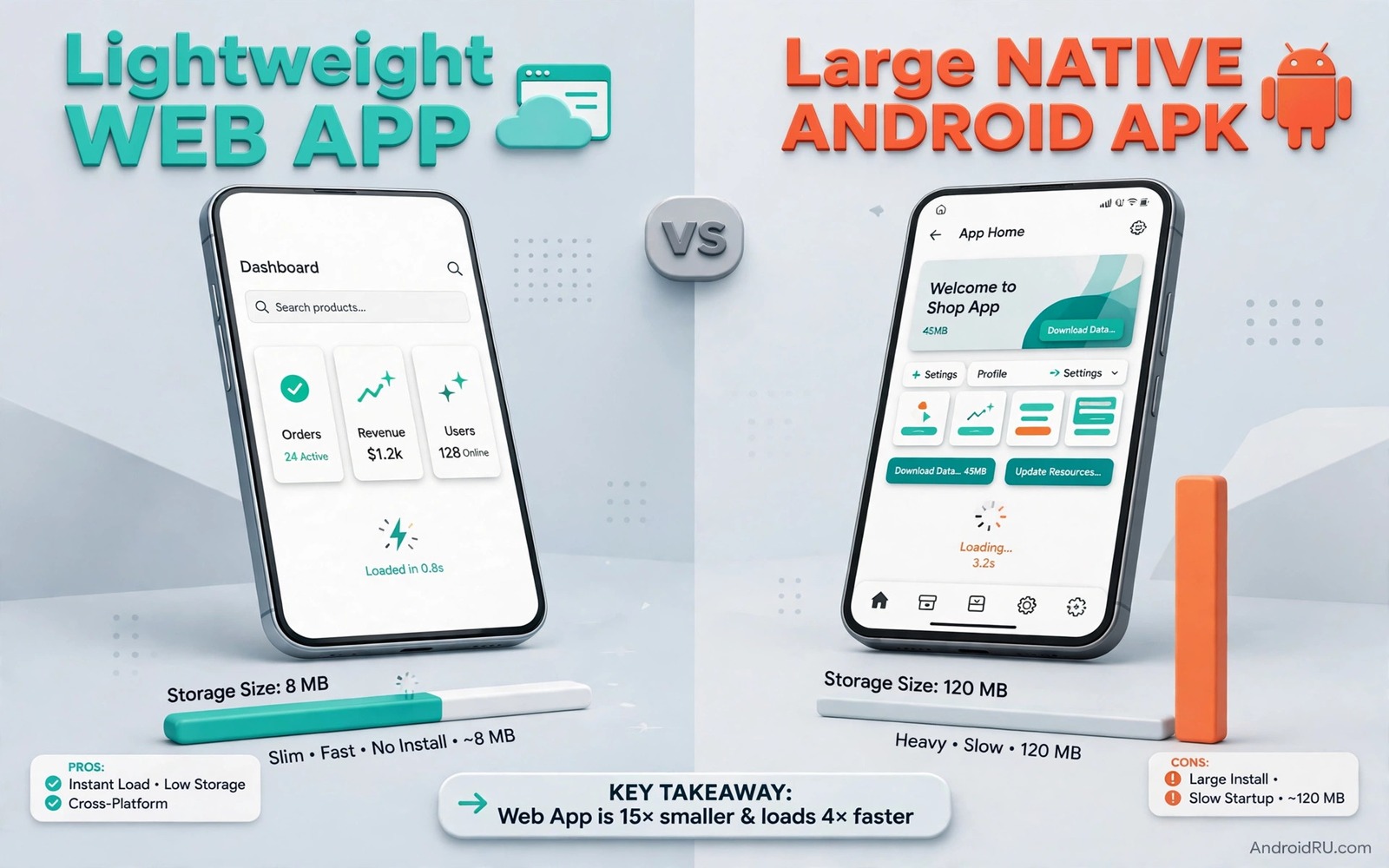
Your phone storage can vanish without a clear culprit. One social app takes a gigabyte and a shopping app takes another and a news app quietly grows every week. The apps themselves are not huge at install time. Their caches and media and offline data grow with use. Soon you delete photos to make room for an app update. That cycle feels normal but it is not necessary. Many heavy apps have a lightweight web version that does the same core job with far less storage.
A web app runs in your browser and it stores little on your phone. A native APK runs as a full app and it can use deep system features. Both have a place. The mistake is using a heavy native app for a simple job that a web app handles well. A news reader or a store catalogue or a simple booking tool rarely needs full native power. A camera app or an offline editor or a game does need native power. Learning that split saves storage and battery and time. If you want a broader look at store choices then explore Play Store alternatives that often list lighter builds.
Why Native Apps Grow So Large
A native app ships with code for many phone types and screen sizes and languages. It also ships with libraries for ads and analytics and media playback. Those libraries help the developer but they add weight for you. After install the app downloads images and videos and caches pages. A social feed can cache hundreds of images in a single scrolling session. A shopping app can cache product photos you viewed once and never need again.
Updates add weight too. A new version rarely removes old code cleanly. Old features stay for compatibility and new features pile on top. Over a year an app can double in size without adding a feature you use. That growth is invisible until storage runs low. Checking app size in settings once a month reveals the worst offenders quickly. You will often find that two or three apps hold most of the bloat.
What A Lightweight Web App Does Well
A web app opens in your browser and it loads only the page you need. It does not keep a large cache by default and it does not run in the background in the same way. You can add a shortcut to your home screen so it feels like an app. That shortcut opens the site in a clean window without browser clutter. For reading and shopping and checking a timetable that experience is often enough.
Web apps also update without an install step. The site owner updates the server and you get the new version on your next visit. There is no download and no storage check and no update prompt. That simplicity suits apps you use rarely. A travel booking site you open twice a year does not need a permanent home on your phone. A web shortcut gives you access without the storage cost.
When A Native APK Still Wins
Native apps win when offline use matters. A maps app that must work without signal needs local data. A music app that plays downloaded songs needs local files. A camera app needs direct hardware access for speed and quality. A game needs fast graphics and low latency. Web apps struggle in those cases because the browser adds a layer between the app and the hardware.
Native apps also win for notifications that must arrive instantly and for background tasks that must run reliably. A messaging app that must alert you at once needs native push handling. A fitness tracker that records a workout needs steady sensor access. If you use an app daily for a core job then the native version is often worth its size. The goal is not to replace every native app. The goal is to replace the heavy apps you use rarely.
A Practical Swap Test For One Week
Pick one heavy app that you use a few times a week. Check its storage size and its battery use in settings. Note those numbers. Then remove the native app and add a web shortcut for the same service. Use the web version for a week in normal life. Note what feels slower and what feels missing. A fair test needs real use and not just a quick open and close.
- Record storage size and battery use before you remove the app.
- Add a home screen shortcut for the web version of the service.
- Use the web version for every normal task for one week.
- Note missing features such as offline access or instant alerts.
- Compare storage after the week with the old native size.
- Keep the swap only if the missing features do not hurt daily use.
If the web version covers your needs then keep the swap and enjoy the freed storage. If a key feature is missing then restore the native app without guilt. The test taught you something useful either way. You now know the real cost of that app and the real value of its native features. Repeat the test for one app at a time. A slow swap habit beats a mass deletion that you regret the next day.
Privacy And Permission Differences
Web apps usually ask for fewer device permissions than native apps. A browser already handles location and camera access with a clear prompt per site. A native app can request broad access at install time and keep it for months. That difference matters for apps you do not fully trust. A web version limits what the service can see by design. You can also clear site data in the browser in one tap.
Native apps can still be the better privacy choice when they work offline and store data locally. A local notes app that never syncs can be more private than a web notes service that stores everything on a server. Privacy is not decided by web versus native alone. It is decided by where your data lives and who can read it. Read the data handling for each service before you decide which form to trust.
Check Sizes With Simple Commands
The commands below list installed packages and show details for one app. They help you confirm which version is installed and which package holds the storage. They do not change your phone. They are checks you can run after a swap test.
adb shell pm list packages -f
adb shell dumpsys package com.example.app
adb shell pm path com.example.app
adb shell cmd package list packages
The commands above are original examples written for this guide. They show safe checks you can run on your own device. They do not come from any outside publication.
Build A Lighter Home Screen Over Time
A lighter home screen is a project and not a single cleanup day. Start with the apps you use least and work toward daily apps only if the web test passes. Keep a short note of each swap and each restore. That note stops you from repeating a failed swap months later. It also shows your progress in freed storage over time. Small wins add up faster than you expect.
Revisit your app list every season. Services change and web versions improve. A web app that was weak last year may now support offline reading or better notifications. A native app that was lean may have grown heavy with new features. A seasonal review keeps your phone matched to your current habits. It also keeps you from carrying apps for a life you no longer live.
Share the swap idea with family members who struggle with full storage. Many older phones gain new life from a few web swaps. A grandparent who only reads news and checks a timetable does not need five heavy native apps. A few shortcuts can make an old phone feel fast again. That gift costs nothing and it teaches a useful habit.
Plan Swaps For Travel And Low Signal Days
Travel days expose the weakness of a web only approach in a useful way. A train tunnel or a rural road can cut your connection for minutes at a time. A web app that needs fresh data will stall in those moments. A native app with local data will keep working. Before a trip list the services you will need without signal and keep their native versions installed. That list might include maps and tickets and boarding passes and offline reading. Everything else can stay as a web shortcut during the trip. That plan gives you reliability where it matters and lightness everywhere else.
Low signal days at home follow the same logic. A web app on a weak connection can feel slow even when the service itself is fast. The browser must download the page and the images and the scripts before you can act. A native app that caches its main screen will open faster in that situation. Test your most used web swaps on a throttled connection if you can. Your phone settings or your browser may offer a way to simulate a slow network. A swap that passes on fast wireless but fails on slow mobile data is not a good daily swap.
Finally think about family phones that you maintain for others. A web shortcut is easier to explain than a native app setting. You can tell a relative to tap the shortcut and wait for the page. You do not need to explain cache clearing or update prompts. That simplicity can be a gift for a user who finds phones confusing. Keep the number of shortcuts small and label them clearly. A home screen with five clear shortcuts beats a home screen with twenty apps that no one remembers.
Common Mistakes
The most common mistake is deleting a native app without testing the web version first. A web version can lack offline access or push alerts that you relied on. Test before you commit. Another mistake is judging a web app from one slow visit on weak signal. A web app needs a decent connection for its first load. Test it on your normal network and not only on a poor connection.
- Deleting a native app before testing its web version in real use.
- Judging a web app only on a slow network visit.
- Keeping heavy apps for services you open once a month.
- Ignoring cache growth after you keep a native app.
- Assuming that web always means more private without checking data storage.
People also forget to clear browser site data after a web swap. A browser cache can grow too if you never clear it. Set a monthly reminder to clear site data for services you no longer use. That step keeps the web route truly light. Without it you simply move the bloat from apps to the browser.
Frequently Asked Questions
Can a web app send notifications like a native app?
Yes in many cases but the support varies by browser and by site. Some sites offer reliable web notifications and some do not. Test notifications during your swap week before you rely on them for urgent alerts.
Will a web app work without internet?
Most web apps need a connection for fresh content. Some support limited offline reading after a page loads. If offline use is essential then keep the native app for that service.
How much storage can web swaps actually save?
It depends on the apps you swap. A few heavy social and shopping apps can free several gigabytes with cache included. Lighter apps may save only a small amount. Check sizes in settings to find your biggest wins.
Conclusion
App bloat is not a fate you must accept. It is a set of choices about which apps earn permanent storage and which services work fine as a web shortcut. Test one heavy app for a week and measure the result. Keep the swap when it works and restore the native app when it does not. Your concrete next step is to open settings today and find your largest app and try its web version for seven days. For a safer base for any install you keep read how to sideload apps safely and for lighter open tools explore open source app replacements that may suit your phone better.

