

You place your finger on the sensor and the phone vibrates with a failure message again and again. You try the same finger at a different angle and it still fails. That repeated failure is annoying because fingerprint unlock should be instant.
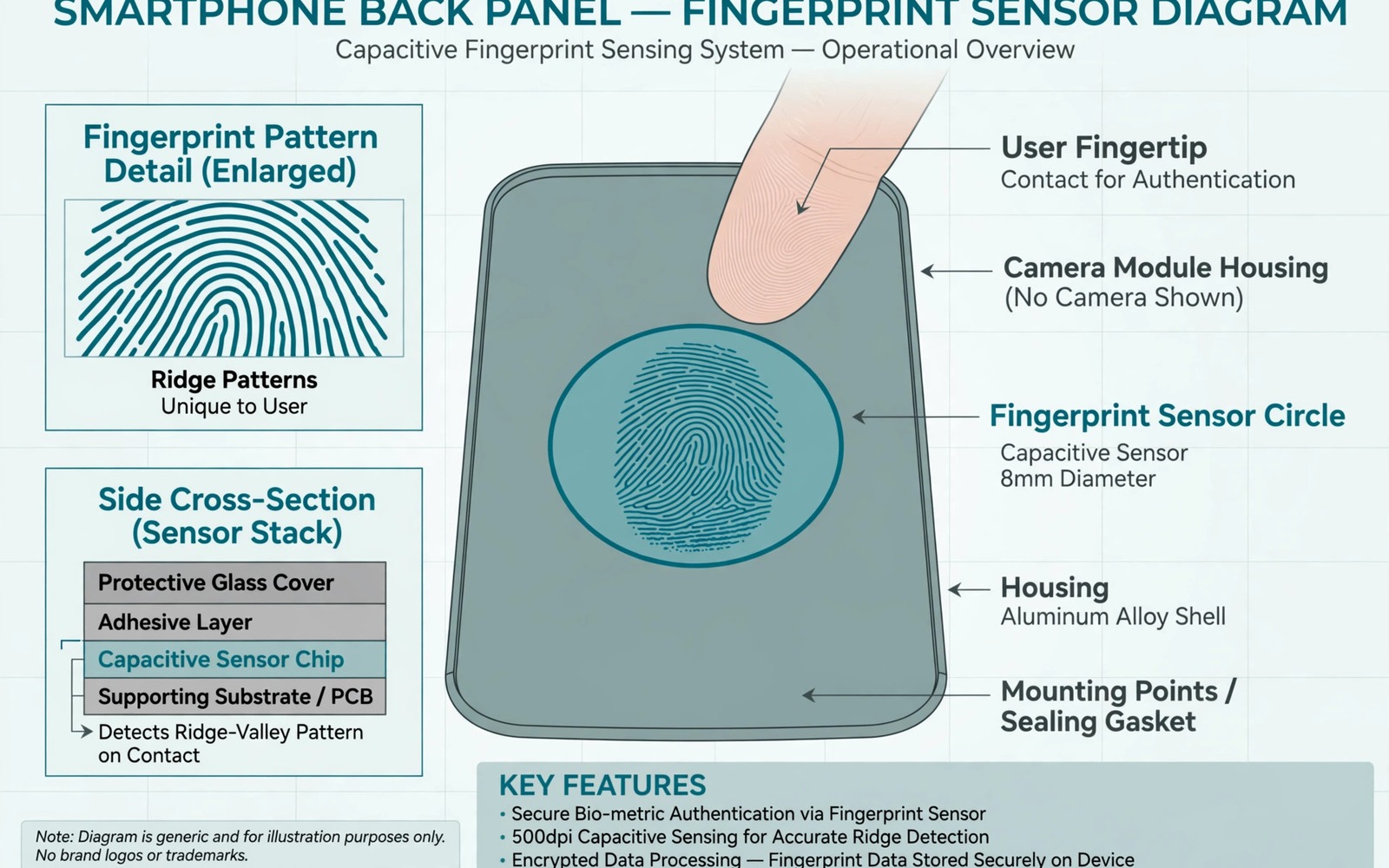
Fingerprint sensors read tiny ridges on your skin and anything that changes those ridges can cause failure. Dirt and moisture on the sensor or on your finger can block a clean read. A worn enrolment from an old finger position can also fail as your habits change. A fingerprint sensor is only one sensor that can go quiet, and a screen that rotates slowly or stops responding to sensors often points to the same calibration or hardware strain.
This guide gives you cleaning and re-enrolment steps that fix most sensor failures. Test after each step with the same finger and the same pressure. Keep your PIN ready because you will need it during re-enrolment.
Clean sensor and finger first
Clean the sensor area with a soft dry cloth and remove any screen protector residue over an under-display sensor. A dirty sensor cannot read ridges clearly. Do not use harsh cleaners that can damage the sensor coating.
Dry your hands fully before testing. Wet or very dry hands both cause poor reads. Moisturise very dry hands lightly and wait a few minutes before testing again.
Remove a case that lifts your finger away from the sensor or changes its angle. A thick case edge can stop your finger from sitting flat on the sensor. Test without the case to isolate that cause.
Re-enrol fingerprints the right way
Delete old fingerprints in Settings and then open Security and then open Fingerprint. Deleting old enrolments removes a worn template that may no longer match your finger. You will need your PIN to delete and re-add fingerprints.
Enrol the same finger twice if your phone allows multiple slots. Use different angles for the second enrolment so the phone learns more of your finger. Enrol in a normal grip rather than a perfect flat press.
Enrol fingers you actually use for unlocking in daily life. Many users enrol an index finger they rarely use and then struggle with a thumb they use constantly. Enrol the thumb and index finger you use most.
Test sensor behaviour systematically
Test each enrolled finger separately and note which fingers fail. A single finger failing points to that enrolment or that finger condition. All fingers failing points to the sensor or to a system fault.
Test after a restart to clear a stuck sensor service. A restart can fix a sensor that stops responding after an update. Test again immediately after the restart before you change other settings.
Check for a system update that fixes fingerprint driver bugs. Fingerprint fixes often arrive in small updates. Install the update and re-enrol after it if failures continue. If the screen also flashes or shows tint then the steps for stopping phone screen flashing green black tint can help you check whether an under-display sensor issue relates to the display.
Handle damage and alternative unlock
Inspect the sensor area for a crack or deep scratch. A cracked sensor cannot read ridges reliably and re-enrolment will not fix it. A repair shop can test the sensor and replace it if needed.
Use PIN or face unlock as a fallback while you diagnose the sensor. A fallback keeps the phone usable without repeated failed attempts. Too many failed attempts can lock fingerprint unlock temporarily for security.
Back up your data before any sensor repair. A repair may require a reset during testing. A backup protects your files during that process.
adb shell dumpsys fingerprint
adb shell settings get secure fingerprint_enabled
adb shell cmd fingerprint test
The commands above were prepared for this guide and they use only standard tools that ship with Android developer tools. They show fingerprint service state for advanced users who want to confirm that the service is running before re-enrolment.
While you work through these steps it helps to compare symptoms with other fixes in the same area. For example the steps for screen flashing and tint problems show how a related fault behaves differently and the steps for camera connection errors help you rule out a second fault that shares early symptoms.
Common mistakes
One common mistake is re-enrolling the same finger in the same perfect position repeatedly. Real unlocks use varied angles and the enrolment should include them. Enrol with natural grips. Another mistake is testing with wet hands and blaming the sensor.
Another mistake is covering an under-display sensor with a thick screen protector that blocks reads. Use a protector designed for under-display sensors. A generic thick protector can cause constant failures.
A third mistake is ignoring a cracked sensor and repeating enrolment many times. A damaged sensor will never learn a clean template. A hardware test saves time in that case.
A week-long fingerprint test that proves the fix
Test the same finger ten times each morning for a week and count successful unlocks. A rising success rate after cleaning and re-enrolment proves those steps helped. A flat low rate after cleaning points to a sensor or enrolment problem that needs deeper testing.
Test a second finger on day four and compare its success rate with the first finger. A second finger that works well while the first fails points to that finger enrolment or condition. All fingers failing together points to the sensor or system.
Test without a case on day six after cased tests. A success jump without a case shows that the case changes finger angle or pressure. A flat rate without a case points to sensor or enrolment causes.
Long-term habits that protect fingerprint reliability
Clean the sensor area weekly if you use fingerprint unlock daily. Daily use builds up skin oils and dust that gradually reduce success rates. Weekly cleaning keeps reads fast.
Re-enrol fingerprints after a major update or after a screen protector change. Updates and protectors can change sensor behaviour enough to break an old template. A fresh enrolment after those changes restores reliability.
Keep a PIN you remember well as a fallback. A fallback keeps the phone usable during sensor diagnosis and it prevents lockout after many failed attempts. A strong PIN is essential when fingerprint fails.
What to do when all fingers fail after re-enrolment
Test fingerprint unlock after a safe mode boot to rule out a third-party app interfering with the sensor. A safe mode success points to an app that overlays or blocks the sensor. A safe mode failure points to the sensor or system.
Check whether a recent update changed fingerprint behaviour for your model. Update notes and user forums can reveal a known fingerprint regression. A patch may already exist or may arrive soon for that regression.
Test fingerprint enrolment with a different finger that you have never enrolled before. A new finger that enrols cleanly but still fails to unlock points to a matching problem. A new finger that cannot enrol at all points to a sensor hardware problem.
Use a strong PIN and face unlock as a combined fallback while you arrange repair. A combined fallback keeps the phone secure and usable. That combination is practical for daily use during a repair wait.
Testing fingerprint unlock with a second finger and a second condition
Test fingerprint unlock with clean hands and with hands after washing and drying. A condition comparison shows how moisture affects your sensor. A large difference between those conditions points to hand condition as a major factor. A small difference points to sensor or enrolment causes.
Test fingerprint unlock in a cold room and in a warm room on separate days. Temperature can change skin moisture and sensor behaviour. A temperature pattern helps you understand when failures are most likely. That pattern can guide enrolment timing.
Test fingerprint unlock after applying a small amount of hand lotion and waiting ten minutes. A lotion test shows whether very dry skin is the cause. A clear improvement after lotion points to dry skin. No improvement points to sensor or enrolment causes.
Test fingerprint unlock with the phone on a table versus held in your hand. A table test gives a stable finger position. A hand test reflects real daily use with varied angles. A large difference between those tests points to angle and pressure variation.
Test fingerprint unlock after enrolling the same finger in a different slot with a different grip. A second slot test shows whether enrolment angle matters for your finger. A second slot that works better proves that angle was the key factor.
Keep a count of successful unlocks out of ten attempts for each condition. A count gives an objective measure that you can compare across conditions. That count helps you decide whether a change truly helped.
Test fingerprint unlock one final time after a fresh enrolment and a restart. A fresh enrolment plus a restart gives the sensor its cleanest starting point. If unlock still fails after that combination then a hardware test is the next step. That final test completes a thorough fingerprint diagnosis.
Frequently asked questions
Why does my fingerprint work in the morning but fail later?
Hands change through the day with moisture and temperature and activity. Dry hands after washing or sweaty hands after exercise can both fail. A second enrolment at a different hand condition can improve reliability.
Why does face unlock work but fingerprint fails?
Face unlock and fingerprint use separate sensors and templates. A fingerprint failure does not affect face unlock. That separation helps isolate the fault to the fingerprint sensor or enrolment.
Should I enrol the same finger many times?
Enrolling the same finger in two slots with different angles can help. Enrolling it many times in the same position adds little. Use two slots with varied angles for the best result.
Conclusion
Fingerprint failures usually come from dirt or moisture or a worn enrolment rather than a dead sensor. Clean the sensor and dry your hands and delete old fingerprints before you re-enrol. Enrol your most used fingers with natural angles and test each finger separately. If all fingers fail after a restart and an update then book a sensor test. Start today by cleaning the sensor and re-enrolling your main thumb with varied angles.

