

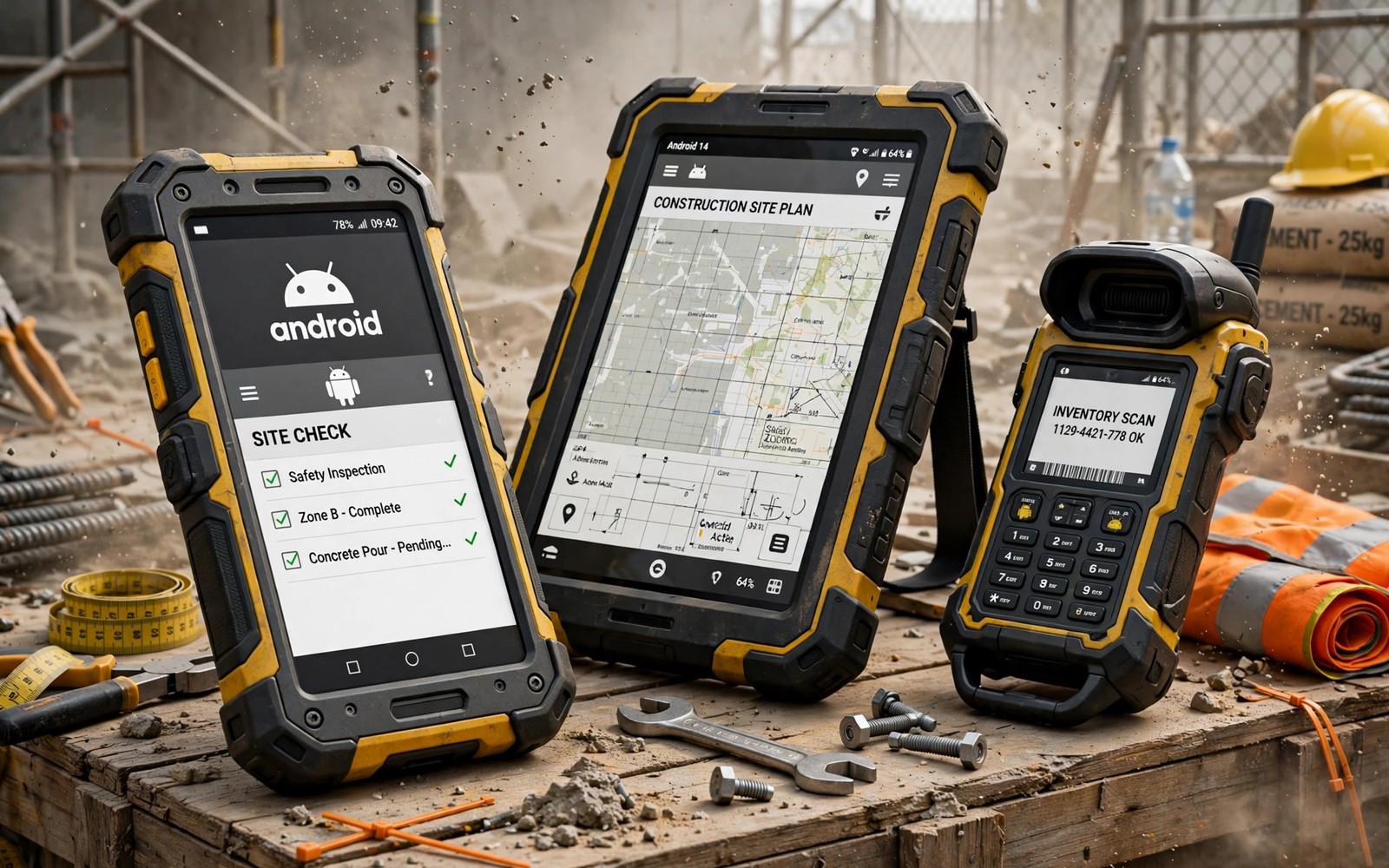
A construction site and a warehouse and a farm each punish a normal phone in different ways. Dust clogs ports. Drops crack screens. Rain soaks speakers. Gloves defeat touchscreens. A heavy duty professional device is built to survive those days without a fragile case and a prayer. This guide picks five strong professional Android devices and it explains which rugged traits actually matter for real work.
Rugged does not mean one single design. Some professional devices are rugged phones with normal phone features. Others are thick work tools with barcode scanners and push to talk buttons. Some prioritise huge batteries for multi day shifts. Others prioritise bright screens for outdoor reading. Your job decides which rugged strength matters most. A delivery driver needs different toughness than a surveyor or a warehouse picker.
Certifications help you compare toughness honestly. Drop test standards and ingress protection ratings and military test claims each describe a different risk. A high rating in one area does not guarantee strength in another. A phone can resist water well yet crack easily on concrete. A phone can survive drops yet fail in dust storms. Read each rating separately and match it to your worksite risks.
What Heavy Duty Really Means On A Worksite
Drop resistance starts with the frame and the screen glass and the internal mounting. A rugged phone uses a reinforced frame that absorbs impact before it reaches the board. Its screen glass sits slightly recessed behind a raised bezel. That bezel takes the first hit on a flat drop. Internal components use extra mounting to resist shock. A normal phone with a rugged case imitates some of this protection. A true rugged phone builds it into the body itself.
Water and dust resistance follows the ingress protection scale. The first digit rates dust protection. The second digit rates water protection. A rating of six for dust means full dust tightness. A water rating of eight means immersion beyond one metre under test conditions. Those lab conditions still differ from muddy site water with grit. Rinse a muddy phone with clean water gently after exposure. Never charge a wet port until it dries fully. Lab ratings promise survival not invincibility.
Temperature range matters for outdoor professionals. A phone that works at minus twenty degrees suits winter field work. A phone that tolerates high heat suits desert sites and hot warehouses. Batteries suffer most in extreme cold. Capacity drops temporarily in freezing weather. A rugged device with a large battery copes better because it starts with more reserve. Check the operating temperature range in the official specs for your climate.
Device One And Two: Field Phones For Drops And Weather
The first pick suits construction and utilities workers who drop phones on concrete regularly. Its body survives repeated drops from working height onto hard surfaces. Its screen stays readable in bright sun. Its battery lasts a full long shift with navigation and calls and photos. Its speakers stay loud in noisy yards. Its buttons work with gloves on. Those practical strengths matter more than camera glamour on site.
The compromise is weight and camera quality. The phone feels heavy in a trouser pocket. Its camera handles site documentation well in daylight. Low light site photos look softer than flagship shots. Its processor handles work apps smoothly but it is not a gaming flagship. Workers who document sites all day will accept those limits gladly. Gamers who want a work phone to double as a gaming phone will not.
The second pick targets outdoor survey and agriculture work. Its screen brightness leads the group for direct sun reading. Its location accuracy stays strong under tree cover and near buildings. Its battery stretches across two moderate work days. Its body resists dust storms and heavy rain well. Its accessory mount supports tripods and vehicle docks for field use. Surveyors gain real daily value from that mount ecosystem.
The compromise is software update length and accessory price. The maker promises a shorter update window than mainstream flagships. Mounts and docks cost extra and lock you into one ecosystem. Buyers should price the full kit before comparing headline phone prices. A cheap rugged phone with expensive essential accessories can cost more than a pricier phone with included mounts.
Device Three Four And Five: Warehouse Battery And Specialist Tools
The third pick serves warehouse and logistics teams with a built in barcode scanner. Scanning with a dedicated hardware scanner beats camera scanning for speed and accuracy in dim aisles. The scanner reads damaged labels better. The phone also offers a programmable side button for push to talk or scanner trigger. Its battery swaps without tools on some variants. A swappable battery transforms shift work because a dead phone returns in seconds with a fresh pack.
The fourth pick is the battery champion. Its huge battery powers three days of moderate professional use. Field engineers who travel far from chargers gain peace of mind from that reserve. The phone also offers reverse charging for accessories like earbuds and sensors. Its weight reflects the huge battery. Pocket comfort suffers. Workers who wear a belt holster or a vest will not mind. Workers who carry phones in slim pockets will notice every gram.
The fifth pick balances rugged toughness with near normal phone usability. It looks like a slightly thick normal phone rather than a work brick. It survives drops and rain well enough for most trades. Its camera performs better than the other rugged picks in low light. Its software stays close to mainstream Android with a decent update promise. Professionals who want one phone for work and personal life should favour this balanced pick. Pure site warriors should favour the tougher specialists above.
Match the device to the shift pattern. Short urban shifts favour the balanced pick. Long remote shifts favour the battery champion. Scanning heavy shifts favour the scanner pick. Drop heavy shifts favour the construction pick. Sun heavy field shifts favour the survey pick. The right rugged phone disappears into your work. The wrong rugged phone annoys you with weight or missing tools every shift. For drop toughness context read rugged phones built to survive extreme drops before you shortlist.
Work Features Beyond Toughness
Glove mode changes touch sensitivity so gloves register taps reliably. Test glove mode with your actual work gloves. Thin nitrile gloves behave differently from thick leather gloves. Some phones offer multiple glove sensitivity levels. Others offer a single toggle. A phone that fails with your gloves fails at work no matter how tough its body is. Bring your gloves to any hands on test.
Programmable buttons save time across hundreds of repetitions. A button that opens the camera or triggers a scanner or starts push to talk beats screen taps in a hurry. Check whether the button works when the screen locks. A locked screen button matters for quick site photos. Check whether the button survives a case. Some cases cover side buttons badly and blunt their usefulness.
Enterprise management support matters for company fleets. Devices that support zero touch enrolment and strong device management save IT teams hours per phone. Security update speed matters for company data. A rugged phone with slow patches may fail company policy even if its body is excellent. Fleet buyers should test management enrolment before ordering dozens of units. A single pilot device prevents a fleet wide mistake.
rugged_drop_height_m = 1.8
ingress_rating = IP68
battery_days = 2
glove_mode = on
# match drop rating to working height
# match battery days to shift length
The snippet above is an original example written for this guide. It shows generic rugged notes you can adapt to your own job. It does not copy code from any outside source.
Use the notes to compare candidates side by side. A drop rating below your working height is a warning. A battery that covers only one shift with no spare is a risk. Glove mode that fails with your gloves ends the contest at once.
Common Mistakes
Many buyers trust a rugged label without reading the exact ratings. Labels vary wildly. A second mistake is buying a rugged phone for camera leadership. Rugged cameras prioritise durability over low light glamour. A third mistake is ignoring weight over a full shift. A phone that feels fine for five minutes can tire a pocket over ten hours.
A fourth mistake is skipping glove testing with real work gloves. A fifth mistake is forgetting accessory costs for mounts and spare batteries. A sixth mistake is choosing a rugged phone with slow security updates for company fleet use.
Frequently Asked Questions
Question: Can a normal phone with a rugged case match a rugged phone?
Answer: Partly. A great case protects against drops well. It does not seal ports against dust and water as well. It does not add glove mode or scanner hardware or swappable batteries. Heavy site work still favours a true rugged body.
Question: Are rugged phones waterproof for swimming?
Answer: No. Ingress ratings cover lab fresh water tests. Salt water and soapy water and high pressure jets can still damage seals. Rinse after muddy exposure and dry ports before charging.
Question: Do rugged phones get software updates like flagships?
Answer: Usually slower and shorter. Mainstream balanced rugged models do better than specialist fleet models. Check the exact update promise before a fleet purchase.
Conclusion
Heavy duty professional devices trade sleekness for survival and work tools. Construction workers need drop strength. Surveyors need sun brightness and location accuracy. Warehouse teams need scanners and swappable batteries. Remote engineers need multi day batteries. Balanced users need a tough phone that still feels normal. Your concrete next step is to write down your top three worksite risks and your shift length. Test glove mode and drop ratings and battery against those notes. The device that passes all three is your professional pick. For durability comparisons read durable phones that survive without protective cases and whether a titanium frame upgrade is worth it.

