

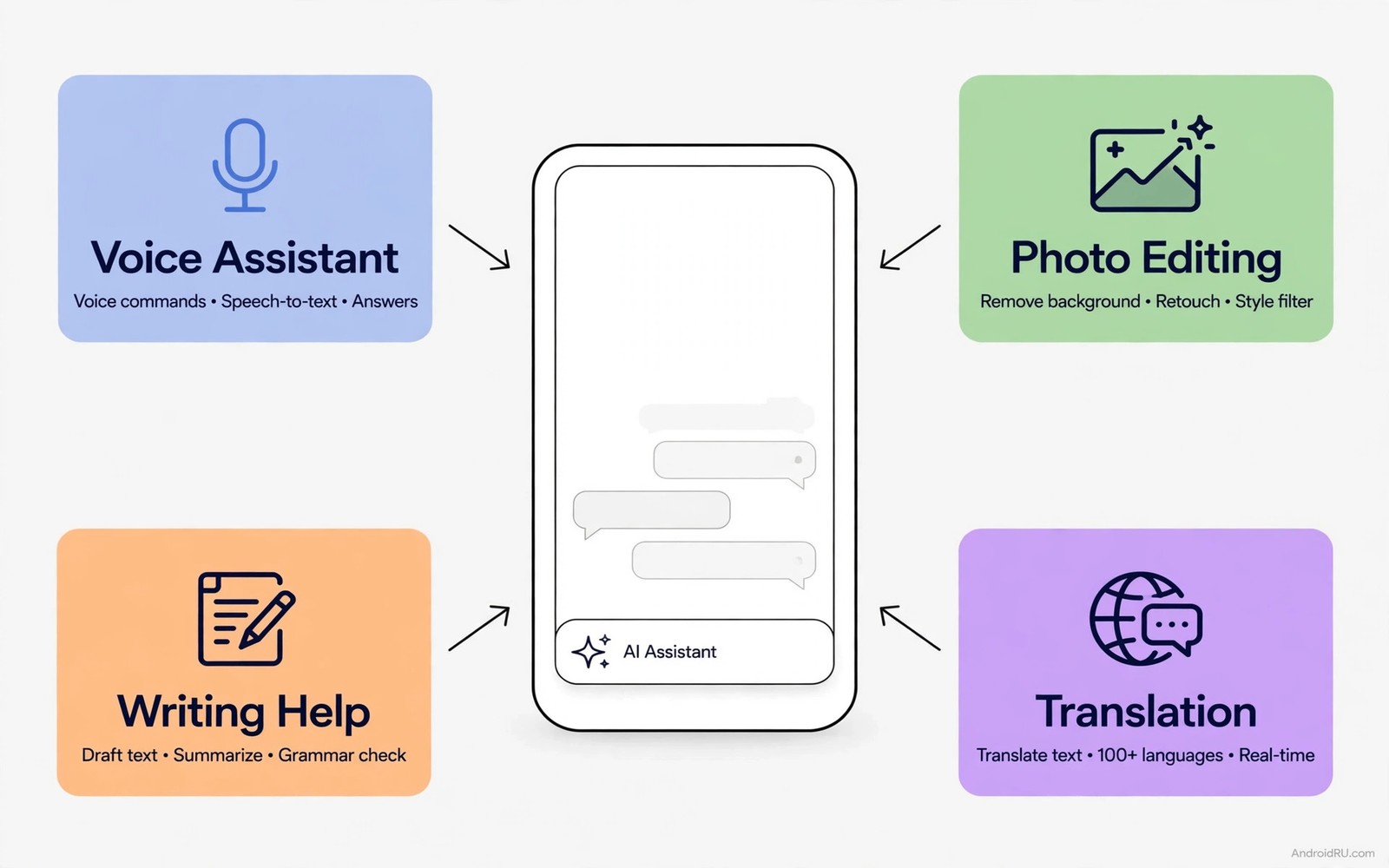
Your phone can now do work that needed a studio last year. It can remove a stranger from a photo. It can turn a rough voice note into a clean summary. It can translate a conversation in real time. It can draft a difficult email in your tone. These are not demos. They are apps you can install today.
The change feels sudden because the tools improved together. Cameras got smarter. Voice recognition got faster. Language models got smaller and cheaper to run. App makers combined those gains into single purpose tools. The result is a phone that helps with thinking and not only with messaging.
The risk is hype. Every app now claims to use AI. Many claims hide a simple filter behind a fancy label. A few apps genuinely save hours each week. This guide separates the two groups. You will learn seven app types that deliver real value. You will learn how to test each one in ten minutes. You will learn the privacy trade that comes with cloud AI.
Start with one problem you face weekly. A writer needs drafting help. A student needs summaries. A traveller needs translation. A parent needs photo cleanup. Pick the problem first and the app second. An app chosen for a real problem gets used daily. An app chosen for novelty gets deleted in a week.
Writing and thinking helpers
A writing helper drafts and edits text in your style. Give it a rough outline and ask for a clean first draft. Give it a long email and ask for a shorter version. Give it a formal note and ask for a friendlier tone. The best helpers keep your meaning intact. They change wording without changing facts. Check every draft before sending. An AI draft can invent a detail that sounds plausible.
A summariser turns long text into short notes. Paste a long article and ask for five key points. Record a meeting and ask for action items. Upload lecture notes and ask for quiz questions. Summaries save the most time when the source is long and dense. They save little time when the source is already short. Use them for reports and not for tweets.
A planning helper turns a messy list into a schedule. List tasks with rough times. Ask for a day plan with breaks. Ask it to group similar tasks together. A good plan respects your energy. Hard tasks land in the morning. Easy tasks fill the afternoon. Review the plan each morning. A plan you never review is just decoration.
Test a writing app with your own words. Draft a real email you must send this week. Compare the AI draft with your own draft. Keep the version that sounds more like you. An app that flattens your voice is a poor fit. An app that sharpens your voice is worth keeping. Readers who automate daily work should also see the ultimate automation app that will do work for you because AI help and automation together save the most time.
Photo and video magic that actually works
Photo cleanup is the most satisfying AI feature. Remove an object from a photo with one tap. Expand a cropped photo with generated background. Sharpen an old blurry picture of family. These edits once needed desktop skill. They now take seconds on a phone. Check edges closely after an edit. AI cleanup can warp a hand or a fence in a subtle way.
Portrait tools help social photos most. A background blur can rescue a messy room. A light fix can save a dark selfie. A smile adjustment should be used with care. Heavy face edits look fake quickly. Aim for a natural result that still looks like you. Friends notice overediting faster than you expect.
Video tools now offer captions and cuts automatically. Record a talk and get captions in minutes. Cut silences from a voice recording with one tap. Create a short highlight from a long clip. These tools help creators most. They help casual users when a family video needs quick captions. Test captions for accuracy before sharing. Names and numbers often need manual correction.
Storage matters for AI photo apps. Many apps upload full photos to a cloud server. That upload uses data and raises privacy questions. Prefer apps that process on the device when possible. On-device processing keeps photos private and works offline. Cloud processing handles harder edits but needs a clear privacy policy.
Voice translation and everyday conversation
Live translation changes travel completely. Speak into the phone and hear the translation aloud. Show the translated text to a shopkeeper. Use conversation mode for a back and forth chat. Test it with simple sentences first. Short clear sentences translate best. Long complex sentences confuse even good systems.
Voice assistants now handle multi-step tasks. Ask for a reminder and a message in one request. Ask for directions and a weather check together. The assistant should confirm before sending anything. A confirmation step prevents a wrong message. Turn on confirmations for actions that affect other people.
Transcription turns speech into searchable text. Record a lecture and search it later by keyword. Record an interview with permission and review quotes exactly. Always ask permission before recording another person. Laws and manners both matter here. A transcript is useful only when it was made openly.
Language learning apps use AI for practice chats. A chat partner never gets tired. It corrects grammar gently. It adapts to your level. Use it for daily speaking practice. Pair it with real conversation when possible. A bot builds confidence. A human builds fluency.
Choosing AI apps without wasting money
Free tiers are enough for testing. Use a free tier for two weeks before paying. Track how often you open the app. An app opened twice in two weeks is not worth a subscription. An app opened daily may justify a monthly plan. A yearly plan makes sense only after three months of daily use.
Check what the app does with your data. Cloud AI apps send your text or photos to a server. Read the privacy note for retention time. Prefer apps that delete inputs quickly. Avoid entering passwords or bank details into any AI app. No drafting help is worth that risk.
{
  "app_type": "writing_helper",
  "test_task": "summarise a 500 word note",
  "check": "facts kept, tone kept, no invented details",
  "verdict": "keep only if all checks pass"
}
The snippet above is an original example written for this guide. It shows a simple test record you can keep for any AI app you try. It is not a required format and it contains no personal data.
Watch for subscription traps. Some apps charge weekly instead of monthly. A weekly charge looks small but adds up fast. Check the subscription screen before confirming. Set a calendar reminder before a trial ends. Cancel the trial if the app did not earn its place.
AI on a budget phone without frustration
Budget phones run AI apps differently from flagships. Cloud AI works the same on any phone with a good network. On-device AI runs slower on a weaker chip. Prefer cloud tools for heavy tasks on a budget phone. Prefer on-device tools for simple tasks like transcription. Matching the task to the phone avoids long waits.
Storage also matters more on a budget phone. Some AI apps download large models. A model of several hundred megabytes may fill a small phone. Check model size before installing. Delete models for features you never use. A lean install keeps the phone responsive for everything else.
Battery drain from AI work is real. Image generation and long transcriptions use heavy processing. Run heavy jobs while charging when possible. Run short jobs on battery without worry. A job that heats the phone a lot should wait for a charger. Heat plus battery drain together shorten a session fast.
Test AI claims against a task you already finished by hand. Take a summary you wrote yourself and compare it with an AI summary of the same text. Count facts kept and facts invented. A tool that keeps every key fact earns trust. A tool that invents even one key fact needs supervision. Repeat the test with a photo edit you already judged. Compare edges and colours closely. A tool that passes both tests deserves daily use. A tool that fails either test deserves deletion no matter how impressive its demo looked.
Common mistakes
The first mistake is trusting AI output without checking. AI text can invent quotes and dates. AI photos can invent details. AI summaries can drop a key warning. Check facts that matter before you act. A quick check takes a minute. A wrong fact can cost far more.
The second mistake is installing ten AI apps at once. Ten apps compete for attention. None gets a fair test. Install one app per problem. Test it for a week. Keep it or delete it. Then try the next one. A slow test beats a crowded home screen.
The third mistake is sharing sensitive data with a cloud app. Medical notes and legal drafts deserve extra care. Use on-device tools for sensitive work when possible. Read retention rules before uploading anything personal. When in doubt leave it out.
The fourth mistake is paying for features you never use. Many apps bundle photo and writing and chat tools. You may need only one of them. A single purpose app often costs less. A bundle looks like value until you count the tools you ignore.
FAQ
Do AI apps work without internet?
Some do for basic tasks. On-device models handle transcription and simple photo edits offline. Large language models usually need a cloud connection. Check the app description for offline mode. Test it in airplane mode before you rely on it.
Are free AI apps safe for private photos?
Free apps often pay costs by processing data in the cloud. That does not always mean misuse. It does mean your photos leave the device. Prefer on-device processing for family photos. Read the privacy policy for retention and sharing rules.
Will AI apps replace learning a skill?
No for skills you value deeply. AI speeds up drafting and editing. It does not replace judgment. A writer still needs taste. A photographer still needs an eye. Use AI to remove drudgery and keep the creative choices for yourself.
Conclusion
AI apps on Android have moved from novelty to utility. Writing helpers draft faster. Summarisers tame long documents. Photo tools clean images in seconds. Translation tools open conversations. The best apps solve one real weekly problem. The rest deserve deletion.
Your concrete next step is to pick one weekly problem and test one AI app against it for seven days. Keep a short note on time saved and errors found. Keep the app only if it saves real time without inventing facts. If it fails either test then delete it and try a different tool. Readers who want a broader set should also explore must-have Android apps you did not know you needed and essential apps every Android power user installs first because a good AI app joins a good toolkit rather than replacing it.

