

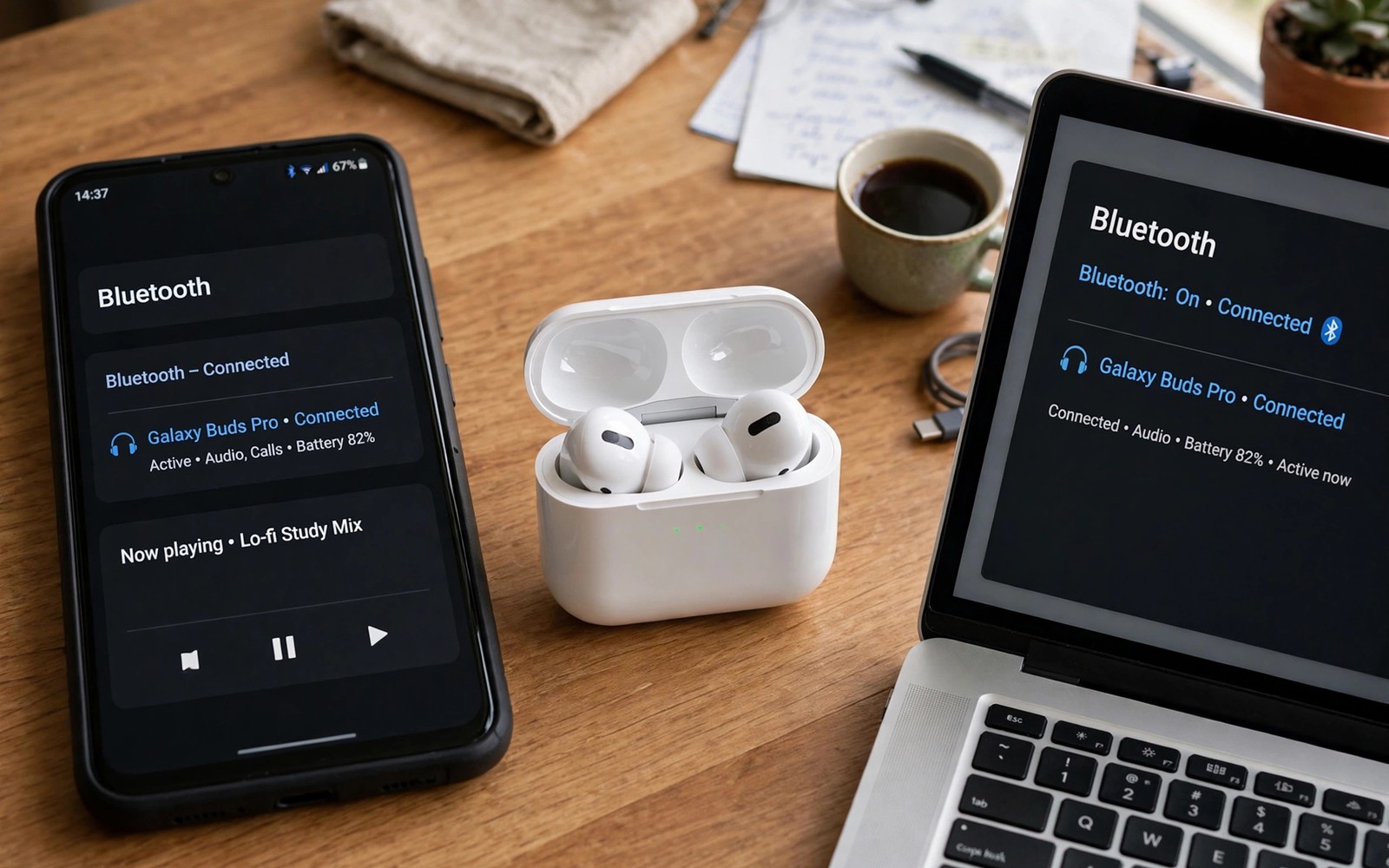
How Multipoint Bluetooth Pairing Connects Earbuds to Phone and Laptop
You are on a video call from your laptop when your phone rings. With ordinary earbuds you would fumble for the case, disconnect from one device, and reconnect to the other while the caller waits. With multipoint earbuds the switch happens on its own: the laptop audio pauses, the call comes through the same buds, and when you hang up the video resumes. That is the whole promise of the feature, and when it works it feels like the earbuds finally understand your day.
Multipoint Bluetooth pairing lets one pair of earbuds hold links to two devices at once, usually a phone and a laptop. Only one device sends audio at a time in most designs, and the earbuds decide which one wins when both want the channel. This guide explains how that decision works, how to set it up on Android and Windows, which earbuds actually support it, and how to fix the switching problems that make people turn the feature off.
What multipoint Bluetooth pairing actually does
Can earbuds connect to phone and laptop at the same time? With multipoint, yes, in the sense that both devices stay linked to the earbuds in the background. You pair the earbuds with your phone, then pair them with your laptop, and both connections stay alive. When you press play on the laptop, you hear the laptop. When a call comes in on the phone, the earbuds switch to the phone.
True multipoint works across brands: a pair of Sony or Jabra earbuds can sit between an Android phone and a Windows laptop with no shared account at all, which is different from account-based switching that only works inside one brand. Before you buy, check whether the model lists multipoint support on its own page, because the feature is easy to assume and expensive to miss. Fit matters just as much as the radio, so compare open-ear versus in-ear earbud designs before you judge a pair on its spec sheet alone.
How multipoint works under the surface
Not every multipoint design works the same way, and the difference shows up in how fast the switch feels. Some earbuds keep two full Bluetooth links alive at once, so switching is a matter of choosing which live stream to play. Others keep one link active and hold the second in standby, waking it up when sound starts. The second style saves battery but can add a short delay, and it can drop the idle link if the other device goes quiet for too long.
A companion app often decides which device gets priority, and a firmware update can add multipoint to a model that shipped without it.
Two live links versus standby switching
How does multipoint Bluetooth pairing work in the two designs? With two live links, both devices keep an open audio channel, and the earbuds simply mute one and play the other. The switch is fast, usually under a second, and calls cut in cleanly. With standby switching, the idle device is parked, and the earbuds have to wake the link before the sound arrives. You may hear the first half-second of a notification or the first ring of a call clipped off.
Why calls always win over music
Bluetooth gives phone calls the highest priority in the audio stack, and multipoint follows that rule. When a call starts on the phone, the earbuds pause whatever the laptop is playing and route the call audio instead. A media app that keeps an audio stream open in the background can fight this: a paused video player or a browser tab with a muted video can still hold the audio channel, so the earbuds think the laptop is busy and refuse to switch. Closing the media app on the idle device frees the channel and is the first fix to try when switching stalls.
Bluetooth versions, codecs and chips that shape multipoint performance
Bluetooth 5.0 and later all support the idea of multipoint, but the version number alone does not tell you how well it works. What matters is whether the maker turned the feature on, which chip they used, and which codec runs over the link.
| Bluetooth version | Typical multipoint behaviour | What to check |
|---|---|---|
| Bluetooth 5.0 | Basic two-device support on many models, slower switching | Whether the maker enabled multipoint at all |
| Bluetooth 5.1 | More stable idle links, better range indoors | Idle link drop after a few quiet minutes |
| Bluetooth 5.2 | LE Audio groundwork, faster wake from standby | Codec support on both devices |
| Bluetooth 5.3 | Best idle link stability and lowest switching delay | Companion app priority settings |
| Bluetooth 5.4 | Newest, mainly on 2024 and later models | Firmware updates that add the feature |
Codecs shape the result as well. LDAC and aptX Adaptive sound great, but some earbuds drop to a simpler codec when two devices are linked, or turn multipoint off entirely when a high-quality codec is active. If you care about tuning as well as switching, read how spatial audio and head tracking on Android interact with the same audio chain, because the two features share the processor that handles the switch.
How to set up multipoint pairing between a phone and a laptop
How to pair earbuds with phone and laptop in one session takes about five minutes, and the order matters. Pair the phone first, because calls get priority and the phone is usually the device you want the earbuds to favour. Then add the laptop as the second device without forgetting the phone.
Pair the phone first and confirm audio plays
Put the earbuds in pairing mode, open Bluetooth settings on your Android phone, and tap the earbuds name when it appears. Play a short track or a video and confirm you hear it. Then open the companion app, if the earbuds have one, and look for a multipoint toggle or a connected devices list.
What to check after the first pairing
Confirm the earbuds appear as connected in the phone Bluetooth settings, and confirm the companion app shows the earbuds with a healthy battery level.
Add the laptop as the second device
Put the earbuds back into pairing mode without forgetting them on the phone. On the Windows laptop, open Settings, then Bluetooth and devices, then Add device, then Bluetooth, and select the earbuds. Play a video on the laptop and confirm the sound comes through the buds. Then pause the video, play audio on the phone, and confirm the switch. Answer a phone call to test automatic switching, since calls are the case the feature exists for.
Watch for the pairing prompt on the laptop
Windows sometimes shows the earbuds as paired but not connected, which means the laptop holds the pairing record but has not opened the audio link. Click the earbuds in the Bluetooth list and choose Connect, or pick them as the sound output in the volume menu.
Call priority, audio switching and device priority settings
Multipoint Bluetooth call priority is the rule that decides who wins when both devices want the earbuds at once, and most of the time you never notice it working. A call on the phone beats music on the laptop. A call on the laptop, through Teams or Zoom, beats music on the phone.
Some companion apps let you set which device gets priority when both are playing. Device priority settings deserve a careful read, because a wrong value can make the laptop steal the earbuds every time a browser tab makes a sound. If a label differs on your phone, match it by meaning rather than by exact wording. Sound tuning lives in the same app, so while you are there, check the guide to custom equalizer profiles in companion apps and set a profile that fits your voice calls as well as your music.
Common multipoint switching problems and how to fix them
Why do my earbuds keep switching devices on their own? That is the most common complaint about multipoint, and the cause is usually an app holding the audio channel open rather than a broken pair of earbuds.
The earbuds switch to the laptop for no clear reason
A browser tab with a muted video, a paused music app, or a messaging app that plays a short sound can all claim the audio channel for a moment. On the idle device, close media apps fully instead of leaving them paused in the background, and mute browser tabs you are not watching. If the problem follows one app, that app is the cause, not the earbuds.
Switching is slow or the first second of audio is clipped
Multipoint Bluetooth audio delay and clipped audio usually point to the standby switching design, where the idle link has to wake up before sound arrives. Keep both devices nearby, within a few metres and without a thick wall between them, and the wake-up is faster. Update the earbuds firmware and the laptop Bluetooth driver, since both shape how quickly the idle link comes back.
One device drops off and never comes back
When multipoint earbuds are not working on the second device, the pairing record is usually stale. Forget the earbuds on the device that dropped, restart that device, then pair again in the right order: phone first, laptop second. Review saved paired devices every few months and remove entries you no longer use, so stale data cannot interfere with the two links you actually need.
Multipoint versus single-connection earbuds: which fits your routine
Multipoint vs single point Bluetooth is not a contest with one winner. A single-connection pair is simpler and often cheaper, while a multipoint pair removes the daily friction of disconnecting and reconnecting between a phone and a laptop. The right choice follows your routine, not the spec sheet.
| Factor | Multipoint earbuds | Single-connection earbuds |
|---|---|---|
| Devices at once | Two, phone and laptop together | One, manual switch to change |
| Call handling | Calls cut in automatically | Missed unless already connected |
| Switching speed | Under a second to a few seconds | Ten seconds or more, by hand |
| Battery life | A little shorter, two links cost power | A little longer, one link only |
| Price | Usually higher for the same sound | Usually lower |
| Best for | Work calls plus laptop media | Music only, one device |
If your day is calls on the phone and video on the laptop, multipoint earns its price in the first week. If you listen on one device only, save the money and put it toward a better seal or a spare case. Multipoint Bluetooth pairing is a convenience feature, not a sound quality feature, and judging it as one or the other is how people end up disappointed either way.
Choosing earbuds with multipoint for calls, work and travel
Choice starts with a short list of needs rather than a long list of features. Write down the two places where you listen most each day. Write down whether calls or music or workouts dominate that time. Write down the longest session you need without a recharge. That short list filters most models fast.
For work calls, look for a pair with a clear microphone in noisy rooms, a companion app with device priority, and a case that charges fast between meetings. For travel, look for strong idle link stability, so the earbuds do not drop the laptop during a long flight while the phone sits in your pocket. For music, check whether multipoint stays on when the best codec is active, because some models force a trade-off between the two.
Budget discipline keeps the choice honest. Set a ceiling before you browse deals or reviews. A cheaper pair that passes every core need beats a costly pair with unused features, and a deal that pushes you past the ceiling needs a core need to justify it. If your budget is tight, start with the guide to budget wireless earbuds with high-end sound, and check which of those models list multipoint on their own page, because the feature has reached well below the flagship price in the last two years. Bluetooth 5.3 multipoint support is now common in mid-price models, so you do not need to buy the most expensive pair to get a stable two-device link.
Frequently asked questions about multipoint Bluetooth pairing
Can multipoint earbuds connect to two phones at the same time?
Yes, on most models. Multipoint is about two host devices, not about one phone and one laptop specifically, so two phones work the same way. Calls from either phone will cut in over music from the other, and the phone that rings first wins.
Why do my earbuds keep switching to my laptop when my phone rings?
That usually means the laptop is holding the audio channel open. A paused video, a muted browser tab, or a messaging app can all keep the channel claimed, so the earbuds think the laptop is busy and refuse to hand over the call. Close media apps on the laptop fully, mute unused browser tabs, and test again.
Does multipoint drain the battery faster?
A little, yes. Holding two Bluetooth links alive costs more power than holding one, and the difference shows up as a shorter listening time per charge, often by an hour or so across a full day depending on the model. If battery life is your top need, look for a pair with a large case capacity and fast charging, and turn multipoint off on days when you only use one device.
How do I turn off multipoint if I do not want it?
Open the companion app and switch the multipoint toggle off, which leaves the earbuds paired to both devices but connected to only one at a time. Audio switching delay disappears along with the feature, which is a fair trade when you only ever listen on one device.
Multipoint Bluetooth pairing for phone and laptop: the bottom line
The best approach to multipoint starts with fit and ends with honest testing. The feature matters only when it serves your daily routine: calls on the phone, video on the laptop, and a switch that happens without you thinking about it. Settings matter only when you test them one at a time, with a real call and a real video in the place where you normally listen.
Do one thing today. Pair your earbuds with your phone first and your laptop second, turn the multipoint toggle on in the companion app, and run the ten-minute test: a video on the laptop, a call on the phone, then back to the video. If the switch works, keep the setting and enjoy the quiet convenience. That single test tells you more about your earbuds than any spec sheet ever will.

