

This guide explains foldable phone cameras sensors in plain language for everyday owners.
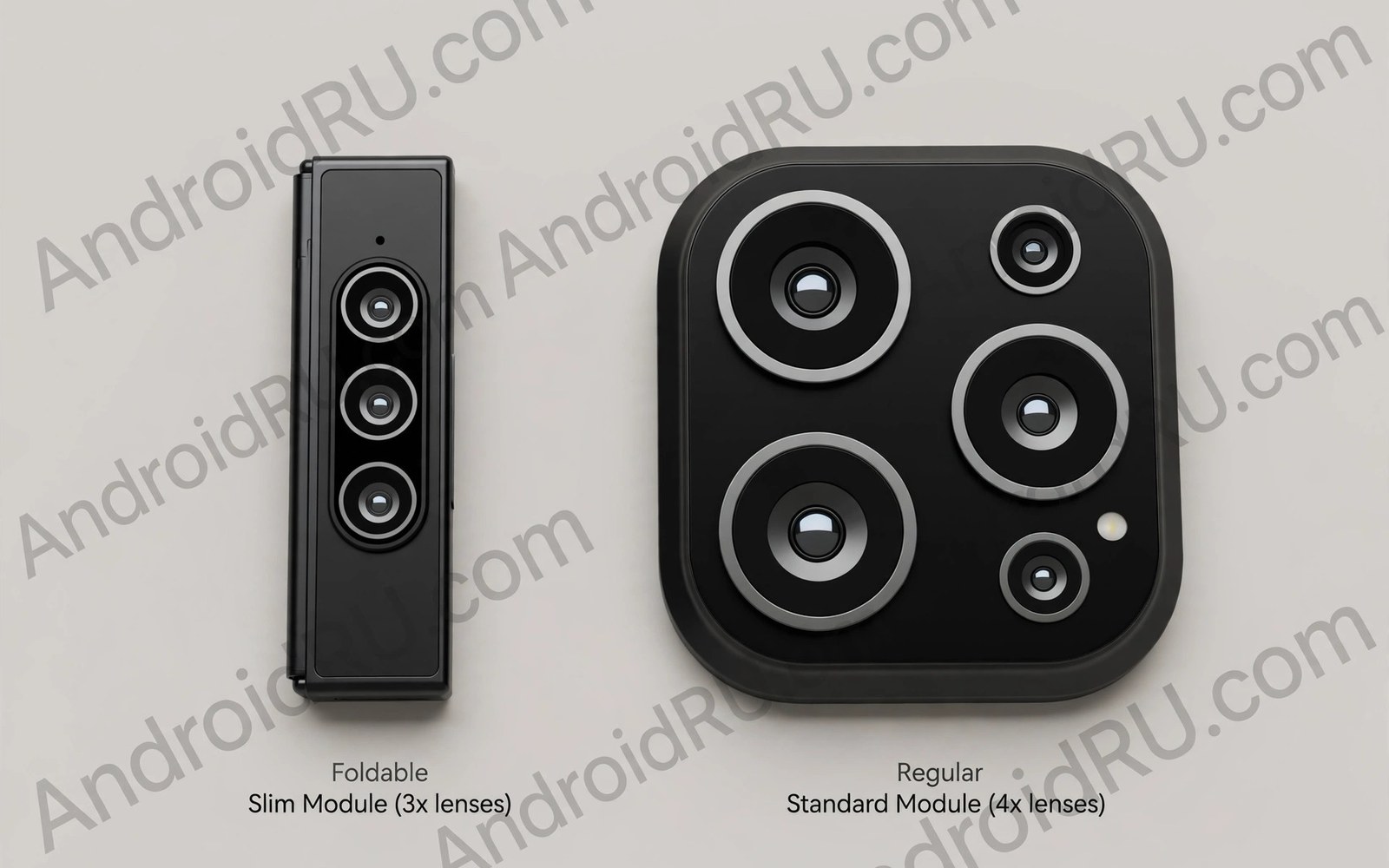
Foldable phone cameras sensors face a space problem that slab phones avoid. A foldable splits its body into two thin halves. Each half must stay slim enough to fold flat. Large camera sensors need depth that thin halves cannot spare. Makers therefore balance sensor size against fold thickness every generation.
Software and folding tricks now close much of the gap. Night modes stack frames to lift shadows without huge sensors. The cover screen turns rear cameras into selfie cameras. Tabletop folding gives steady hands free shots. If battery trade-offs interest you too then read about dual-battery life in thin foldables and how two thin halves share power.
Treat the sections below as a checklist for smarter ownership. Work through them one by one during your first month with a foldable. Small habits formed early protect screens and hinges for years. Revisit the checklist after system updates change settings or layouts. Good ownership is mostly steady routine rather than expert knowledge.
Why Thin Halves Limit Sensors
A large sensor needs a tall lens stack above it. Tall stacks poke out as camera bumps on slab phones. Foldable halves cannot grow thick without ruining pocket comfort. A thick folded phone feels like a brick in a pocket. Makers cap sensor height to keep the folded profile slim.
Heat also limits camera hardware in thin halves. Processors and batteries share the same slim space. Long photo sessions warm the body faster than slab designs. Thermal limits can slow burst shooting and video recording. Good design spreads heat across both halves through the hinge zone.
How Software Closes the Gap
Computational photography stacks many frames into one clean image. Night mode lifts shadows and cuts noise without a huge sensor. Portrait modes separate subjects with depth maps and blur. HDR blends exposures to save highlights and shadows together. These tricks help daylight and indoor shots most.
Software cannot fully replace sensor size in very dark scenes. Small sensors gather less light per frame. Stacking helps but motion blur grows with longer captures. Moving subjects suffer most in low light. Test night samples in your typical venues before you buy.
The snippet below requests the rear camera while the phone stays folded for a cover screen selfie. It shows how apps pick a lens for a folding posture. The pattern helps developers support selfie previews on small outer screens.
val cameraId = cameraManager.cameraIdList.first()
val characteristics = cameraManager.getCameraCharacteristics(cameraId)
val facing = characteristics.get(CameraCharacteristics.LENS_FACING)
val isRear = facing == CameraCharacteristics.LENS_FACING_BACK
The code sample above follows the standard pattern shown in official Android developer guidance for selecting camera lenses. It is provided for learning and testing on your own device.
Folding Tricks That Help Photos
The cover screen turns strong rear cameras into selfie cameras. You can frame yourself with the best lenses on the phone. Half folded tabletop mode steadies long exposures without a tripod. The bottom half acts as a base while the top half aims. These tricks give foldables unique shooting angles.
The big inner screen previews photos at near tablet size. You can judge focus and exposure right after capture. Editing on the big screen feels precise for crops and colour. Share directly from the editor without moving to another device. That workflow suits travellers who edit on the move.
Video and Zoom Trade-offs
Video benefits from steady folding postures and good microphones. Long 4K sessions still warm thin bodies faster. Zoom lenses stay modest because periscope stacks need depth. Digital zoom crops sensor data and softens distant detail. Hybrid zoom helps in daylight but fades in dim light.
Front cameras on foldables often sit under the inner display. Under display cameras hide the lens but soften selfies slightly. Punch hole cameras look sharper but break screen immersion. Cover screen selfies avoid both compromises for stills. Choose the selfie method that matches your daily habits.
Choosing a Foldable for Photos
Rank your photo habits before you compare sensor specs. Daylight social shots suit almost every modern foldable. Night city shots demand the largest sensor in the lineup. Video creators should test heat during a ten minute 4K clip. Selfie lovers should test cover screen framing in a store.
Compare real sample galleries rather than megapixel counts alone. Megapixels describe resolution rather than light gathering. Sensor size and lens aperture matter more for clean images. Processing style also changes skin tones and colours. Pick the look you enjoy rather than the biggest number.
A Simple Weekly Care Routine
A simple routine for foldable phone cameras sensors needs no special tools or products. A microfibre cloth and a soft brush handle most cleaning tasks. Avoid sprays and solvents near hinge gaps and ports. Work in good light so small debris stays visible. Gentle tools protect coatings that aggressive cleaning would strip away.
Record hinge feel and screen condition in the same note each week. Short notes build a history that reveals slow changes. Compare this month against last month rather than relying on memory. Slow change often escapes notice without written records. That record also strengthens warranty and resale conversations later.
Settings Worth Reviewing This Week
Settings reviews for foldable phone cameras sensors should start with display brightness and refresh rate. Adaptive brightness saves power and reduces screen ageing. A lower refresh cap suits reading days and travel days well. Reserve maximum smoothness for gaming and video sessions. These two settings shape daily battery life more than most apps.
Next review notification privacy on the cover screen and lock screen. Sensitive previews can appear where strangers might glance. Hide message content while keeping sender names visible. Check wallet and payment shortcuts for accidental triggers. Privacy settings deserve the same attention as battery settings.
Accessories That Help Most Owners
Accessory choices for foldable phone cameras sensors work best when matched to your riskiest moments. Outdoor workers need rugged grip and hinge coverage. Office workers need slim cases and desk stands. Travellers need compact power and secure pockets. Style buyers may trade protection for thin design knowingly. Match gear to risk rather than to trends.
Avoid accessories that block hinge motion or trap heat during charging. Test every new accessory through a full fold cycle slowly. Check wireless charging after fitting cases and mounts. Remove any accessory that causes uneven motion at once. Safety and motion matter more than looks for folding phones.
Travel Habits for Folding Phones
Outdoor travel for foldable phone cameras sensors needs weather awareness as well as power planning. Rain and dust demand pouches and quick wipes. Cold mornings demand pocket warming before folding. Hot afternoons demand shade during charging and video. Weather habits protect folding mechanisms across seasons.
Road trips add car mount and cable planning to the routine. Mounts must grip without pressing hinge edges. Cables should route away from folding motion. Passengers can use the large screen for maps and media. Driver attention must stay on the road at all times.
Planning Your Next Upgrade
Upgrade planning for foldable phone cameras sensors should start a year before you intend to buy. Track hinge feel and battery health monthly during that year. Note which features you actually use and which you ignore. That record guides the next purchase better than marketing. Needs based upgrades save money and regret.
Compare trade-in values and private sale prices three months early. Early research reveals the best selling window for your model. Clean the phone and gather accessories and receipts meanwhile. A prepared seller negotiates from strength. Rushed sellers accept the first low offer.
Reading and Media Habits on Big Screens
A reading routine for foldable phone cameras sensors should include regular breaks away from the screen. Follow a simple rule of looking away every twenty minutes. Stretch hands and wrists after long holding sessions. Adjust grip so the hinge never bears uneven pressure. Healthy habits protect both eyes and hardware over years.
Podcasts and audiobooks pair well with the cover screen during walks. Save the large screen for visual content that earns its size. Audio content needs no unfolding and saves battery. Mix media types across the day to balance power use. Variety keeps both screens useful rather than overworked.
Safety and Privacy on Two Screens
Data safety for foldable phone cameras sensors includes backup and remote wipe readiness. Test remote locate and lock features before you need them. Keep backups current so loss never means data loss. Record serial numbers and purchase receipts in a safe place. Preparation turns theft or loss into an inconvenience rather than a crisis.
Charging safety also belongs in a privacy and safety review. Use certified chargers and avoid damaged cables entirely. Charge on hard surfaces where heat can escape freely. Never charge under bedding or inside closed bags. Safe charging protects battery health and household safety together.
Common Mistakes to Avoid
A common mistake is judging foldable cameras only by megapixels. Megapixels ignore sensor size and lens quality and processing. Compare sample photos in your real lighting instead. Also read about what a cover screen can do to learn cover screen tricks for sharper selfies.
Another mistake is shooting long video until heat warnings appear. Thin bodies throttle sooner than slab phones. Record in shorter clips and rest the phone between takes. A small tripod posture also cuts shake and heat stress.
Frequently Asked Questions
Are foldable cameras worse than slab cameras?
Top foldable cameras now match slab phones for daylight shots. Low light and long zoom still favour the best slab flagships. Software narrows the gap each year. Casual shooters rarely notice a difference in shared photos.
Why are foldable selfies sometimes better?
Cover screen selfies use the strong rear cameras instead of a small front lens. You see yourself on the outer screen while shooting. That combination beats most front cameras for detail. It works best for stills rather than video calls.
Do foldables overheat during video?
Long 4K recording warms any slim phone. Foldables warm faster because heat spreads through thin halves. Short clips and shade help greatly. Lower resolution also extends comfortable recording time.
Conclusion
Set a monthly reminder to revisit hinge care and battery habits from this guide. Monthly checks catch stiffness and drain before they become faults. A five minute review protects a device that cost a premium price. Consistency matters more than intensity for long device life. Make the reminder part of your normal phone routine.
Foldable cameras trade sensor depth for thin folding bodies. Software and folding postures recover much of the lost ground. Test night shots and selfie tricks before you commit. Then read about long-term durability for daily use and plan a case that protects lenses without blocking the fold.

