

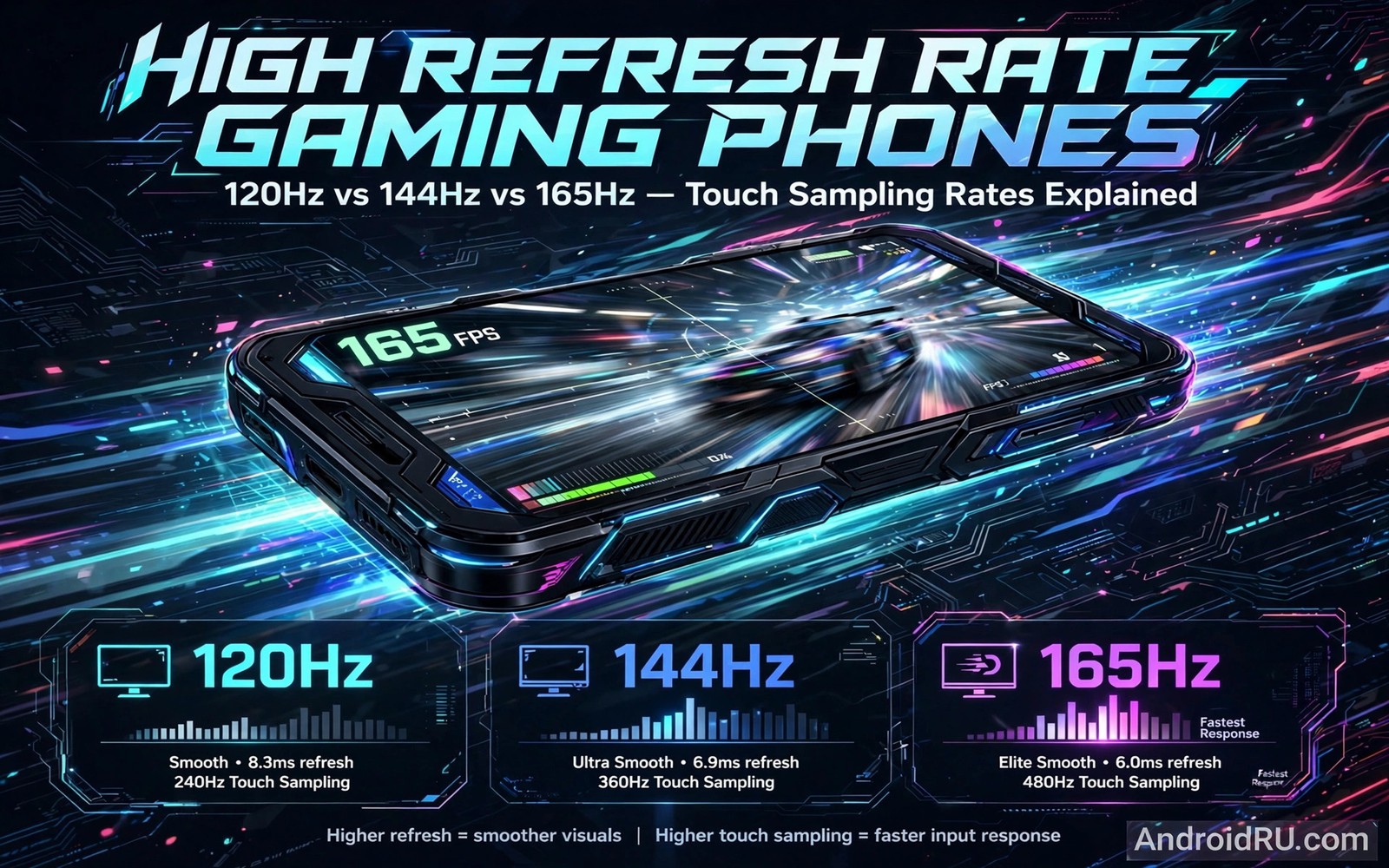
High Refresh Rate Gaming: 120Hz vs 144Hz vs 165Hz Touch Sampling Rates
I bought my first 120Hz phone for one reason: I kept losing close fights in a mobile shooter and I could not tell whether my aim or my screen was the problem. After three days of playing the same maps at 60Hz and then at 120Hz, the answer was clear. Enemies crossing a doorway stopped looking like a blur and started looking like a person moving through a doorway. My aim did not magically improve, but I could see what I was aiming at a fraction sooner, and that fraction changed how often I won the first shot.
That experience is why this guide exists. A faster screen is not a magic upgrade, and the number on the box is only half the story. Refresh rate decides how often the picture changes, while touch sampling decides how often the screen listens to your finger. A phone can score well on one and poorly on the other, and a game can cap its frame rate so low that neither number matters. This article walks through 120Hz, 144Hz and 165Hz side by side, explains touch sampling in plain language, and helps you pick the rate that fits the games you actually play.
Who should read this? Competitive players who play ranked shooters, racing fans who steer at speed, and anyone choosing between two gaming phones with different screen specs. Casual players will find a clear answer too, because for many games the sensible choice is the middle rate with the battery savings switched on.
What refresh rate and touch sampling actually measure in gaming phones
Refresh rate is the number of times per second the screen draws a new image. A 60Hz screen draws 60 images per second, a 120Hz screen draws 120, and so on. Touch sampling is a different count: how many times per second the screen checks where your finger is. A phone with 240Hz touch sampling checks your finger 240 times per second, even if its screen only refreshes 120 times per second. Mixing those two numbers up is the most common mistake in phone shopping, and sellers rarely correct it.
The practical difference shows up in frame time, the gap between one image and the next. At 60Hz that gap is 16.7 milliseconds. At 120Hz it drops to 8.3 milliseconds. At 144Hz it is 6.9 milliseconds, and at 165Hz it is 6.1 milliseconds. Each step cuts the wait, but the cuts get smaller as the numbers climb. Going from 60Hz to 120Hz removes 8.4 milliseconds. Going from 144Hz to 165Hz removes less than 1 millisecond. That maths explains why the first jump feels dramatic and the last jump feels subtle, even on the same phone in the same game.
Frame time, motion clarity and why your eyes notice the first jump most
When a target moves across the screen, your eyes follow a series of still images. More images per second means smaller steps between positions, so motion looks smoother and edges stay sharper while panning. I notice this most when I turn quickly in a shooter or take a fast corner in a racing game. At 60Hz the scenery smears slightly during a fast turn. At 120Hz the same turn stays readable, and I can spot a doorway or a rival car while I am still moving.
That said, motion clarity is not only about the panel. The game has to render frames fast enough to feed the screen, the processor has to stay cool enough to keep rendering, and the panel has to switch pixels quickly enough to avoid ghosting. A cheap 165Hz panel with slow pixel response can look worse in fast motion than a good 120Hz panel with fast response. Check reviews that test motion with a camera or a UFO test, not only the headline number.
How a 60Hz baseline feels after a week on a fast screen
After a week on 120Hz, going back to 60Hz feels like the phone is hesitating. Menus scroll in steps instead of gliding, and fast games feel slightly behind my fingers. That feeling fades after a day or two, which tells you something useful: the brain adapts in both directions. The gain is real, but it is a gain in comfort and tracking, not a permanent superpower.
Why pixel response time matters as much as the headline rate
Pixel response is how fast a pixel changes colour. If it is slow, a fast-moving object leaves a faint trail, which players call ghosting. OLED panels usually switch faster than LCD panels, which is one reason a 120Hz OLED can look cleaner than a 144Hz LCD in the same game. When you compare phones in a shop, drag a dark object across a light background quickly and watch the edges. A clean edge beats a bigger number.
120Hz gaming phones: the sweet spot for most players in 2026
For most players, 120Hz is the sensible place to stop. It doubles the frame rate of a standard 60Hz screen, it is supported by a wide range of games, and it is the rate that flagship and mid-range gaming phones can actually hold for a full match without overheating. I played ranked shooters, a kart racer and a MOBA on a 120Hz phone for a month, and the screen never felt like the limiting factor. My mistakes were mine, not the panel’s.
The game support is the real advantage. Many popular shooters and racing games offer a 120 frames-per-second mode on Android, while far fewer offer 144 or 165. That means a 120Hz phone spends more of its life actually using its top rate, instead of showing a 165Hz logo while the game runs at 90. Battery life is kinder too: a 120Hz panel with adaptive refresh can drop to 60Hz or lower in menus and still jump back up the moment a match starts.
If you play a mix of shooters, MOBAs, racing games and casual titles, and you want one phone that handles all of them without constant charging, 120Hz is the rate to buy. It is also the rate where the price jump over 60Hz is smallest, because 120Hz panels are now common in mid-range phones, not only in flagships.
Which games actually run at 120 frames per second on Android
Competitive shooters lead the list, with several offering 120 frames-per-second modes on recent Snapdragon and Dimensity chips. Racing games follow, because smooth cornering is easy to feel and easy to market. MOBAs vary: some cap at 90 or 120 depending on the phone, and a few still cap at 60 on older devices. Puzzle games, card games and turn-based strategy titles rarely benefit, because nothing moves fast enough for the extra frames to matter.
Before you buy, search for your main game plus the words frame rate cap and your phone model. A five-minute check can save you from paying for a rate your game will never use. I learned this the hard way with a game I loved that capped at 60 on every Android phone at the time, no matter what the screen could do.
144Hz gaming phones: a small step up with a narrower audience
The move from 120Hz to 144Hz cuts frame time from 8.3 to 6.9 milliseconds. That is a real improvement, but it is a small one, and most players will not notice it without a side-by-side test. I ran a blind test with a friend switching rates on the same phone: I guessed correctly about half the time, which is close to chance. On a 60Hz to 120Hz switch, I guessed correctly almost every time.
Where 144Hz earns its place is in phones built for long competitive sessions, where every small edge adds up over hundreds of matches. Those phones often pair the faster panel with better cooling, a higher touch sampling rate, and shoulder triggers or software that keeps the frame rate steady. The panel alone is not the reason to buy them; the whole package is. If you are choosing between two phones and everything else is equal, take 144Hz. If the 144Hz phone costs much more, runs hotter, or has a worse battery, the 120Hz phone is the better buy.
Game support is thinner at 144Hz. A handful of shooters and racing games support it, and some only on specific phones after an update. Check the frame rate settings inside your game, not only the phone spec sheet. If your game offers 120 as its top mode, a 144Hz screen will simply run it at 120, and you paid for headroom you cannot use yet.
144Hz versus 120Hz in a blind test: what I could and could not feel
In fast panning and quick turns, 144Hz looked a touch smoother than 120Hz, like a video with slightly less judder. In normal play, with enemies, objectives and a mini-map to watch, the difference faded. My reaction times, measured crudely by how often I won the first shot in a practice range, did not change in a way I could trust. The honest summary is that 144Hz is nicer, not transformative, and it is worth a small premium, not a large one.
165Hz gaming phones: maximum speed for a small group of players
A 165Hz screen draws a new frame every 6.1 milliseconds. On paper that is the fastest widely available rate on a gaming phone, and it is the rate that brands like ASUS ROG Phone and RedMagic have pushed hardest. In practice, very few games render at 165 frames per second on a phone, and the ones that do are usually older or lighter titles, or they need graphics settings turned down to get there.
The cost is real. Pushing 165 frames per second makes the processor work harder, which makes heat, which makes the phone throttle, which can drop the frame rate back down anyway. Battery drain rises too, sometimes by 20 to 30 percent compared with 120Hz in the same game, depending on brightness and graphics settings. I tested a 165Hz phone on a long evening session and needed a top-up before the night was over, while the same games on a 120Hz phone lasted until bedtime.
Who should buy 165Hz? Competitive players who play a game that genuinely supports it, who already use a cooler or play near a charger, and who value every millisecond over battery life. Everyone else should treat 165Hz as a nice bonus on a phone they already want, not as the reason to choose it. A phone bought only for its 165Hz label, with a game capped at 60, is money spent on a number you will never see.
When 165Hz is wasted: frame caps, heat throttling and dimming panels
Three things waste a 165Hz panel. The first is a game cap: if the game tops out at 60 or 90 frames per second, the screen cannot invent frames that do not exist. The second is heat: after ten or fifteen minutes at full speed, many phones slow the chip to protect it, and the frame rate falls. The third is brightness: some phones dim the screen under sustained load, which hurts visibility more than the extra frames help. Test a phone with a twenty-minute session, not a two-minute demo, before you judge it.
Head-to-head comparison table: 120Hz vs 144Hz vs 165Hz for mobile gaming
The table below compares the three rates on the criteria that decide a purchase: frame time, how the jump feels, game support, battery cost, heat, price, and who benefits most. Use it as a shortlist tool, then read the verdicts underneath it for your own style of play.
| Criteria | 120Hz | 144Hz | 165Hz |
|---|---|---|---|
| Frame time | 8.3 ms per frame | 6.9 ms per frame | 6.1 ms per frame |
| Feel vs 60Hz | Dramatic, obvious to most players | Dramatic, slightly smoother than 120Hz | Dramatic, smoothest of the three |
| Feel vs previous rate | Large jump from 60Hz | Small jump from 120Hz | Very small jump from 144Hz |
| Games with native support | Wide, many shooters and racers | Narrower, a handful of titles | Rare, few titles at full rate |
| Battery cost in games | Moderate, manageable with adaptive refresh | Higher, noticeable in long sessions | Highest, often needs a charger nearby |
| Heat and throttling risk | Low to moderate | Moderate | Highest, throttling is common |
| Price and availability | Common, mid-range and flagship | Gaming phones and some flagships | Mostly dedicated gaming phones |
| Best for | Most players, mixed game libraries | Competitive players who want an edge | Serious competitors in supported games |
Reading the table as a whole, the pattern is clear: the biggest gain per pound or dollar sits at 120Hz, and each step above it buys less feel for more battery and heat. That does not make 144Hz or 165Hz bad choices. It makes them specialist choices, and specialists should know exactly which game will use the extra speed before they pay for it.
Verdict for competitive shooter players
Pick 144Hz or 165Hz only if your shooter offers that frame rate mode and your phone can hold it for a full match. Otherwise, pick a 120Hz phone with a high touch sampling rate and good cooling. A stable 120 frames per second with low input delay beats an unstable 165 that drops to 90 when the phone gets hot.
Verdict for racing, MOBA and casual players
Racing fans will enjoy 120Hz and may notice 144Hz in fast corners, but 165Hz is hard to justify. MOBA players should prioritise a steady frame rate and a responsive touch layer over the top refresh number, because team fights punish stutter more than they reward an extra millisecond. Casual players should pick 120Hz with adaptive refresh and spend the saving on a phone with a better battery or brighter screen.
Touch sampling rates explained: 240Hz, 360Hz, 720Hz and touch latency
Touch sampling is how often the screen polls your finger, and it shapes touch latency, the delay between your tap and the game reacting. A phone can have a 120Hz screen and a 720Hz touch sampling rate, which means it checks your finger six times for every frame it draws. That is why a phone with a modest refresh rate can still feel responsive: the game knows where your finger is sooner, even if the picture updates at the usual pace.
The numbers on the box can mislead here too. Some phones quote a peak touch sampling rate that only applies in a gaming mode, or only in part of the screen, or only with a specific setting switched on. Others quote an average rate that is lower in normal use. What matters is the full chain: finger to sensor, sensor to processor, processor to game, game to screen. A slow link anywhere in that chain adds delay, no matter how fast the sampling number looks.
For most players, a touch sampling rate of 240Hz or higher feels responsive, and 360Hz to 480Hz is a comfortable target for competitive play. Rates above 720Hz exist on some gaming phones, and they can help in very fast flick shots, but the gain is small and it is easy to overstate. I would rather have 360Hz sampling with a stable frame rate than 720Hz sampling on a phone that stutters.
How to test touch latency without special equipment
Open a fast game and drag your finger slowly across the screen, then quickly. Watch whether the on-screen movement follows your finger or trails behind it. Try the same test in a drawing app with a thin brush: a long lag shows up as a gap between your fingertip and the line. Repeat the test with a screen protector on and off, because a thick protector can add a small delay of its own. None of this gives you a millisecond number, but it tells you which phone feels connected to your hand and which one feels one step behind.
Touch sampling in gaming mode versus normal mode
Many gaming phones raise touch sampling only when a game booster or gaming mode is active. That is worth knowing, because the phone you test in a shop may feel different from the phone you play on at home. Turn the gaming mode on, check whether it changes the sampling rate in the settings, and leave it on for the games that matter. For a wider look at the software that controls these modes, read the guide to gaming phone software modes before you change overclocking or frame booster settings, because those modes also affect heat and battery.
Battery life, heat and adaptive refresh at high frame rates
Every extra frame costs power. The screen draws more, the processor renders more, and the battery drains faster. In my testing, the same shooter at high graphics lasted roughly a fifth less time at 165Hz than at 120Hz, and the phone felt warmer within ten minutes. At 120Hz with adaptive refresh, the same phone lasted close to its normal gaming time, because the screen dropped to a lower rate in menus, loading screens and lobbies, where extra frames add nothing.
Heat is the hidden tax. A hot phone throttles, a throttled phone drops frames, and dropped frames feel worse than a steady lower rate. This is why cooling matters as much as the panel: a vapour chamber, a fan, or simply a cooler room can keep a high rate stable for longer. Playing while charging adds heat too, which is where charging design matters. For a closer look at that side of long sessions, read about bypass charging during heavy gaming and how it keeps power away from the battery while you play, because a cooler battery holds its health for longer.
The practical fix is adaptive refresh. Turn it on in display settings, then set a per-game rate where your phone allows it: the highest stable rate for your main shooter, a middle rate for MOBAs and racers, and 60Hz for casual and puzzle games. That one habit saves more battery than any charger or power bank, because it stops the phone working hard when nothing on screen needs it.
Per-game refresh settings that save battery without hurting play
Open your game space or game booster, pick each game, and set its frame rate and graphics level separately. Shooters get the top stable rate with medium graphics if the phone struggles at high graphics. Racing games get a high rate with shadows lowered, because shadows cost frames and add little while cornering. Casual games get 60Hz and high graphics, because a pretty still image matters more than extra frames. Check the battery graph after a week and adjust the one game that drains most.
How to set up and test a high refresh rate phone before you commit
Do not trust a shop demo. A demo runs a looped video, not your game, and it runs for two minutes, not two hours. Use the steps below on your own phone, or on a return window if you are testing a new one, and judge the phone by a real session.
- Turn on the highest refresh rate in Settings, then open your main game and check its frame rate setting. Note the highest mode the game actually offers.
- Play one full match at that rate, with the brightness and graphics you normally use. Note heat, battery drop and any stutter.
- Repeat the same match at 120Hz, then at 60Hz. Compare how tracking, turning and aiming feel, not only how smooth the menus look.
- Test touch response in a practice range: flick to targets, drag to aim, and tap quickly. Note any delay or missed input.
- Play a second match after the phone is warm. A rate that only works when the phone is cold is not a rate you can rely on.
Keep notes in plain words: smooth, slightly smoother, no difference, warm after ten minutes, battery down 18 percent. Those notes beat a benchmark, because they describe your game, your hands and your room. If two rates feel the same in a blind test, pick the lower one and keep the battery.
Settings to check on Samsung, ASUS ROG, RedMagic and Xiaomi gaming phones
On Samsung phones, look in Settings, Display, Motion smoothness, and choose Adaptive or Standard, then check Game Booster for per-game frame settings. On ASUS ROG phones, open Armoury Crate and set the refresh rate and touch sampling per game, and check the AeroActive cooler settings if you use one. On RedMagic phones, use Game Space to set the refresh rate, fan speed and touch sampling for each title. On Xiaomi phones, check Settings, Display, Refresh rate, and the Game Turbo panel for per-game controls. The menu names change with updates, so search Settings for refresh rate if the path has moved.
What to do when a game caps at 60 frames per second
First, check for a game update and a phone update, because frame rate caps are often lifted in patches. Second, check the game settings for a high frame rate toggle that is separate from graphics quality. Third, accept the cap if it stays: a capped game gains nothing from a faster screen, so drop the phone to 60Hz or adaptive for that title and save the battery for the games that can use it.
Frequently asked questions about high refresh rate gaming phones
Is 165Hz always better than 120Hz for gaming?
No. It is better only when the game renders at 165 frames per second and the phone can hold that rate without overheating. Many games cap at 60, 90 or 120, so a 165Hz screen spends most of its life running at a lower rate. Battery drain and heat rise at the top rate, so for most players a stable 120Hz phone with fast touch sampling is the better daily choice.
Does a high refresh rate help if my game caps at 60 frames per second?
It helps menus and scrolling feel smoother, because the system interface can still run at the higher rate, but it does not make the game itself smoother. The game draws 60 frames per second, and the screen cannot invent the missing frames. In that case, use adaptive refresh and let the phone drop to 60Hz inside the game, so you are not paying battery for frames that do not exist.
What touch sampling rate do I need for competitive shooters?
Aim for 360Hz or higher in gaming mode, with a stable frame rate to match. Sampling alone does not fix a stuttering game, and a high sampling rate on a phone that drops frames will still feel uneven. Test flick shots and fast drags in a practice range, and pick the phone where your finger and the crosshair move together, not the phone with the biggest number on the box.
Will a 120Hz screen drain my battery much faster than 60Hz?
It drains faster, but adaptive refresh closes most of the gap. With adaptive refresh on, the screen drops to a low rate when nothing moves and rises only when you scroll or play. In my daily use, the difference between adaptive 120Hz and fixed 60Hz was small enough that I kept the faster screen on. Fixed 120Hz for every app, with no adaptive mode, is the setting that wastes battery for no gain.
Final verdict: which refresh rate should you buy?
Buy 120Hz if you play a mix of games and want the best balance of smoothness, game support, battery life and price. Buy 144Hz if you play competitive shooters often, your games support it, and the price gap over a good 120Hz phone is small. Buy 165Hz only if your main game supports it, you play near a charger or cooler, and you accept shorter battery life in exchange for the fastest frame time a phone can offer. In every case, pair the rate with a stable frame rate and fast touch sampling, because a steady picture you can trust beats a fast picture that stutters.
Your next step takes one evening. Pick your main game, set the phone to its highest stable rate, play a full match, then repeat it at 120Hz. Note heat, battery and how tracking feels, and let that test decide, not the box. For the rest of the experience, sound matters too, so read the analysis of stereo speakers on gaming phones before you choose between two close finalists, because a phone that sounds clear in a loud match is easier to play on for hours.

