

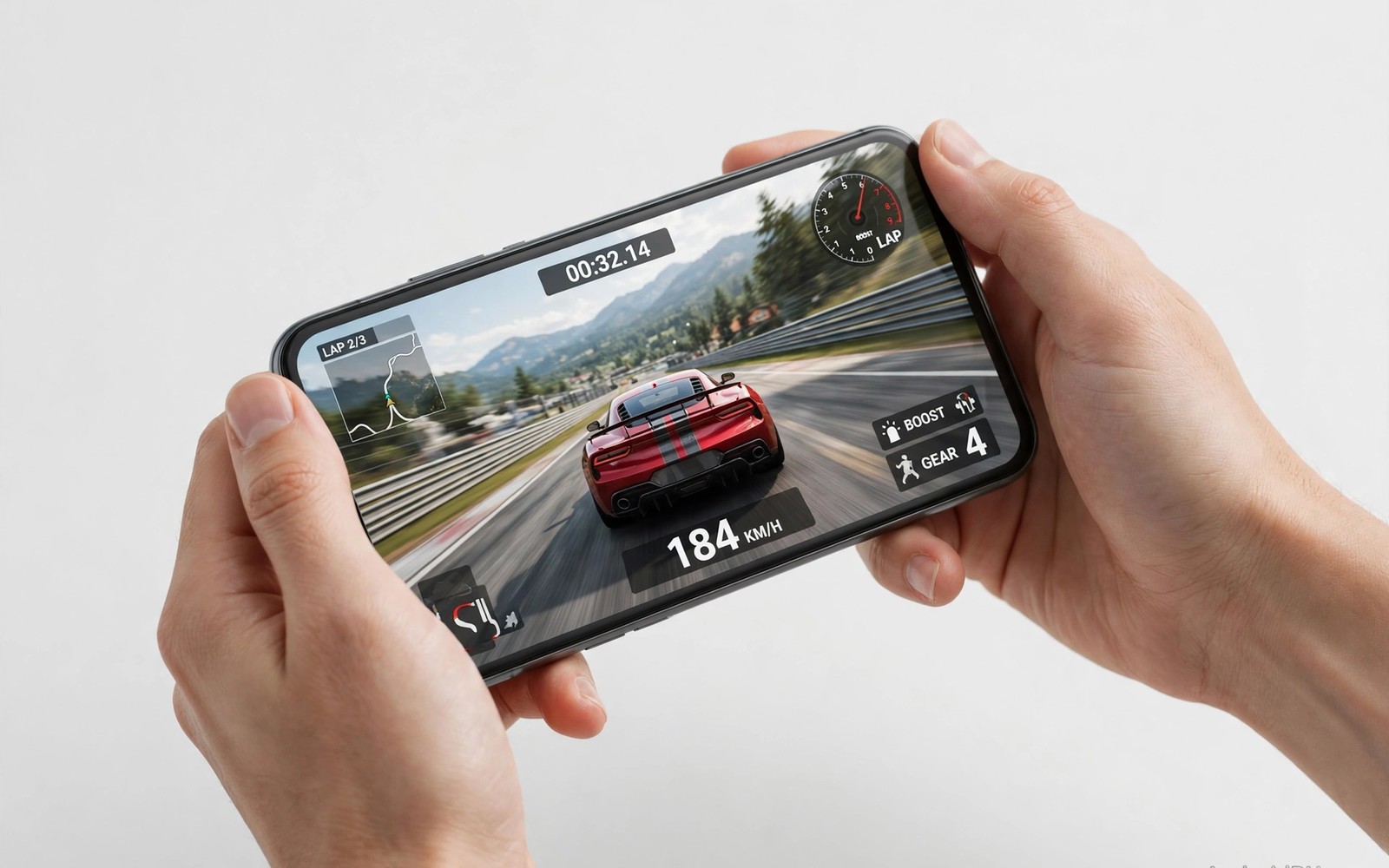
Tilt controls versus touch steering is the first real choice every mobile racer must make. The choice shapes how you corner and how you recover from slides. It also shapes how tired your hands feel after long sessions. This guide compares both methods fairly and helps you pick with confidence.
Tilt steering uses your phone gyroscope to turn the car as you lean the device. Touch steering uses on screen buttons or a virtual wheel for the same job. Both methods can win races at a high level. The best method is the one that feels predictable in your hands. open-world driving games
Many players switch methods too quickly and blame the controls for normal learning pain. Each method needs at least a few days of practice before fair judgement. Sensitivity settings matter as much as the method itself. Calibrate first and judge second for honest results.
Control debates in racing communities often ignore hand size and grip style. Large hands suit different steering zones than small hands. Grip style changes tilt comfort dramatically across sessions. Personal ergonomics should outweigh community consensus always.
How tilt steering really feels
Tilt steering feels natural because leaning mirrors real steering motion. Small leans give small steering inputs on straights. Larger leans give strong inputs for hairpins and chicanes. That range helps on sweeping circuits with varied corners. It feels intuitive within the first hour for many players.
Tilt steering struggles when you play in moving vehicles or lying down. Your reference angle shifts and the car drifts without input. Calibration before each session fixes most of those problems. Hold the phone in your normal racing position and calibrate there. Never calibrate while walking or leaning sideways.
Tilt steering drains attention when you play in vehicles or beds. Reference angles shift with body movement constantly. Touch steering ignores body movement completely and stays consistent. Environment should influence method choice strongly. Choose touch for travel and tilt for desk sessions.
How touch steering really feels
Touch steering gives consistent inputs no matter where you sit or stand. A virtual wheel or arrow buttons always respond the same way. That consistency helps in ranked races under pressure. It also lets you play comfortably on a bus or sofa. Position never changes your steering reference.
Touch steering can feel less smooth for fine adjustments at high speed. Small corrections need careful finger placement on a small screen. Larger phones help because the steering zone grows with screen size. A good screen protector keeps finger slides smooth. Practice builds fine control over time. motorbike racing games
Touch steering zones vary in size across games significantly. Larger zones forgive finger placement errors during tense races. Smaller zones demand precise finger positioning constantly. Test zone size in each game before judging touch steering. Zone design matters as much as method itself.
adb shell settings put system accelerometer_rotation 0
adb shell settings put secure tilt_calibration 1
adb shell dumpsys sensorservice | grep -i gyro
The commands above are adapted from public platform documentation for Android sensor and settings tools. They are included here as a teaching example for checking gyroscope behaviour and not as copied game code.
Calibrate sensitivity before you judge
Sensitivity controls how much steering comes from a given input. High sensitivity turns fast but oversteers easily on straights. Low sensitivity feels stable but slow in tight corners. Start in the middle and adjust in small steps after each session. One change at a time reveals what actually helped.
Dead zone settings ignore tiny accidental inputs near the centre. A small dead zone helps precise driving on smooth tracks. A larger dead zone helps when your hands shake during long sessions. Set the dead zone just high enough to stop drift on straights. Higher values hide real steering inputs and hurt cornering.
Sensitivity curves shape steering response beyond simple sensitivity numbers. Linear curves give predictable response across input ranges. Exponential curves give fine centre control and fast edge response. Learn your game curve type before tuning numbers. Curve knowledge prevents confusing tuning results.
Match method to track type
Tilt steering shines on flowing circuits with long corners and gentle curves. It lets you hold smooth steering angles for seconds at a time. Touch steering shines on tight street circuits with sharp sudden turns. Quick taps give fast direction changes without large arm movement. Neither method wins on every track type.
Off-road and drift events favour tilt for smooth slides and gradual corrections. Arcade events with jumps favour touch for quick recovery after landings. Test both methods on your favourite track types before deciding. Your track taste should guide the final choice. drifting simulators
Track elevation changes affect method preference subtly during races. Hilly tracks with blind crests favour touch consistency. Flat flowing tracks favour tilt smoothness strongly. Consider track lists in your favourite games. Method choice can vary by game rather than globally.
Build a fair practice routine
Practice one method for three days before you switch to the other. Use the same car and track for fair comparison. Record best lap times and crash counts each day. Numbers reveal progress that feelings often hide. A method that feels fun but crashes often needs more practice or new settings.
Warm up with five slow laps before ranked races each day. Slow laps teach the track without pressure. Then run three fast laps to test your settings. That routine takes ten minutes and improves consistency fast. Skipping warm up wastes ranked races on cold hands.
Warm up routines differ by method in useful ways. Tilt players should calibrate and run slow laps first. Touch players should test finger placement and screen responsiveness first. Method specific warm ups prevent early race mistakes. Five minute warm ups save ranked rating points.
Run a fair two week control experiment
A two week experiment gives honest control method answers. Week one uses tilt steering exclusively across sessions. Week two uses touch steering exclusively across sessions. Keep car and track constant across both weeks. Constant variables reveal method differences clearly.
Record lap times and crash counts daily in a simple note. Note hand fatigue levels after each session honestly. Fatigue data matters as much as lap times for long term choice. A fast method that hurts hands fails over months.
Compare weekly averages rather than single best laps. Averages reveal consistency that best laps hide. Consistency wins championships more than peak speed. Choose the method with better averages and lower fatigue.
Repeat the experiment after changing phones or games. New hardware changes ergonomics and method comfort. Old conclusions may not transfer to new devices. Periodic retesting keeps control choices honest over time.
Keep improving after the basics
Advanced steering practice should include emergency correction drills on safe tracks. Deliberately unsettle the car slightly and practise smooth recovery. Recovery drills teach calm hands during unexpected slides. Panic corrections cause more crashes than original slides. Practice recoveries at moderate speeds before high speed attempts. Gradual speed increases build recovery confidence safely. Recovery skill matters in ranked races where rivals force evasive moves suddenly. Calm recovery separates experienced racers from fast but fragile drivers.
Hand fatigue management extends competitive careers in mobile racing significantly. Grip phones lightly rather than squeezing during tense races. Tension creeps into hands unnoticed during close finishes. Shake hands out between races to restore blood flow. Ergonomic phone grips reduce strain during long sessions. Fatigue degrades steering precision long before players notice it consciously. Schedule breaks proactively instead of waiting for pain signals. Healthy hands sustain years of enjoyable racing.
Control settings should evolve as your skill improves over months. Beginners benefit from stability assists and moderate sensitivity. Intermediate players benefit from reduced assists and sharper response. Advanced players benefit from custom curves tuned to specific tracks. Revisit settings quarterly rather than freezing early choices forever. Skill growth changes optimal settings gradually. Periodic retuning keeps controls matched to current ability. Stagnant settings eventually limit progressing drivers silently.
Common mistakes
The top mistake is changing sensitivity after every bad race. Constant changes prevent muscle memory from forming at all. Pick settings and keep them for a full week. Judge them by lap times across many races and not by one crash.
Another mistake is calibrating tilt while holding the phone at an odd angle. That bad reference makes every later input feel wrong. Calibrate in your normal seated racing position each session. Recalibrate whenever you change posture or seating position.
A further mistake is judging tilt steering after one session in a moving vehicle. Moving environments distort tilt reference angles badly. Test tilt in a stable seated position first. Fair tests need stable conditions for both methods.
Frequently asked questions
Can I switch methods between games?
Yes you can use tilt in one game and touch in another without harm. Different games suit different methods naturally. Keep settings notes for each game so switching stays easy. Consistency within one game matters more than one method for all games.
Switching methods between games works fine with per game settings notes. Different games suit different methods naturally. Keep a short note of preferred method per game. Switching becomes automatic after a few weeks of practice.
Does phone size affect steering choice?
Yes larger phones favour touch steering because the steering zone feels roomier. Smaller phones favour tilt because fingers cover less screen. Test both methods on your own device before deciding. Screen size changes comfort more than raw speed.
Phone size strongly affects touch steering comfort and zone size. Larger phones give roomier steering zones for fingers. Smaller phones favour tilt because fingers cover less screen. Test both methods on your own device before deciding.
Is one method faster for competitive racing?
No top players win with both methods in mobile racing communities. Tilt wins on flowing tracks and touch wins on tight tracks. Skill and practice matter far more than method choice. Pick the method you enjoy practising every day.
Competitive players win with both tilt and touch methods regularly. Track type influences method advantage more than overall speed. Skill and practice outweigh method choice consistently. Enjoyment of practice matters most for improvement.
Conclusion
Tilt controls versus touch steering has no universal winner for mobile racers. Tilt feels natural on flowing tracks and touch stays consistent anywhere. Sensitivity and calibration matter as much as the method itself. Test both fairly before you commit.
Your next step is simple to follow this week. Use tilt steering for three days on one track and record your best lap. Then use touch steering for three days on the same track. Pick the method with better laps and fewer crashes.
Keep settings notes for both methods even after you choose a favourite. Future games may suit the other method better. Flexibility beats rigid loyalty in mobile racing. Your hands and tracks should decide each game separately.

