

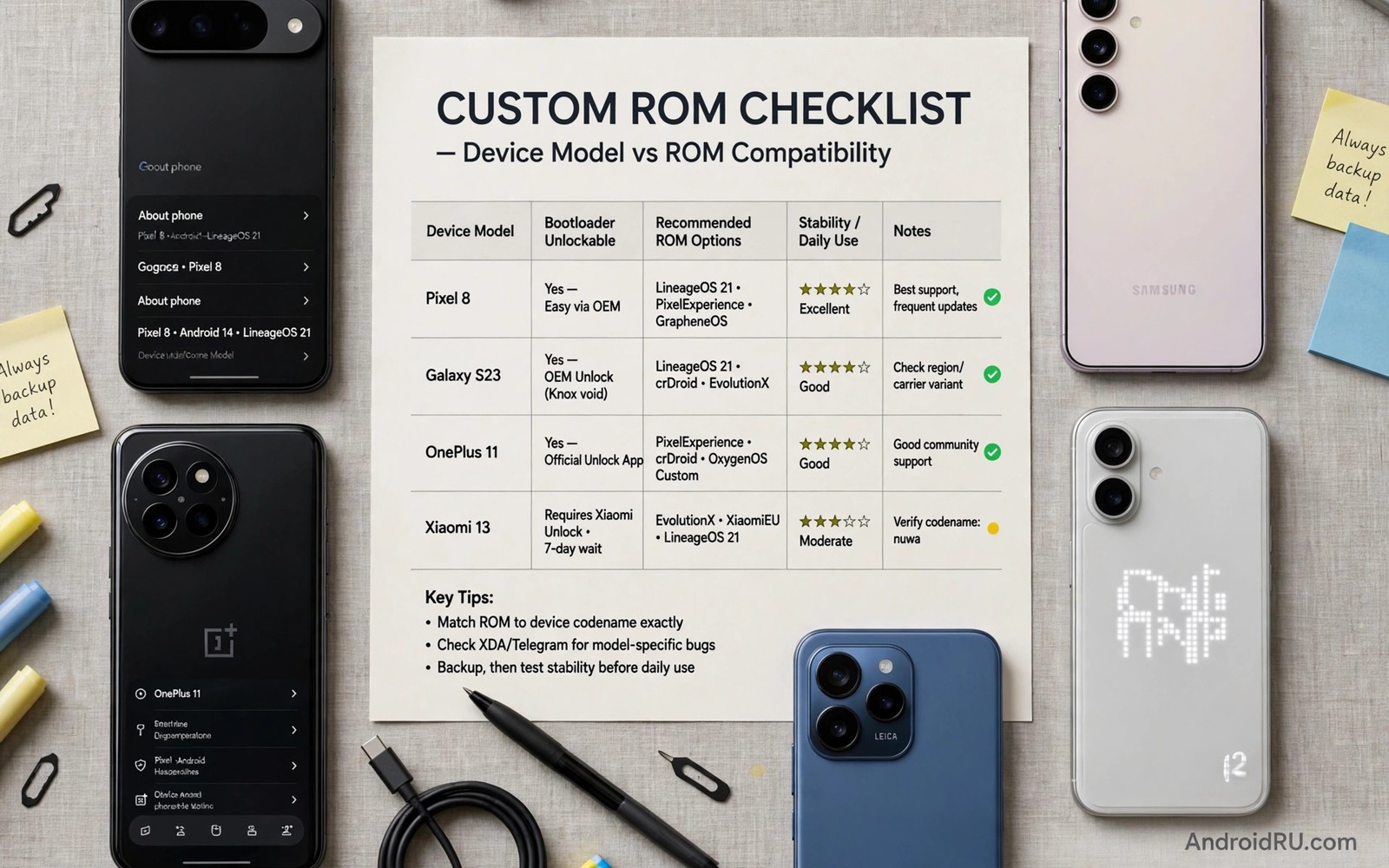
Learning how to choose the right custom ROM for your specific device model prevents most install failures. ROM choice is device specific. A great ROM for one phone may be broken on another. Maintainer quality matters more than brand fame. This checklist walks you through a sound choice. Follow it before downloading anything.
Start with facts about your phone and not with hype. Read best custom ROMs for power users for candidate ideas. Then use stock and custom ROM performance results to set expectations. Facts first and downloads second.
Find your exact codename
Marketing names hide hardware variants. Your phone codename identifies the exact build target. Find it in settings or on maker pages. Search device databases with that codename. Every ROM decision starts there.
Regional variants may share a name but differ in radios. A build for one variant can break data on another. Confirm variant details in the device thread. Owners of your variant give the best reports. Never guess the codename.
Check official support first
Official builds beat unofficial ports in most cases. Official maintainers follow project testing standards. They ship signed builds and clear changelogs. Unofficial builds can be good but need closer vetting. Prioritize official support.
Check the official roster for your codename. Note the latest build date. Note whether builds are stable or nightly. Stable builds suit daily drivers. Nightlies suit testers only.
Judge maintainer activity
Maintainer activity predicts your future support. Read the last month of thread posts. Look for bug fixes and user replies. Look for honest known issue lists. Active maintainers inspire confidence.
Silent threads and stale builds warn you away. A famous ROM name cannot fix a dead maintainer. Device support lives or dies with one person in many cases. Respect that reality in your choice.
Match features to your needs
List your must have features before browsing ROMs. Camera quality may top your list. Battery life may matter more. Privacy may rule everything. Different ROMs win different categories.
Test claims against device reports. A feature that works on one model may fail on yours. Camera ports and sensors vary widely. User photos and logs give truth. Marketing lists give hope only.
Check known issues honestly
Every ROM has known issues on some devices. Honest projects list them openly. Read that list before install. Decide whether you can live with each issue. A broken NFC chip may not matter to you. A broken call audio chip matters to everyone.
Ignore builds that claim zero issues. That claim usually hides poor testing. Transparent issue lists signal maturity. They also help you plan workarounds. Transparency is a feature.
Plan install and rollback
Download the ROM and recovery and firmware together. Verify checksums before flashing. Keep stock firmware ready for rollback. Also review custom ROM maintenance updates so updates stay safe. A rollback plan turns a failed test into a minor evening.
Schedule the install when you have free time. Rushed installs cause mistakes. Charge fully and back up twice. Calm preparation beats fast flashing.
adb shell getprop ro.product.device
fastboot getvar product
adb shell getprop ro.build.version.security_patch
These commands follow the pattern shown in the official Android developer documentation for adb properties and fastboot variables. They read device identity without changing anything.
Questions to ask in a device thread before flashing
Device threads hold answers that guides omit. Ask about call quality on your carrier specifically. Ask about VoLTE and VoWiFi support. Those features vary by region and carrier. A ROM that works elsewhere may fail on your carrier. Carrier specific questions save painful surprises. Include your carrier name in the question.
Ask about camera modes that matter to you. Night mode and slow motion often break first. Ask for sample photos from thread members. Samples prove more than claims. Ask about video stabilization too. That feature often differs from photo quality. Specific questions get specific answers.
Ask about battery life with your usage pattern. Heavy gaming drains differently from light messaging. State your pattern plainly. Thread members with similar patterns give useful numbers. Vague battery questions get vague answers. Precision helps everyone in the thread.
Ask about update frequency for your exact variant. Some variants lag behind others. A maintainer may focus on one variant. Your variant may receive slower fixes. That knowledge shapes your choice. Do not assume all variants move together.
Device variant traps: same name, different hardware
Same marketing names often hide different chips inside. A phone sold in two regions may use different processors. Those processors need different device trees. A ROM for one chip will not boot on the other. Buyers must check chip details before flashing. Model numbers reveal chip differences. Research the exact model number. Marketing names alone mislead dangerously.
Carrier variants add radio differences beyond chips. Antennas and bands differ by carrier. A ROM built for an unlocked variant may break carrier data. Carrier users should search variant specific threads. Those threads document radio quirks. Generic guides ignore carrier quirks. Carrier quirks break daily use. Specificity saves evenings.
Storage and RAM variants rarely affect ROM choice. A ROM built for one storage size usually works on another. Partition layouts stay consistent across storage sizes. RAM differences affect performance only. That consistency helps buyers. Storage choice matters less than chip choice. Focus research on chips and radios.
Dual SIM variants sometimes need separate builds. SIM slot wiring differs in some models. A single SIM build may disable the second slot. Dual SIM users should verify slot support. Ask thread members with dual SIM models. Their reports confirm slot behaviour. Assumptions about SIM support cause travel headaches. Verify before you flash.
Refurbished phones may mix parts from variants. A repaired phone may carry a different screen or radio. Mixed parts behave oddly on custom ROMs. Check hardware details with diagnostic apps. Compare against official specs. Mismatches warn of mixed parts. Mixed parts need extra caution. Stock software tolerates mixed parts better. Custom ROMs expose them.
Regional firmware bases affect ROM installs too. Some ROMs require a specific regional stock base. That base sets modem and bootloader versions. Flashing from the wrong base breaks radios. Check base requirements in install guides. Flash the required base first when needed. Base mismatches cause the most confusing faults. They look like ROM bugs but stem from bases.
Testing a ROM before daily commitment
A trial week reveals ROM strengths and weaknesses. Daily use exposes faults that quick tests miss. Quick tests miss battery patterns. Battery patterns emerge over days. Call quality issues emerge over days too. Sensor faults emerge in varied conditions. Varied conditions need a full week. A week covers work and leisure. Leisure use differs from work use. Both matter for verdicts. Verdicts need full weeks.
Keep a daily trial diary during the week. Note battery levels each evening. Note app crashes and their contexts. Note camera results in varied light. Note call drops and their locations. Diary patterns reveal systematic faults. Random faults look different from systematic ones. Systematic faults deserve ROM rejection. Random faults deserve patience. Patience distinguishes noise from signal. Signal drives decisions.
Test your commute specifically during trials. Commutes stress radios and handoffs. Handoffs between towers expose radio bugs. Radio bugs cause call drops. Drops during commutes annoy greatly. Home Wi-Fi tests hide radio bugs. Hiding bugs leads to false confidence. False confidence breaks on Monday commutes. Monday failures are preventable. Prevention needs commute testing.
Test accessory pairings during the trial week. Pair watches and earbuds early. Test car Bluetooth on a real drive. Drives expose audio bugs. Audio bugs hide in home tests. Home tests use stable connections. Cars use noisy environments. Noisy environments stress Bluetooth stacks. Stacks differ between ROMs. Differences matter for drivers. Drivers need reliable audio.
ROM trial exit criteria
Set exit criteria before trial weeks begin. Criteria include must have features. Features failing means exit. Exit decisions need precommitment. Precommitment prevents sunk cost bias. Bias keeps users on bad ROMs. Bad ROMs waste months. Months wasted hurt satisfaction. Satisfaction needs honest exits. Honest exits free users. Free users choose better.
Battery thresholds make good exit criteria. A threshold might be twenty percent worse. Worse battery than stock fails trials. Failing trials deserve exit. Exit saves daily frustration. Frustration accumulates into resentment. Resentment poisons ROM enthusiasm. Enthusiasm deserves protection. Protection comes from criteria. Criteria protect joy.
Camera thresholds also matter for many. A camera failing night shots fails trials. Night shots matter for memories. Memories deserve working cameras. Working cameras are non negotiable. Non negotiable criteria simplify decisions. Simplified decisions reduce stress. Stress reduction is valuable. Valuable criteria earn their place.
Common mistakes
Downloading by marketing name instead of codename causes variant failures. Codename first always. Trusting a ROM brand without checking maintainer activity also fails. Maintainer health decides support.
Skipping known issue lists leads to surprise breakage. Read them fully. Flashing without stock firmware for rollback leaves you stuck. Keep rollback files ready.
Choosing the most featured ROM for a daily driver often backfires. Stability beats features on primary phones. Match the ROM to the phone role.
Frequently asked questions
How do I find my phone codename?
Check settings about phone or maker support pages. Search the web with your model number. Device databases map models to codenames. Confirm with other owners of your variant.
Are unofficial ROM builds safe?
Some are safe and many are not. Vet the builder and read user reports. Prefer official builds when available. Unofficial builds need extra caution and checksum checks.
Can I try two ROMs before deciding?
Yes with full backups between installs. Switching usually needs a clean flash. Test each ROM for several days. Your notes will reveal the better fit.
Conclusion
The right ROM matches your codename and your needs and an active maintainer. Brand fame alone proves nothing. Release history and known issues prove much more.
Your concrete next step is to find your codename and check official support for two ROMs today. If neither has fresh builds then wait rather than forcing a stale port.

