

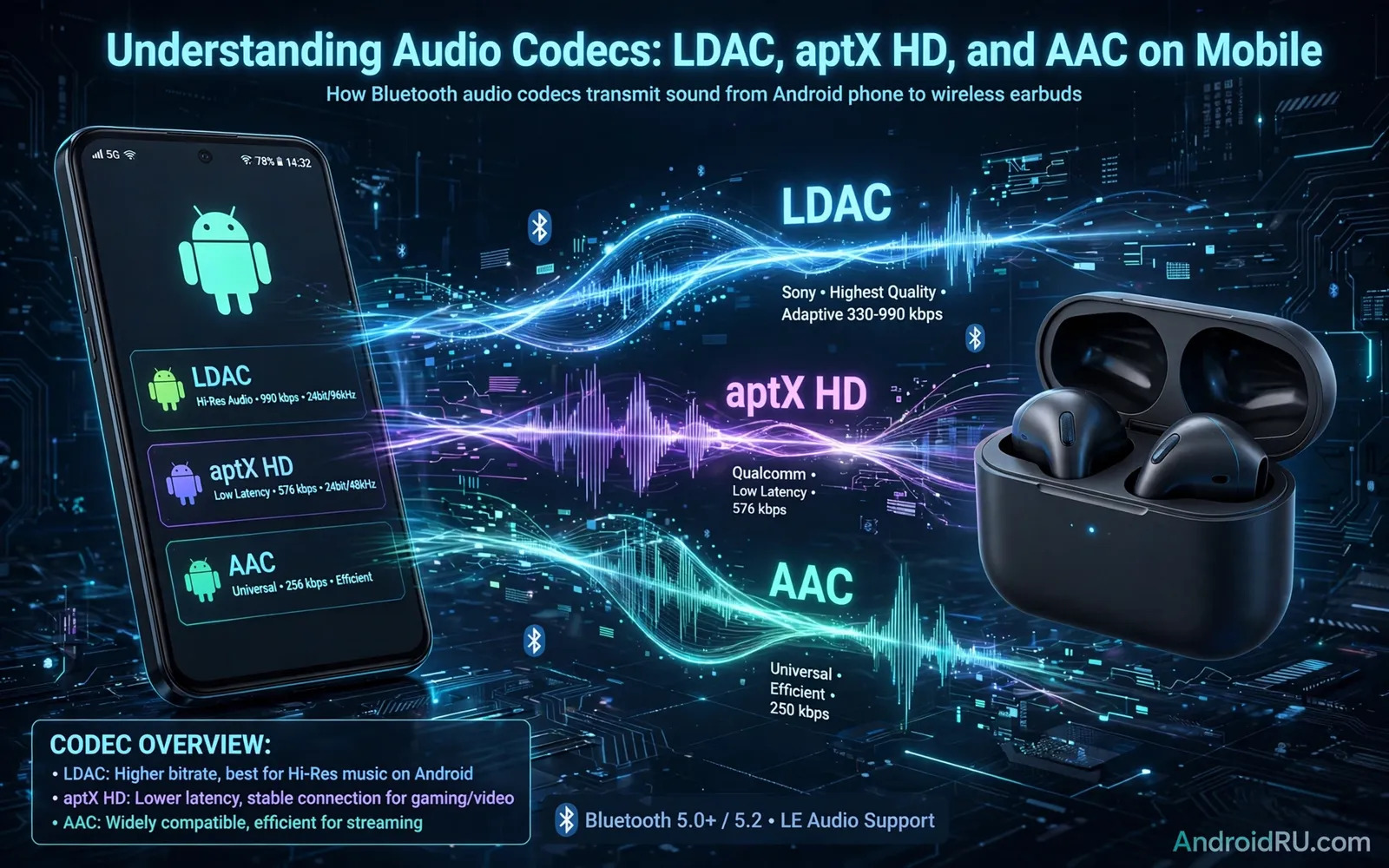
What A Bluetooth Audio Codec Does
A codec packs audio for a Bluetooth trip from phone to earbuds. The phone encodes music into a compact stream. The earbuds decode that stream back into sound. The codec decides how much detail survives the trip. A strong codec preserves more detail from the original file. A weak codec discards more detail to fit a narrow pipe. Bluetooth bandwidth is far smaller than wired bandwidth. Every codec must balance quality against that narrow pipe. The result is that codec choice shapes sound more than many listeners expect. Two earbuds can sound different on the same phone due to codec alone.
Codec support must match on both ends of the connection. The phone and the earbuds must share at least one codec. When they share several codecs the devices pick the best shared option. When they share only a basic codec the sound uses that basic option. A premium earbud cannot force a phone to use a codec it lacks. A premium phone cannot force earbuds to decode a codec they lack. Check both sides before you buy either side. The codec list in specs tells you what is truly possible. Marketing words about high resolution sound mean little without matching codec support.
AAC On Android Phones
AAC is the codec most people meet first on mobile devices. It powers a huge share of streaming and video audio. AAC sounds good at modest data rates for most listeners. It handles voices and pop music cleanly in daily use. AAC on Android varies by phone maker and earbud maker. Some combinations sound excellent with AAC. Some combinations show delay or thin sound with AAC. Delay matters for video watching and gaming most of all. Lip sync errors distract viewers even when music sounds fine. Test AAC with video on your own phone before judging it harshly.
AAC is a safe baseline codec for broad compatibility. Almost every modern earbud supports AAC in some form. Almost every Android phone supports AAC as well. That broad support makes AAC a reliable fallback. When a fancy codec fails the connection can fall back to AAC. Fallback keeps music playing rather than dropping out. For casual listening AAC is often all you need. For critical listening you may want a stronger codec. The gap between AAC and stronger codecs shows most on detailed tracks. It shows least on podcasts and casual background music.
aptX HD And The aptX Family
aptX is a family of codecs from a single audio technology lineage. The base aptX codec improves on basic Bluetooth audio. aptX HD raises quality further for detailed music listening. aptX Adaptive adjusts quality dynamically with connection conditions. Adaptive behavior helps when you walk through busy wireless areas. It lowers quality slightly to prevent dropouts. It raises quality again when the connection clears. That flexibility suits commuters and city walkers well. aptX support varies widely across Android phones. Some phone makers license the full family. Some license only part of it or none at all.
aptX HD suits listeners who value detail in quiet rooms. It preserves more texture in vocals and instruments than basic options. It still cannot match a wired connection for pure fidelity. The difference from AAC is clearest on good earbuds in quiet settings. The difference shrinks on noisy streets with traffic around you. The difference also shrinks with low quality source files. A poor source file cannot gain detail from any codec. Feed aptX HD with high quality files for the best result. Judge codecs with familiar tracks you know deeply. Familiar music reveals codec differences faster than new music does.
LDAC And High Resolution Ambitions
LDAC aims higher than most Bluetooth codecs for Android users. It offers several quality modes for different conditions. The highest mode carries far more audio data than basic codecs. That extra data preserves detail in complex music passages. The highest mode also demands a very clean wireless connection. Crowded wireless environments can force a lower mode. Lower modes still sound strong but lose some high end detail. Many phones let you favor quality or connection stability. Favor quality at home in a quiet room. Favor stability on a busy commute with many competing signals.
LDAC support is strongest across Android phones and earbuds. Many Android phones include LDAC support by default. Many premium earbuds include LDAC as a headline feature. Check both sides carefully even when support seems likely. A phone may support LDAC only over certain settings. An earbud may need a firmware update for full LDAC support. Test LDAC in your real daily environments. A codec that shines at home may stutter on a train. A codec that stutters is worse than a stable codec with slightly less detail. Stability is part of sound quality in real life.
How To Check Codec Support On Your Phone
Developer options on Android can reveal the active codec during playback. Enable developer options through repeated taps on the build number. Open the Bluetooth audio codec setting while music plays. The setting shows which codec the connection currently uses. Some phones also show codec choice in Bluetooth device settings. Some earbud apps show the active codec in their status screen. Check all three places for a full picture. A codec listed in specs may still sit inactive due to settings. A simple settings change can unlock a better codec you already own.
Testing codecs fairly needs a consistent method. Use the same track and the same earbuds for each codec. Use the same volume level for each test. Listen in a quiet room without background noise. Focus on vocals and cymbals and bass texture. Repeat the test on different days to avoid mood bias. Earbuds themselves shape sound as much as codecs do. You can learn how earbud design affects daily listening from wireless earbuds tested on Android with attention to fit and sound and calls. That earbud context helps you separate codec effects from driver and fit effects. Careful testing beats spec sheet guessing every time.
Codec Choice For Music Video And Gaming
Music listening rewards the highest stable codec your gear shares. Video watching rewards low delay as much as high detail. Gaming rewards low delay above almost everything else. A codec with high delay ruins game timing and lip sync. A codec with low delay keeps actions and sounds aligned. Some codecs trade delay for quality in ways that suit music only. Know your main use before you chase a codec. A music lover and a gamer may pick different earbuds wisely. Neither choice is wrong when it matches the real use case.
Latency also depends on the earbuds and the phone together. Codec delay is only one part of total delay. Processing in the earbuds adds its own delay. Processing in the phone app adds more delay. Video players can compensate for delay with sync settings. Games cannot compensate in the same way. Test gaming delay with your actual games before settling. A small delay feels huge in rhythm games and shooters. A small delay feels minor in turn based games. Match codec and earbuds to the games you actually play most.
Common Codec Myths And Realities
A common myth claims that a high resolution label guarantees great sound. The label only describes codec capability in ideal conditions. Real sound also depends on earbud drivers and fit and source files. A great codec on poor earbuds still sounds poor. A basic codec on great earbuds can still sound delightful. Another myth claims that more data always sounds better. More data helps only when the connection stays stable. Unstable high data streams stutter and frustrate listeners. A stable slightly lower stream often feels better in daily use. Judge codecs by stable listening rather than by peak numbers alone.
Another myth claims that all Android phones handle codecs identically. Phone makers tune Bluetooth stacks differently. Chipsets and software versions shift codec behavior. Two phones with the same codec list can sound different. Earbud firmware updates can also change codec behavior over time. Keep phone and earbud software updated for best results. Retest codecs after major updates since behavior can shift. A codec that once stuttered may improve after an update. A codec that once shone may regress after an update. Stay curious and retest rather than trusting old impressions forever.
Final Advice For Codec Buyers
Buy earbuds whose codec list matches your phone codec list. Prioritize the best shared codec rather than the best advertised codec. Test that shared codec in your real environments. Favor stability over peak quality for commuting and travel. Favor peak quality for quiet home listening sessions. Feed good codecs with good source files for fair results. Keep software updated on both phone and earbuds. Revisit codec settings after each major update. These habits cost nothing and they unlock sound you already own.
Codec knowledge turns confusing spec sheets into clear choices. You now know why AAC suits broad compatibility. You know why aptX HD suits detailed quiet listening. You know why LDAC suits ambitious Android setups with care. You know why delay matters for video and gaming. Use that knowledge the next time you shop for earbuds. Match codecs first and then judge fit and sound. For a broader view of wireless audio gear you can also explore portable Bluetooth speakers for Android to see how codec and speaker design interact outdoors. That wider view helps you build an audio setup that sounds great everywhere you listen.
Choosing Earbuds For Each Codec
Codec choice should follow earbud choice rather than lead it. Fit and comfort decide whether earbuds stay in your ears daily. Sound tuning decides whether music feels enjoyable or tiring. Battery life decides whether earbuds survive your longest days. Codec support only matters after those basics pass. A comfortable earbud with a basic codec beats a painful earbud with a fancy codec. Painful earbuds sit in a drawer no matter how they measure. Test fit first and codecs second in every shopping trip. Your ears will thank you for that order of priorities.
Music player apps also shape how codecs perform in daily use. A player with high quality files feeds codecs with real detail. A player with low quality streams starves even the best codec. App settings for download quality matter as much as codec settings. Check download quality before judging any codec harshly. A familiar playlist at high quality reveals codec differences honestly. You can explore audio and music player apps for Android listeners to find players that respect high quality files. That player choice plus matching codec support completes an audio setup that sounds great on every walk and every quiet evening at home.

