

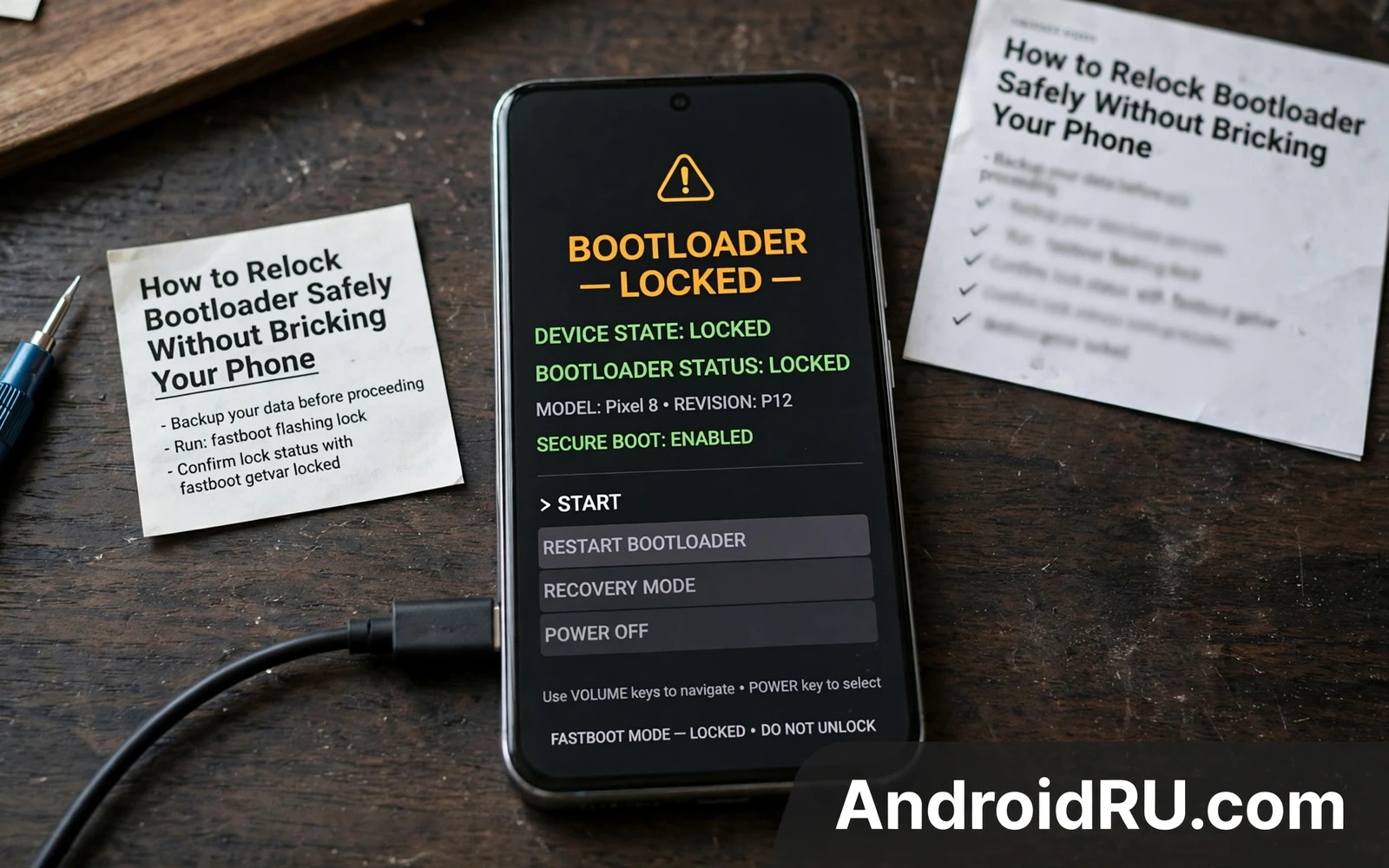
What relocking does
Relocking closes the bootloader gate that unlocking opened. A locked bootloader only starts a system signed by the device maker. That restriction restores a strong trust signal for secure apps. It also restores the boot chain protection against modified systems. Relocking is therefore attractive before a sale or a warranty repair. It is also dangerous when done in the wrong order. A locked gate with a modified system behind it can refuse to boot at all. That refusal is the brick risk in the title of this guide.
Relocking is not the same as unrooting. Unrooting removes high level access inside Android. Relocking changes the boot gate itself. A phone can be unrooted yet unlocked. A phone can be locked yet still carry a leftover modification in a partition. The safe order is unroot first and restore stock second and verify third and relock last. Skipping verification is the most common cause of a relock brick. Verification must cover every partition that the boot chain checks.
Read this warning before you run any relock command. Relocking can brick a phone permanently when the system is not fully stock. Relocking can wipe user data. Relocking can void warranty claims when a tamper flag remains from earlier modification. Relocking a phone with a custom recovery or a custom kernel can leave it unbootable. Back up all data before you relock. Do not relock your only phone without a spare device ready. Keep stock firmware and the maker unlock path nearby in case recovery is still possible. A relock is a final gate action rather than a casual toggle.
Conditions that must be true before relocking
The system must be fully stock for the exact model and region. That means a stock boot image and a stock system image and a stock recovery image. It means no custom kernel and no custom recovery and no leftover module. It means no modified vendor image that the boot chain verifies. Check each of those items rather than assuming a flash covered them. A full stock flash is the most reliable way to reach that state. A partial flash leaves doubt in exactly the wrong place.
The bootloader state and the device state must be readable before relocking. Boot into bootloader mode and read the lock state and the device state shown on screen. Some devices show a tamper flag or a verification state alongside the lock state. Note those values on paper before you proceed. If any value looks unexpected then stop and investigate. A relock command cannot fix an unexpected state. It can only lock that state in place behind a closed gate. Investigation before relocking is cheap. Recovery after a bad relock is expensive.
The battery must be high and the cable must be stable. A relock command itself is short yet a failed verification boot after it can need recovery work. A low battery during recovery work adds risk. Charge the phone fully before you start. Use a data cable known to work with fastboot commands. Keep the computer awake during the whole process. A computer that sleeps during a flash or a reboot can break the session at a bad moment.
The safe relock sequence
Remove root fully first using the root manager unroot path or a stock boot flash. Remove every module and reboot to confirm stability. Flash full stock firmware through the maker tool or through fastboot with the exact package. Boot the stock system and test calls and data and Wi-Fi and camera. Let the stock system settle for a normal day when time allows. That day of normal use exposes leftover problems while the gate is still open. Fix any problem while recovery is still easy.
Safe relock order
- Unroot fully and remove all modules
- Flash full stock firmware for the exact model
- Boot stock and test all basic functions
- Verify bootloader state on screen
- Run the relock command only when all checks pass
Boot into bootloader mode and verify the state once more. Run the maker relock command for that model. Some devices use a generic flashing lock command. Others need a maker specific command. Read the on screen warning with care. The phone may wipe data during relocking. Confirm only when the backup is verified and every earlier check passed. The phone will lock the gate and reboot. The first boot after relocking takes longer than a normal boot. Wait patiently and do not interrupt it.
After the reboot check the lock state again from bootloader mode. A state that reads locked confirms the gate closed. Test the stock system again after relocking. Test secure apps that previously refused an unlocked device. A secure app that still refuses may point to a remaining tamper flag. That flag may be permanent on some models. Accept that outcome rather than unlocking again in a loop. Repeated lock and unlock cycles increase risk without improving trust.
What to do when relocking goes wrong
A phone that loops after relocking may still respond to bootloader keys. Try the key combination for bootloader mode. Try recovery mode when that path is available. If bootloader mode responds then a stock flash may still be possible after unlocking again through the maker path. That path may need a maker code or a waiting period. Do not panic flash random firmware during a loop. Random firmware can overwrite the wrong slot or the wrong partition. Keep notes on the exact state and the exact commands already run.
A phone that shows a verification error after relocking points to a partition mismatch. That mismatch means the system behind the gate was not fully stock. The fix is a full stock flash after unlocking again when the maker allows it. Some makers block unlocking again after a relock brick. That block can turn a soft brick into a service centre case. That harsh outcome is why verification before relocking matters so much. A service centre case with a tamper flag may also cost money. Prevention beats every recovery path here.
A phone that shows no response at all after a bad relock needs maker support or a professional repair path. Do not open the device or short hardware points without training. Hardware level recovery can damage the board permanently. A professional repair may still fail when the boot chain is locked around a bad image. Report the exact model and the exact steps honestly to support. Honest history helps a technician judge whether recovery is possible. Hidden history wastes diagnostic time.
Relocking is the mirror image of unlocking and the two guides must be read together. The bootloader unlocking tutorial explains the gate that relocking closes. It also explains the data wipe that unlocking causes. A reader who understands both directions can plan a full journey rather than a one way trip. Many readers unlock without planning the return. That missing plan is what turns a later relock into a crisis. Plan the return on the day you unlock.
A full stock restore is the required step before any relock attempt. The unroot and stock restore walkthrough explains that restore in detail. It covers module removal and boot image restoration and full firmware flashing. Read it as the prerequisite chapter for this guide. A relock without that chapter is a gamble. A relock after that chapter is a verified procedure. The difference between those two cases is the whole point of safe relocking.
Partition layout decides which images the boot chain verifies during a relock. The Android partition schemes walkthrough explains A/B slots and only-A layouts. That knowledge helps a reader understand why a slot mismatch can fail verification. It also explains why a flash must target the correct slot. Read the partition guide before relocking a device with an A/B layout. A relock on the wrong slot state can lock in a broken boot path. Architecture knowledge is safety knowledge here.
After a successful relock
Keep the phone on the official update path after relocking. Install maker updates normally and test basic functions after each update. Do not reinstall root tools or custom images on a relocked phone without a full unlock plan again. A relocked phone that is modified again without unlocking will fail verification. That failure can loop the device. Treat a relocked phone as a clean device with a fresh start. That discipline preserves the trust signal that relocking restored.
Before selling a relocked phone disclose the modification history honestly to the buyer. A tamper flag may remain even when the gate reads locked. A buyer who discovers that flag later will lose trust in the sale. Honest disclosure protects both sides. Provide the stock firmware version and the update state in the sale notes. A transparent sale closes the modification story cleanly. That honesty is the final step of responsible relocking.
Selling a phone after relocking
A relocked phone still carries a history that a buyer deserves to know. State that the bootloader was unlocked and later relocked. State whether a tamper flag remains visible in bootloader mode. State the current stock firmware version. That disclosure lets the buyer test secure apps before purchase. It also prevents a dispute after the sale. Transparency costs a little sale value on some models. It saves far more in trust and in avoided returns.
Prepare a relocked phone for sale like a factory fresh device. Wipe user data through the stock recovery or settings path. Remove accounts and authentication tokens fully. Test the setup wizard as a new user would see it. A clean setup wizard proves that no personal data remains. It also proves that the phone boots cleanly from a fresh state. A buyer who sees a clean wizard gains confidence immediately. That confidence is worth the extra preparation time.
Keep proof of the relock checks for the buyer when appropriate. A photo of the bootloader lock state can reassure a careful buyer. A note about the stock version supports that photo. Do not share personal account details in any proof. Keep proof focused on device state rather than on personal data. A focused proof pack closes the sale professionally. It also shows that the seller treated the device with care throughout its modified life.
A final relock habit is a waiting period after the stock flash. Use the stock phone normally for several days while the gate stays open. Watch for any crash or sensor fault or app warning during that period. Fix any fault while recovery remains easy. Relock only after that quiet period passes cleanly. A waiting period feels slow yet it is the cheapest insurance in the whole relock sequence. Patience before a final gate action beats regret after it.

