

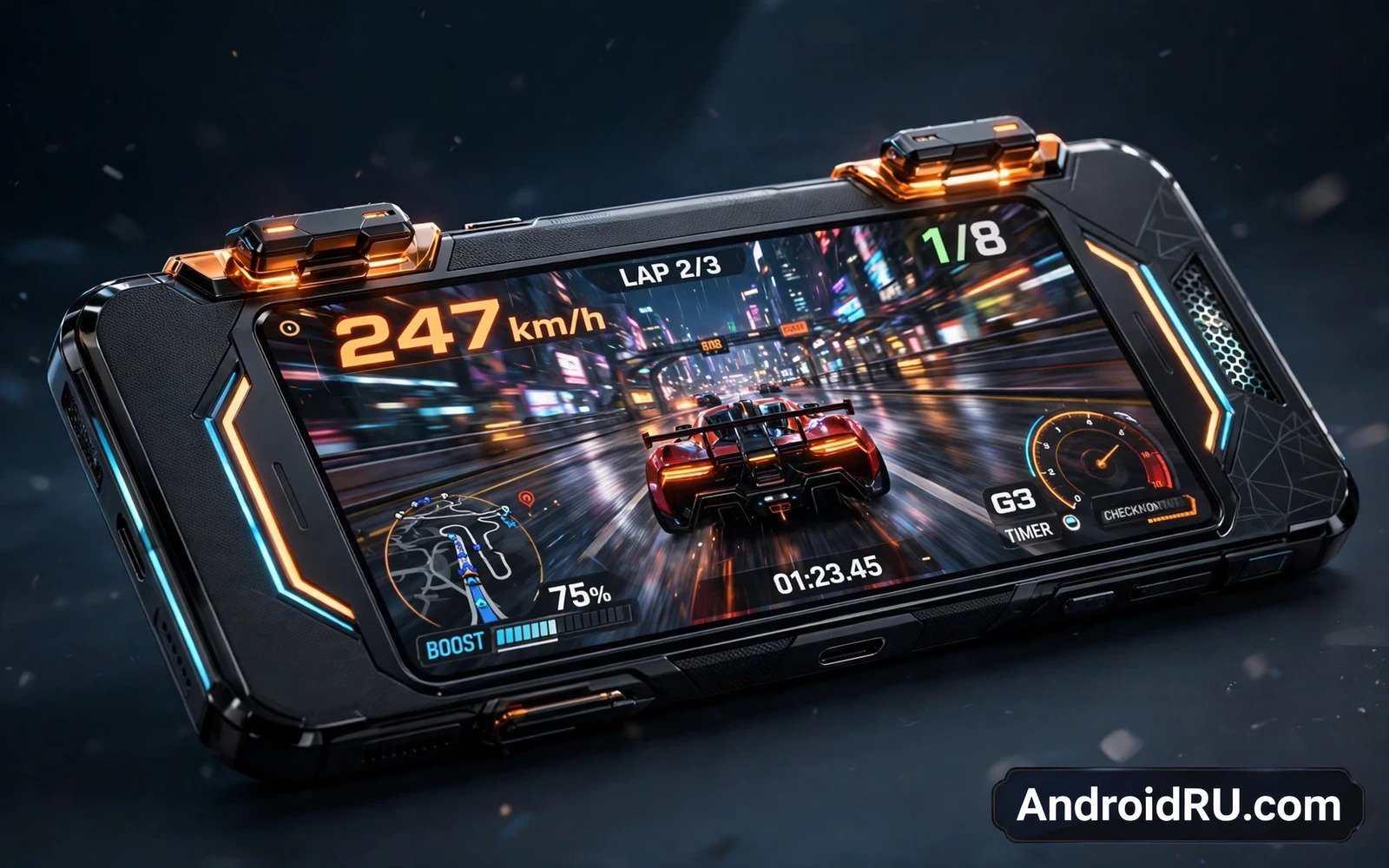
Why Physical Triggers Change Mobile Play
Touch controls force your thumbs to cover the screen while you aim and shoot and move. Physical trigger buttons move shooting and aiming to the shoulder of the phone. Your thumbs stay free for movement and camera control. Your view stays clear because fewer fingers block the action. That simple change makes fast games feel more precise and less cramped.
Triggers also give tactile feedback that a flat screen cannot match. You feel a press and you know that the action registered. That confidence matters in fast matches where a missed tap can cost a round. Physical buttons also respond consistently even when your hands grow warm during long sessions. For serious mobile players triggers turn a phone into a handheld console.
Types Of Trigger Hardware
Some gaming phones use physical pop up buttons that rise from the frame when gaming mode starts. Some use pressure sensitive shoulder zones that detect a squeeze or a tap. Some use capacitive touch zones that sense a finger without moving parts. Each design trades feel and durability and customisation differently.
Physical buttons give the clearest click and the most gamepad like feel. Pressure zones give a silent press and no moving parts to wear out. Capacitive zones give fast response and flexible mapping but they can trigger accidentally when you grip the phone tightly. Try each style in a shop when possible because hand size and grip style change which design feels best. The control story also connects to Understanding Refresh Rates: 60Hz vs 90Hz vs 120Hz Displays because display speed and input speed must rise together.
Mapping Triggers To Games
Good trigger software lets you map each button to any on screen control. You can map one trigger to fire and the other to aim. You can map triggers to jump and reload and switch weapons. You can create different profiles for different games so switching games does not force remapping every time. Flexible mapping turns hardware into a personal control system.
Some games support controllers directly while others need touch mapping overlays. Touch mapping overlays place a virtual button under each trigger press. That approach works across many games but it needs careful setup for each title. Save profiles per game and test them in practice matches before competitive play. A well mapped profile feels invisible after a few sessions because your fingers learn the layout.
Cooling And Sustained Performance
Gaming phones must sustain speed for long sessions rather than shine for a few minutes. Large vapour chambers and layered cooling spread heat away from the processor. External cooling fans add active airflow for the most demanding titles. Without good cooling a phone slows down as heat builds and frame rates drop at the worst moment.
Triggers themselves help cooling indirectly because they keep fingers off the hottest screen areas. A comfortable grip also keeps hands cooler during long play. Check sustained performance reports rather than peak speed claims when you judge a gaming phone. A phone that stays steady for an hour beats a phone that peaks for five minutes. The processor foundation for that steadiness is compared in Snapdragon vs MediaTek Dimensity: Processor Showdown where efficiency shapes long sessions.
Screen Audio And Comfort
A gaming screen must stay bright and smooth and responsive during fast action. High refresh panels keep motion readable. Low touch delay keeps actions feeling instant. A large screen gives room for controls without crowding the view. A flat screen often suits gaming better than a curved screen because accidental edge touches drop.
Audio shapes awareness in competitive games. Stereo speakers help you locate footsteps and shots without headphones. A headphone jack or low delay wireless audio keeps sound in sync with action. Comfort shapes endurance because a heavy or sharp phone tires hands during long matches. Balance screen and sound and weight together rather than chasing one gaming feature alone.
Battery Life For Long Sessions
Gaming drains battery faster than any other phone activity. A large battery gives longer sessions without a cable. Fast charging gives quick top ups between matches. Bypass charging on some gaming phones powers the phone directly during play so the battery stays cooler and lasts longer over months.
Plan your session around battery reality. Lower brightness slightly and close background apps before competitive play. Carry a charger for tournament days and long travel sessions. A gaming phone with strong battery management lets you focus on the match rather than the battery icon. That endurance view matches Best Battery Life Smartphones: Tested for Heavy Usage where long use is the real test.
Software Modes And Extra Tools
Gaming modes block notifications and calls during matches so a sudden alert never costs a round. Performance modes raise processor limits for demanding titles. Recording tools capture highlights without extra apps. Network tools prioritise game traffic on busy wireless networks. Together these tools create a focused gaming environment.
Check whether gaming mode settings stay simple or become a maze of toggles. The best gaming software stays out of the way until you need it. It should launch automatically when a game opens and restore normal settings when you exit. It should also let you adjust triggers and cooling and performance from one clear panel. Simple software keeps the focus on play.
Who Benefits Most
Competitive shooter and battle royale players benefit most from triggers because aiming and shooting demand speed and precision. Racing and action players also benefit when triggers handle acceleration and braking. Casual players may enjoy triggers but they may not need them for puzzle or slow paced titles. Match the hardware to the games that fill most of your play time.
Consider a clip on controller as an alternative when you play only occasionally. A controller adds buttons without committing to a gaming phone design. A dedicated gaming phone suits players who game daily and want triggers always ready. Choose the path that fits your play frequency and your pocket and your daily phone needs. A value check for that choice can be found in Flagship Killers: High Performance Phones at Low Prices where speed and price meet.
The Bottom Line
Dedicated trigger buttons give mobile gamers faster and clearer control. They free thumbs and clear the screen and add tactile confidence to every press. Pair triggers with strong cooling and a smooth screen and long battery life. Then a gaming phone becomes a serious play machine rather than a phone with a gaming label.
Trigger Durability And Maintenance
Physical triggers add moving parts that need care over time. Pop up buttons can collect dust in pockets and bags. Pressure zones can lose sensitivity when a case presses against them constantly. Capacitive zones can behave oddly when hands are wet. Regular cleaning and a well fitting case protect trigger performance across a long ownership period.
Check trigger behaviour after months of use in community reports rather than only in launch reviews. A trigger that feels perfect on day one but drifts after heavy use will frustrate competitive players. A trigger design with a strong durability record gives confidence for daily play. Maintenance habits like keeping the phone dry and clean also extend trigger life noticeably.
External Controllers Versus Built In Triggers
External controllers offer full gamepad controls including sticks and a full button set. Built in triggers offer convenience because they travel with the phone always. A controller suits long home sessions where size does not matter. Built in triggers suit quick matches and travel where carrying extra gear feels burdensome. Many serious players use both paths for different situations.
Consider total cost when comparing paths. A gaming phone with triggers costs more than a standard phone plus a clip on controller in some cases. A standard phone plus a controller gives flexibility across future phones. A gaming phone gives an integrated experience with no pairing or charging of a separate controller. Choose the path that matches how and where you play most often.
Network Stability For Competitive Play
Competitive mobile play depends on stable network performance as much as on controls. A strong wireless connection with low delay keeps actions in sync with the server. A congested network creates lag that no trigger can fix. Gaming phones often include network tools that prioritise game traffic and switch networks intelligently. Those tools help but they cannot overcome a weak router or a distant server.
Test network performance in the places where you actually play. A home network may perform well while a shared dormitory or office network struggles. A wired style stable connection through a nearby router helps consistency. Lower graphics settings can also reduce network and processor load during important matches. Stable play comes from the whole system rather than from controls alone.
Hand Health And Long Sessions
Long gaming sessions strain hands and wrists and eyes. Triggers can reduce thumb strain by spreading work across more fingers. Good posture and regular breaks still matter more than any hardware feature. Stretch hands between matches and look away from the screen regularly. A comfortable grip and a balanced phone weight reduce fatigue during tournaments and long evenings.
Set session limits for younger players and for yourself during busy weeks. Gaming should refresh rather than exhaust. A phone that encourages breaks through gaming mode timers can help build healthy habits. Hardware that feels good should support long term enjoyment rather than marathon sessions that hurt the next day.
Trigger Layouts For Different Genres
Shooter games benefit when triggers handle fire and aim while thumbs handle movement and camera. Racing games benefit when triggers handle acceleration and braking with analogue like control. Action games benefit when triggers handle dodge and attack while thumbs handle navigation. Each genre rewards a different mapping. Save a profile per genre so switching games never forces a fresh setup.
Experiment with mapping during practice matches rather than competitive matches. A new layout feels awkward for the first hour even when it will feel superior later. Give muscle memory time to form before judging a layout. Adjust sensitivity and dead zones when the software allows it. A patient setup process turns a good trigger phone into a personal competitive tool.
Accessories That Complete A Gaming Phone
A cooling fan attachment helps during long tournament sessions in warm rooms. A gaming case protects the phone while leaving triggers accessible. A fast charger keeps battery topped up between matches. A pair of low delay earbuds keeps audio in sync with action. Each accessory solves one specific gaming pain point. Buy accessories for pains that you actually feel rather than collecting gear that stays in a drawer.
A phone grip or a cooling dock can also improve comfort during long sessions. A grip reduces hand fatigue by distributing weight better. A dock holds the phone at a comfortable viewing angle for spectating or streaming. A portable stand helps when you watch replays with friends. Small comfort accessories often matter more than flashy extras because they support every session.

