

Samsung Galaxy M31 Review: Everyday Speed, Cameras and Value
The Samsung Galaxy M31 arrived in March 2020 with a simple pitch: a big Super AMOLED screen, a 64MP quad camera, and a 6000mAh battery, all at a mid-range price. Six years later, the phone still shows up in second-hand listings and in searches from people who want a cheap Samsung with a huge battery. That is exactly the reader this Galaxy M31 review is for. It answers the practical questions: how fast does it feel day to day, how good are the photos, how long does the battery really last, and does it still make sense to buy one now?
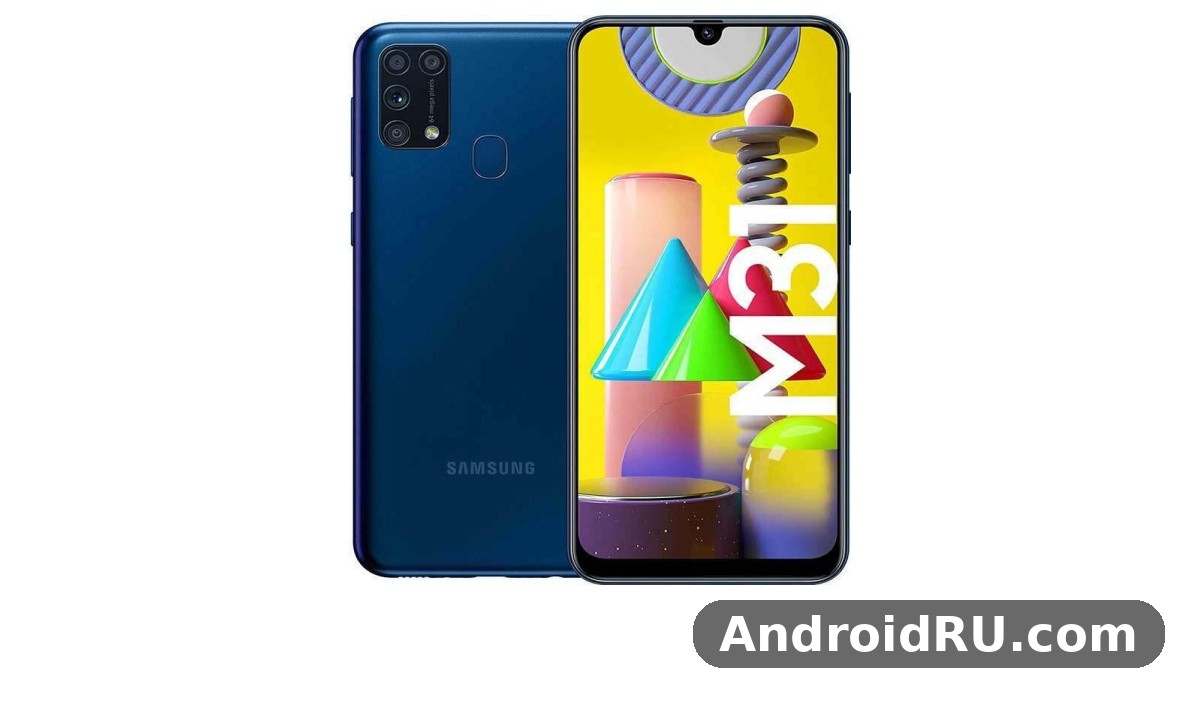
This is a Galaxy M31 review everyday use buyers can rely on, built from the published specifications, documented software support, and widely reported owner experience. There is no pretence of a fresh lab test here. Instead, every claim below is tied to a number you can check: the Exynos 9611 chipset, 6GB of RAM, 1080 x 2340 pixels on a 6.4-inch panel, and a battery capacity that was the largest in its class when it launched. If you are comparing it with its siblings, the short version is that the M31 trades raw speed for endurance and a good screen, and that trade still suits a lot of people.
Before the detail, here is the honest summary. The display is the best part of the phone. The battery is the second best part, and it is the reason most people still talk about this model. The cameras are strong in daylight and ordinary indoors, weaker at night and in fast-moving scenes. The processor is adequate for messaging, browsing, video, and light games, but it shows its age in heavy games and when many apps pile up in the background. The Galaxy M31 price in 2026 is firmly second-hand territory, so condition and battery health matter more than the original launch price ever did.
Galaxy M31 Everyday Speed and the Exynos 9611 Chipset
Speed on a phone like this is not about benchmark charts. It is about whether the phone opens WhatsApp quickly at 7 a.m., whether the camera opens before the moment passes, and whether switching between a browser, a map, and a music app feels smooth or sticky. On those everyday measures the M31 holds up better than its age suggests, because Samsung paired a modest chipset with enough RAM and a clean, light software load for its time.
The heart of the phone is the Exynos 9611, a 10 nm octa-core chip with four Cortex-A73 cores at 2.3 GHz for heavier work and four Cortex-A53 cores at 1.7 GHz for light tasks, plus a Mali-G72 MP3 graphics processor. That is the same chip Samsung used in the Galaxy M30s and the Galaxy A51, so its behaviour is well documented. It is not a flagship chip and it never pretended to be one. It is a mid-range chip tuned for efficiency, which fits a phone whose main selling point is a battery that lasts two days.
Exynos 9611 performance in daily apps
Galaxy M31 Exynos 9611 performance in normal use is best described as unhurried but steady. Scrolling through social feeds, opening email, typing, watching YouTube, and taking photos all run without drama. The 6GB of RAM in the standard model keeps several apps in memory, so returning to a browser tab or a chat does not always force a reload. The 128GB storage version, using UFS 2.1, loads large apps a little faster than the 64GB version, and both accept a microSD card for photos and offline video.
That said, the limits are real and easy to spot. The phone can pause briefly when you install a large app update while also using the camera, or when a heavy web page loads with video ads. Animations in One UI are smooth most of the time, but a cold start of the camera after the phone has been idle can take a beat longer than on a newer mid-range phone. None of this stops the phone from working. It just means the M31 rewards a light touch: keep the home screen tidy, clear out apps you no longer use, and let the phone finish updates before judging its speed.
Galaxy M31 gaming performance test expectations
A Galaxy M31 gaming performance test from published reviews lands in the same place: casual games run well, demanding games run with compromises. Titles like Candy Crush, Subway Surfers, and 8 Ball Pool are smooth. PUBG Mobile and Call of Duty: Mobile run at medium settings with playable frame rates, but they are not the place to chase high frame rates or ultra graphics. The Mali-G72 MP3 GPU is the bottleneck here, not the CPU, and long sessions warm the back of the phone around the camera module.
For Galaxy M31 PUBG mobile settings, the sensible setup is Smooth graphics with a balanced frame rate, shadows off, and anti-aliasing off. That combination keeps the game stable and keeps the phone cooler, which matters because heat is what causes frame drops on this chip. If you play for an hour, expect the phone to get warm but not painfully hot. If it does get hot, close background apps, take the case off for a while, and avoid charging while you play, since charging adds heat on top of the game load.
Galaxy M31 app opening speed test
A Galaxy M31 app opening speed test in real life is less about stopwatch numbers and more about consistency. Messaging apps open in about a second from a warm start. The browser opens quickly when it is already in memory, and more slowly from a cold start after a restart. The camera is the slowest common app to open, which is worth knowing if you photograph children or pets. A practical fix is to double-press the power button to launch the camera from the lock screen, so the app is ready before you lift the phone to your eye.
Galaxy M31 storage speed also plays a part here. The UFS 2.1 storage in the 64GB and 128GB models is faster than the eMMC storage found in cheaper phones of the same year, and that shows when installing apps or loading a large offline map. The microSD slot is a dedicated extra slot, not a shared one, so you can use two SIM cards and a memory card at the same time. That Galaxy M31 dual SIM microSD slot arrangement is one of the small, practical wins that owners still mention, because it means you never have to choose between a second number and more storage.
Galaxy M31 Display Quality Review: 6.4-Inch Super AMOLED
The screen is the reason the M31 felt more expensive than it was. A 6.4-inch Super AMOLED panel with Full HD+ resolution (1080 x 2340 pixels, about 403 pixels per inch) gives deep blacks, strong colours, and wide viewing angles that LCD panels in the same price range could not match. Video looks rich, text looks sharp, and photos look better on this screen than they do on many laptops. For a phone bought mainly for watching video, reading, and browsing, the display carries a large share of the value.
The panel is protected by Gorilla Glass 3, which guards against everyday scratches but is not the latest generation of cover glass. The screen-to-body ratio is about 84.1 percent, with a small Infinity-U notch at the top for the 32MP front camera. The notch is unobtrusive in daily use and disappears almost entirely when you watch video in dark mode. Brightness peaks around 420 nits, which is enough for indoor use and for shade outdoors, though direct sunlight can wash the screen out a little. That is a normal limit for a 2020 mid-range AMOLED panel, and it is the one display weakness worth naming honestly.
Outdoor visibility and everyday viewing
Galaxy M31 display quality review notes from owners agree on the same points: indoors the screen is vivid and easy on the eyes, outdoors it is usable but not brilliant. Raising brightness to maximum helps, and the adaptive brightness setting learns your habits over a few days, so it stops guessing wrong. If you read outdoors often, a matte screen protector cuts reflections a little, though it also softens the image slightly. For most people the trade is not worth it, and a clear tempered glass protector is the better choice.
Video playback is where the M31 AMOLED panel earns its keep. The deep blacks of an AMOLED screen make movies look far better than the same video on an LCD phone, and the 19.5:9 aspect ratio fills the screen nicely. Widevine L1 support means streaming apps can play in high definition, which is not a given on every budget phone. Combined with the huge battery, that makes the M31 a strong second phone or travel phone for video, even years after launch.
M31 AMOLED colours and eye comfort
Samsung gives you two screen modes, Vivid and Natural, under Settings, Display, Screen mode. Vivid is the default and makes colours pop, which suits video and photos. Natural is closer to accurate, which suits reading and photo editing. The blue light filter and dark mode both help in the evening, and dark mode has a real battery benefit on an AMOLED screen because black pixels draw almost no power. If your eyes tire easily, turn on the blue light filter on a schedule and keep brightness a little below maximum indoors.
Reading mode and dark mode settings
Dark mode is in Settings, Display, Dark mode, and you can schedule it from sunset to sunrise. It applies across One UI and most Samsung apps, and many third-party apps follow it. The blue light filter sits in the same menu and can be set to turn on automatically in the evening. Together they make long reading sessions more comfortable, and they are worth setting up on the first day rather than months later.
Always-on display options
The always-on display shows the time, date, battery level, and notification icons without waking the full screen. It costs a small amount of battery, and you can limit it to a tap-to-show mode if you want the feature without the drain. The clock styles are simple but clear, and the music controls on the lock screen work well with the always-on display. It is a small feature, but it is one of the things that makes the phone feel like a Samsung rather than a generic Android handset.
Galaxy M31 Camera Quality Review: 64MP Quad Camera and 32MP Selfies
The camera system is the second headline feature, and it is also the part where expectations need the most care. On paper the phone has four rear cameras: a 64MP main camera with an f/1.8 aperture, an 8MP ultrawide camera with a 123-degree field of view, a 5MP macro camera, and a 5MP depth sensor. The front camera is a 32MP unit with an f/2.0 aperture. Both the rear main camera and the front camera record 4K video at 30 frames per second. That list looks strong, and in good light the results back it up.
A Galaxy M31 camera quality review has to start with the main camera, because it does almost all of the work. In daylight, photos are detailed, colours are lively without going over the top, and the 64MP sensor captures enough detail to crop in a little without the image falling apart. The camera app offers a full 64MP mode, but the default pixel-binned 16MP output is the better everyday choice: smaller files, faster processing, and cleaner results in mixed light. Use the 64MP mode only when you plan to crop heavily or print a large photo.
The depth sensor supports Live Focus portraits, which blur the background behind a person. Edge detection is decent in good light and struggles with fine hair and busy backgrounds, which is normal for a 2020 mid-range phone. Portraits of one person against a plain background look good. Group portraits in a busy street are where the blur can look artificial. The selfie camera is a genuine strength: 32MP, sharp in daylight, with a wide enough angle for two people without a selfie stick.
Galaxy M31 night mode camera
The Galaxy M31 night mode camera setting is the single most useful camera feature after the main daylight mode. It takes several exposures and merges them, which lifts shadows and keeps bright signs from blowing out. In a dim restaurant or on a street at night, night mode produces a visibly better photo than the standard mode: more detail in dark areas, less noise, and steadier colours. It needs a steady hand for a second or two, so brace the phone against a table or a wall when the light is very low.
Night mode has limits. It cannot rescue a scene that is almost completely dark, and moving subjects blur because the exposure takes longer. It also takes a moment to process, so it is not the mode for a child running across a room. For still scenes, though, it is the difference between a usable photo and a throwaway. If you buy this phone for evening photos, learn where night mode lives in the camera app on the first day, because the auto mode will not always switch to it on its own.
Galaxy M31 selfie camera samples and front video
Galaxy M31 selfie camera samples in daylight show sharp detail, natural skin tones, and good handling of backlight. The 32MP front camera resolves hair and fabric well, and the beauty mode is off by default in the sense that you can dial it down or turn it off entirely, which is worth doing if you want photos that look like you. Indoors the front camera softens a little as noise reduction kicks in, and in low light it gets noisy, though the screen flash mode helps in a dark room.
Front video records at up to 4K at 30 frames per second, which is more than most video calls need and plenty for vlogs. The front camera has no autofocus, so hold the phone at arm’s length and keep your face near the centre of the frame for the sharpest result. For video calls the 1080p setting is the practical choice: it looks clean, uses less storage, and is kinder to a weak connection.
Galaxy M31 4K video recording test notes
A Galaxy M31 4K video recording test shows the same pattern as the stills: good in daylight, shakier indoors. The main camera records 4K at 30 frames per second, and the footage is detailed with pleasant colours. There is no optical image stabilisation, so walking while filming produces visible shake unless you use the Super Steady mode, which crops the frame and uses the ultrawide camera to steady the picture. Super Steady is the right choice for walking shots; standard 4K is the right choice for a tripod or a still scene.
Video from the ultrawide camera is limited to 1080p, and the macro camera does not record video at all in practice. Audio is recorded in stereo through the phone’s microphones and is clear for voice in a quiet room, though wind noise appears quickly outdoors. For a family video or a short clip for social media, the M31 is more than capable. For a serious video project, a newer phone with stabilisation would serve better.
Galaxy M31 macro camera mode and the ultrawide lens
The Galaxy M31 macro camera mode is a fun extra rather than a daily tool. The 5MP macro camera focuses from a few centimetres away, so you can photograph a flower, a coin, or a watch dial in close detail. The results are best in bright daylight; indoors the small sensor struggles and the images get noisy. The macro lens is fixed-focus, so move the phone slowly until the subject snaps sharp, then hold still.
The ultrawide camera is the more useful of the two extra lenses. Its 123-degree field of view fits a whole building, a wide landscape, or a large group into one frame. The trade is soft corners and some distortion at the edges, which is the classic ultrawide weakness. Galaxy M31 ultrawide camera distortion shows up most in photos of straight lines, like buildings and fences, where the edges bend slightly. It is easy to live with for landscapes and group shots, and you can correct mild distortion later in the gallery editor if it bothers you.
When to use each rear camera
Use the M31 64MP main camera for almost everything: daylight, portraits, food, and anything where detail matters. Use the ultrawide for landscapes, architecture, and groups where you cannot step back far enough. Use the macro only for close subjects in bright light. Use night mode for still scenes after dark. That simple rule covers nearly every situation, and it stops the extra cameras from becoming a distraction.
Camera settings worth changing on day one
Turn on the grid lines and the location tags if you want them, and set the photo format to the standard HEIF or JPEG choice that suits your sharing habits. Turn off the shutter sound where local rules allow it, and set the video resolution to 1080p for everyday clips so your storage lasts longer. The scene optimiser is worth leaving on for daylight shots and turning off when you want colours exactly as you see them, since it can oversaturate food and sunsets.
Galaxy M31 Battery Life Test: 6000mAh Power and 15W Charging
The battery is the reason this phone exists, and it is the feature that still sells it. A 6000mAh lithium-polymer battery is large by any standard, and in this phone it is paired with an efficient 10 nm chip and an AMOLED screen that sips power on dark content. The result is endurance that most 2026 mid-range phones still cannot match, because most of them ship with batteries in the 5000mAh range.
A Galaxy M31 battery life test in published reviews found the phone lasting two days of normal use with charge to spare, and heavy users still getting through a full day with a margin. Screen-on time in mixed use typically lands around 10 to 12 hours, depending on brightness, signal strength, and how much video you watch. That figure matters more than any single benchmark: it means a day of maps, messaging, and video without hunting for a charger, and a weekend trip without carrying a power bank.
Galaxy M31 6000mAh battery life in practice depends on three things you control. Screen brightness is the biggest, so adaptive brightness pays off. Mobile signal is the second: a weak signal makes the radio work harder and drains the battery faster, so Wi-Fi at home saves real charge. Background apps are the third: a social app refreshing in the background all day can cost more than an hour of video. The battery settings page shows exactly which apps use the most power, and it is worth checking after the first week.
Galaxy M31 charging time 15W
Galaxy M31 charging time 15W is the clear weakness of the battery story. A full charge from empty takes around two and a half hours, and the bundled 15W charger is slow by modern standards. The first 50 percent arrives in roughly an hour, and the rest trickles in more slowly as the phone protects the battery. That is the price of a huge battery with a modest charger: you charge less often, but each charge takes longer.
The practical answer is to charge overnight, which is what most owners do, or to top up during a long break. A Galaxy M31 slow charging problem is usually not a fault at all: it is the 15W limit, a worn cable, or a dusty USB-C port. Try the original cable and charger first, clean the port gently with a wooden toothpick or compressed air, and check that fast charging is enabled in Settings, Battery, More battery settings. If the phone still charges slowly with a known-good cable, the battery itself may be ageing, which is expected on a phone of this age.
Galaxy M31 battery drain overnight fix
A Galaxy M31 battery drain overnight fix starts with finding the cause, not with guessing. A healthy M31 loses only a few percent overnight. If yours loses 15 percent or more, open Settings, Battery, and look at the overnight usage graph. A single app at the top of that list is usually the culprit, often a social app or a poorly behaved widget. Put that app to sleep in the battery settings, or restrict its background activity, and the drain usually stops.
Other common causes are a weak mobile signal overnight, location services left on high accuracy, and an old battery that no longer holds a full charge. Turn on power saving mode before bed if you do not need notifications, switch to Wi-Fi where the signal is weak, and consider a battery replacement if the phone is several years old and the capacity has dropped sharply. A fresh battery in a phone you already own is often cheaper than a new phone that does less.
Galaxy M31 heating issue fix and battery care
A Galaxy M31 heating issue fix follows the same logic: find the heat source before changing anything. The phone warms up during long gaming sessions, during 4K video recording, and while charging and using the phone at the same time. That warmth is normal. Heat that appears while the phone is idle, or heat that comes with fast battery drain, points to an app stuck in the background or a failing battery.
Close the heaviest apps, restart the phone, and check the battery usage screen. If one app sits at the top of both the battery and the heat, remove it or restrict it. Avoid leaving the phone in a hot car or in direct sun while charging, since heat ages a lithium battery faster than almost anything else. The M31 6000mAh cell is a long-life part when it is treated well, and a phone that still lasts two days after years of use is proof of that.
Full Specifications
Samsung Galaxy M31 full specifications are listed in the table below, taken from the published specification sheet for model SM-M315F. These Galaxy M31 specs are the reference for the rest of this review, and every number in the sections above comes from it.
| Feature | Galaxy M31 specification |
|---|---|
| Launch | Announced 25 February 2020; released 5 March 2020 |
| Model | SM-M315F, SM-M315F/DS, SM-M315F/DSN |
| Display | 6.4-inch Super AMOLED, 1080 x 2340 pixels, 19.5:9, about 403 ppi, Gorilla Glass 3 |
| Chipset | Exynos 9611, 10 nm, octa-core 4×2.3 GHz Cortex-A73 and 4×1.7 GHz Cortex-A53 |
| Graphics | Mali-G72 MP3 |
| RAM | 6GB or 8GB |
| Storage | 64GB or 128GB, UFS 2.1, microSDXC card slot |
| Rear camera | 64MP f/1.8 wide, 8MP f/2.2 ultrawide 123 degrees, 5MP macro, 5MP depth sensor |
| Front camera | 32MP f/2.0 wide |
| Video | 4K at 30 frames per second, 1080p at 30 or 60 frames per second |
| Battery | 6000mAh Li-Po, non-removable, 15W wired charging, USB Type-C |
| Software | Android 10 with One UI 2.0 at launch, upgradable to Android 12 with One UI 4.1 |
| Security | Rear-mounted fingerprint sensor, face recognition |
| Connectivity | 4G LTE, Wi-Fi 802.11 a/b/g/n/ac dual-band, Bluetooth 5.0, GPS, FM radio, 3.5 mm headphone jack |
| SIM | Dual Nano-SIM plus dedicated microSD slot |
| Dimensions | 159.2 x 75.1 x 8.9 mm |
| Weight | 191 g |
| Colours | Ocean Blue, Space Black, Red |
| Sensors | Fingerprint, accelerometer, gyro, proximity, compass |
What the 8GB RAM variant changes
The 8GB RAM version of the M31 is the same phone with more memory. It keeps more apps in the background, reloads less often when you switch tasks, and ages a little better under newer apps. It does not make the processor faster, and it does not change the cameras or the battery. If you find both versions at the same price, take the 8GB one. If the 8GB version costs much more, the 6GB model is the better buy, because the extra memory is a comfort, not a transformation.
Model numbers and colours
The main model number is SM-M315F, with the DS suffix marking the dual-SIM version. Ocean Blue is the most common colour in listings, Space Black the most discreet, and Red the hardest to find. Colour has no effect on performance or resale value beyond personal taste, though a phone in a less common colour can take longer to sell second-hand.
Galaxy M31 software and the Android 12 update
Galaxy M31 software support ended with Android 12 and One UI 4.1. That is a fact to weigh before buying: the phone still runs current apps, but it will not receive new Android versions, and security patches have stopped. The Galaxy M31 Android 12 update brought the One UI 4.1 interface, with improved privacy controls, a cleaner notification shade, and better widget options. The Galaxy M31 update path from Android 10 to 12 also brought the current Samsung apps of that era, which still work well. If security patches matter to you, weigh this against the low price; if you use the phone mainly offline or on trusted apps, it matters less. Galaxy M31 One UI 4.1 features include the privacy dashboard, microphone and camera indicators, and the ability to remove location data from shared photos.
Galaxy M31 vs Galaxy M31s Comparison and Rivals
The M31 does not live alone in Samsung’s line-up, and the closest rival is its own sibling. A Galaxy M31 vs Galaxy M31s comparison is the first comparison most buyers make, because the two phones share the same chipset, the same battery, and the same main camera. The differences are in the details, and they matter more than the shared spec sheet suggests.
| Feature | Galaxy M31 | Galaxy M31s | Galaxy M32 5G | Galaxy M13 |
|---|---|---|---|---|
| Display | 6.4-inch Super AMOLED, 60 Hz | 6.5-inch Super AMOLED, 60 Hz | 6.5-inch TFT, 90 Hz | 6.6-inch PLS LCD, 60 Hz |
| Chipset | Exynos 9611 | Exynos 9611 | Dimensity 720 | Exynos 850 |
| Battery | 6000mAh, 15W charging | 6000mAh, 25W charging | 5000mAh, 15W charging | 5000mAh, 15W charging |
| Rear camera | 64MP + 8MP + 5MP + 5MP | 64MP + 12MP + 5MP + 5MP | 48MP + 8MP + 5MP + 2MP | 50MP + 5MP + 2MP |
| Front camera | 32MP | 32MP | 13MP | 8MP |
| Launch | March 2020 | August 2020 | August 2021 | July 2022 |
The M31s is the M31 with a slightly larger screen, a better ultrawide camera at 12MP instead of 8MP, and faster 25W charging. It also has a side-mounted fingerprint sensor instead of the rear sensor, and a different back design. If you find the two at the same price, the M31s is the better buy for its faster charging alone, because the 15W limit is the M31’s most annoying weakness. If the M31 is clearly cheaper, take the M31 and spend the difference on a case and a memory card. Readers comparing the two in detail should read Samsung Galaxy M31s Review: Build Quality, Battery and Daily Use next to it, since that review covers the build and battery of the sibling model in the same depth.
The Galaxy M32 5G is the newer, 5G-capable option, and it is the better choice if 5G coverage matters to you or if you want a 90 Hz screen. Its TFT panel is a step down from the M31’s AMOLED in contrast and black levels, and its 5000mAh battery is smaller, so it trades screen quality and endurance for speed and 5G. The Samsung Galaxy M32 5G Review: App Performance and Camera Quality covers that trade in detail, including how its Dimensity 720 chip handles apps and games. For a buyer who watches a lot of video on the phone, the M31’s screen and battery still win. For a buyer who wants the newest network and the smoothest scrolling, the M32 5G wins.
Two newer budget models are worth a look if your budget stretches a little. The Galaxy M15 5G brings a 90 Hz Super AMOLED screen, a 6000mAh battery, and a newer Dimensity chip, which fixes the two biggest weaknesses of the M31 in one phone. The Samsung Galaxy M15 5G Review: Display, Cameras and Budget Trade-Offs explains where it wins and where it still cuts corners. The Galaxy M14 5G is the cheaper 5G option, with a large 6000mAh battery and a newer Exynos 1330 chip, but a PLS LCD screen instead of AMOLED. The Samsung Galaxy M14 5G Review: App Performance and Camera Quality covers its app speed and cameras. The Galaxy M13 is the simplest and cheapest of the family, with a 50MP main camera and a 5000mAh battery, and the Samsung Galaxy M13 Review: Daily Use, Software and Battery Life is the right read if your budget is tight and you want the newest software of the group.
Galaxy M31 price in India 2026 is second-hand pricing, and it varies widely by condition, storage, and battery health. The phone launched in India at a mid-range price and later sold in the UK for around 245 pounds. Today, a used M31 in good condition with a healthy battery is a budget buy, and you should pay less for a 64GB model than for a 128GB model, and less again if the battery has clearly degraded. Check the battery health in the settings and ask the seller for a photo of the battery usage screen before you pay.
M31 vs M31s: what actually changed
The M31s changed the screen size from 6.4 to 6.5 inches, the ultrawide camera from 8MP to 12MP, the charging from 15W to 25W, and the fingerprint sensor from the back to the side. Everything else, including the processor, the main camera, and the battery, stayed the same. Those four changes are all improvements, but none of them changes what the phone is. Both phones are endurance-first mid-range phones with good screens, and the choice between them comes down to price and charging speed.
Galaxy M31 problems buyers should check before paying
Galaxy M31 problems reported by owners are mostly age-related rather than design faults. The most common are a battery that no longer lasts two days, a charging port that has collected dust, and a screen with burn-in from years of static images. Check the screen on a plain grey image at low brightness for burn-in, check the charging port for lint, and ask how long the battery lasts on a normal day. Galaxy M31 fingerprint sensor not working is another common complaint on used phones, and it is usually a dirty sensor or a screen protector that covers it, rather than a dead part. Clean the M31 fingerprint sensor gently, remove the case, and re-register the same finger twice at different angles. If it still fails, the sensor itself may need a repair, and you should factor that into the price.
Galaxy M31 Pros and Cons: Who Should Buy It in 2026
Every phone is a set of trades, and the M31 is honest about its own. Its strengths are a Super AMOLED display that still looks good, a 6000mAh battery life that still lasts two days, a 64MP quad camera that is strong in daylight, and an Exynos 9611 chipset that handles everyday apps without fuss. Its weaknesses are slow 15W charging, a processor that struggles with heavy games, no 5G, and software support that has ended at Android 12. Galaxy M31 performance is good enough for the first list and honest about the second, and that is why the phone still has fans.
Galaxy M31 features that still stand out in 2026 include the dedicated microSD slot, the 3.5 mm headphone jack, the FM radio, and the rear fingerprint sensor, all of which newer phones have dropped. The M31 speakers are a single bottom-firing unit, clear for calls and video but thin for music, so headphones or a small speaker are worth having. M31 accessories are easy to find and cheap: cases, tempered glass, and USB-C cables are all standard parts. A good M31 case and a screen protector are the two accessories worth buying on day one, since the Gorilla Glass 3 panel is not the toughest cover glass and the glossy back picks up scratches.
Who the M31 suits best
The M31 suits a buyer who wants a cheap second phone, a travel phone, a phone for an older relative, or a first smartphone for a teenager. It suits anyone who values battery life above all else, and anyone who watches a lot of video. It suits a buyer who is happy with Android 12 and does not need the newest software. It also suits a buyer who wants a Samsung phone with a headphone jack and a memory card slot, two features that are hard to find in new phones at any price.
Who should skip it
Skip the M31 if you play demanding games every day, if you need 5G, if you film a lot of video while walking, or if you want several more years of security updates. Skip it if the battery health is poor and the seller cannot show a recent battery usage screen, since a replacement battery adds cost and hassle. Skip it if the screen has visible burn-in or the charging port is loose, since both repairs cost more than the phone is worth in most markets.
Galaxy M31 storage full solution and everyday care
A Galaxy M31 storage full solution starts with the gallery and the messaging apps. Photos and videos are the biggest users of space, so move them to a microSD card or back them up and delete the local copies. Clear the cache of social apps, which can grow to several gigabytes, and uninstall the apps you have not opened in a month. The M31 screen is large enough to review your storage breakdown comfortably in Settings, Device care, Storage, and the phone will suggest the biggest files for you. A Galaxy M31 WiFi calling setup is simple: Settings, Connections, Wi-Fi Calling, then turn it on for your SIM, which helps in buildings where the mobile signal is weak. M31 durability is decent for a plastic-framed phone, but a case is still wise, since the back is glossy plastic that scratches easily and the phone is heavy enough at 191 g to hit the floor hard.
Galaxy M31 screen replacement cost
Galaxy M31 screen replacement cost varies by region and by part quality, so check a local repair shop for a current quote before you commit. An original AMOLED panel costs more than a third-party one, and the difference shows in brightness and colour. If the phone is otherwise healthy and the battery is good, a screen repair can be worth it. If the battery is also weak, put the repair money toward a newer phone instead.
Galaxy M31 super slow motion video and camera extras
The camera app includes a Galaxy M31 super slow motion video mode for short clips of fast action, such as a dog jumping or water splashing. It works best in bright daylight, because the high frame rate needs a lot of light. The same rule applies to the slow motion mode at 240 frames per second: bright light first, steady hands second. These modes are extras, not reasons to buy the phone, but they are fun to have on a family day out.
Galaxy M31 FAQ: Everyday Questions Answered
These are the questions real buyers ask after reading the sections above, answered directly.
Is Galaxy M31 worth buying in 2026?
Is Galaxy M31 worth buying in 2026? Yes, if the price is low, the battery is healthy, and your needs are calls, messaging, video, and daylight photos. No, if you need 5G, heavy gaming, or years of security updates. The phone’s value in 2026 is as a cheap, long-lasting second phone or a first phone for a light user, not as a flagship replacement. Check the battery, the screen, and the charging port before you pay, and you will get a fair deal.
Does the Galaxy M31 get the Android 12 update?
Yes. The Galaxy M31 Android 12 update arrived with One UI 4.1, and it is the last major Android version for this model. Security patches have since stopped. The phone still runs current apps, and the One UI 4.1 interface is clean and usable, but you should not buy it expecting Android 13 or later.
Is the Galaxy M31 waterproof?
No. The M31 waterproof question has a clear answer: the phone has no official water resistance rating, so it is not safe to use in rain or near a pool. A splash may not kill it, but Samsung does not promise protection, and water damage is not covered. Keep it dry, and use a waterproof pouch if you take it near water.
How long does the Galaxy M31 battery last?
On a healthy battery, the Galaxy M31 lasts two days of normal use, with around 10 to 12 hours of screen-on time in mixed use. Heavy video or gaming cuts that to a single day. A battery that only lasts a few hours has aged and should be replaced or factored into the price. Charging from empty takes around two and a half hours with the 15W charger.
Why is my Galaxy M31 charging slowly?
Galaxy M31 charging is limited to 15W, so a full charge takes around two and a half hours even when everything works. If it is slower than that, try the original cable and charger, clean the USB-C port, and check that fast charging is turned on in the battery settings. A worn cable is the most common cause, and a new cable is the cheapest fix to try first.
The M31 is a phone that knew what it was for. It gave buyers a great screen, a camera that was strong in the light most photos are taken in, and a battery that removed charging from the list of daily worries. Those three things still matter, and they are why the phone keeps appearing in second-hand listings years after launch. If you buy one, buy it for those strengths, check the battery and the screen, and accept the slow charging and the ended software support as the price of a bargain. Do that, and the Galaxy M31 will do the everyday job well: calls, messages, video, photos, and two days between charges, without fuss.

