

Google Pixel 8a Review: Display, Audio and Overall Experience
The Google Pixel 8a arrived in May 2024 as the affordable entry point into Google’s Pixel 8 family, and it carried far more of the flagship DNA than any A-series phone before it. It kept the same Google Tensor G3 chip as the Pixel 8 and Pixel 8 Pro, added a 120Hz OLED display for the first time on an A-series device, and shipped with a 64MP main camera that out-resolved the sensor in the more expensive Pixel 8. For buyers who wanted clean Android, strong computational photography and a long support window without paying flagship money, the Pixel 8a looked like the obvious pick on paper. The real question was whether the compromises Google made to hit the lower price — slower charging, a plastic back, thicker bezels and a smaller battery — would matter in daily use.
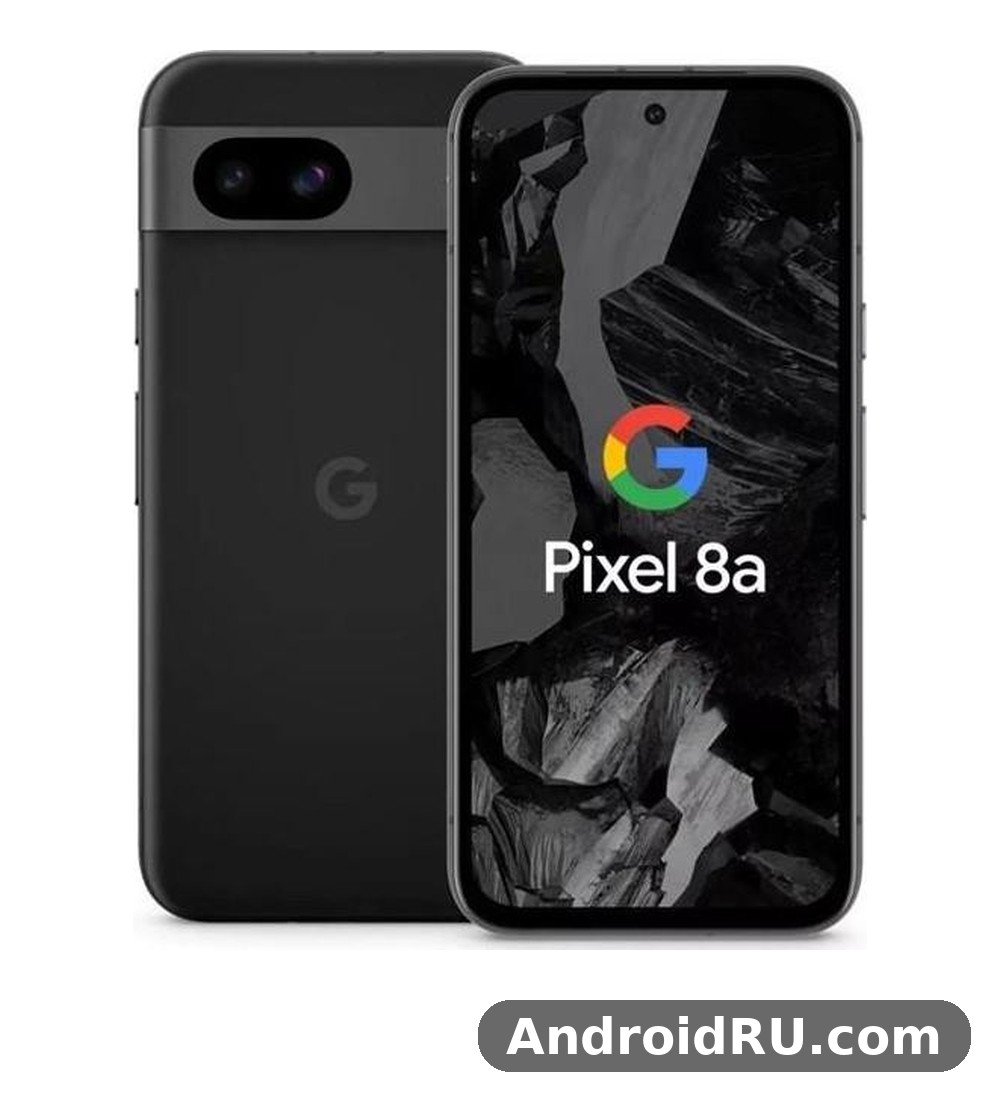
This review covers the three areas named in the title in detail, then widens the lens to the full picture: camera quality, Tensor G3 performance, battery life, software and long-term value. The display section looks at brightness, colour and the jump to 120Hz. The audio section covers the stereo speakers, call quality and Bluetooth performance. The overall experience section weighs everything together, including who should buy this phone in 2026 and who should look at a newer or cheaper Pixel instead. Every specification quoted here comes from Google’s published specification sheet for the Pixel 8a, so the numbers are the real ones, not rounded guesses.
Short version for readers in a hurry: the Pixel 8a is a compact, comfortable phone with a bright and smooth screen, dependable cameras that punch above the price, and software support that stretches to 2031. Its weak points are charging speed and sustained gaming performance, where the Tensor G3 runs warm under a long load. If those two limits do not bother you, the rest of the package is hard to beat at its price, especially now that the phone often sells well below its launch price.
Google Pixel 8a Display Quality: 6.1-Inch OLED at 120Hz
The Pixel 8a display quality is the single biggest upgrade over the Pixel 7a, and it changes how the phone feels every time the screen turns on. The panel is a 6.1-inch OLED with a resolution of 1080 x 2400 pixels, a 20:9 aspect ratio and a pixel density of around 430 pixels per inch. Text looks crisp at normal reading distance, icons have clean edges, and small print in a browser or a document stays legible without zooming in. The move from 90Hz on the Pixel 7a to 120Hz on the Pixel 8a makes scrolling through a feed, swiping between home screens and moving through menus feel noticeably smoother, and once that smoothness becomes normal, going back to a 60Hz screen feels sluggish by comparison.
Google calls this display Actua, the same branding used on the Pixel 8, and the name points to the brightness rather than the resolution. Peak brightness reaches 2,000 nits, a large step up from the 1,000 nits of the Pixel 7a. That number matters most outdoors. A phone screen that washes out in sunlight forces the user to shade it with a hand or retreat indoors to read a message. The Pixel 8a stays readable in bright daylight, including direct sun on a clear afternoon, and high brightness mode kicks in automatically when the light sensor detects strong ambient light. HDR content also benefits, because the panel can show brighter highlights in a video while keeping dark areas detailed rather than crushed into black.
The screen is protected by Corning Gorilla Glass 3, which is an older generation of glass than the Victus used on the Pixel 8, and that is one of the quiet cost savings in this phone. In practice it still resists everyday scratches from keys and coins in a pocket, but a screen protector is a sensible purchase for anyone who drops phones often. The bezels are thicker than on the Pixel 8, with a slightly wider chin at the bottom, and the corners of the display are more rounded. The look is less premium than the flagship, yet the panel itself — the part the user actually looks at all day — is genuinely good, and that is the trade-off that matters most.
Pixel 8a Brightness Outdoors and Sunlight Readability
Pixel 8a brightness outdoors is one of its clear strengths for a phone at this price. The 2,000-nit peak applies to HDR highlights, while sustained brightness in strong sunlight sits lower, yet still comfortably above what most mid-range phones manage. Reading a map while walking, checking a boarding pass at an airport gate, or framing a photo in bright sun all work without hunting for shade. The adaptive brightness system learns from manual adjustments over time, so after a week of use it tends to land close to the level the owner prefers in each situation, rather than jumping too bright indoors at night or too dim in a bright room.
There is a small catch worth knowing. Like most OLED phones, the Pixel 8a dims the panel when the phone gets hot, and a long session of navigation or video recording in direct sun can trigger that thermal dimming. It is a protective measure, not a fault, and brightness returns once the phone cools. Owners who spend long periods outdoors in summer should know that the screen will protect itself first. For normal outdoor use — messages, photos, maps, short video clips — the display stays bright and readable, and that reliability is what makes the brightness figure meaningful rather than a number on a sheet.
Pixel 8a 120Hz Refresh Rate and Smooth Scrolling
The Pixel 8a 120Hz OLED screen uses an adaptive refresh rate that moves between 60Hz and 120Hz depending on what is on screen. Static content such as a photo or a page of text drops to 60Hz to save power, while scrolling, animations and supported games rise to 120Hz. The transition is handled automatically, with no setting the owner needs to manage. The setting for smooth display can be found in Settings, under Display, where it can be switched off to save a little battery, but most owners will want to leave it on because the difference in feel is large and the battery cost is modest.
Smooth scrolling is not only about the refresh rate. Touch sampling, animation timing and the way Android renders the interface all play a part, and the Pixel 8a benefits from clean, unmodified Android with no heavy skin layered on top. Swiping through the app drawer, pulling down the notification shade and switching between recent apps all respond promptly. The 120Hz panel also helps with reading while scrolling, because text stays sharper in motion than it does on a 60Hz screen, so a long article or a social feed is easier to scan without stopping.
Adaptive Refresh Rate in Daily Use
Adaptive refresh rate in daily use means the phone is not locked to 120Hz all the time, and that is a deliberate choice. A fixed 120Hz mode would drain the 4,492 mAh battery faster for no visible gain when the screen is showing a still image. The adaptive system is quick to ramp up when a finger starts scrolling and quick to settle back down when the finger stops, so the experience feels consistently smooth without wasting power. Some owners notice the step down when a page stops moving, but it reads as the screen settling rather than a stutter, and it is the same behaviour found on the Pixel 8.
Pixel 8a Colours, HDR Video and Watching Content
Colour reproduction on the Pixel 8a follows Google’s usual approach: vivid enough to look lively, restrained enough that skin tones in photos and video stay natural. Two colour modes are offered in Settings, under Display and then Colours. Natural mode tracks the sRGB colour space closely and suits photo editing or anyone who wants accurate colour. Adaptive mode widens the gamut and adds a little saturation, which makes films and games look richer. Neither mode pushes colour into the oversaturated territory that some rivals use as a default, and that restraint suits the phone’s camera-first character, because photos viewed on the screen look close to how they will look when shared.
HDR video playback is supported, including HDR10 and HDR10+ content from streaming apps, and the OLED panel’s per-pixel lighting gives true blacks that an LCD cannot match. Watching a film in a dark room shows the benefit clearly: letterbox bars disappear into the bezel, dark scenes keep detail, and bright highlights stand out without washing out the rest of the frame. The 6.1-inch size is compact by 2024 standards, so a long film is more comfortable on a larger phone or a tablet, yet for short videos, clips and episodes on a commute the screen is more than good enough. Viewing angles are wide, with only a slight shift in tint at extreme angles, and the panel stays uniform with no obvious banding in flat areas of colour.
Google Pixel 8a Audio and Speaker Quality
Pixel 8a speaker quality is solid for a compact mid-range phone, and it is better than the single-speaker budget phones that still exist at lower prices. The phone uses stereo speakers, with one driver in the earpiece and one firing from the bottom edge, and the two work together to produce a wider soundstage than a single bottom speaker can manage. Watching a video in landscape orientation puts one speaker on each side, which helps dialogue stay centred and gives music a little more space. Maximum volume is loud enough for a small room, a kitchen while cooking, or a video call on speakerphone, and distortion stays controlled until the top few steps of the volume scale, where the smallest driver starts to show its limits.
The tonal balance leans toward clear mids and highs rather than deep bass, which is normal for a phone this thin. Dialogue in films and videos stays intelligible, voices on a podcast sound natural, and notification sounds cut through background noise. Bass is present but light: a kick drum or a bass guitar line is audible rather than felt, and anyone who wants real low-end weight will reach for headphones or a Bluetooth speaker. That is a fair trade in a phone that weighs 188 grams and measures 8.9 mm thick, because a larger speaker chamber would have meant a larger and heavier body.
There is no 3.5 mm headphone jack on the Pixel 8a, so wired listening runs through the USB-C port with an adapter or a USB-C headset. That matches the rest of the Pixel line and most of the market in 2024, but owners coming from an older phone with a jack should budget for an adapter or a pair of wireless earbuds. The USB-C port supports digital audio output, and the phone handles USB-C audio accessories without extra setup in most cases.
Pixel 8a Stereo Speakers in Practice
In practice, the stereo speakers suit the ways people actually use a phone speaker: short videos, voice notes, video calls, alarms, navigation prompts and the occasional song while getting ready. A full album played through the speakers is listenable but not the best the phone can do, and that is true of almost every phone. The speakers also serve as the ringer and the alarm, and they are loud enough to hear from another room, which matters more in daily life than audiophile detail. One practical tip is to keep the bottom speaker grille clear of lint and pocket dust, because a blocked grille muffles the sound noticeably on a phone with a small driver, and a soft brush or a gentle blast of air restores the volume.
Volume steps are fine-grained enough that finding a comfortable level for a video at night is easy, and the phone remembers separate volumes for media, calls, ringtones and alarms. Android’s adaptive sound feature, which adjusts the equaliser based on the surroundings, is not present here, so the sound signature stays consistent wherever the phone is used. For video calls, the speakers pair with the microphone array to give clear two-way audio, and the earpiece speaker doubles as the call speaker, so switching between earpiece and speakerphone is quick.
Pixel 8a Call Quality, Microphones and Bluetooth Audio
Pixel 8a call quality benefits from Google’s noise reduction and the three-microphone array, which separates the caller’s voice from background noise. Calls on a busy street, in a car or in a windy spot stay intelligible on the other end, and the earpiece is loud enough for a noisy environment without switching to speakerphone. The phone supports Voice over LTE and Voice over Wi-Fi where the carrier offers them, and the handover between Wi-Fi calling and the mobile network is handled without dropping the call in most cases. Clear Calling, a Pixel feature that reduces background noise from the other caller’s side, is available on the Pixel 8a and helps when the person on the other end is in a noisy place.
Bluetooth audio is a strong point. The Pixel 8a supports Bluetooth 5.3 with the common codecs, including AAC, aptX, aptX HD and LDAC, so high-quality wireless earbuds and headphones can use their best available codec rather than falling back to basic SBC. Pairing with Pixel Buds is fast, with Fast Pair showing a pop-up when the buds are nearby, and the same Fast Pair flow works with many third-party earbuds. Multipoint connections, where earbuds stay connected to two devices at once, depend on the earbuds rather than the phone, and the Pixel 8a handles the switching cleanly when the earbuds support it.
Bluetooth Codecs and Earbuds Pairing
Choosing the right Bluetooth codec is mostly automatic, because Android negotiates the best codec both devices support, but owners who want to check can look in Developer options under Bluetooth audio codec. LDAC gives the highest bitrate for compatible headphones, while aptX HD suits many Qualcomm-based earbuds, and AAC is the safe choice for Apple AirPods. In daily listening the codec matters less than the fit of the earbuds and the quality of the recording, yet having LDAC and aptX HD available means the phone is not the bottleneck when good headphones are connected. Latency for video is low enough that lip sync stays convincing, and the gaming mode on some earbuds reduces it further.
Google Pixel 8a Camera Quality: 64MP Main and 13MP Ultrawide
The 64MP main camera is the headline of the Pixel 8a camera system, and it is the same resolution as the sensor used in the Pixel 8, paired with an f/1.89 aperture and optical image stabilisation. The sensor is larger than the 12.2MP sensor in the Pixel 7a, which helps with light gathering and detail, and Google’s computational photography does the rest. Photos come out with the look Pixel owners know well: accurate white balance, controlled highlights, lifted shadows and colours that stay close to real life. The camera app is simple, with Night Sight, Portrait, Photo Sphere and long exposure modes a tap away, and the shutter is quick enough that a moving subject, a child or a pet, can be caught without a long wait between shots.
Pixel 8a camera quality at night is where the phone earns its price. Night Sight takes several short exposures and merges them, pulling detail out of dark scenes that would be black on a lesser phone, and the optical stabilisation keeps the longer exposures sharp when hands are not perfectly steady. Street scenes, restaurant interiors and evening portraits all benefit, and the Astrophotography mode, which appears when the phone is steady and the scene is dark enough, can capture stars that the eye struggles to see. Noise is controlled well up to moderate darkness, and only in near-black conditions does the image start to soften as noise reduction works harder.
The second rear camera is a 13MP ultrawide with a 120-degree field of view and an f/2.2 aperture. It suits landscapes, architecture and group photos where stepping back is not possible, and it doubles as the macro camera for close-ups of flowers, food and small objects. Ultrawide photos are a little softer at the edges than the main camera’s output, which is normal for this type of lens, and the colours match the main camera closely, so switching between the two does not produce a jarring change in look. There is no dedicated telephoto lens, so zoom is digital, with up to 8x Super Res Zoom that combines multiple frames to keep a 2x crop looking clean.
Pixel 8a Daylight Photos and Night Sight
In daylight the Pixel 8a produces detailed, well-exposed photos with reliable autofocus, and the 64MP sensor gives enough resolution for cropping into a photo without it falling apart. The phone bins the sensor output down to a 16MP image by default, which keeps file sizes sensible while retaining detail, and the full 64MP mode is not offered as a separate toggle, so owners should not expect a 64MP file for every shot. That binning is the right call for most people: the merged pixels gather more light and produce cleaner images than a full-resolution shot would in anything but perfect light.
Night Sight deserves a closer look because it is the feature owners will use most after dark. The mode activates automatically when the scene is dark, with a suggested exposure time shown on screen, and it can also be turned on manually. A 2 to 3 second handheld exposure is usually enough for a street or a room, while a longer exposure on a tripod or a steady surface gives cleaner results. The phone shows a countdown and a preview, so the owner knows when to hold still. Results keep colours natural rather than pushing them toward an artificial daylight look, and faces stay recognisable rather than turning waxy, which is a common failure of aggressive night modes on other phones.
Pixel 8a Ultrawide Camera, Zoom and Portrait Mode
Portrait mode on the Pixel 8a uses the main camera and software depth mapping to blur the background while keeping the subject sharp, and it works for people and for pets, which is a useful distinction because some phones only handle people. Edge detection around hair and glasses is generally accurate, and the blur strength can be adjusted after the photo is taken. The 2x zoom crop from the main sensor is the sweet spot for portraits, because it gives a flattering focal length without the softness of a longer digital zoom. At 4x and beyond, detail softens and noise creeps in, so the longer zoom is best kept for distant subjects where getting closer is not possible.
The ultrawide camera also handles close focusing, which means a flower or a plate of food can be photographed from a few centimetres away with the whole subject in focus. Google’s lens correction keeps straight lines in buildings from bending too far at the edges, and the 120-degree view is wide enough for a tight interior without making the room look distorted. For video, the ultrawide can be used while recording, and switching between lenses during a recording is possible, though a brief shift in exposure is sometimes visible at the cut.
Pixel 8a Selfie Camera and 4K Video Recording
The front camera is a 13MP sensor with an f/2.2 aperture and a 96.5-degree field of view, which is wide enough for a group selfie without a stick. Selfies come out sharp in good light, with natural skin tones and a portrait mode that blurs the background convincingly. The wide field of view also helps for video calls, where the owner can sit back from the phone and still stay in frame. In low light the front camera leans on Night Sight, and results are usable for social posts, though they are softer than the rear camera’s night output.
Video recording reaches 4K at 30 frames per second on both the rear and front cameras, with 1080p at 60 frames per second available for smoother motion. Optical stabilisation on the main camera combines with electronic stabilisation to keep walking footage steady, and the Audio Magic Eraser feature can reduce wind or crowd noise from a clip after it is recorded. Slow motion is available at 1080p, and time lapse covers long scenes such as a sunset or a busy street. Video quality is good for a phone at this price, with accurate colours and clean audio from the microphone array, and the main limit is the lack of 4K at 60 frames per second, which the Pixel 8 offers and the 8a does not.
Google Tensor G3 Performance and Gaming on the Pixel 8a
The Tensor G3 chip inside the Pixel 8a is the same silicon that powers the Pixel 8 and Pixel 8 Pro, built on a 4nm process with a nine-core CPU layout, and that shared chip is the reason this phone can run the same AI features as the flagships. The CPU pairs a single Cortex-X3 prime core with four Cortex-A715 performance cores and four Cortex-A510 efficiency cores, and the GPU is the Immortalis-G715s MC10. On paper the chip is not the fastest mobile processor of 2024, and benchmark charts put it behind the Snapdragon 8 Gen 3 and the Apple A17 Pro, yet in daily use the difference is hard to notice, because the tasks most people run — messaging, browsing, email, maps, streaming, photography — are limited by the screen, the network or the app, not by the processor.
Pixel 8a Tensor G3 performance in everyday use feels fast and responsive. Apps open promptly, the camera processes a Night Sight shot in a couple of seconds, and switching between a dozen open apps rarely forces a reload. The 8GB of LPDDR5X RAM helps here, because it keeps more apps in memory than the 6GB in some rivals, and the UFS 3.1 storage reads and writes quickly enough that installing an app or loading a large game does not drag. The phone also supports the full set of Tensor-powered features, including Live Translate, Call Screen, Hold For Me where available, and the photo editing tools covered later, and those features run on the device rather than in the cloud, which keeps them quick and private.
One honest note about the Tensor G3 is heat. The chip is known to run warm under a sustained load, and the Pixel 8a, with its compact body and plastic back, has less room to spread that heat than a larger phone. Short bursts — opening the camera, editing a photo, loading a game — are fine. A long gaming session or a 4K video recording in warm weather will warm the upper half of the phone, and the system may throttle performance or dim the screen to protect itself. This is not a defect unique to the 8a; the Pixel 8 behaves the same way. It is a characteristic of the chip, and buyers who play demanding games for hours at a time should know about it before they choose.
Pixel 8a Everyday Speed and Multitasking With 8GB RAM
Pixel 8a RAM 8GB multitasking is comfortable for the way most people use a phone. Two apps in split screen, a video playing picture-in-picture while a message is typed, and a browser with a dozen tabs all work without the phone closing apps in the background. The RAM is the same capacity as the Pixel 8, which is a pleasant surprise at this price, and it matters more for long-term smoothness than a slightly faster CPU would, because a phone that keeps apps in memory feels fast for years, while a phone that constantly reloads them feels slow no matter how quick its processor is.
Storage comes in 128GB and 256GB options, with no microSD slot, so the choice at purchase time matters. The 128GB model suits owners who stream music and video and keep photos backed up to the cloud, while the 256GB model suits owners who keep large games, offline maps and years of photos on the device. Google offers 15GB of free cloud storage with a Google account, and the phone can be set to free up space automatically by removing backed-up photos. There is no way to add storage later, so buyers who are unsure should pick the larger size if the price difference is small at the time of purchase.
Pixel 8a Gaming Performance and Heating
Pixel 8a gaming performance covers casual and mid-range games well. Titles such as puzzle games, card games, racing games at medium settings and popular battle royale games at balanced settings run smoothly, and the 120Hz display makes fast-moving games feel responsive. Demanding games at their highest graphics settings are where the limits appear: frame rates drop after ten to fifteen minutes as the chip warms up, and the phone may reduce brightness to manage heat. Turning the graphics down one notch, or playing in shorter sessions, keeps the experience smooth, and the phone never becomes uncomfortably hot to hold, even when it is throttling.
The phone’s compact size is a plus for gaming, because the 6.1-inch screen is easy to hold for a long session and the 188-gram weight does not tire the hands. The stereo speakers give positional audio in games that support it, and the haptics are precise enough that a notification or an in-game event feels distinct rather than a vague buzz. Bluetooth controllers pair without fuss, and the USB-C port supports wired controllers and external displays through DisplayPort in some configurations, though that is not a feature Google promotes for this model. For a buyer whose main use is gaming, a phone with a Snapdragon 8 Gen 3 and a vapour chamber will sustain high frame rates longer, but for a buyer who games occasionally and values the camera and software more, the Pixel 8a is a fair compromise.
What to Expect From Sustained Gaming Sessions
Sustained gaming sessions on the Pixel 8a follow a predictable pattern: the first ten minutes run at full speed, the phone warms up, and the frame rate settles a little lower for the rest of the session. This is the thermal design working as intended, and it is better than a phone that holds peak speed for five minutes and then stutters. Owners can help by removing a thick case during a long session, keeping the phone out of direct sun, and closing background apps that are using the network. A small clip-on cooler is overkill for most people, but competitive players who play for hours may find one useful. The battery will also drain faster during gaming, so a charger nearby is wise for a long session.
Google Pixel 8a Battery Life and Charging Speed
The 4,492 mAh battery in the Pixel 8a is larger than the 4,385 mAh cell in the Pixel 7a and smaller than the 4,575 mAh cell in the Pixel 8, and that middle position tells the story of its battery life: good, not class-leading. Pixel 8a battery life in a normal day, with messaging, browsing, streaming, maps and photography, comfortably reaches the evening with charge to spare, and lighter users can stretch it into a second day. The phone’s adaptive battery system learns which apps are used often and limits background activity for the rest, and the adaptive brightness and refresh rate systems both help by reducing power when the screen is showing static content.
Screen-on time is the number most owners care about, and the Pixel 8a typically delivers between six and seven hours of screen-on time over a full day of mixed use, depending on brightness, signal strength and how much video is streamed. Video streaming over Wi-Fi is efficient, because the OLED panel and the hardware decoder sip power, while 5G in a weak signal area drains the battery faster, because the modem works harder to hold the connection. Navigation with the screen on and the GPS active is the heaviest normal use, and a long drive will need a car charger or a power bank. Standby drain overnight is low, usually only a few percent, which is one of the quiet strengths of clean Android with good power management.
Battery health is protected by adaptive charging, which slows the charge overnight so the phone reaches full just before the alarm, rather than sitting at 100 percent for hours. That reduces wear on the cell over the years, and it matters on a phone that Google promises to support for seven years, because a battery that is looked after will still hold a useful charge when the software support ends. Owners who keep the phone for the full support window should expect the battery to be the first part that feels tired, and a battery replacement after three or four years is a reasonable way to extend the phone’s life.
Pixel 8a 4,492 mAh Battery in a Normal Day
A normal day on the Pixel 8a might look like this: a full charge in the morning, an hour of streaming on a commute, messages and email through the workday, a few photos at lunch, maps on the way home, and an hour of video in the evening. That pattern leaves roughly a quarter of the battery at bedtime, which is a comfortable margin. A heavier day — a lot of photography, a long video call, gaming on the train — can bring the phone to the low teens by the evening, and that is when the battery saver modes earn their keep. Extreme Battery Saver, which limits the phone to essential apps, can stretch the last 10 percent for hours, and it is worth turning on before a long evening out rather than after the phone is already warning about low power.
Two settings make the biggest difference to battery life, and both are easy to change. The first is screen brightness: leaving adaptive brightness on and resisting the urge to run the screen at full brightness indoors saves more power than any other single change. The second is the smooth display setting: turning it off saves a little power, though most owners will prefer to keep the 120Hz smoothness and accept the small cost. The battery usage screen in Settings shows which apps are using the most power, and an app that is misbehaving — a social app stuck syncing, a game running in the background — is usually visible there before it drains the phone.
Pixel 8a Charging Speed: 18W Wired and 7.5W Wireless
Pixel 8a charging speed is the weakest part of the hardware, and it is the compromise most likely to annoy an owner coming from a phone with fast charging. Wired charging tops out at 18W over USB Power Delivery, and a full charge from empty takes around 100 minutes, with the first 50 percent arriving in roughly 30 to 40 minutes. That is slow by 2024 standards, when rivals offer 45W, 65W or even 100W charging, and it means the Pixel 8a cannot be topped up meaningfully in a ten-minute stop. Owners who charge overnight will never notice, because the phone is full by morning either way, but owners who charge in short bursts during the day will feel the difference.
Wireless charging is supported at up to 7.5W, which is slower still, and a full wireless charge takes well over two hours. The phone works with standard Qi chargers and with the Pixel Stand, and the slow speed is less of a problem on a bedside charger or a desk stand, where the phone sits for hours anyway. Reverse wireless charging, the Battery Share feature that lets the phone charge earbuds or a watch from its back, is not available on the Pixel 8a, so owners of Pixel Buds will need a separate charger for them. No charger is included in the box, only a USB-C to USB-C cable and a quick switch adapter, so a USB Power Delivery charger needs to be bought separately if one is not already at home. A 30W charger is enough, because the phone never draws more than 18W, and a higher-wattage charger will not make it charge faster.
Android 14 Software and Seven Years of Updates on the Pixel 8a
The Pixel 8a launched with Android 14, and it carries the same update promise as the Pixel 8: seven years of updates covering operating system upgrades, security patches and Pixel feature drops, running until at least May 2031. That promise is the strongest reason to buy this phone over a rival with similar hardware, because a mid-range phone that stops getting updates after three years becomes a security risk and loses new features, while the Pixel 8a keeps improving. By 2026 the phone has already moved through several major Android versions, and each one has brought new features without slowing the phone down, which is the real test of a long support window.
Clean Android on the Pixel 8a means no duplicate apps, no heavy skin and no advertising in the system interface. The home screen, the notification shade and the settings menu follow Google’s Material You design, with colours that adapt to the wallpaper and large, readable controls. The interface is consistent across the whole phone, so a setting learned once applies everywhere, and the phone feels coherent in a way that a heavily customised interface rarely does. Bloatware is limited to Google’s own apps, most of which can be disabled if they are not wanted, and there are no third-party apps pre-installed that cannot be removed.
Pixel feature drops arrive every few months and add new capabilities rather than only fixing bugs. Recent drops have improved the camera, added new editing tools and refined the call features, and the phone downloads them automatically when they are ready. The update process itself is quick, because Android’s seamless update system installs the new version in the background and applies it on the next restart, so the owner is not stuck watching a progress bar for half an hour. Security patches arrive monthly, usually in the first week of the month, and the phone can be set to install them automatically overnight.
Pixel 8a AI Features: Magic Editor, Best Take and Audio Magic Eraser
Pixel 8a AI features are the same set found on the Pixel 8, because the Tensor G3 runs them on the device. Magic Editor in Google Photos lets the owner move, resize or remove an object in a photo, reframe the shot, or change the sky, and the edits are guided rather than technical, so a person with no editing experience can improve a photo in a minute. Best Take solves the group photo problem: when several shots of the same group are taken, the phone can swap in the best expression for each person from another frame, so nobody is left blinking. Magic Eraser removes unwanted objects or people from the background of a photo, and the newer version can also remove distractions such as a stray bag or a photobomber with a tap.
Audio Magic Eraser is the video counterpart, and it separates the sounds in a clip into voices, music, wind and other noise, so the owner can turn down the wind while keeping the voices. It works on videos recorded on the phone and on older clips in the library, and it is genuinely useful for outdoor videos, where wind noise often ruins an otherwise good recording. Call Screen answers unknown numbers and transcribes the caller’s response before the owner decides whether to pick up, which cuts spam calls dramatically, and Live Translate translates a conversation in real time, including face-to-face conversations through the interpreter mode. Circle to Search, which lets the owner circle anything on screen to search for it, is available on the Pixel 8a and has become one of the most used features, because it turns a photo, a poster or a product into a search without typing.
Pixel 8a Security, Titan M2 and Fingerprint Sensor
Security on the Pixel 8a rests on the Titan M2 security chip, which stores the most sensitive data — lock screen credentials, payment information and encryption keys — in separate hardware that is resistant to tampering. The phone supports face unlock for convenience and an under-display fingerprint sensor for secure authentication, and the fingerprint sensor is optical, which means it reads the fingerprint through the display. It is quick and reliable in normal conditions, though it can struggle with wet fingers or a thick screen protector, and registering the same finger twice improves recognition. Face unlock works for unlocking the phone but is not as secure as the fingerprint for payments, so the phone will ask for the fingerprint for banking apps and purchases.
The Pixel 8a also carries an IP67 rating for dust and water resistance, which means it can survive immersion in up to one metre of fresh water for up to 30 minutes. That covers rain, a splash in the sink and a drop in a puddle, but it does not cover salt water, soapy water or a swim in a pool, and the warranty does not cover water damage. The rating is a safety net, not an invitation to take the phone swimming, and the ports should be dried before charging if the phone does get wet. The phone also supports eSIM alongside a physical nano-SIM, so two numbers can be used on one device, which suits travellers and people who keep a work number separate from a personal one.
Full Specifications of the Google Pixel 8a
The table below lists the complete published specification of the Pixel 8a in one place, so the numbers quoted in the review above can be checked at a glance. Where a specification has two variants, such as the storage options, both are shown. Figures such as battery capacity and charging wattage come from Google’s specification sheet, and the software support window is the seven-year promise announced at launch. If a detail is not listed here, it is because Google does not publish it for this model, and guessing at it would be worse than leaving it out.
| Specification | Google Pixel 8a |
|---|---|
| Display | 6.1-inch OLED, 1080 x 2400, 120Hz adaptive, 2,000 nits peak, Gorilla Glass 3 |
| Processor | Google Tensor G3, 4nm, nine-core CPU, Immortalis-G715s MC10 GPU |
| RAM | 8GB LPDDR5X |
| Storage | 128GB or 256GB UFS 3.1, no microSD slot |
| Rear cameras | 64MP main, f/1.89, OIS; 13MP ultrawide, f/2.2, 120-degree field of view |
| Front camera | 13MP, f/2.2, 96.5-degree field of view |
| Video | 4K at 30fps rear and front, 1080p at 60fps, slow motion 1080p |
| Battery | 4,492 mAh |
| Charging | 18W wired USB Power Delivery, 7.5W wireless Qi, no charger in the box |
| Operating system | Android 14 at launch, seven years of OS, security and feature drop updates |
| Water resistance | IP67 dust and water resistant |
| Security | Under-display fingerprint sensor, face unlock, Titan M2 security chip |
| Connectivity | 5G sub-6GHz, Wi-Fi 6E, Bluetooth 5.3, NFC, USB-C 3.2, nano-SIM plus eSIM |
| Dimensions | 152.1 x 72.7 x 8.9 mm |
| Weight | 188 grams |
| Materials | Matte plastic back, aluminium frame, recycled materials in parts of the build |
| Colours | Obsidian, Porcelain, Bay, Aloe |
| Audio | Stereo speakers, no 3.5 mm jack, USB-C audio |
| Sensors | Accelerometer, gyroscope, proximity, ambient light, barometer, magnetometer |
Pixel 8a Design, Size and Build
Pixel 8a size and weight make it one of the most comfortable phones to use one-handed in 2024. At 152.1 mm tall and 72.7 mm wide, the phone fits in most pockets and most hands, and the 188-gram weight is light enough for long reading sessions without fatigue. The design follows the Pixel 8 family, with the horizontal camera bar across the back, rounded corners and a matte plastic back that resists fingerprints far better than a glossy glass back. The plastic back is the most visible cost saving, and it feels less cold and premium than glass, yet it has a practical advantage: it is less likely to crack in a drop, and it hides scratches better than glass.
The colours are a highlight. Obsidian is the safe black, Porcelain is a warm off-white, Bay is a bright blue and Aloe is a soft green, and the Bay and Aloe finishes give the phone a personality that the black slabs of many rivals lack. The aluminium frame is polished and matches the camera bar, and the buttons are clicky and well placed, with the power button above the volume rocker on the right edge. The phone ships in a slim box with only a USB-C cable and a quick switch adapter, which keeps packaging small and reduces waste, though the missing charger is a real extra cost for a first-time buyer.
Pixel 8a Connectivity, Sensors and Ports
Connectivity on the Pixel 8a covers the standards that matter for a phone kept for several years. 5G is sub-6GHz only, with no millimetre-wave support, which is fine in most countries where sub-6GHz is the standard 5G deployment, and it keeps the price down. Wi-Fi 6E adds the 6GHz band for faster speeds on a compatible router, and Bluetooth 5.3 handles headphones, watches and cars with a stable connection. NFC supports contactless payments through Google Wallet, and the USB-C 3.2 port handles charging, data and audio, with faster transfer speeds than the USB 2.0 port on the Pixel 7a.
The sensor set includes the usual accelerometer, gyroscope, proximity sensor, ambient light sensor, barometer and magnetometer, which together support step counting, auto-rotate, compass navigation and the adaptive brightness system. GPS uses the major satellite systems, and location lock is quick in open sky and acceptable in a city centre. There is no ultra-wideband chip, so the phone cannot be used as a precise tracker for compatible tags, and that is another quiet difference from the Pixel 8 Pro. For most owners the missing ultra-wideband chip will never be noticed, because the use cases that need it are still rare.
Pixel 8a Storage Options: 128GB vs 256GB
Choosing between the 128GB and 256GB Pixel 8a models comes down to how much is kept on the device. Photos and videos are the biggest users of space, and a owner who records a lot of 4K video will fill 128GB in a year or two, while a owner who streams everything and backs photos up promptly will find 128GB comfortable for the life of the phone. Games are the second biggest user, with popular titles taking several gigabytes each, and offline maps and music add up quickly on a trip. The price gap between the two models is usually modest, and the larger model is the safer choice for anyone who plans to keep the phone for five years or more, because storage needs only grow over time.
Google Pixel 8a vs Pixel 7a vs Pixel 9a Comparison
The Pixel 8a sits between two relatives, and the comparison table below shows how it stacks up against the phone it replaced and the phone that followed it. The Pixel 7a was a strong phone in 2023, yet the 8a improves on it in the areas that matter most: a brighter 120Hz display, a faster chip, a larger battery and a much longer update window. The Pixel 9a, which arrived later, brings a newer chip, a larger battery and a redesigned look, and it is the better phone on paper, yet it also costs more, and the 8a often sells at a discount that makes the value calculation close. Readers who want the full picture on the older model should read the Google Pixel 7a Review: Screen Quality, Cameras and Charging, which covers its screen, cameras and charging in the same depth as this review covers the 8a.
| Feature | Pixel 7a | Pixel 8a | Pixel 9a |
|---|---|---|---|
| Display | 6.1-inch OLED, 90Hz, 1,000 nits | 6.1-inch OLED, 120Hz, 2,000 nits | 6.1-inch OLED, 120Hz, 2,700 nits |
| Processor | Google Tensor G2 | Google Tensor G3 | Google Tensor G4 |
| RAM | 8GB | 8GB | 8GB |
| Rear cameras | 64MP main, 13MP ultrawide | 64MP main, 13MP ultrawide | 48MP main, 13MP ultrawide |
| Battery | 4,385 mAh | 4,492 mAh | 5,100 mAh |
| Wired charging | 18W | 18W | 23W |
| Wireless charging | 7.5W | 7.5W | 7.5W |
| Water resistance | IP67 | IP67 | IP68 |
| Launch Android | Android 13 | Android 14 | Android 15 |
| Update promise | Three years OS, five years security | Seven years OS and security | Seven years OS and security |
| Weight | 193.5 grams | 188 grams | 185.9 grams |
The Pixel 8a vs Pixel 7a comparison is the clearer of the two. The 8a wins on display brightness and refresh rate, on chip speed, on battery size and on the update promise, and it is lighter as well. The cameras look similar on a spec sheet, with the same resolutions, yet the 8a benefits from the newer chip’s image processing, which improves Night Sight and the AI editing tools. The 7a is only worth buying now if it is much cheaper than the 8a, because the 8a will stay supported for years longer, and that support window is worth more than a small saving at purchase time. Owners of a 7a do not need to rush to upgrade, though, because the 7a remains a capable phone, and the jump to the 8a is an evolution rather than a revolution.
The Pixel 8a vs Pixel 9a comparison is closer, and the right choice depends on price. The 9a brings the Tensor G4 chip, a much larger 5,100 mAh battery, faster 23W charging, IP68 water resistance and a brighter display, and its main camera drops to 48MP but gains a larger sensor and better low-light performance in some conditions. Those are real improvements, yet the 8a keeps the same 8GB of RAM, the same 120Hz refresh rate, the same seven-year update promise and a similar camera experience in daylight. The full gaming, multitasking and battery picture for the newer model is covered in the Google Pixel 9a Review: Gaming, Multitasking and Battery Life, and that review is the best next read for anyone torn between the two. If the 9a costs only a little more than the 8a, it is the better buy. If the 8a is available at a clear discount, the money saved buys a case, a charger and a pair of earbuds, and the phone itself is barely a step behind.
Older Pixels still have a place in the conversation for buyers on a tight budget. The Google Pixel 6a Review: Display Quality, Speed and Daily Use shows what the 2022 model offers, and it remains usable, yet its Tensor G1 chip, 60Hz display and shorter remaining support window make it a false economy unless the price is very low. The Google Pixel 4 Review: Display Quality, Speed and Daily Use is included here for readers tracing the Pixel line back to its roots, and it shows how far the A-series has come, from a small battery and a short support window to the seven-year promise of the 8a. Neither older model should be a first choice in 2026, but both help explain why the 8a feels like a mature product rather than a compromise.
Which Upgrade Makes Sense From an Older Pixel
Upgrading to the Pixel 8a makes the most sense from a Pixel 6a or earlier, where the jump in display smoothness, camera quality, battery life and update support is large and immediately visible. From a Pixel 7a, the upgrade is harder to justify, because the 7a already has a good camera and a similar design, and the 8a improves the screen and the chip without changing the experience fundamentally. From a Pixel 7 or Pixel 8, there is no reason to move sideways to the 8a, because those phones already match or beat it. The best upgrade path for a 7a owner who wants a real change is the 9a or a discounted Pixel 8, rather than the 8a.
Buyers coming from another brand should weigh the Pixel 8a against the Samsung Galaxy A55 and the Nothing Phone 2a, which offer larger batteries and faster charging at a similar price, yet neither matches the Pixel’s camera consistency or its seven-year update promise. The Samsung phone has a larger screen and a longer-lasting battery, while the Nothing phone has a distinctive design and a clean interface, yet both need more work in the camera department to match the Pixel’s point-and-shoot reliability. The Pixel 8a wins for buyers who prioritise the camera, clean software and long support, and it loses for buyers who prioritise charging speed and battery size above everything else.
Google Pixel 8a Pros and Cons and Who Should Buy It
The Pixel 8a pros start with the camera, which is the most reliable point-and-shoot system at this price, and continue through the bright 120Hz display, the clean Android software, the seven-year update promise and the compact, comfortable size. The phone also benefits from the Tensor G3 features that used to be reserved for flagships, including Magic Editor, Best Take and Audio Magic Eraser, and it carries IP67 water resistance and wireless charging, which are not guaranteed at this price. The stereo speakers are good, the fingerprint sensor is reliable, and the phone feels well made despite the plastic back.
The cons are just as clear. Charging at 18W wired and 7.5W wireless is slow by 2024 standards, and a full charge takes around 100 minutes. The Tensor G3 runs warm under a sustained load, so long gaming sessions throttle. The bezels are thick, the Gorilla Glass 3 is an older generation, and there is no telephoto camera, no reverse wireless charging and no charger in the box. Storage tops out at 256GB with no microSD slot, and the 5G is sub-6GHz only. None of these is a deal-breaker on its own, yet together they define the phone: a camera and software champion with modest charging and thermal limits.
- Pro: 64MP main camera with Night Sight and optical stabilisation takes reliable photos day and night, with colours that stay true to life.
- Pro: 6.1-inch OLED display at 120Hz with 2,000-nit peak brightness stays readable outdoors and makes scrolling feel smooth.
- Pro: Seven years of Android, security and feature drop updates keep the phone current until at least 2031.
- Pro: Clean Android with Tensor G3 AI features, including Magic Editor, Best Take, Audio Magic Eraser and Circle to Search.
- Pro: Compact 188-gram body with IP67 water resistance, wireless charging and stereo speakers.
- Con: 18W wired charging is slow, with a full charge taking around 100 minutes, and wireless charging is only 7.5W.
- Con: Tensor G3 heats up and throttles during long gaming sessions or extended 4K video recording.
- Con: Thick bezels, older Gorilla Glass 3, no telephoto lens and no charger included in the box.
Who the Pixel 8a Suits Best
The Pixel 8a suits best the buyer who wants a great camera, clean software and a phone that will stay supported for years, without paying flagship money. It suits photographers who want a reliable point-and-shoot camera in a pocket, parents who want a phone that takes good photos of children without fiddling with settings, and anyone who values a compact phone that can be used one-handed. It also suits buyers who keep a phone for four or five years, because the seven-year update promise means the phone will still be secure and current long after rivals have been abandoned. Students, first-time Pixel buyers and owners of an older Pixel 6a or earlier will all find the 8a a comfortable step up.
The phone also suits buyers who are already in the Google ecosystem. Photos back up to Google Photos, messages sync with the web, the watch and earbuds pair quickly, and the Google account ties the whole setup together. A buyer who uses Gmail, Google Calendar and Google Drive every day will find the Pixel 8a feels like it was built for them, because it was. The phone is also a good choice for a second phone or a travel phone, because the eSIM support, the compact size and the reliable camera make it easy to carry and easy to use abroad.
Who Should Skip the Pixel 8a or Look Elsewhere
Buyers who should look elsewhere include heavy gamers who play demanding titles for hours, because the Tensor G3 throttles under a sustained load and the battery is only 4,492 mAh. Buyers who charge in short bursts and need a phone that can gain a day’s charge in fifteen minutes should also look elsewhere, because 18W charging cannot do that. Owners of a Pixel 7a or Pixel 8 who are happy with their phone should skip the 8a, because the upgrade is small, and their money is better saved for the next generation. Readers weighing the newest A-series model should check the Google Pixel 10a Review: Camera Quality, Battery and Value before deciding, because it shows what the latest generation offers and whether the extra cost is justified over the discounted 8a.
More About the Pixel 8a: Price, Specs and Everyday Questions
These extra answers cover the questions readers ask most about the Pixel 8a, from price and specifications to the camera, battery life and everyday use.
Pixel 8a Price, Release Date and Specifications
The Pixel 8a price at launch was $499 for the base model, and it has since fallen at many retailers during sale events. A Pixel 8a trade in can cut the cost of your next phone, and the value depends on the phone’s condition and storage size. The Pixel 8a price in USA started at $499 for the base model at launch. The Pixel 8a full specifications are listed in the specifications section above, from the display and chipset to the cameras and battery. The Pixel 8a price and specifications together make the value case: you pay for the camera, the clean software and the long update window. The Pixel 8a specifications and price are both covered above, so compare them with the previous Pixel before deciding. The Pixel 8a price in India varies by retailer and storage option, so check local listings for the current street price.
Pixel 8a Camera, Display and Performance
The Pixel 8a night mode, known as Night Sight, brightens low-light photos without a flash and keeps detail in the shadows. The Pixel 8a video recording reaches 4K, with stabilization that keeps handheld clips smooth. A Pixel 8a camera test in low light shows the Night Sight processing keeping detail without harsh noise. This Pixel 8a performance review finds everyday speed smooth, with the chipset only showing its limits in long gaming sessions. This Pixel 8a camera review finds the main sensor reliable in most light, with the supporting lenses adding real flexibility.
The Pixel 8a astrophotography mode works best on a tripod, capturing stars and the night sky over several minutes. The Pixel 8a night sight photos keep detail in dark scenes without a flash, which is where this phone beats many rivals. The Pixel 8a magic eraser how to use guide is simple: open the photo in Google Photos, tap Edit, then remove the unwanted object. The Pixel 8a call screen feature screens unknown callers for you and shows a live transcript before you answer.
Pixel 8a Battery Life and Charging
The Pixel 8a wireless charging works with Qi chargers, so you can top up by placing the phone on a pad. The Pixel 8a overheating reports mostly involve long gaming sessions or hot weather, and the phone slows down to protect itself. In a Pixel 8a battery life test with mixed use, browsing, video and messaging, the phone gets through a full day with charge to spare. This Pixel 8a battery review finds a full day of use realistic, with heavier days needing an evening top-up. The Pixel 8a wireless charging speed is slower than wired charging, so use a pad overnight and a cable when you are in a hurry. A Pixel 8a battery drain overnight fix starts with checking battery use in Settings, then turning off background data for the worst apps. A Pixel 8a overheating problem fix starts with closing heavy apps and moving out of direct sun, then checking for a software update. Does Pixel 8a have wireless charging? Yes, it works with standard Qi chargers and pads.
Pixel 8a SIM, Security and Everyday Use
The Pixel 8a eSIM support lets you add a second line without a physical SIM card, which is handy for travel. The Pixel 8a IP67 rating means the phone is protected against dust and immersion in water up to 1 metre for 30 minutes. The Pixel 8a software update support runs for 7 years from launch, covering security patches and feature drops. The Pixel 8a face unlock is a quick way to unlock the phone without reaching for the fingerprint sensor. The Pixel 8a fingerprint sensor sits under the display and unlocks the phone quickly once your finger is registered. The Pixel 8a dual SIM setup pairs a physical nano-SIM with an eSIM, so you can keep two numbers on one phone.
To learn how to take a screenshot on Pixel 8a, press the power and volume-down buttons together, then find the image in Photos. The Pixel 8a fingerprint sensor not working usually means a dirty sensor or a poorly registered finger, so clean the area and re-register your finger. The Pixel 8a eSIM setup runs through Settings, then Network and internet, then SIMs, where you can add a plan by scanning a QR code. The Pixel 8a dual SIM support combines a nano-SIM with an eSIM, so two numbers can share one phone. Does Pixel 8a support 5G? Yes, on most carriers, using sub-6GHz and mmWave bands where they are available. Is Pixel 8a waterproof? Not fully, no phone is truly waterproof, but the IP67 rating covers rain, splashes and brief immersion.
Pixel 8a Accessories, Repairs and Buying Advice
A Pixel 8a screen protector is worth fitting, because it guards the display against scratches and small drops. A Pixel 8a case adds grip and drop protection, and clear cases show off the phone’s colour. The Pixel 8a accessories worth considering are a case, a screen protector and a USB-C charger, since the box has no charger. Is Pixel 8a worth buying? For most buyers the answer is yes at the right price, because the camera and clean software still hold up. This Pixel 8a full review covers the camera, display, performance, battery and software, so you can judge the whole phone. The Pixel 8a screen replacement cost varies by repair shop and region, so get a quote before booking a repair.
Frequently Asked Questions About the Google Pixel 8a
Is the Google Pixel 8a worth buying in 2026?
Yes, the Pixel 8a is worth buying in 2026, especially at a discounted price, because its seven-year update promise runs until at least 2031, so it will keep receiving Android upgrades and security patches for years after purchase. The 64MP camera remains competitive, the 120Hz OLED display is still good, and the Tensor G3 runs the same AI features as the Pixel 8. The main reasons to buy a newer model instead are faster charging, a larger battery and a newer chip, and those matter most to heavy gamers and to buyers who charge in short bursts. For a buyer who wants a reliable camera phone with clean software at a fair price, the 8a remains a strong choice in 2026.
How long does the Pixel 8a battery last?
The Pixel 8a battery lasts a full day for most owners, with six to seven hours of screen-on time in mixed use, and lighter users can stretch it into a second day. Heavy use, including gaming, navigation and long video calls, can bring the phone to the low teens by the evening. The 4,492 mAh cell is larger than the Pixel 7a battery but smaller than the cells in the Pixel 9a and many rivals, so battery life is good rather than outstanding. Adaptive battery, adaptive brightness and the adaptive refresh rate all help, and Extreme Battery Saver can stretch the last 10 percent for hours when it is needed.
Does the Pixel 8a support wireless charging?
Yes, the Pixel 8a supports wireless charging at up to 7.5W through the Qi standard, and it works with most Qi chargers and with the Pixel Stand. A full wireless charge takes well over two hours, so wireless charging suits a bedside or desk charger where the phone sits for hours, rather than a quick top-up. The phone does not support reverse wireless charging, so it cannot charge earbuds or a watch from its back. Wired charging is faster at 18W, and a USB Power Delivery charger is needed, because no charger is included in the box.
How many years of updates does the Pixel 8a get?
The Pixel 8a gets seven years of updates, covering operating system upgrades, monthly security patches and Pixel feature drops, running until at least May 2031. That is the same promise as the Pixel 8 and Pixel 8 Pro, and it is the longest support window offered on any A-series Pixel. The promise covers the phone’s software, not its battery, so owners who keep the phone for the full period should expect to replace the battery after three or four years if they want the same battery life they had when the phone was new.
Final Verdict on the Google Pixel 8a
The Pixel 8a is a phone that gets the important things right and accepts clear limits on the things that matter less to its audience. The display is bright and smooth, the audio is clear and loud enough for daily use, the camera is the best in its price range for point-and-shoot photography, and the software will stay current until 2031. The charging speed and the sustained gaming performance are the two real weaknesses, and both are easy to live with for buyers who charge overnight and game occasionally. At its launch price the Pixel 8a was already good value, and at the discounted prices it now reaches, it is one of the best value phones a buyer can choose.
A practical next step for anyone considering the phone is to check three things before buying: the price gap to the Pixel 9a, the storage size needed for the next few years, and whether a USB Power Delivery charger is already at home. Buy the 256GB model if photos and games will fill the smaller one, pick up a 30W charger and a screen protector at the same time as the phone, and turn on adaptive charging in Settings under Battery so the cell is looked after from the first night. Set up the fingerprint sensor with the same finger registered twice, enable automatic updates, and back up photos to Google Photos so the storage stays clear. Those five steps take ten minutes, and they make the first week with the phone smoother than it would be otherwise.

