

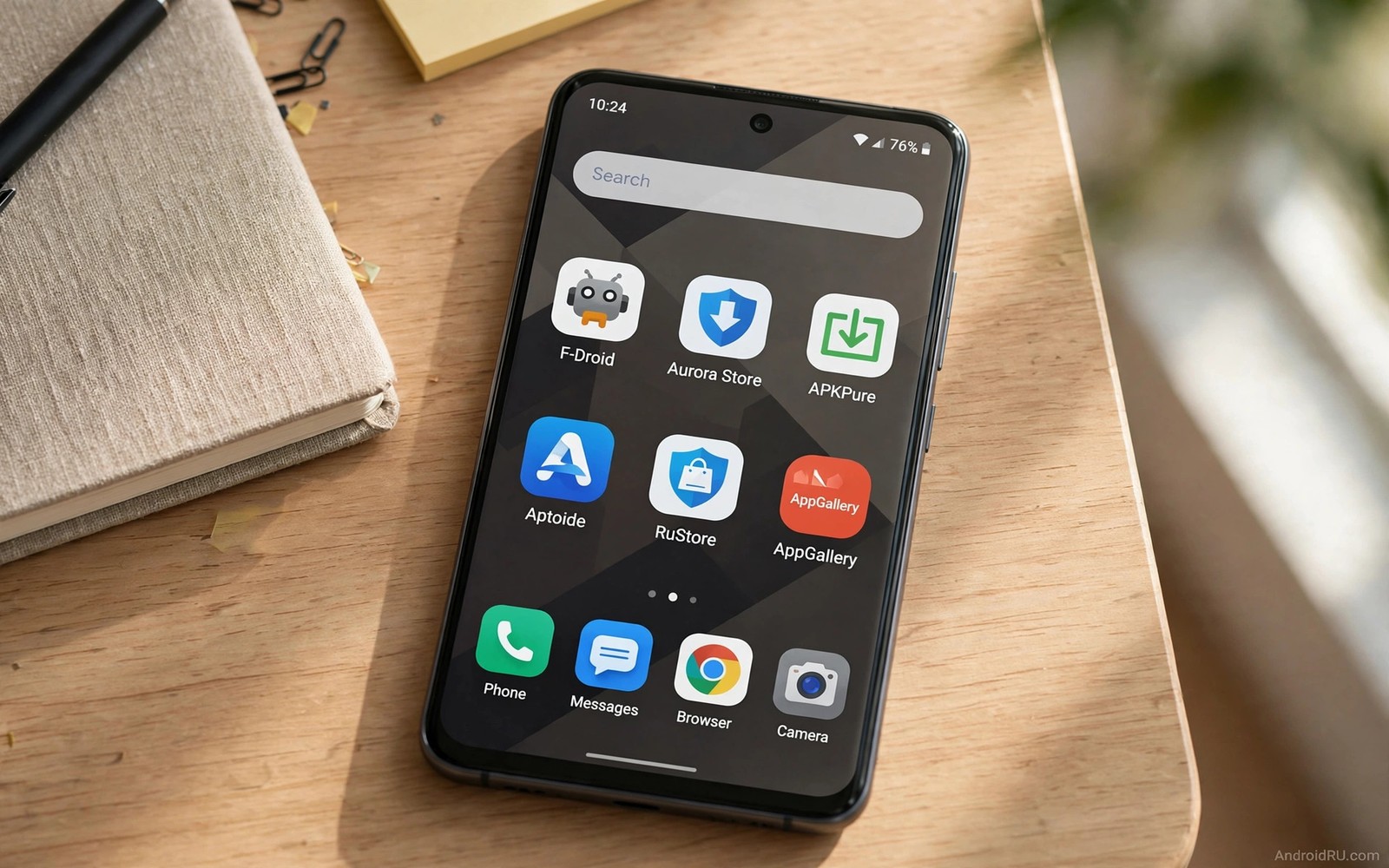
7 Third-Party App Stores That Don’t Require Google Play Services
Many Android phones run without Google Play Services by choice or by design. Custom ROM users, privacy users, and owners of devices sold without Google apps all face the same question: where can they get apps safely without the official store framework? Third-party stores that work without Google services answer that question when they are chosen carefully.
A store that works without Google services must handle search, download, and updates on its own. It cannot rely on Google account login or Google push systems. That independence is a strength for privacy, and it also means the store carries full responsibility for review and verification. A weak store in this category leaves users with no safety net at all.
The stores in this guide earn their place through public rules and long records. Do not judge these stores only by catalogue size, because a store that mirrors thousands of apps without verification is less useful than a smaller store with strict checks. Focus on how each store proves file integrity, how it handles updates, and whether it requires an account. Those three factors decide whether a store suits daily use. You should also understand whether sideloading APKs is safe before you add any new source to a phone without Google services.
What no Google services really means for your phone
A phone without Google Play Services lacks the background framework that many apps use for maps, location, push messages, and payments. Some apps work fully without it. Others lose features or refuse to open. A third-party store can deliver the app file, but it cannot supply missing services. Users must accept that some apps will behave differently on such a phone.
MicroG is one way users bridge part of that gap. It provides open replacements for some Google service functions, including location and push messages. Not every store requires MicroG, and not every app works with it. Check whether an app needs Google services before you blame the store for a failure, because the store delivered the file correctly in many cases where the app itself depends on a missing framework.
Account freedom is another benefit of these stores. Many let you browse without signing in, which reduces tracking and simplifies use on test devices. It also means you must manage updates yourself through the store app. No Google account means no automatic cloud backup of your store choices, so keep your own list of installed apps.
7 third-party app stores that work without Google Play Services
These seven stores cover open-source catalogues, official mirrors, independent installers, and brand stores. Each one includes what it does well, where it falls short, and who should use it.
1. F-Droid
F-Droid is the best-known open-source store, and it is the natural first choice for a phone without Google services. It builds apps from public source code, signs them itself, and distributes updates through its own repository system. Every app in the catalogue is free and open-source, and the store lists anti-features honestly, such as ads, tracking, or non-free dependencies, so you know what you are installing.
Pros: fully open-source, no account needed, reproducible builds for many apps, and honest anti-feature labels. Cons: the catalogue is smaller than commercial stores, and popular commercial apps that depend on Google services are absent. Verdict: the best primary store for a degoogled phone, and the standard every other store in this list is measured against.
Who it is for
Privacy users and custom ROM owners who want a trustworthy primary source with no account and no tracking.
2. Aurora Store
Aurora Store is an open-source client for the Google Play catalogue that works without a Google account. It lets you download free Play apps anonymously, using shared anonymous accounts or your own, and it shows version codes, update dates, and permission lists for every app. It is the bridge between the official catalogue and an independent phone.
Pros: access to the full free Play catalogue without a Google login, clear version information, and no account needed for anonymous use. Cons: it cannot buy paid apps anonymously, and Google may rate-limit anonymous accounts during busy periods. Verdict: the best way to get official free apps on a phone without Google services.
Who it is for
Users who need specific official apps and want them without signing into Google. Read Aurora Store without Google login for the full setup before you install it.
3. APKMirror
APKMirror is a mirror store that publishes official app packages with version codes, signatures, and update dates. Its team verifies that each upload is signed by the original developer before publishing, which makes it one of the most trustworthy mirrors available. That signature verification is the feature that separates it from mirrors that publish only a download button. The APKMirror Installer app handles split APK bundles correctly, which matters for modern apps that ship in several parts.
Pros: signature verification for every upload, detailed version history, and a proper split APK installer. Cons: it is a mirror, not a store with automatic updates, so you must check for new versions yourself. Verdict: the best mirror for official apps, and the safest way to get a specific version of an app.
Who it is for
Users who need a specific official version and want to verify the signature before installing.
4. Aptoide
Aptoide is a large independent store with its own review system and a wide catalogue of apps and games. It runs its own malware checks, shows trust badges for verified developers, and lets users create their own mini-stores. It works without a Google account for browsing and installing, and it handles updates through its own app.
Pros: a very large catalogue, its own security checks, and no Google account needed. Cons: the catalogue mixes verified and unverified uploads, so you must check trust badges before installing. Verdict: a useful second source for apps the open-source stores lack, used with care.
Who it is for
Users who want a wide catalogue and are willing to check trust badges before every install.
5. Obtainium
Obtainium is an open-source tool that tracks app updates directly from developer sources such as GitHub, GitLab, and official download pages. Instead of hosting files, it watches the source you choose and downloads the new release when it appears. That design means you always get the file from the developer, not from a middleman, and you can track apps that no store carries.
Pros: downloads come straight from the developer, supports hundreds of sources, and no account needed. Cons: setup takes time, because you add each app source by hand. Verdict: the best tool for tracking niche and open-source apps that live outside every store.
Who it is for
Advanced users who follow open-source apps on GitHub and want updates directly from the developer.
6. Droid-ify
Droid-ify is a modern open-source client for F-Droid repositories, with a cleaner interface, faster browsing, and support for third-party repos. It offers the same trusted F-Droid catalogue with a better experience, plus repository management that lets you add community repos for apps F-Droid itself does not carry. It needs no account and no Google services at any step.
Pros: a clean, fast interface, third-party repo support, and the trusted F-Droid catalogue. Cons: it is a client, not a separate catalogue, so it inherits F-Droid limits. Verdict: the best way to browse F-Droid, and the friendliest open-source store experience available.
Who it is for
Users who like F-Droid but want a faster, cleaner app to browse it with. Start with the F-Droid complete guide to understand the catalogue before you add repos.
7. Huawei AppGallery
Huawei AppGallery is the official store for Huawei devices sold without Google services, and it works on those phones without any Google framework. It carries Huawei tools, regional apps, and a growing catalogue of popular apps, with its own review process and developer verification. On a Huawei phone, it is the natural second source after F-Droid.
Pros: official support on Huawei devices, developer verification, and apps tuned for Huawei hardware. Cons: the catalogue is smaller outside Huawei phones, and some global apps are absent. Verdict: the right second source for Huawei owners, and a useful example of a brand store done properly.
Who it is for
Huawei phone owners who want an official store that works without Google services. For a wider comparison, read the best Play Store alternatives before you settle on one primary source.
Open-source stores lead on independence
Open-source stores are natural fits for phones without Google services because they were designed for independence. They build apps from public code and distribute updates through their own repository system. They do not need a Google account at any step. Their catalogues focus on tools that also avoid Google dependencies where possible.
The main limit is catalogue breadth. Popular commercial apps that depend on Google services may be absent or may work poorly, and that limit reflects honesty about the platform rather than a flaw in the store. A store that lists an app it cannot support well would mislead users. Open-source stores tend to list what works in their environment.
Use an open-source store as your primary source on a degoogled phone. Add other stores only for specific apps that the open-source catalogue lacks. That hierarchy keeps your trust model simple. One primary store with strong checks plus a few narrow exceptions is easier to audit than five equal stores.
Set up updates without Google services
Updates without Google services depend on the store app checking its repository regularly. Enable update checks inside each store you use, and set a reminder to open the store weekly when automatic checks are unreliable. Manual weekly checks catch security updates that automatic systems might miss on a custom ROM.
Keeping one source for each app prevents update conflicts on a phone without Google services. Android blocks updates when signatures differ, and a mixed-source setup creates frequent conflicts that tempt users to force installs. Forcing installs breaks the protection that signatures provide. A clean single source per app avoids that temptation entirely.
Back up app data before major updates. Export settings and copy local files, because a failed update on a phone without Google cloud backup can mean data loss with no easy restore. Local backups are your safety net on an independent phone, so store them on a computer or an external drive rather than only on the phone.
Audit your store setup every month
A monthly audit keeps a phone without Google services from drifting into a messy set of sources. List every store app installed on the phone and note when you last used each one. Remove stores that served a single install months ago and that you no longer need. Check install permissions for the remaining stores and revoke permission from any store that you only use occasionally. That routine takes ten minutes and it prevents forgotten permissions from becoming a quiet risk over time.
During the same audit, check for app updates that failed silently. Open each remaining store and look for pending updates rather than assuming automatic checks worked. A missed update on a phone without Google services may stay missed for months because no central system reminds you. Monthly manual checks close that gap and keep security fixes flowing to apps that handle personal data.
You can list store packages on the device with a simple command from a computer: adb shell pm list packages | grep -i store shows installed store apps, adb shell dumpsys package store.app | grep version shows version details for a chosen store, and adb shell cmd appops get store.app REQUEST_INSTALL_PACKAGES confirms install permission for the store you chose. Replace store.app with the real package name of the store you want to check.
Common mistakes when choosing stores without Google services
The most common mistake is installing many stores at once on a phone without Google services. Each store adds trust and complexity, and a phone that already lacks Google safety nets needs fewer trusted sources rather than more. Pick one primary store and add others only for a clear need.
Another mistake is blaming the store when an app needs Google services. The store cannot create missing services, so research app dependencies before install. That research saves time and prevents repeated installs of apps that cannot work in your environment. A third mistake is leaving install permission on for every store you test. Test stores one at a time and remove permissions for stores you abandon, because old permissions accumulate silently and weaken the whole setup over months.
Independent app sources work well when you choose a strong primary source, keep sources narrow, and verify files carefully. Independence from Google does not mean independence from safety checks. It means you carry those checks yourself.
Frequently asked questions about third-party stores without Google services
Can I run banking apps without Google Play Services?
Some banking apps work without Google services while others check for the framework and refuse to run. Test with your specific bank app on a secondary device first, and do not rely on a banking app that behaves inconsistently for daily money tasks.
Do these stores need a Google account at all?
Most stores in this guide work without a Google account for browsing and installing. Some optional features may ask for an account, but you can usually skip those features and use the core store functions without signing in.
Will push notifications work without Google services?
Push notifications may arrive late or not at all for apps that rely on Google push systems. Some apps use their own notification systems and work normally. Test notification delivery for each important app before you depend on it, and consider MicroG for apps that need push badly.
Is it safe to use a mirror store for official apps?
It is safe when the mirror publishes version codes and signatures and lets you verify the file against the official release. Strong mirrors publish that proof for every upload. When verification details are missing, treat the mirror as untrusted even when downloads work, because working downloads prove availability rather than integrity.
Your next step: choose one primary store this week
Your concrete next step is to choose one primary store this week and install only three essential apps through it. Test those apps for core function and notifications for seven days before you add more. Helpful next reads include the F-Droid complete guide, the best Play Store alternatives, and Aurora Store without Google login. A narrow, trusted setup beats a wide, careless one every time.

