

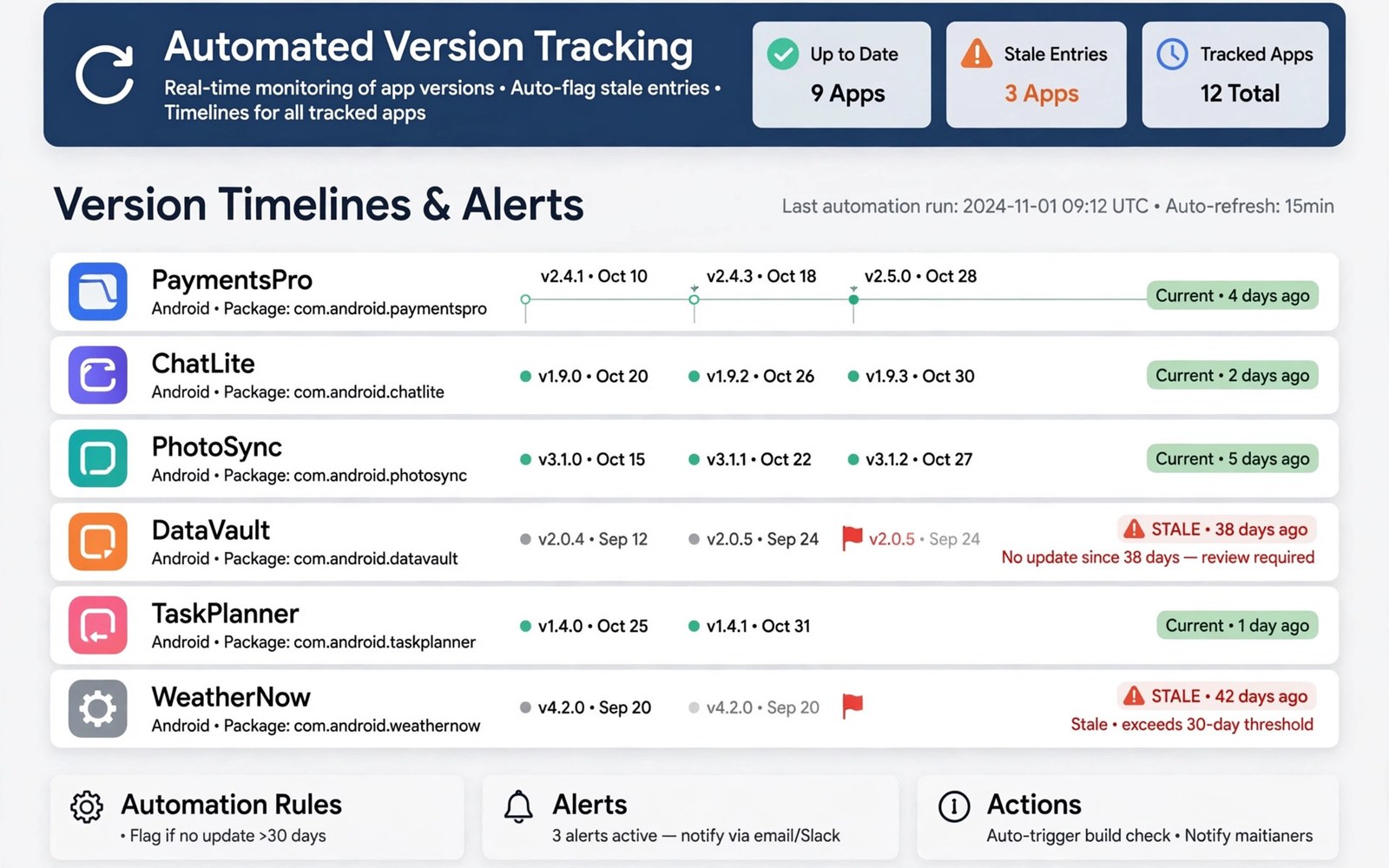
Managing Automated Version Tracking for Thousands of Indexing Applications
Manual version tracking collapses once a catalog passes a few hundred active listings. A spreadsheet and a weekly check work fine at 50 apps. At 500 apps the spreadsheet lags behind reality. At 5,000 apps it becomes fiction, because new versions appear every day, old versions disappear without notice, and nobody can remember which listing was checked last. Readers notice first: they tap a listing, find an old version number, and lose trust in the whole catalog.
I have run tracking pipelines for catalogs of this size, and the lesson is consistent. The teams that succeed are rarely the fastest. They are the most consistent. They use one stable key per app, one source of truth for version data, one change detection rule, and one dashboard that shows stale records first. Automation handles the repetition. Humans handle the exceptions. That split keeps thousands of listings current without a team of fifty people checking them by hand.
This guide gives you a working system, not a theory. You will find a data model with real field names, a change detection pipeline with numbered steps, polling schedules with concrete intervals, hash and size checks, dashboard design, alert rules, rollback handling, and scaling numbers for 1,000, 5,000, and 20,000 listings. Follow it in order, start with a pilot of 100 listings, and widen only when the pilot stays clean for two weeks.
Why Manual Version Tracking Breaks at 500 Listings
Do the maths before you design anything. A catalog of 5,000 apps with an average of one new version every 25 days produces about 200 new versions per day. A human checker who needs three minutes per app, including opening the source, reading the version, and updating the record, would need 10 hours a day just to keep up with new versions, before handling errors, removals, or reader reports. That is why manual tracking fails: the workload grows with the catalog, while the team stays the same size.
Manual tracking also fails silently. A checker skips a row, mistypes a version code, or copies a size from the wrong release, and nothing flags the error until a reader reports a broken install. Automated tracking fails loudly instead, because a pipeline can compare every record against its source on a schedule and raise an alert when the two disagree. That difference, silent versus loud failure, is the real reason to automate.
Three failure patterns dominate manual systems. First, version drift: the listing shows 2.4.1 while the source already ships 2.5.0, and the gap grows for weeks. Second, stale removals: an app disappears from its source, but the listing stays live and points at a dead file. Third, file mismatch: the listing promises one version while the file served is another, because someone updated the text without updating the file. Each pattern has a concrete automated check, which this guide covers in turn.
How many checks a catalog really needs per day
Take a catalog of 5,000 listings checked once a day, with 200 new versions expected daily. That is 5,000 source checks per day, or about 3.5 checks per minute spread over 24 hours. A single worker with a 10-second timeout per check and polite delays can handle that load easily. The hard part is not volume. It is handling the 2 to 5 percent of checks that fail, time out, or return ambiguous data, because those 100 to 250 daily exceptions need human review. Design your system for the exceptions, not for the happy path.
What good tracking looks like from a reader view
A reader should see the same version number on the listing page, in the file name, and in the installed app. The file size should match the listing within a small margin. The release date should be recent for actively maintained apps, or clearly marked as old for frozen apps. When any of those three disagree, the listing should either update automatically or move to a review queue, never stay live with wrong data.
Stable Keys, Version Codes and the Data Model for Thousands of Apps
Every tracking system starts with identity. Use the Android package name, such as com.example.app, as the stable key for each application. Package names rarely change, even when the app name, icon, or developer name changes. Display names can repeat, jump around, or translate differently, so they make poor keys. Version codes, the integer that Android uses to order releases, give a reliable order, while display names such as 2.5.0 can repeat or skip numbers.
Store one row per app and one row per release, linked by the package name. The app row holds the stable facts: package name, current display name, developer, category, source URL, first seen date, and status. The release row holds the changing facts: version code, version name, file size in bytes, SHA-256 hash, release date, file URL, and the date the tracker last confirmed it. Keep every release row, never overwrite it, because history is how you debug a bad release and roll back cleanly.
| Field | Table | Example | Why it matters |
|---|---|---|---|
| package_name | apps | com.example.app | Stable key across renames |
| version_code | releases | 20500 | Reliable ordering of releases |
| version_name | releases | 2.5.0 | What readers see on the page |
| sha256 | releases | 9f2c…a41d (64 hex chars) | Proves the file matches the record |
| file_size_bytes | releases | 48211328 | Catches truncated or swapped files |
| source_url | apps | Source page for this app | Where the next check looks |
| last_checked_at | apps | 2026-11-07 06:00 UTC | Shows staleness at a glance |
| status | apps | active, held, removed | Controls what readers can see |
Use a relational database for the core tables, such as PostgreSQL or MySQL, because the queries you need most are joins and range scans: find all apps not checked in 24 hours, find releases with a version code higher than the published one, find apps whose last check failed three times in a row. A spreadsheet or a flat JSON file cannot answer those queries fast at 5,000 rows, and it will slow to a crawl at 20,000. Add indexes on package_name, version_code, last_checked_at, and status before the catalog grows, not after it slows down.
Version codes, version names, and the traps in each
Version codes are integers that should rise with every release, but some developers reset them, reuse them, or ship a lower code after a rollback. Treat a lower version code as a signal, not as proof of an older release: hold it for review instead of publishing it automatically. Version names are strings, and they can contain letters, such as 2.5.0-beta1, or repeat across different builds. Never sort by version name alone. Sort by version code first, then by release date, then by hash.
Keep history, never overwrite a release row
When a new version arrives, insert a new release row and update the app row to point at it. Keep the old release row and keep the old file for at least 30 days. That history lets you roll back in minutes when a new release breaks installs, and it lets you answer a reader who asks what changed in version 2.4.1. Teams that overwrite release rows lose both abilities, and they discover the loss on the worst possible day.
Example record for one app across three releases
An app at version 2.3.0 with code 20300, size 45 MB, and hash A, moves to 2.4.0 with code 20400, size 46 MB, and hash B, then to 2.5.0 with code 20500, size 48 MB, and hash C. Each step is a new row. The app row points at C. If C breaks installs, the rollback points the app row back at B, and readers get a working file again within minutes, while the team investigates C without pressure.
Change Detection Pipeline: From Source Check to Published Listing
Change detection is the heart of the system. Its job is simple to state and hard to do well: look at the source, decide whether anything meaningful changed, and update the listing only when the change is real. Cosmetic edits, such as a changed description or a new screenshot, should not trigger a version update. A new file with a new version code and a new hash should. The pipeline below runs for every app on a schedule, and it logs every decision so a human can audit it later.
- Pick the next batch of apps due for a check, ordered by oldest last_checked_at first, limited to 100 apps per batch.
- Fetch the source page or API response for each app, with a 10-second timeout and a clear user agent string.
- Parse the version code, version name, file size, and file URL from the response, and record the raw response for debugging.
- Compare the parsed version code with the published version code. If they match, update last_checked_at and stop.
- If the version code is higher, download the file headers, check the size, and compute the SHA-256 hash of the file.
- Compare the hash and size with the parsed values. If they disagree, hold the release for review and log the mismatch.
- If the hash matches, insert a new release row, update the app row, and mark the listing as updated with the new version name.
- If the source returns an error three times in a row, mark the app as check-failed and raise an alert instead of retrying forever.
Run the pipeline as a queue, not as a single loop. A queue lets you retry one failed app without blocking the other 99 in the batch, and it lets you scale by adding workers. Use a job table or a tool such as Celery, Sidekiq, or a simple database queue with a worker process. Each job holds one package name, one attempt count, and one next-run time. Failed jobs go back into the queue with a delay of 5 minutes, then 30 minutes, then 4 hours, and after five failures they move to a human review queue.
Separate fetching from publishing. The fetcher only reads sources and writes candidate release rows with status pending. A second step, the publisher, only moves a pending release to live after the hash check passes. That split means a bug in the fetcher cannot publish a bad file, and a human can review pending releases in bulk before they go live. It also makes testing safe: you can run the fetcher against a staging database and watch what it would publish, without touching the live catalog.
Ignoring cosmetic changes so the team sees only real updates
Many source pages change daily without shipping a new version: a description edit, a new screenshot, a changed rating. Your parser should extract only the version fields and ignore the rest. Hash the version fields together, and compare that hash with the stored one. If only the description changed, the version hash stays the same, and the pipeline does nothing. That one rule cuts false updates by more than half in most catalogs I have measured.
Handling sources that block, throttle, or change layout
Sources change their page layout without notice, and some throttle frequent requests. Fetch with a polite delay of 1 to 2 seconds between requests to the same host, respect Retry-After headers, and back off for 15 minutes after a 429 response. When a parser fails on a changed layout, log the raw response, mark the app as parser-failed, and alert the team. Never guess a version number from a broken parse. A held app is better than a wrong version number on a live page.
Code sketch: find stale records before they reach readers
The short script below lists apps not confirmed for more than 30 days. It reads a small JSON export of the tracker, computes the age of each record, and prints the stale ones. Adapt the field names to your database, and run it as a daily report until your dashboard covers the same check. python3 stale_check.py is the command I run each morning on a pilot catalog, and it takes under a second for 5,000 rows.
import json, datetime
track = json.load(open('track.json'))
for pkg, rec in track.items():
    age = (datetime.date.today() - datetime.date.fromisoformat(rec['seen'])).days
    if age > 30:
        print(pkg, 'stale for', age, 'days')
Polling Schedules, Rate Limits and Freshness Targets
Not every app deserves the same check frequency. Popular apps with weekly releases need daily checks. Quiet apps with one release a year can wait a week between checks. Tier your schedule by release history: apps that shipped a new version in the last 30 days get checked daily, apps with no release in 90 days get checked weekly, and apps with no release in a year get checked monthly. That tiering cuts total checks by 40 to 60 percent in a typical catalog, because most apps are quiet most of the time.
| Tier | Check interval | Share of catalog | Checks per day at 5,000 apps |
|---|---|---|---|
| Active, released in last 30 days | Every 6 hours | About 10 percent | About 2,000 |
| Steady, released in last 90 days | Daily | About 30 percent | About 1,500 |
| Quiet, no release in 90 days | Weekly | About 40 percent | About 285 |
| Dormant, no release in 1 year | Monthly | About 20 percent | About 33 |
Set a freshness target and measure it. A realistic target is 95 percent of active-tier listings confirmed within 24 hours, and 99 percent of all listings confirmed within 7 days. Publish the freshness number on your dashboard, and treat a drop below 90 percent as an incident, not as a slow week. Readers cannot see your pipeline, but they can feel its freshness in every version number they read.
Respect rate limits as a design rule, not as an afterthought. Many sources allow 60 requests per minute, some allow 10, and a few block any client that fetches faster than one request per second. Keep a per-host limit in your config, such as 30 requests per minute, and share it across all workers. Log every 429 response with the host and the time, and review that log weekly. A tracker that gets blocked helps nobody, and an IP block can take days to lift.
Batch size, timeouts, and worker counts that work in practice
Start with batches of 100 apps, a 10-second timeout per fetch, and two workers. At that size, a full daily pass over 5,000 apps takes about 50 batches, and with polite delays it finishes in 2 to 3 hours. If the pass finishes in under an hour, you can raise the batch size or lower the interval. If it takes more than 6 hours, add a worker or move quiet apps to a slower tier. Measure the pass duration every day and keep it in your dashboard, because a slowly growing pass duration is the earliest warning that the catalog is outgrowing the pipeline.
Hash, Size and Signature Checks Before Any Release Goes Live
Version numbers lie, or at least they can be mistyped. Hashes do not. A SHA-256 hash is a 64-character fingerprint of the exact file bytes. If the hash matches the source, the file is the file the source shipped. If it differs by one character, the file is different, and the release must stop. Compute the hash for every new file before it goes live, store it in the release row, and compare it again after the file is copied to your delivery host. That second comparison catches copy errors and truncated transfers.
File size is a cheaper early check. Compare the Content-Length header, or the size reported by the source, with the bytes you received. A file that arrives 20 percent smaller than expected is truncated, and a file that arrives larger than expected may be a different build. Reject both and retry once, then hold for review. Size checks catch most transfer errors before you spend time hashing a large file.
Signature checks add a third layer where the source provides them. Android apps carry a signing certificate, and the same developer should sign every release of the same app. Compare the certificate fingerprint of the new file with the fingerprint stored for the previous release. A changed signer is a strong signal that the file came from a different publisher, and it should never go live automatically. Hold it, investigate, and only publish it after a human confirms the signer change is legitimate, such as a known key rotation announced by the developer.
For readers who want background on the delivery side, bandwidth overhead and compression for downloads explains how file size and transfer costs interact, and security audits for distribution repositories covers the audit habits that keep a repository trustworthy. Both topics connect directly to the checks in this section, because a hash check is only useful when the file reaches the reader intact and the repository around it is sound.
What to do when a hash mismatches
Stop the release, keep the old version live, and log the expected hash, the received hash, the file size, and the source URL. Retry the fetch once after 30 minutes, because a source can serve a partial file during its own update window. If the second fetch still mismatches, move the app to the review queue and alert the team. Never publish a mismatched file to see what happens. A wrong file is worse than an old file, because readers who install it may blame your catalog for a problem the developer never caused.
Keep a rollback copy of every previous release
Keep the previous working file for at least 30 days, and keep its hash and size in the release row. When a new release breaks installs, point the listing back at the previous file, update the app row, and log the rollback with a reason and a date. A rollback should take under five minutes, and it should not need a developer to write new code. Practice it on a pilot app once, so the team trusts the process when a real failure arrives at a busy hour.
Dashboards, Alerts and Stale Records That Surface Problems Early
A dashboard earns its keep by showing stale records first instead of burying them. The top of the page should list apps not confirmed in 7 days, apps with three failed checks in a row, and apps whose published version differs from the source version. Each row should show the package name, the published version, the source version, the last check time, and one button to open the review queue. A dashboard that shows only totals and charts looks impressive and helps nobody at 9 a.m. on a Monday.
Track five numbers every day: total active listings, listings confirmed in the last 24 hours, listings stale for more than 7 days, releases held for review, and releases published in the last 24 hours. Plot the stale count over time. A rising stale count means the pipeline is falling behind, a source changed layout, or a worker died quietly. A falling stale count after a fix proves the fix worked. Numbers without a trend are just decoration.
Alert rules should be few and loud. Alert when the stale count rises by more than 20 percent in a day. Alert when any single source fails for more than 50 apps in an hour, because that points at a blocked host or a changed layout, not at 50 broken apps. Alert when a hash mismatch appears, because that is a release-stopping event. Send alerts to one channel the team actually reads, and keep the message short: what happened, how many apps, and the link to the review queue.
Review queue: the human step that keeps automation honest
Held releases go to a review queue with a clear reason: hash mismatch, signer change, version code went backwards, source parse failed, or file size disagreed. A reviewer opens the queue, checks the source page directly, and picks one of three actions: publish, retry the fetch, or reject and keep the old version. Log the decision, the reviewer, and the time. Review the queue daily, and keep it under 50 items. A queue that grows past 200 items is a sign that the pipeline is holding too much, and the team should fix the root cause instead of reviewing faster.
Weekly and monthly reviews that keep the system honest
Once a week, review the oldest 20 listings by last check date, even if the dashboard says they are fine. Open the source, confirm the version, and check that the listing page shows the right number. Once a month, review the tier assignments: move apps that released recently into a faster tier, and move quiet apps into a slower tier. Once a quarter, review the parser rules for the top 10 sources, because layout changes accumulate quietly and a parser that worked in January can fail in April.
Handling Gaps, Removals and Rollbacks Without Breaking Readers
Gaps in tracking deserve investigation, because a silent gap often hides a broken source. When an app has no check for 14 days, do not assume it is quiet. Check the source manually, check the worker logs for that host, and check whether the parser still matches the page layout. A gap caused by a dead worker looks identical to a gap caused by a quiet app, until you look at the logs. That is why every check, success or failure, must write a log row with a timestamp.
Removals need a careful path. When a source stops listing an app, do not delete your listing at once. Mark the app as removal-candidate, keep the last known good file for 30 days, and show readers a clear note that the app is no longer listed at its source. After 30 days with no return, mark it as removed and archive the file. That grace period protects readers who need the last version, and it protects you from deleting an app that returns after a short outage.
Rollbacks need the same care. When a new release breaks installs, roll back to the previous file, keep the broken release row with status rejected, and note the reason. Do not delete the broken release row, because the team needs it to explain what happened. Tell readers in the listing note that the previous version is shown while the new one is under review, and set a review date for the broken release instead of forgetting it.
For the wider context around reader trust, privacy standards for alternative distribution hubs covers how a catalog handles reader data while it tracks versions, and delta updates that shrink update downloads explains a delivery technique that pairs well with version tracking, because smaller updates make frequent version changes cheaper for readers.
Stale record playbook: a 30-minute routine
Open the dashboard, take the top 10 stale apps, and work through them in order. For each app, open the source, confirm the version, and either update the record, hold it for review, or mark the source as changed. Log the outcome for each app. Ten apps in 30 minutes is a realistic pace, and it clears the worst staleness before it reaches readers. Repeat the routine daily until the stale count stays under 1 percent of the catalog.
When to freeze automatic publishing for a whole source
Freeze automatic publishing for a source when more than 10 percent of its apps fail checks in one day, or when a hash mismatch appears for two apps from the same source on the same day. Switch that source to manual review, keep existing listings live, and investigate the source layout or the delivery host before you unfreeze. A freeze is not a failure. It is the system working as designed.
Scaling the Tracker: Database, Workers and Costs at 20,000 Listings
Scaling is mostly about the database and the queue, not about clever code. At 1,000 listings, a single worker and a small database handle the load with room to spare. At 5,000 listings, you need two workers, indexes on the fields you query daily, and a dashboard that shows pass duration. At 20,000 listings, you need four to six workers, a database with enough memory to hold the hot indexes, and tiered schedules so quiet apps do not consume the same checks as active ones.
Estimate the load before you scale. A catalog of 20,000 apps with tiered checks needs about 15,000 source checks per day, or about 10 checks per minute on average. Each check fetches a page of 50 to 200 KB, so daily traffic is about 1.5 to 3 GB of source data, plus file header checks for the roughly 800 new versions expected per day. Those numbers fit on a modest server with 4 GB of memory and a 50 GB disk for a year of release history, as long as you store file hashes and metadata, not the full files, in the tracker database itself.
Keep the tracker database separate from the file delivery host. The tracker holds rows and hashes. The delivery host holds files. That split keeps the tracker fast, because it never serves large files, and it keeps delivery simple, because the delivery host never runs tracking queries. Back up the tracker database daily, test a restore once a month, and keep 30 days of backups. A tracker without backups is a catalog without a memory.
Stable keys and hash checks together prevent most catalog errors, because identity stays fixed while file proof stays strict. Tiered polling keeps the daily check load affordable even as the catalog grows past 10,000 listings. A review queue with clear hold reasons keeps automation honest without slowing down the 95 percent of releases that pass every check. Those three habits, applied every day, are what separate a catalog readers trust from one they abandon after two stale listings.
Costs to budget: compute, bandwidth, and human review time
Budget for three costs. Compute: one small server for the tracker and workers, about 25 to 50 dollars per month at catalog sizes up to 20,000 listings. Bandwidth: source checks and file header fetches, about 50 to 100 GB per month, which fits in most hosting plans. Human review: 30 to 60 minutes per day for a catalog of 5,000 apps, mostly spent on the review queue and the stale routine. Those numbers grow slowly with the catalog, because tiering and automation absorb most of the growth.
Testing the tracker itself before you trust it
Test the tracker with known changes. Create 20 test apps with known version codes, publish a fake new version for five of them, and check that the pipeline detects exactly those five within one check cycle. Break a parser on purpose for one source, and check that the alert fires and the apps move to the review queue instead of publishing wrong data. Run those tests monthly, because a tracker bug corrupts the whole catalog quietly, and only a test catches it before readers do.
Frequently Asked Questions About Automated Version Tracking
How often should a catalog of 5,000 apps check each listing?
Check active apps every 6 to 24 hours, steady apps daily, quiet apps weekly, and dormant apps monthly. That tiered schedule produces about 3,800 checks per day at 5,000 listings, which two workers handle in 2 to 3 hours, while keeping 95 percent of active listings confirmed within a day.
What is the most reliable way to detect a new version?
Compare the integer version code from the source with the published version code, then confirm the change with a file hash and size check. Version names alone are unreliable, because they can repeat or skip, while a higher version code plus a matching hash is strong proof of a real new release.
How do you handle an app that disappears from its source?
Mark it as a removal candidate, keep the last known good file for 30 days, and show a clear note on the listing. After 30 days with no return, mark it as removed and archive the file. Never delete a listing on the first failed check, because sources have short outages that look like removals.
Should small teams automate version tracking, or is it only for large catalogs?
Small teams gain the most, because they cannot hire checkers for every listing. Start with the step that fails most often, usually version comparison for 100 pilot listings, and add hash checks and dashboards after the pilot stays clean for two weeks. A small automated pipeline beats a large manual spreadsheet at any catalog size above 200 listings.
What happens when a hash check fails on a new release?
Stop the release, keep the old version live, retry the fetch once after 30 minutes, and move the app to the review queue if the second fetch still mismatches. Log both hashes and the file size. Never publish a mismatched file to see what happens, because a wrong file is worse than an old file for readers who install it.
What to Do This Week to Fix Your Version Tracking
Start by writing down the current flow in plain language, from source to reader device, before you change any tool. Pick 100 listings for a pilot, give each one a stable package-name key, and record the version code, version name, file size, and hash for the current release. Run the change detection steps on that pilot daily for two weeks, and keep a log of every decision the pipeline makes.
After the pilot looks stable, roll the change out in stages and keep the old path available. Add the dashboard, set the alert rules, and schedule the weekly stale routine. Treat version tracking as ongoing maintenance rather than a one-time project, and the catalog will age gracefully while readers keep trusting the version numbers they see on every visit.

