

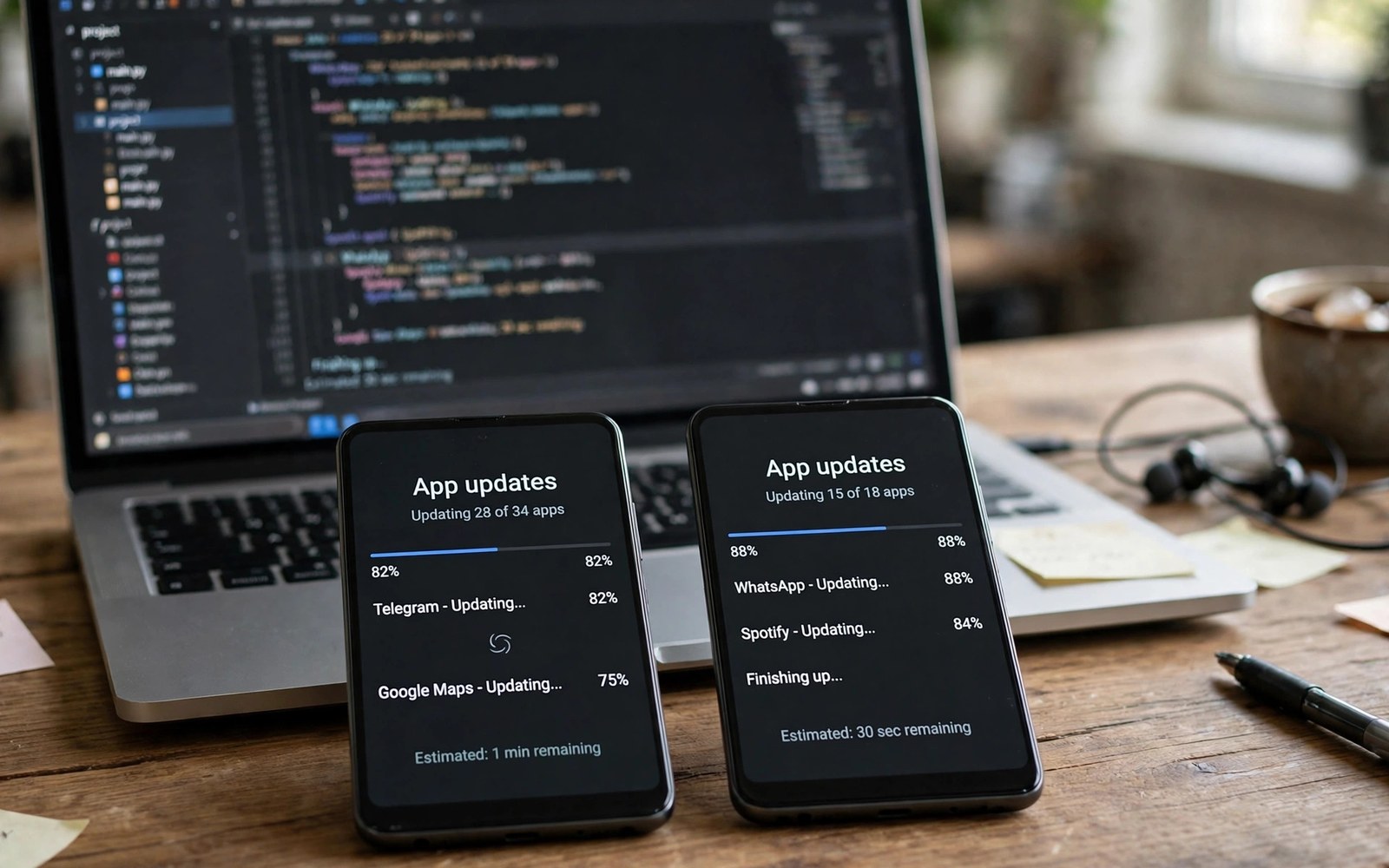
How Alternative App Stores Sync App Updates Automatically
Open your favourite alternative app catalogue on a Tuesday morning and you will often find that an app you use every day already has a new version listed, sometimes within hours of the developer publishing it. No human editor sat down, noticed the release, and typed in the details by hand. Behind that listing sits an automated pipeline that watches upstream sources, compares version numbers, checks signatures, and pushes files to servers around the world, all without anyone pressing a button. I have spent years watching these systems from the outside, and the machinery is far more interesting than the simple list of apps it produces.
This article explains that machinery in plain language. You will see the full pipeline from discovery to delivery, learn how version codes and staged rollouts decide what you actually get, compare the four main ways a catalogue finds new releases, and find out what happens when the sync breaks. Whether you run a catalogue, develop apps, or simply want to know why one version appears instantly while another takes three days, the answers are in the steps below.
A quick note on scope: alternative catalogues come in many shapes, from community indexes like F-Droid, to Play clients like Aurora Store, to large APK mirrors that republish Play releases. They share the same core problem, which is keeping thousands of listings current without a staff of thousands, and the solutions they use rhyme even when the details differ. I will name real examples where they help, and I will flag the places where catalogues genuinely disagree with each other.
What an Alternative App Index Actually Does All Day
An app index is a database with a deadline. Every listing has a current version, a file, a set of screenshots, a description and a history of past releases, and every one of those fields goes stale the moment a developer ships something new. The index has to notice the change, fetch the new file, confirm it is genuine, and publish it, and it has to do that for tens of thousands of apps, day after day, without letting a bad file slip through. That is the job, and automation is the only way it scales.
Most of the work is invisible to users. A catalogue that is syncing well looks boring: versions tick upward, changelogs appear, and files are there when you want them. You only notice the pipeline when it fails, when a version you know exists is missing, when a listing shows the wrong file size, or when two versions of the same app appear side by side. Those failures are useful, because each one points at a specific stage of the pipeline, and this article will map each failure to the stage that caused it.
The three jobs every catalogue must automate
Discovery comes first: the system must learn that a new version exists, and it must learn it quickly enough to matter. Fetching comes second: it must obtain the actual installable file, or at least a verified pointer to one, and store it safely. Verification and publication come third: it must confirm the file matches the listing, pass it through whatever review or approval queue the catalogue uses, and then make it visible to users. A catalogue that automates only the first job will list versions it cannot deliver, one that skips verification will publish bad files, and one that publishes without an approval step will eventually publish something it regrets.
Scale changes every decision. A catalogue tracking five hundred apps can afford to check each one every few minutes, while a catalogue tracking two hundred thousand apps must prioritise ruthlessly, checking popular apps often and quiet ones rarely. That prioritisation is itself part of the automation, and it explains why a famous messaging app gets its new version within the hour while a niche utility from 2019 can sit unchanged for a week after its developer ships an update.
Why manual curation alone never kept up
Early catalogues relied on users submitting new versions by hand, and that worked while the catalogue was small and the community was enthusiastic. It broke as the catalogue grew, because submissions arrived unevenly, descriptions were copied inconsistently, and popular apps attracted many duplicate submissions while obscure ones attracted none. Automation fixed the consistency problem: every listing gets checked on the same schedule, every version gets the same verification steps, and the history of each app becomes a clean timeline instead of a pile of user reports. Human editors still matter, but they now handle exceptions, disputes and policy decisions, while machines handle the routine flow.
The shift also changed what a catalogue can promise. A manual system can promise that someone looked at a file, while an automated system can promise that every file was checked the same way, that the check is recorded, and that a bad result blocks publication. That audit trail is the real product of a good sync pipeline, and it is what separates a serious index from a folder of files on a web server.
The Update Pipeline Step by Step From Upstream to Your Phone
Think of the pipeline as a chain of small workers, each doing one job and passing the result to the next. A scheduler decides which apps to check and when, a discoverer looks for new versions, a fetcher obtains the file, a verifier checks it, an enricher adds metadata, and a publisher makes it visible. If any worker fails, the chain stops at that point, the app stays on its old version, and an error is logged for a human to review. Nothing is published half-checked, at least in a well-built system.
The order matters. Discovery before fetching avoids wasting bandwidth on apps that have not changed, verification before publication avoids shipping a file that does not match its listing, and enrichment before publication means users see a complete page rather than a bare file link. Each stage also produces a record, so an operator can trace any published version back through every step it passed, which is exactly the kind of traceability you want when something goes wrong.
Step 1: Discover a new version from an upstream source
Discovery starts with a watch list. For each tracked app, the system stores the last version it published and the places it should watch: the Play listing, the developer’s own site or repository, an official feed, or a mirror that already tracks the app. On each scheduled check, the discoverer asks those sources what the current version is and compares the answer with the stored one. If the numbers match, nothing happens and the app waits for its next check. If they differ, the app is queued for fetching, and the pipeline moves to the next stage.
Popular apps get checked far more often than quiet ones, and the scheduler adjusts those intervals based on how often each app actually changes. An app that ships weekly earns a short interval, an app that has not changed in two years earns a long one, and a sudden burst of checks after a major platform release is normal, since many developers ship updates at the same time. This adaptive scheduling is what keeps the system fast where it matters without drowning in pointless checks.
What a worker checks before it queues a build
Before queuing anything, the worker confirms the version it saw is newer than the one already published, not merely different, because version numbers can move in confusing ways across regions and device variants. It also checks that the source it read is the one it trusts for that app, since a typo in a watch list can send the pipeline chasing a different app with a similar name. Only when both checks pass does the app enter the fetch queue, and that small piece of caution prevents a large share of bad publishes.
Step 2: Fetch the file and record its fingerprint
Fetching is where the pipeline spends its bandwidth. The fetcher obtains the installable file from the upstream source, which might be a direct file from the developer, a Play download through an authorised client, or a copy from another mirror that already holds it. As the file arrives, the system records its size and computes a cryptographic hash, usually SHA-256, which becomes the file’s fingerprint for every later check. If the download stalls, fails, or produces a file whose size does not match the advertised size, the fetch is discarded and retried later, and nothing moves forward.
Large apps make this stage expensive. A game of two or three gigabytes costs real time and bandwidth on every fetch, so smart pipelines fetch only when discovery has already confirmed a new version, and they reuse the same file across regions and device variants where possible. Some catalogues also split large files into chunks, so a failed fetch resumes where it stopped instead of starting from zero, which matters a lot when you fetch thousands of large files a day.
Step 3: Verify the signature and the metadata
Verification is the stage that protects users, and it is the one a catalogue should never skip to save time. The verifier checks that the file is a well-formed package, that its package name matches the listing, that its version code is higher than the published one, and that its signing certificate matches the certificate of the previous version. A mismatch on any of those points stops the pipeline cold, because a package with the right name and the wrong signer is either a mistake or a forgery, and neither belongs on a public listing.
Metadata gets checked at the same time. The verifier reads the app name, the version name, the minimum Android version, the requested permissions and the list of device features the app needs, and compares them with the listing. A sudden jump in permissions, a new minimum version that drops older devices, or a version name that does not match the version code are all worth flagging, even when the signature is valid. Some catalogues publish the metadata differences alongside the new version, so users can see exactly what changed before they install.
Reading the signing certificate without installing anything
The signing certificate lives inside the package file itself, so the verifier can read it without ever installing the app on a device. It extracts the certificate fingerprint and compares it with the fingerprint recorded for that app, which is a simple string comparison with a very strong guarantee behind it: matching fingerprints mean the same developer key signed both versions. That check runs in seconds, needs no phone, and catches the most dangerous failure mode in the whole pipeline, which is a lookalike package signed by someone else.
Step 4: Enrich, approve and publish the new version
Enrichment fills in the human-readable parts of the listing: the changelog from the developer, the description, the screenshots, and the category and tag information. Some of that comes from the upstream source automatically, some of it is carried over from the previous version, and some of it waits for a human editor when the automatic sources disagree. Approval is the gate at the end of this stage, and catalogues differ widely in how strict it is, from fully automatic publication for trusted developers to a manual review queue for every new version of every app.
Publication itself is usually the fastest step. The new version is written to the catalogue database, the file is pushed to the delivery network, the listing page is updated, and users who follow the app get a notification or see the update in their client. A good publisher also keeps the old version available for a while, because some users need it for older devices or because the new version may have a bug that sends them back. Keeping history is cheap, and it turns a bad release into a minor inconvenience instead of a crisis.
Once the file is live, users still need to install it, and that part of the journey runs through Android’s own install flow. The guide to sideloading architecture on modern Android explains how the system handles packages from outside the Play catalogue, from the install prompt to the permission grants, and it is useful background for anyone who wonders what happens between tapping a file and seeing the app open.
Version Codes, Version Names and Staged Rollouts Explained
Version numbers on Android are really two numbers wearing one label. The version name is the human-readable string, like 4.2.1, that users see and developers choose freely, while the version code is an integer that only ever goes up, and it is the number Android itself uses to decide whether one version is newer than another. A catalogue that compared version names would be fooled constantly, since 4.10 is newer than 4.9 but a text comparison would put it first, and since developers sometimes reuse names across variants. The version code removes all of that ambiguity, which is why every serious sync pipeline treats it as the source of truth.
That distinction explains a common user frustration: a catalogue lists version 4.2.1, your friend has 4.2.1, and yet the two files are different sizes. The answer is usually that the two devices received different variants of the same version name, built for different screen densities, processor architectures or Android versions, and sharing one version name but carrying different version codes. A good catalogue tracks those variants separately, so each device gets the file built for it, and the listing shows the variants instead of pretending there is only one file.
How a staged rollout reaches some users first
Many developers do not ship a new version to everyone at once. They release it to a small slice of users first, often one or five percent, watch for crash reports and complaints, and then widen the slice over days or weeks until the release reaches everyone. A staged rollout is a safety net for the developer, and it is a headache for catalogues, because the upstream source may report the new version to some checkers and the old version to others, depending on which slice the checker falls into.
Catalogues handle this in different ways. Some publish the new version as soon as any trusted source reports it, which gets users the file early but risks publishing a version the developer then pulls back. Others wait until the rollout reaches a large share of users, or until several independent sources agree, which is slower but steadier. Neither approach is wrong, and the choice tells you a lot about a catalogue’s priorities: speed favours the early publishers, caution favours the patient ones, and users who care about getting a version on day one should pick a catalogue whose policy matches their own appetite for risk.
When version codes jump, skip or go backwards
Version codes normally climb by one or by a small step, but real life is messier. A developer may jump from code 120 to code 200 when they merge two product lines, skip codes during internal testing, or publish different codes for different architectures on the same day. More confusingly, a code can appear to go backwards when a catalogue compares a phone variant with a tablet variant, or when a developer withdraws a bad release and ships a fix with a code that is higher than the bad one but lower than a code some users already saw. A sync pipeline that blindly trusts “higher is newer” will publish the wrong thing in those cases, so good pipelines also check the release date, the variant, and the developer’s own release notes before deciding what “newer” means.
Polling vs Push vs Play API vs Scraping: How Updates Get Found
Discovery is the stage where catalogues differ most, because there are four genuinely different ways to learn that a new version exists, and each one trades speed, cost, reliability and risk in its own way. Polling asks the source on a schedule. Push waits for the source to announce a change. A Play API asks Google’s own systems through an official or semi-official channel. Scraping reads the public listing page and parses the version out of it. Most large catalogues use more than one of these, because no single method covers every app, and the mix is what makes their coverage feel complete.
The choice of discovery method also shapes the catalogue’s relationship with developers. Polling and scraping read public information without asking the developer for anything, push requires the developer to cooperate, and a Play API requires credentials and agreement to terms. A catalogue that leans on scraping can cover apps whose developers never heard of it, while a catalogue built on push can only cover developers who signed up, which is a very different kind of completeness.
| Method | Speed | Cost and effort | Reliability | Main risk |
|---|---|---|---|---|
| Polling upstream sources | Minutes to hours, depends on interval | Medium, many requests per day | High when the source is stable | Missed releases between checks |
| Push and webhooks | Seconds to minutes | Low after setup, needs developer cooperation | Very high when configured | Silent failure if the hook breaks |
| Play API access | Minutes, near real time | High, credentials and quotas | Very high, official data | Quota limits and terms changes |
| Scraping listing pages | Minutes to hours | Medium, parsers break often | Moderate, depends on page layout | Page redesign breaks the parser |
Polling: the workhorse that checks on a schedule
Polling is the default for most catalogues, because it needs nothing from the developer and nothing from Google beyond a public page to read. The scheduler wakes up, asks each watched source for the current version, compares it with the stored one, and queues anything new. The cost is the request volume: a catalogue tracking a hundred thousand apps and checking each one hourly makes more than two million requests a day, and the sources being polled may rate-limit or block that traffic. Smart polling adapts the interval per app, so popular apps get checked every few minutes and quiet ones once a day, which keeps the total request count manageable without losing much speed.
The main weakness of polling is the gap between checks. A version released five minutes after a check will not be noticed until the next one, and a version released and withdrawn within a single interval may never be noticed at all. For most users that delay is invisible, since they check for updates once a day at most, but for a catalogue that promises the fastest listing, the gap is a real competitive disadvantage, which is why the fastest catalogues combine polling with push.
Push, webhooks and the Play API route
Push turns discovery around: instead of the catalogue asking, the source tells the catalogue the moment something changes. A developer who ships through a repository can configure a webhook that fires on every release, and the catalogue receives a notification within seconds, with the version number included. The result is the fastest possible sync, and the cost after setup is tiny, since the catalogue only acts when something actually changed. The catch is coverage, because push only works for developers who set it up, and most developers never will, so push alone can never cover a whole catalogue.
Play API access sits in between. It gives the catalogue a structured, official feed of version data, without the fragility of scraping a page that changes its layout every few months. The cost is credentials, quotas and terms of use, and a catalogue that leans on it must live within the quota and adapt when the terms change. Aurora Store, which acts as a Play client, shows what this route looks like from the user’s side: it asks Play directly for the apps the user owns, and the answer is authoritative, because it comes from the same system that serves the Play app itself.
Scraping listing pages and why parsers keep breaking
Scraping reads the public listing page for an app and extracts the version number, the changelog and the file details from the HTML. It works for any app with a public page, which makes it the most universal discovery method of the four, and it is how many mirrors started. Its weakness is fragility: a redesign of the listing page, a change in the page structure, or a new anti-bot check can break the parser overnight, and the catalogue then misses releases until someone fixes the code. Scraping also raises the most legal and policy questions, since the catalogue is reading and republishing information from a page whose owner may not want it republished, which is why the legal section later in this article matters.
Signature Verification and Why a Matching Version Code Is Not Enough
A higher version code proves that a file claims to be newer, but it proves nothing about who made it. That is the job of signature verification, and it is the single most important check in the pipeline. Every Android app is signed with the developer’s private key, and Android itself refuses to install an update signed with a different key over an existing app. A catalogue that publishes a package with the wrong signature is publishing a file its users cannot even install as an update, and in the worst case it is publishing a forgery dressed up as a trusted app.
Verification is straightforward in practice and unforgiving in principle. The pipeline reads the certificate fingerprint from the new file, compares it with the fingerprint stored for that app, and publishes only on an exact match. If the fingerprint differs, the file goes into quarantine and a human reviews it, because there are legitimate reasons for a key change, like a developer moving to a new signing key under Play’s key rotation, and there are illegitimate ones, like a repackaged app with injected code. Telling those apart is a human decision, and a good catalogue never lets a machine make it alone.
Certificate fingerprints, key rotation and legitimate changes
Key rotation is the main legitimate reason a fingerprint changes. Google Play now lets developers rotate their signing key, and when that happens the new version carries a new fingerprint alongside proof that the old key authorised the change. A verifier that only knows the old fingerprint would block every version after the rotation, so modern pipelines store the rotation history and accept a new fingerprint when the rotation proof checks out. The proof itself is a signed statement, and verifying it is a separate step that must also pass before publication.
Other legitimate changes include a developer switching from one signing setup to another when they move between publishing accounts, or a community app like F-Droid rebuilding an app from source with its own key. F-Droid is the clearest example of the second case: it builds many apps itself from public source code, signs them with its own key, and says so openly, so users who install the F-Droid build cannot update it from Play, and vice versa. That is not a failure, it is a documented trade-off, and the catalogue’s job is to make the trade-off visible rather than to hide it.
What happens when a signature check fails
A failed check stops the pipeline for that app, and the file is held in quarantine with a record of exactly what mismatched. An operator then looks at the case: is this a known key rotation, a developer who changed accounts, or something that looks like a repackaged app? Known rotations get approved and the stored fingerprint is updated with a note. Unknown mismatches get rejected, the listing stays on the old version, and the incident is logged so the pattern is visible if it repeats. The worst outcome is not a blocked update, it is a bad file published because someone overrode the check to save time, and the discipline of never overriding a signature failure is what keeps a catalogue trustworthy over years.
The legal side of republishing someone else’s app deserves attention too, and the guide to copyright rules for APK indexing sites covers the questions every operator should answer before they publish: who owns the file, what the developer’s distribution terms allow, and how takedown requests are handled. Signature checks prove a file is genuine, but they do not prove the catalogue has the right to distribute it, and those are two different questions that both need answers.
CDN Delivery, Deduplication and Approval Queues
Publication is not the end of the story, because a listing is useless if the file behind it downloads slowly or not at all. Large catalogues serve files through a content delivery network, a set of servers spread across regions that cache popular files close to the users who want them. When you tap a file in Europe, you get it from a European edge server, and when someone in Asia taps the same file, they get it from an Asian one. The origin server only gets involved when a file is new or unpopular, which keeps the whole system fast even when thousands of people want the same release on the same day.
The guide to CDN delivery for APK assets walks through this layer in detail, from cache rules to the way large files are split and resumed. What matters for sync is that the delivery layer and the catalogue database must agree: a version listed as available must actually be present on the delivery network, and a version removed for a policy reason must disappear from the delivery network as well. A mismatch in either direction produces the most confusing user experience of all, a listing that promises a file the download cannot deliver.
Deduplication: one file, many listings, no wasted space
The same installable file often appears under several listings at once: different variants for different architectures, the same version in different regions, or the same app listed by two catalogues that share a backend. Deduplication means storing the file once, under its hash, and pointing every listing at that single copy. It saves a large amount of storage, it makes integrity checks cheaper, since one hash verifies every listing at once, and it prevents the quiet drift where two copies of the “same” file slowly become different files. Content-addressed storage, where the hash is the address, is the cleanest way to build this, and it is how the more careful catalogues organise their file stores.
Dedup also helps with updates. When a new version arrives, the system checks whether its hash already exists in the store, and if it does, the publish step becomes a database update rather than a file upload. That shortcut matters most for the biggest files, where an upload can take minutes, and it also protects against a subtle failure mode: two workers fetching the same new version at the same time and publishing two slightly different copies. One hash, one file, one answer.
Approval queues and why some versions wait
Not every version goes live the moment it passes verification. Many catalogues hold new versions in an approval queue, where a human or an automated policy check looks for problems that signature checks cannot catch: a sudden change in permissions, a new tracker library, a description that no longer matches the app, or a developer account that was recently flagged. The queue is the catalogue’s editorial layer, and its length is a visible sign of how cautious the catalogue is. A catalogue with a long queue is slower but steadier, and one with no queue at all is faster but exposed.
Users experience the queue as delay, and the delay is worth explaining honestly. A version that sits in the queue for a day is not necessarily broken, it may simply be waiting behind a hundred other versions, or waiting for a human to confirm that a permission change is legitimate. Catalogues that publish their queue status, even in a simple form, earn a lot of patience from their users, because a visible wait feels fair while an unexplained wait feels like a bug.
Who This Pipeline Affects: Developers, Users and Index Operators
Developers feel the pipeline first as distribution. An automated catalogue can put their new version in front of users who never open Play, in regions where Play is slow or unavailable, and on devices that cannot run the Play client. That reach is valuable, especially for developers whose users are spread across many countries, and it is why some developers watch catalogue listings as closely as they watch their own Play console. The same automation can also hurt, when a catalogue publishes a version the developer meant to hold back, or lists a beta as if it were stable, and that tension is why developers care about how catalogues discover and label releases.
Users feel the pipeline as speed and trust. A fast sync means the version they heard about this morning is available this afternoon, and a trustworthy sync means the file they install is the one the developer signed. Users rarely think about the machinery, and they should not have to, but they notice immediately when it breaks, and they judge a catalogue by how quickly it recovers. A catalogue that explains a delay honestly keeps its users, while one that stays silent loses them to a competitor that talks.
How store indexing shapes app discovery for everyone
Discovery is not just a technical step, it is the mechanism that decides which apps users ever see. When an index publishes a new version quickly, with a clear changelog and accurate metadata, that app stays visible in search results and recommendation lists, and users who follow it get a prompt to update. When an index is slow or inaccurate, the app fades from view, even if the app itself is excellent. The article on how store indexing shapes app discovery looks at this effect from the Play side, and the same logic applies to alternative catalogues: the index is the map, and a map that is out of date sends people to the wrong places.
Operators feel the pipeline as cost and risk. Every check, fetch and verification consumes bandwidth, storage and compute, and the bill grows with the catalogue. The risk side is legal and reputational: publishing a file the catalogue has no right to distribute, or a file that turns out to be harmful, can damage the catalogue far more than any single day of downtime. Good operators invest in the boring parts, the logs, the quarantine process, the takedown handling, because those boring parts are what keep the catalogue alive when something goes wrong.
What developers can do to make sync faster and safer
Developers who want their releases to appear quickly can help the pipeline a lot with small steps. Publish a clear changelog, keep the version code strictly increasing, avoid reusing version names across different builds, and announce releases through a feed or a webhook where the catalogue supports it. If you rotate your signing key, document the rotation publicly so verifiers can accept the new fingerprint without a manual review. None of these steps is hard, and together they turn a release that takes a catalogue three days to confirm into one that takes three hours.
When Sync Breaks: Failure Modes and Fixes
Every sync pipeline breaks, and the interesting question is never whether it breaks but how it fails and how fast it recovers. The failures cluster into a handful of patterns, and each pattern has a recognisable symptom and a known fix. Learning to read those symptoms is useful whether you run a catalogue or you are simply wondering why your favourite app has not updated yet.
The most important design choice is what the pipeline does when it is unsure. A cautious pipeline stops, keeps the old version live, and logs an error, which means users see a stale listing but never a bad file. A hasty pipeline guesses, publishes, and hopes, which means users sometimes get a broken or wrong file. Every serious catalogue chooses caution, and the rest of this section assumes that choice, because it is the only one that stays trustworthy over time.
A new version never appears in the listing
The commonest cause is a discovery gap: the scheduler has not checked the app since the release, the source it polls has not updated yet, or a staged rollout has not reached the slice the checker falls into. The fix is to check the upstream source directly, confirm the version exists, and then either wait for the next scheduled check or trigger a manual one. If the version exists upstream and the catalogue still misses it after a day, the watch list entry is probably wrong, the app may have changed its package name, or the parser that reads the source may have broken, and each of those needs a human to look at the configuration.
A version appears with the wrong file or size
A wrong size almost always means the fetch was interrupted or the file came from the wrong variant, and the hash check should have caught it before publication. If a wrong file did get published, the fix is to pull the listing back to the previous version immediately, quarantine the bad file, and re-fetch from a trusted source. This is the failure that justifies the whole verification stage, and catalogues that skip verification to save time eventually pay for it here, in public, with users who installed the wrong file.
Duplicate listings and stale versions pile up
Duplicates appear when two discovery methods find the same version through different paths and the dedup logic fails to recognise them as one, or when a package name change creates a second listing for the same app. Stale versions pile up when the scheduler deprioritises an app so far that it stops checking it at all. Both problems are fixed the same way: a regular reconciliation job that compares the catalogue against its upstream sources, merges duplicates, and re-checks apps that have not been verified recently. Reconciliation is unglamorous work, and it is the difference between a catalogue that slowly rots and one that stays clean.
How operators spot a silent sync failure
Silent failures are the hardest kind, because nothing errors and nothing alerts, and the catalogue simply stops noticing new versions for a set of apps. Operators catch them with canary apps: a handful of popular apps with known release schedules that should update on a predictable rhythm, and an alert that fires when a canary goes quiet for too long. A second tripwire is the overall publish rate: if the catalogue normally publishes two hundred versions a day and suddenly publishes twenty, something upstream changed, even if no single check reported an error. Both tripwires are cheap to build, and both have saved catalogues from weeks of silent staleness.
Frequently Asked Questions About Automatic App Update Sync
How quickly do alternative catalogues list a new version after release?
It varies from minutes to days, and the range is honest rather than evasive. A catalogue with push notifications from the developer can list a version within minutes, a polling catalogue with a short interval for popular apps usually takes an hour or two, and a catalogue that waits for a staged rollout to widen can take several days for the same release. The version you see also depends on your region and device variant, so two users can legitimately see different versions of the same app on the same day.
Why does my catalogue show a version I cannot install?
The usual reasons are a variant mismatch, a minimum Android version your device does not meet, or a signature difference between the catalogue’s build and the one already on your phone. F-Droid builds, for example, are signed with F-Droid’s key, so they cannot update a Play-installed copy of the same app, and the reverse is also true. Check the listing for the variant and the minimum version, and if the file still refuses to install, the listing should say which signing key it uses, so you can tell whether you need to remove the old copy first.
Can a catalogue publish a fake or harmful version by mistake?
It can, but a well-built pipeline makes it very unlikely. Signature verification blocks packages signed by the wrong key, hash checks block corrupted files, and approval queues catch permission jumps and other suspicious changes. The remaining risk is a genuine developer account being compromised, in which case the harmful version carries a valid signature and the catalogue cannot tell it apart from a legitimate release. That is why catalogues also watch for unusual patterns, like a sudden permission change in a long-stable app, and why users should still be cautious about updates that ask for surprising new permissions.
What should I do when an update I need is missing from my catalogue?
Check the developer’s own release notes first, to confirm the version exists and is not limited to a staged rollout slice you are not in. Then check whether the catalogue lists the app under a different package name or variant, and whether its last update date suggests the sync has stalled. If the version is genuinely missing after a day or two, most catalogues accept a report or a manual check request, and that report helps the operators spot a broken watch entry or parser. In the meantime, the developer’s own site is usually the safest alternative source for that one version.
The Bottom Line: What Good Sync Looks Like
Good sync is boring to watch and hard to build. It discovers quickly, fetches carefully, verifies strictly, publishes with a clear history, and recovers gracefully when something breaks. You can recognise it from the outside by its symptoms: versions appear promptly, files match their listings, old versions stay available when you need them, and delays come with an explanation instead of silence. A catalogue that shows those symptoms has a pipeline worth trusting, whether it tracks five hundred apps or five hundred thousand.
If you run a catalogue, the next step is small and concrete: pick three apps, trace one version of each through every stage of your pipeline, and write down where the record is thin. If you are a developer, publish a clear changelog and keep your version codes strictly increasing, and your releases will travel faster through every catalogue that tracks you. And if you are a user, pick a catalogue whose sync policy matches your own priorities, fast or cautious, and judge it by how it handles the day something goes wrong, because that day is when the pipeline earns its reputation.

