

How Modern Flagship Processors Handle Thermal Throttling
A flagship phone feels fast in the shop. It opens apps in a blink and loads a game in seconds. The problem is that a shop demo lasts about two minutes, and a real gaming session lasts much longer. After ten or fifteen minutes of heavy play, the same phone can feel warm in your hand, the frame rate can dip, and a game that started smoothly can start to stutter. That change is not a fault in one phone. It is the normal result of a powerful chip working inside a thin body with almost no room for a fan.
What Thermal Throttling Actually Does Inside a Flagship Chip
A modern flagship chip can draw a lot of power for a short burst. When you open a game, the chip runs its fastest cores at full speed and produces its best numbers. That burst creates heat, and heat has nowhere useful to go inside a phone less than nine millimetres thick. The phone watches its temperature sensors, and when a sensor passes a set limit, the system lowers the clock speed, reduces the graphics speed, or dims the screen slightly. That planned slowdown is thermal throttling, and its job is to protect the chip, the battery, and your hand.
Peak Burst vs Sustained Output in Flagship Gaming
Peak output is the number on the launch slide. Sustained output is the number you live with after twenty minutes. A chip might score very high in a two-minute test, then settle at a much lower level once the body warms up. In practice, a phone can win a short benchmark and still lose a long gaming session to a rival with a lower peak score but a steadier sustained level. I learned this with a phone that felt unbeatable for the first ten minutes of a racing game and then dropped frames on the same track I had just driven cleanly.
Why Heat Builds Faster in Thin Phones
Ambient temperature changes everything. A test in a room at twenty degrees looks very different from the same test at thirty-two degrees, or outdoors in direct sun. Summer tests run hotter, and a phone that holds its speed in an air-conditioned room may throttle much earlier on a hot afternoon. Cases make this worse when they trap heat, and they help when they let heat escape. A ventilated case can make a real difference over a long session, while a thick rubber case can push the phone into throttling several minutes earlier.
Snapdragon 8 Gen 3 vs Dimensity 9300 vs Tensor G3 Compared
| Chip | Design focus | Sustained gaming behaviour | Heat and efficiency | Best suited for |
|---|---|---|---|---|
| Snapdragon 8 Gen 3 | Balanced performance and graphics | Usually holds a steady frame rate for long sessions in well-cooled phones | Strong efficiency for its speed, with good power control under load | Heavy gaming and long mixed use |
| Dimensity 9300 | High multi-core power with large cores only | Very fast at first, with throttling that depends heavily on the cooling system | Can run warm under full load, so the vapour chamber size matters a lot | Raw speed and demanding games in phones with large cooling |
| Tensor G3 | AI features and camera processing on Pixel phones | Good for short bursts and camera work, less steady in long heavy games | Runs warmer in sustained gaming than in normal use, so frame rates dip sooner | Photography, AI tools, and everyday use rather than long gaming |
| Snapdragon 8 Gen 3 in a gaming phone | Same chip with a larger cooling system and higher thermal limits | Holds speed longer than the same chip in a thin regular flagship | More room for heat spreading, so the phone stays steadier | Players who game for an hour or more at a time |
| Dimensity 9300 in a thin flagship | Same chip with a smaller cooling system | Throttles earlier and more often than in a phone built for gaming | Less space to spread heat, so the back warms quickly | Buyers who value short bursts of speed over long sessions |
Snapdragon 8 Gen 3 Thermal Behaviour in Real Games
The Snapdragon 8 Gen 3 is the safest all-round choice for heat in this group, and that is why so many makers use it. In a well-cooled phone, it tends to drop to a stable level after the first few minutes and then stay there, which is exactly what you want in a game. I have seen phones with this chip hold a steady frame rate in a thirty-minute session while the back stayed warm but comfortable, and that steadiness is worth more than a higher opening score. That said, the chip alone does not guarantee a good result, because a thin phone with a small vapour chamber can still throttle it early.
Dimensity 9300 and Tensor G3 Heat Patterns Explained
The Tensor G3 is designed around AI and camera work on Pixel phones, not around long gaming sessions. It handles photo processing, voice features, and everyday tasks very well. In a long heavy game, it tends to warm up and throttle sooner than the other two chips. That does not make it a bad chip, it makes it a chip with a different priority. If your main use is photography, the Tensor G3 is a good fit. If your main use is an hour of demanding gaming every evening, one of the other two chips will usually serve you better. Readers comparing options should also study the flagship audio benchmark guide because sound quality matters just as much as heat when you play games for a long time.
Which Chip Holds Frame Rates Longest in Games
For most players, the Snapdragon 8 Gen 3 in a well-cooled phone holds frame rates longest, followed by the Dimensity 9300 in a phone with a large cooling system. The Tensor G3 trails in long gaming, but it is still fine for shorter sessions and lighter games. The honest answer for any buyer is to check a sustained test of the exact phone model, because the same chip can rank differently in two phones with different cooling. A thirty-minute frame rate graph tells you more than a chip name ever will.
Vapor Chamber Cooling and Other Heat Spreaders Explained
A vapour chamber cooling system is a thin sealed plate filled with a small amount of liquid. When the chip heats up, the liquid turns to vapour, spreads across the plate, cools, and turns back to liquid. That cycle moves heat away from the chip much faster than a solid piece of metal alone, and it spreads the heat across a wider area so no single spot gets extremely hot. Most flagship phones now use a vapour chamber, and the size matters: a larger chamber spreads heat better, while a small chamber saturates sooner and lets the chip throttle earlier.
How a Vapor Chamber Moves Heat Away From the Chip
Think of a vapour chamber as a flat heat pipe. Heat from the chip boils the liquid inside, the vapour travels to cooler parts of the chamber, it gives up its heat there, and it condenses back to liquid. A wick inside pulls the liquid back to the hot spot, and the cycle repeats. This works without any moving parts and without any power, which is why it fits so well inside a phone. The limit is that the chamber can only move a certain amount of heat at a time, and once the whole phone body warms up, it has nowhere cool left to send the heat. At that point the system must throttle the chip.
Sustained Performance vs Peak Benchmark Scores
Benchmark apps are useful, but they are easy to misread. A benchmark that runs for two minutes measures peak speed. A benchmark that runs for twenty minutes measures sustained speed. Those two numbers can be very different, and the second one decides how your games feel. A phone with a peak score of 2,000,000 and a sustained score of 1,200,000 will feel slower in a long session than a phone with a peak of 1,800,000 and a sustained score of 1,500,000, even though the first phone looks better on a spec sheet. Always look for the sustained number.
How to Test Thermal Throttling in 30 Minutes
You do not need a laboratory to test a phone. You need one demanding game, a timer, and a simple log. The test below takes thirty minutes, and it works in a shop if the staff allow it, at home during a return window, or on a friend’s phone before you buy the same model. Run it the same way on every phone you compare, or the results will mislead you. Same game, same graphics settings, same brightness, same room, same case or no case, and no charging unless you are testing charging specifically.
Step 1: Pick Your Game and Settings Before You Start
Pick the heaviest game you actually play, not a light game that never stresses the chip. If you play a demanding open-world game or a fast competitive shooter, use that game. Set the graphics to high or the highest level you normally use, and write the settings down, because you must use the same settings on every phone you test. If you change settings between phones, you are no longer comparing phones, you are comparing settings.
- Choose one game and write down the graphics preset, frame rate target, and brightness level.
- Close other apps, turn off downloads, and let the phone sit for ten minutes so it cools to room temperature.
- Start the timer, play normally for thirty minutes, and log the frame rate and how warm the back feels every five minutes.
- Repeat the test with and without a case on a different day if you want a fair case comparison.
- Compare the first five minutes with the last five minutes, and note whether the frame rate fell, stayed steady, or swung up and down.
Step 2: Log Frame Rate, Heat, and Comfort Every Five Minutes
Every five minutes, write down three things: how smooth the game feels, how warm the back feels, and whether you noticed any stutter or frame drops. You can use a frame rate overlay if the game or phone offers one, or you can judge by feel and note it honestly. A phone that feels smooth at minute five and still smooth at minute thirty is a good result. A phone that feels smooth at minute five and choppy at minute twenty has a throttling problem for your use, even if its benchmark score is high. Note hot spots too: some phones heat near the camera, others heat in the middle of the back, and that spot is where your fingers rest during play.
Logging Frame Rate Every Five Minutes the Simple Way
Use a small table on paper or in a notes app with six rows, one for each five-minute mark. Write the time, a smoothness score from one to five, and a warmth score from one to five. After thirty minutes, you will see a clear pattern: a flat line means steady speed, a falling line means throttling, and a zigzag line means the phone is throttling and recovering in cycles. That pattern is the most honest summary of a phone’s thermal design, and it takes no special tools to produce.
Settings That Reduce Heat Without Killing Speed
Battery and background settings matter too. Turn off features you never use, stop background downloads before you play, and avoid updating apps while gaming. Background updates add heat and reduce frame stability, and they can trigger throttling sooner than the game alone would. Charge in a cool place and avoid heat during long sessions. If you must charge while playing, keep the phone off a hot surface like a bed or a sofa, where heat gets trapped underneath. Readers comparing options should also study the software support guarantees guide because software updates can change thermal limits and performance over time, and a phone with long support will keep getting those tuning updates for years.
Cases, Chargers, and Accessories That Change Temperature
A case can help or hurt, depending on its design. A thin ventilated case that leaves the hottest area exposed lets heat escape, while a thick insulating case traps heat and pushes the phone into throttling sooner. Test the same game with and without a case, and compare the results. If the phone throttles much sooner with the case on, look for a case with better ventilation or a cut-out around the camera area, where heat often concentrates. A case with good grip also helps, because you hold the phone more steadily and notice heat changes sooner.
Flagship vs Mid-Range Phones Under Heavy Load
Compare total ownership cost rather than launch price alone. Long support and stronger resale can narrow the flagship premium, while a cheaper phone that needs early replacement can cost more in total. Keep the phone longer when you pay more, and the value improves each year. Choose the tier that matches your task mix and your upgrade rhythm, not the tier that wins a benchmark. If you game for thirty minutes a day, a mid-range phone with good cooling might be enough. If you game for two hours a day, a flagship with a large vapour chamber is usually the better buy. The best flagship for long gaming is the one that stays steady on your hardest day, not the one with the loudest launch claims.
Where the Price Gap Shows Up in Daily Use
The gap shows up in the hardest ten percent of your day, not in the easy ninety percent. A mid-range phone feels just as fast when you open messages or browse the web. It falls behind when you record 4K video for ten minutes, play a demanding game for an hour, or use the phone outdoors in bright sun. If those hard tasks are rare for you, save your money. If they are daily, the flagship premium pays for itself in comfort and consistency. Readers comparing options should also study the IP68 water resistance guide because a flagship is also a long-term investment, and water resistance, repair options, and support years matter as much as speed when you plan to keep a phone for three years.
Frequently Asked Questions About Flagship Heat and Speed
What is thermal throttling on a phone?
It is a planned speed reduction that protects the chip and battery from heat. When temperature sensors pass a set limit, the system lowers clock speed, graphics speed, or brightness until the phone cools. Short bursts stay fast, while long loads slow down to a steady level. It happens on every flagship, and the best phones throttle smoothly to a stable speed rather than swinging up and down.
Does a cooling accessory help flagship gaming?
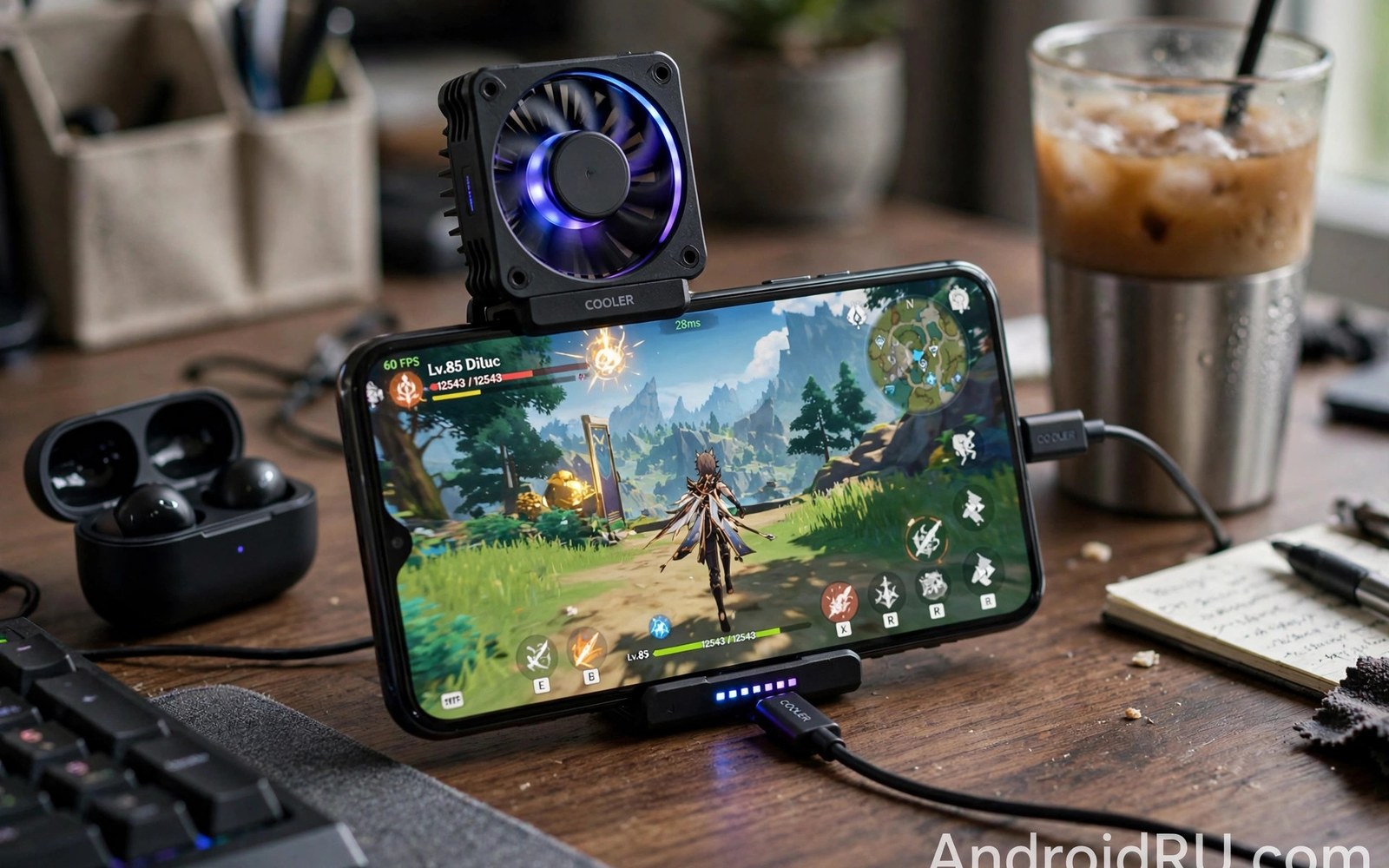
Yes, for long sessions in warm rooms, a clip-on fan or a ventilated case can lower the back temperature and delay throttling by several minutes. It cannot fix a poorly optimised game, and it cannot replace a good vapour chamber inside the phone. Combine cooling with lower brightness, no charging while playing, and closed background apps for the best result, and test the accessory with the same thirty-minute method you use for the phone itself.
How long should a flagship hold its speed in a game?
A good flagship should hold a steady frame rate for at least thirty minutes in a demanding game, with only a small drop from its opening speed. If the frame rate falls sharply after ten minutes, or if the phone becomes too hot to hold comfortably, that model is a poor fit for long gaming, even if its short benchmark score is high. Test in a room at a normal temperature, and repeat the test on a warm day if you can, because summer heat changes the result.
Should throttling stop you buying a flagship?
No, unless your main use is long heavy gaming. Most daily tasks never trigger thermal limits, and a flagship will feel fast for messaging, browsing, photos, and short games. If long gaming is your main use, test your own games on the exact model before you buy, and pick the phone with the steadiest thirty-minute result, not the highest peak score. That test will tell you more than any launch event or spec sheet.
Buy the phone that passes your own hardest day, not the phone that wins a two-minute benchmark. Run the thirty-minute test on two shortlisted phones, write down the frame rate and warmth every five minutes, and choose the one that stayed steadier and felt more comfortable in your hand. Check the cooling system size, the software support years, and the warranty terms before you pay, and keep your settings simple on day one. That concrete test, done once, will give you more confidence than hours of reading reviews, and it will help you enjoy the phone you buy for years rather than regretting it after the first long gaming session.

