

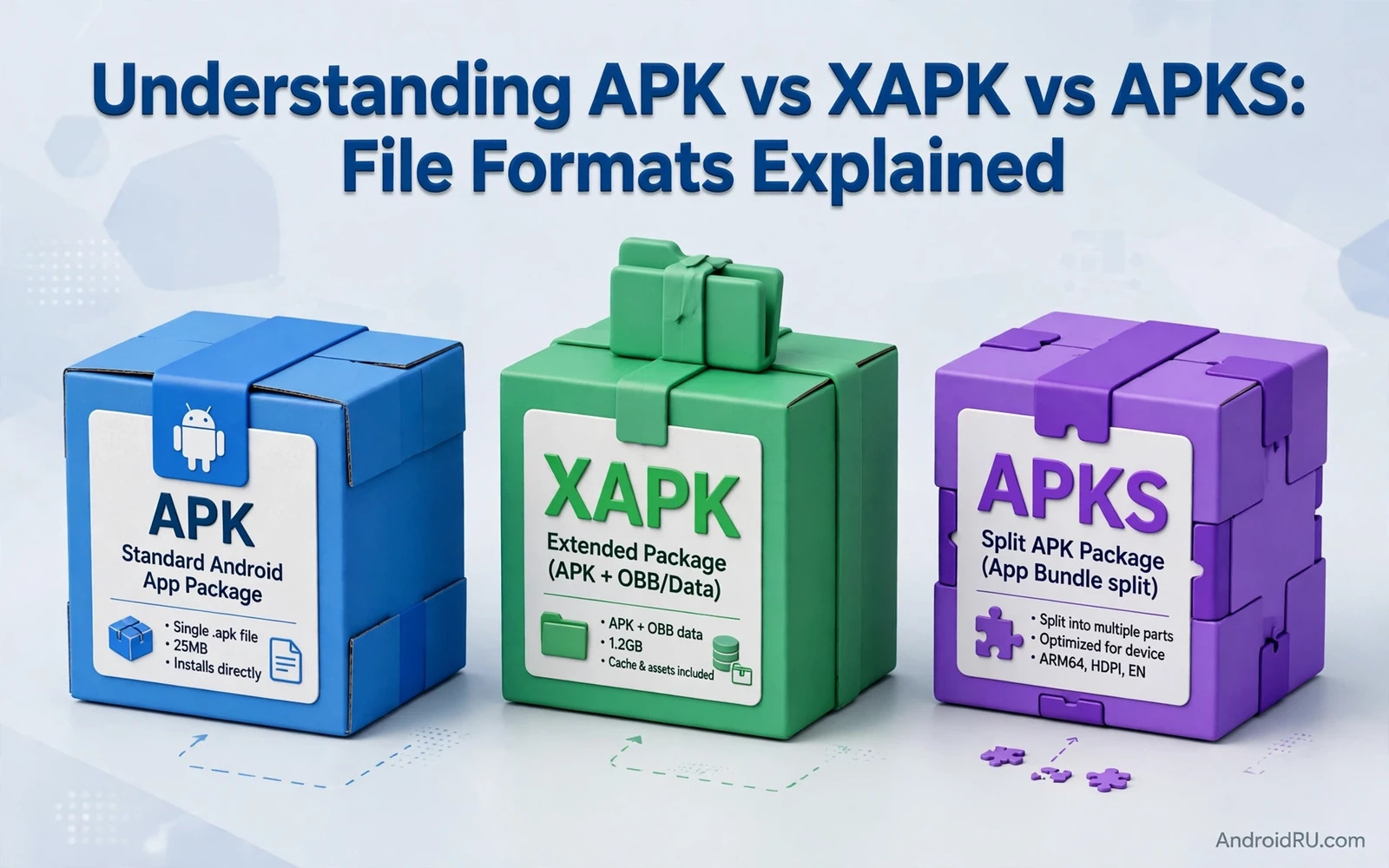
Why Three Formats Exist for Android Packages
An APK is the classic package format for one Android app. It holds compiled code and resources and a manifest and a signature in a single archive. An installer reads the APK and checks the signature and installs the app on the device. For many years one APK was enough for most apps on most devices.
Modern apps grew larger and more varied across devices. One app may need different native libraries for different processors. One app may need different resources for different screen densities and languages. One app may also ship large expansion data for games or media. Shipping every variant inside one giant APK wastes storage and bandwidth for every user.
XAPK and APKS answer that problem in different ways. XAPK is a container format that bundles a base APK with extra files such as expansion data. APKS is a set of split APKs that together form one complete app install. The two formats look similar at a glance because both involve more than one file. Their install logic is different and that difference matters for users and for distributors.
What an APK Actually Contains
An APK is a ZIP archive with a defined internal layout. The manifest describes the app identity and components and permissions. DEX files hold compiled code in a format that the Android runtime can execute. Resource files hold layouts and images and strings in a compiled form. Native libraries hold processor specific code when an app needs it.
The signature inside an APK protects the package against silent tampering. An installer verifies the signature before it installs the app. An update must carry a compatible signature or the system will refuse the update. This rule is a core part of Android app security and it applies to every install path including sideloading.
A single APK can still serve many devices when the app is small and simple. A developer can build one APK that contains several native libraries and several resource sets. That approach works but it forces every device to download code and resources that it will never use. Split formats exist to remove that waste without breaking the install model.
How XAPK Works as a Container
An XAPK file is also a ZIP archive but its role is to carry a base APK plus additional files. The additional files often include expansion data for a game or extra resource packs. A manifest inside the container describes the parts and their order. A compatible installer extracts the base APK and places the extra files where the app expects to find them.
XAPK is not a standard Android install format. The Android package installer does not install an XAPK file directly in the same way that it installs an APK. A user needs an installer app that understands the container format and performs the extraction and the install steps. A distributor that offers XAPK files must make that installer requirement clear to users.
The main benefit of XAPK is convenience for large apps with expansion data. The main risk is confusion about trust. A container can hide extra files that a simple APK inspection would not show. A user should verify the source of an XAPK and the identity of the base APK before installation. A distributor should publish clear checksums and clear install instructions for every XAPK it lists.
How APKS Works as a Set of Splits
An APKS file is a ZIP archive that contains several split APKs and a metadata file. The base APK holds the core code and the core resources. Split APKs hold configuration specific parts such as a native library for one processor type or resources for one screen density or one language. The metadata file describes which splits belong together and how they combine.
The install model for APKS is different from XAPK. A compatible installer selects the splits that match the target device and installs them as one app. The system treats the installed result as one app with one identity even though the install came from several APK files. Later updates must match the same app identity and signature rules as a normal APK update.
APKS comes from the app bundle model where a developer uploads one bundle and the store generates optimised APK sets for each device. A distributor that handles APKS files must preserve the full set and its metadata. Dropping a needed split can break the app on a device that needs that split. Adding an unrelated split can waste storage and can confuse the install logic.
A Direct Comparison Without Shortcuts
An APK is one file and one install unit. An XAPK is one container that holds an APK plus extra files. An APKS is one archive that holds several APK files that install together. The APK model is the simplest and the most widely supported. The XAPK model is convenient for expansion data but it needs a special installer. The APKS model is efficient for device variants but it needs correct split selection.
Support is a key difference. Every Android device with a package installer can handle an APK. Only installers that understand XAPK can handle an XAPK. Only installers that understand split APKs can handle an APKS. A distributor should never present XAPK or APKS as if they were plain APK files. Clear format labels prevent failed installs and prevent users from blaming the app for an installer limitation.
Format choice also affects how a package is checked before it reaches users. The checks in extracting APK files from installed apps show how a single installed package can be inspected after installation. That inspection habit helps a distributor confirm that a listed package matches its description before publication.
When Each Format Is the Right Choice
Choose a plain APK when the app is small and when maximum compatibility matters most. A plain APK is easy to verify and easy to install and easy to explain to users. It is the safest default for a small utility or a simple tool that does not need device specific splits or large expansion data.
Choose XAPK when a large app genuinely needs expansion data that lives outside the base APK. A game with large asset packs is a typical example. The distributor must pair the XAPK with a compatible installer and with clear storage guidance. The user must have enough free space for the extracted files and not only for the container download.
Choose APKS when the goal is an optimised install for varied devices from one bundle output. A store or a distributor with proper split handling can serve smaller downloads per device. The distributor must test the install on more than one device type. A split set that works on one processor type may fail on another processor type when a split is missing.
Security Checks That Apply to All Three Formats
Verify the app identity before you trust any format. Check the package name and the version and the signer identity when that information is available. Compare a published checksum against the downloaded file when the distributor provides one. A checksum mismatch is a reason to stop and not a reason to try another installer.
Be careful with permissions and with install prompts. A large file size does not prove that a package is genuine. A familiar app name does not prove that a package came from the original developer. Sideloaded packages bypass store review and that freedom carries a matching responsibility to check the source with extra care.
Distribution safety is also a catalog problem and not only a single file problem. The planning in indexing APKs for custom distribution websites covers how a catalog can keep format and version and signer facts consistent across many listings. Consistent catalog facts make a bad package easier to spot before it reaches users.
Common Mistakes Users Make With These Formats
One common mistake is renaming a file extension and expecting the install to work. Renaming an XAPK to APK does not turn a container into a plain package. Renaming an APKS to APK does not merge split APKs into one install unit. The installer reads the internal structure and not only the file name. A renamed file will fail or will install an incomplete app.
Another common mistake is installing only one split from an APKS set by hand. A single split APK may install as an incomplete app or may fail with a confusing error. The correct path is to use an installer that understands the full set and its metadata. Manual split installs should be left to advanced testing with a clear backup plan.
A third mistake is treating every large download as safe because it came in a familiar format. Format alone says nothing about the developer or about the code inside the package. Users should combine format checks with source checks and permission checks. Distributors should support that habit with clear labels and clear provenance for every listing.
What Distributors Must Record for Each Format
A good catalog record names the format in plain words. It records the package name and the version code and the version name. It records the file size and the checksum for each file that a user downloads. It records the minimum Android version when that fact is known from the package itself.
For XAPK records the catalog should also record the expansion data size and the expected install steps. For APKS records the catalog should also record the split count and the device configurations that the set covers. These extra facts are not decoration. They are the facts that a support team needs when a user reports a failed install on a specific device.
Bundle outputs add one more layer to this record keeping. The comparison in comparing app bundles with traditional APK packages explains how a bundle becomes device specific APK sets. A distributor that understands that pipeline can explain why two users may receive different download sizes for the same app version.
A Practical Decision Checklist
Start with the app size and the device range that the app must support. A small app with a narrow device range rarely needs a split or container format. A large app with wide device variation benefits from a split model. A large app with expansion data benefits from a container model when a compatible installer is available.
Check installer support before you commit to a format. A format that users cannot install is worse than a larger plain APK that every user can install. Test the full install flow on a real device and not only on a file listing page. A test install catches missing splits and missing expansion data before users meet those problems.
Document the choice in the listing itself. State the format and the installer requirement and the storage need in plain language. A user who understands the format before download is less likely to abandon the install and less likely to install a partial package by hand. Clear documentation is part of format safety and not an optional extra.
- APK is one file and one install unit
- XAPK is a container with a base APK plus extra files
- APKS is a set of split APKs that install together
- Format labels must match the real internal structure
- Checksum and signer checks apply to every format

