

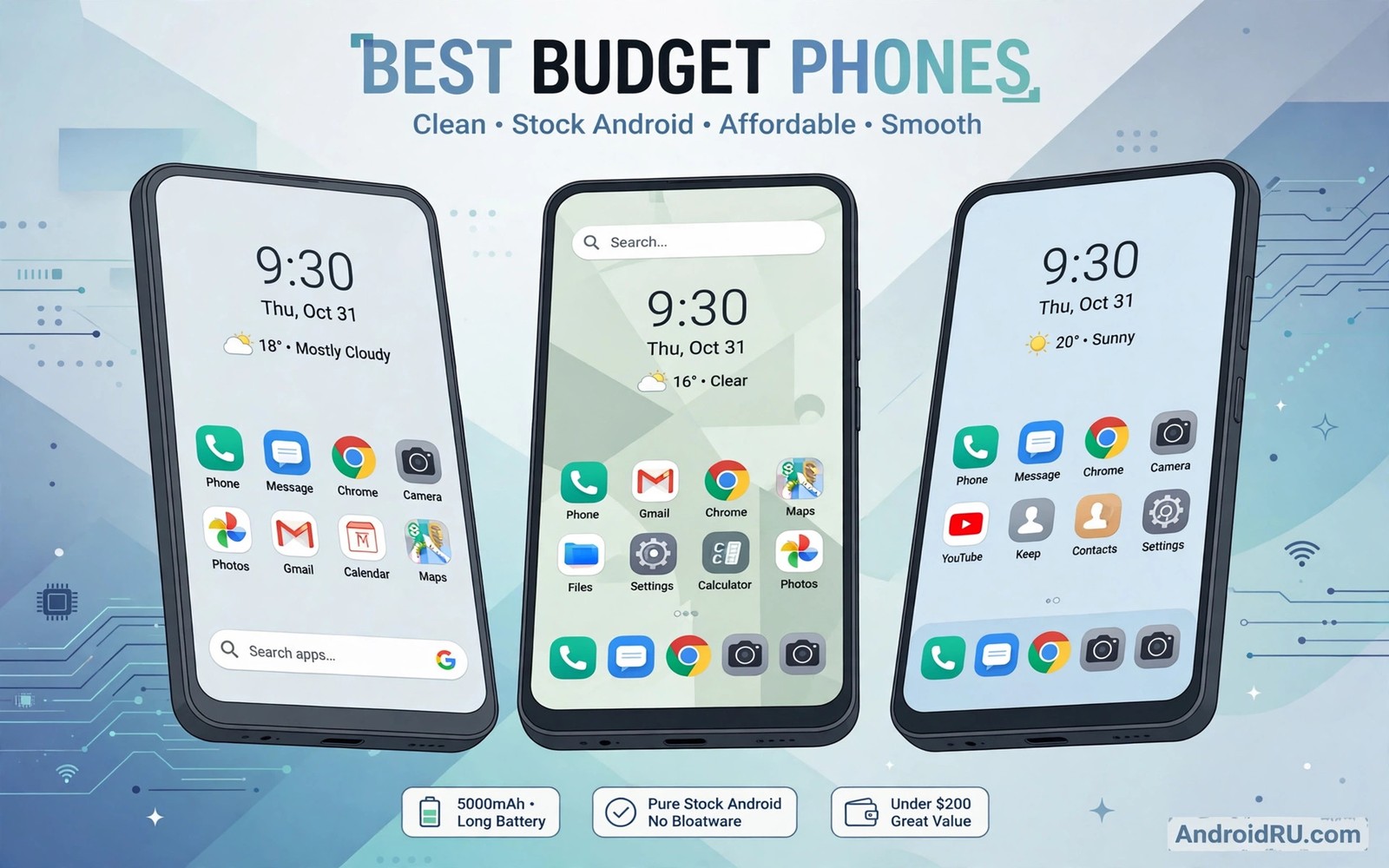
The Best Budget Phones Offering Clean Stock Software Experiences
A budget phone can feel slow on day one for a reason that has nothing to do with its chip. I have picked up phones with decent processors that still stuttered through the app drawer because the software was loaded with duplicate apps, floating ads and background services I never asked for. The hardware was fine. The experience was not.
That is why clean software matters so much at this price. A phone that ships close to stock Android opens apps quickly, keeps its menus predictable and leaves its storage for the things you actually install. It also tends to age better, because there is less custom code to break when a new Android version arrives.
This guide rounds up the budget phones that get software right. Each one below ships with a clean or near-clean interface, a sensible update promise and hardware that holds up in daily use. I have focused on phones you can realistically buy in 2026, with honest trade-offs for each pick, so you can match one to your own routine instead of chasing a spec sheet.
What clean stock software actually means on a budget phone
Stock Android is the version of the operating system Google ships on its Pixel phones, with no heavy skin on top. Menus look the way Google designed them, the settings app is the same one you will find in a guide, and the pre-installed apps are mostly Google’s own. Near-stock Android is almost the same idea with a few additions from the manufacturer, such as a different camera app or a couple of useful gestures.
Clean does not mean empty. A clean phone can still include a good camera app, a sensible file manager and a few tools that genuinely help. The line is crossed when the phone ships with three browsers, two app shops, a news feed you cannot remove and pop-up promotions in the notification shade. That kind of clutter slows the phone down, eats storage and makes every update riskier.
On a budget phone the software is often the difference between a handset that feels fast for three years and one that feels tired after twelve months. A mid-range chip paired with light software will open your banking app and camera faster than a stronger chip buried under a heavy skin. That is the trade-off most buyers miss, because the skin never appears on a spec sheet.
Stock Android, near-stock Android, and light skins
Google Pixel phones run true stock Android, and Motorola comes closest to matching that feel, adding only small touches such as twist-to-open-camera and chop-to-turn-on-flashlight gestures. Nothing Phone runs its own launcher over stock Android, but the interface stays close to Google’s design and adds very little clutter. Samsung’s One UI is heavier than stock, yet the Galaxy A35 and A55 keep it tidy, with no duplicate apps forced on you and a long update promise that makes the extra layer easier to accept.
Why bloatware costs more than storage space
Every pre-installed app you cannot remove is a small tax on the phone. It takes storage, it can run in the background, and it can show notifications you never wanted. Worse, some of it cannot be updated or removed without a computer and a cable. When I compare two phones at the same price, I now check the app drawer first and the benchmark score second, because the drawer tells me how the phone will feel on a normal Tuesday.
The best budget phones with clean stock software in 2026
These eight phones earned their place by combining light software with hardware that does not embarrass itself. Prices move around, so check the current price at your usual retailer before you buy, and expect street prices to sit well below the launch price for the older models in this list.
| Phone | Software | Update promise | Display | Price range |
|---|---|---|---|---|
| Google Pixel 8a | Stock Android | 7 years | 6.1-inch OLED, 120Hz | Mid budget, often discounted |
| Motorola Moto G Power 2024 | Near-stock Android | 1 OS upgrade, 3 years security | 6.7-inch LCD, 120Hz | Low budget |
| Nothing Phone (2a) | Nothing OS, near-stock | 3 OS upgrades, 4 years security | 6.7-inch AMOLED, 120Hz | Mid budget |
| Samsung Galaxy A35 5G | One UI, tidy | 4 OS upgrades, 5 years security | 6.6-inch AMOLED, 120Hz | Mid budget |
| Samsung Galaxy A55 5G | One UI, tidy | 4 OS upgrades, 5 years security | 6.6-inch AMOLED, 120Hz | Upper budget |
| OnePlus Nord N30 5G | OxygenOS, light | 1 OS upgrade, 3 years security | 6.72-inch LCD, 120Hz | Low to mid budget |
| Nokia G42 5G | Near-stock Android | 2 OS upgrades, 3 years security | 6.56-inch LCD, 90Hz | Low budget |
| Sony Xperia 10 VI | Near-stock Android | 3 OS upgrades, 4 years security | 6.1-inch OLED, 60Hz | Upper budget |
Google Pixel 8a
The Pixel 8a is the cleanest software experience money can buy at this price. It runs stock Android exactly as Google intended, with the Tensor G3 chip, a 6.1-inch OLED display at 120Hz and a camera that embarrasses phones costing twice as much. Photos in low light are the real party trick here: night mode pulls detail out of scenes where other budget phones produce muddy smears. This is the phone for someone who wants a small, fast handset that just works, with the best point-and-shoot camera in its class.
Pros: the purest Android experience available, seven years of updates, the best camera in this price range, and a compact size that fits one hand comfortably.
Cons: charging is slow at 18W wired, the 64GB base model is too small for most people so buy the 128GB version, and the Tensor G3 can run warm during long gaming sessions.
Verdict: buy the Pixel 8a if software purity and camera quality matter more to you than charging speed. It is the safest pick in this whole list.
Motorola Moto G Power 2024
The Moto G Power 2024 is proof that near-stock Android can live at the very bottom of the price range. Motorola adds almost nothing to Android 14 here: the app drawer is clean, there are no duplicate system apps, and the useful gestures are genuinely useful. The 5,000mAh battery regularly stretches to two days of light use, and the 6.7-inch 120Hz display is smooth for scrolling and video. This is the phone for a buyer who wants the biggest battery and the cleanest software for the least money.
Pros: two-day battery life, a clean interface with almost no bloatware, a smooth 120Hz screen, and a price that leaves room in any budget.
Cons: only one major OS upgrade is promised, the cameras are average at best, and the Snapdragon 680 chip feels slow with demanding games.
Verdict: buy it if battery life and a tidy interface matter more than cameras or long-term updates. It is the best cheap clean phone here.
Nothing Phone (2a)
Nothing Phone (2a) takes stock Android and dresses it in the most distinctive design at this price. The transparent back with its glyph lights is the talking point, but the software is the real reason to buy it. Nothing OS stays close to Google’s design, adds useful widgets, and avoids the duplicate apps that plague other mid-range phones. The Dimensity 7200 Pro chip handles daily tasks and most games without drama, and the 6.7-inch AMOLED display is bright and fluid at 120Hz. This is the phone for someone who wants clean software with a personality.
Pros: a genuinely clean interface with a unique look, three OS upgrades promised, a bright AMOLED display, and solid everyday performance.
Cons: no wireless charging, the glyph lights are a novelty you may switch off after a week, and camera quality trails the Pixel 8a.
Verdict: buy the Phone (2a) if you want clean software that does not look like every other phone. It is the most fun pick in this list.
Samsung Galaxy A35 5G
The Galaxy A35 5G is the sensible Samsung for people who dislike heavy software. One UI is not stock Android, but on the A35 it stays out of your way: the apps are Samsung’s own versions rather than duplicates, the menus are consistent, and there are no ads in the system apps. The 6.6-inch Super AMOLED display is bright and vivid, the Exynos 1380 chip is steady for everyday use, and the four years of OS upgrades plus five years of security patches give this phone a longer life than most rivals. This is the phone for a buyer who wants a great screen and long support without paying flagship money.
Pros: a bright and colourful AMOLED screen, four OS upgrades promised, water resistance at IP67, and a camera that handles daylight well.
Cons: charging tops out at 25W with no charger in the box, One UI still adds more apps than stock Android, and the plastic frame feels plain next to the A55.
Verdict: buy the A35 if you want Samsung’s screen and support with the least clutter Samsung offers. It is the value pick of the A series.
Samsung Galaxy A55 5G
The Galaxy A55 5G is the most polished phone in this roundup. A metal frame, a bright 6.6-inch AMOLED display at 120Hz and the same long update promise as the A35 make it feel a class above its price. One UI on the A55 is the tidiest version Samsung ships, with good lock-screen customisation and none of the promotional notifications that used to haunt cheaper Galaxy phones. The Exynos 1480 chip, backed by a vapour chamber, stays cool during long sessions. This is the phone for someone who wants a premium feel and five years of support in a mid-range body.
Pros: a metal frame and premium build, a bright 120Hz AMOLED display, four OS upgrades and five years of security patches, and reliable all-round cameras.
Cons: it costs noticeably more than the A35, charging is still only 25W, and One UI remains heavier than stock Android.
Verdict: buy the A55 if you plan to keep your phone for four or five years. The build and the update promise justify the extra cost.
OnePlus Nord N30 5G
The Nord N30 5G brings OnePlus’s light OxygenOS to the lower end of the budget range, and the result is a phone that feels quicker than its price suggests. OxygenOS here is close to stock Android in layout, with a clean settings menu and very little pre-installed clutter. The 6.72-inch 120Hz display is large and smooth, the Snapdragon 695 chip handles daily apps comfortably, and the 5,000mAh battery with 50W charging refills far faster than most rivals at this price. This is the phone for someone who wants a big screen, fast charging and tidy software without spending much.
Pros: 50W fast charging, a large smooth 120Hz display, light and clean OxygenOS, and a headphone jack that is rare at this price.
Cons: only one major OS upgrade is promised, the ultrawide camera is weak, and the plastic body picks up fingerprints quickly.
Verdict: buy the Nord N30 if fast charging and a big screen matter most. It is the best cheap OnePlus for clean software fans.
Nokia G42 5G
The Nokia G42 5G is the quiet achiever of this list. It runs near-stock Android with almost no additions, it is built to be repaired at home with user-replaceable parts, and it costs less than most of the phones here. The 6.56-inch 90Hz display is modest and the Snapdragon 480 Plus chip is not fast, but the software stays clean and predictable, and the 5,000mAh battery lasts a full day with room to spare. This is the phone for a buyer who wants the simplest, cheapest clean Android experience and does not play demanding games.
Pros: very clean near-stock software, repairable design with available parts, a low price, and solid battery life.
Cons: the chip is slow for gaming, the display is only 90Hz LCD, and camera quality is basic.
Verdict: buy the G42 if you want the cheapest clean phone that still gets proper updates. It is honest, simple and cheap to keep.
Sony Xperia 10 VI
The Sony Xperia 10 VI is the odd one out, and that is exactly its charm. Sony ships it with near-stock Android, almost no bloatware and a 21:9 OLED display that is superb for films. The 5,000mAh battery lasts two days in light use, there is a headphone jack and a microSD slot, and the tall, narrow body is easy to hold. The Snapdragon 6 Gen 1 chip is modest, so this is not a gaming phone, but for reading, video and calls it is a calm and tidy companion. This is the phone for a film lover who wants clean software and a headphone jack.
Pros: a tall OLED display that suits films, near-stock software with almost no clutter, two-day battery life, and a headphone jack plus microSD slot.
Cons: the 60Hz display feels dated, the chip is modest for the price, and Sony’s update timing can be slow.
Verdict: buy the Xperia 10 VI if you watch a lot of video and want clean software in a slim body. It is a niche pick, but a good one.
Update promises change the real price of a budget phone
A phone that costs less up front can cost more over time if it stops receiving updates after a year. Security patches keep your banking apps and browser safe, and major OS upgrades bring new features and better battery management. When I compare two phones that are close in price, I now divide the price by the years of promised support. A phone with seven years of updates, like the Pixel 8a, can work out cheaper per year than a rival that costs less today but is abandoned in eighteen months.
The gap between brands is wide. Google promises seven years for the Pixel 8a. Samsung promises four OS upgrades and five years of patches for the A35 and A55. Nothing promises three upgrades for the Phone (2a). Motorola and OnePlus, at the cheaper end, promise only one major upgrade for the Moto G Power and Nord N30. None of these promises is a guarantee of a perfect experience, but a longer promise is a strong signal that the manufacturer plans to keep the phone alive.
There is a catch worth knowing. A long update promise only helps if the hardware can keep up. A phone with a slow chip and four years of updates may still feel sluggish in year three, because each new Android version asks a little more of the processor. The sweet spot is a phone with both a decent chip and a long promise, which is why the Pixel 8a and the Galaxy A55 stand out in this list.
Matching a clean phone to your daily routine
The best clean phone is the one that fits how you actually live. A commuter who watches video on a train needs a bright screen and a big battery more than a fast chip. A parent who takes photos of children indoors needs the Pixel’s camera more than a metal frame. A student on a tight budget needs the Moto G Power’s two-day battery more than three years of OS upgrades. Start from your day, not from a spec sheet, and the choice gets much easier.
If you want a fuller walkthrough of that decision, read how to pick a phone that fits your daily routine before you shortlist anything. It covers the daily-use questions that matter more than benchmark scores, such as hand size, screen brightness outdoors and how the phone behaves on a weak signal.
One practical habit helps here. Write down the three things you do most on your phone, then check each candidate against those three things only. If a phone fails one of your top three, cross it off, no matter how good its camera or its price looks. I have bought phones that excelled at things I never did and failed at the one thing I did every day, and the clean software never saved them.
Battery life, storage and cameras on clean budget phones
Clean software helps battery life in a quiet way. Fewer background services mean fewer wake-ups, and a phone that ships without promotional apps tends to sip power overnight. In practice the Moto G Power and Xperia 10 VI stretch to two days, the Pixel 8a and Nothing Phone (2a) manage a full day comfortably, and the Samsung pair sit in the middle with large batteries and efficient displays. If you play games or record video, expect every phone here to need a nightly charge.
Storage is the other place where clean software pays off. A heavy skin can reserve a large slice of a 128GB phone before you install anything, while stock Android leaves more room for your apps and photos. Even so, buy 128GB as a minimum and 256GB if you shoot a lot of video or keep games installed. The Nokia G42 and Xperia 10 VI accept microSD cards, which softens the storage question, while the Pixel 8a has no card slot at all.
Cameras are where clean phones split into two groups. The Pixel 8a leads by a wide margin, with computational photography that makes night shots look easy. The Galaxy A55 and A35 sit in the middle with reliable daylight photos and decent video stabilisation. The cheaper Motorola, Nokia and OnePlus models take fine photos in good light and struggle indoors. If the camera is your top priority, the Pixel 8a is the only pick here that truly excels.
What to check before you spend money on a new phone
Before you pay, check the exact model name and storage size on the box, because budget phones often ship in near-identical variants with different chips. Check the update promise on the manufacturer’s own page, not on a retailer listing, and confirm whether the phone ships with a charger in the box. Samsung and Google no longer include one, so add that cost if you do not already own a suitable charger.
It also pays to weigh a refurbished older flagship against a brand-new budget phone, since the older phone may offer a better camera and faster charging for the same money. Read what to check before you spend money on a new phone to compare the two routes side by side, including warranty, battery health and how many updates remain on the older device.
Finally, test the phone in your hand if you can. A 6.7-inch screen looks great on paper and can feel enormous in a small hand. Check that you can reach the top of the screen, that the fingerprint sensor works with your thumb, and that the phone does not slide off a table. These small checks take five minutes in a shop and save months of annoyance.
Practical tips for getting more value from a mid-range phone
Once you have picked a clean phone, a few habits will stretch its life. Turn off notifications for apps you do not need in the first week, so the clean software stays clean. Use the built-in battery care settings to limit charging to 80 or 85 percent overnight, which slows battery wear over years. And keep the storage at least 10 percent free, because a nearly full phone slows down no matter how clean its software is.
For more ideas on stretching a mid-range purchase, read practical tips for getting more value from a mid-range phone. It covers which brands hold their value longest, when to buy for the best discounts, and which accessories are worth paying for instead of buying twice.
One more habit is worth building: check for system updates monthly, even if automatic updates are on. Budget phones sometimes delay an update for weeks, and a manual check pulls it down sooner. Security patches are the one update you should never postpone, because they close holes that attackers actively use.
Mistakes that make a clean phone feel messy
The most common mistake is filling a clean phone with clutter in the first week. Every extra launcher, cleaner app and duplicate browser you install undoes the work the manufacturer did. Stick with the stock apps for a month before you replace anything, and remove any app you have not opened in thirty days. A clean phone stays clean only if its owner keeps it that way.
The second mistake is choosing a phone for one feature and ignoring the rest. A great camera does not help if the battery dies by dinner, and a two-day battery does not help if the screen is too dim to read outdoors. Judge the whole phone against your whole day, not against a single highlight. That is how a phone with clean software and average hardware can still be the wrong buy.
Frequently asked questions about clean stock Android phones
Is stock Android faster than a heavy skin on the same chip?
Usually, yes, but the gap is smaller than it used to be. Stock Android has fewer background services and a simpler interface, so apps open a fraction faster and the phone stays responsive for longer. The bigger advantage is consistency: menus stay where you expect them, and updates arrive sooner because there is less custom code to adapt. A heavy skin on a fast chip can still feel quick, but it tends to slow down sooner as the phone ages.
Which budget phone gets updates for the longest time?
The Pixel 8a leads this list with seven years of OS and security updates promised by Google. Samsung’s Galaxy A35 and A55 follow with four OS upgrades and five years of security patches. Nothing promises three OS upgrades for the Phone (2a). At the cheaper end, the Moto G Power 2024 and Nord N30 promise only one major OS upgrade, so they are better bought as two-year phones than as long-term keepers.
Do clean phones have worse cameras than phones with heavy skins?
No, and the Pixel 8a proves it. The cleanest phone in this list also has the best camera, because Google’s image processing does the heavy lifting. Camera quality depends on the sensor, the lens and the processing software, not on how busy the interface is. Samsung’s A55 shows the same point from the other side: a heavier skin with a good camera pipeline still takes great photos.
Can I remove bloatware from a phone that ships with a heavy skin?
Sometimes. Many pre-installed apps can be disabled from Settings, which stops them running and hides them from the drawer, though they still occupy storage. A smaller number can be uninstalled outright. If a phone’s bloatware cannot be disabled, that is a reason to pick a cleaner rival instead. Buying a clean phone is far easier than cleaning a messy one after the fact.
Which clean budget phone should you buy?
If you want one answer, buy the Pixel 8a for the cleanest software, the longest updates and the best camera. If your budget is tighter, buy the Moto G Power 2024 for two-day battery life and a tidy interface at a low price. If you want a phone that feels premium and lasts five years, buy the Galaxy A55. Each of these three covers a different kind of buyer, and none of them will fill your app drawer with apps you never asked for.
Your next step is simple. Shortlist two phones from this guide, check the current price for the 128GB version of each, and compare their update promises side by side. Then hold both in a shop if you can, and pick the one that feels right in your hand. A clean phone should feel calm from the first day, and the right one will still feel calm in year three.

. See update promises and trade-offs, then find the one that fits.)