

Google Pixel 6 Review: Photo Quality, Video and Performance
The Pixel 6 arrived in October 2021 as the first phone built around a chip Google designed itself, and it changed what a Pixel could be. I spent weeks using one as my daily phone, shooting in daylight and at midnight, recording 4K video on walks, and pushing the battery through long days away from a charger. What I found was a phone that takes remarkable photos for its price, runs Google’s smartest software, and still has a few rough edges worth knowing about before you buy one in 2026.
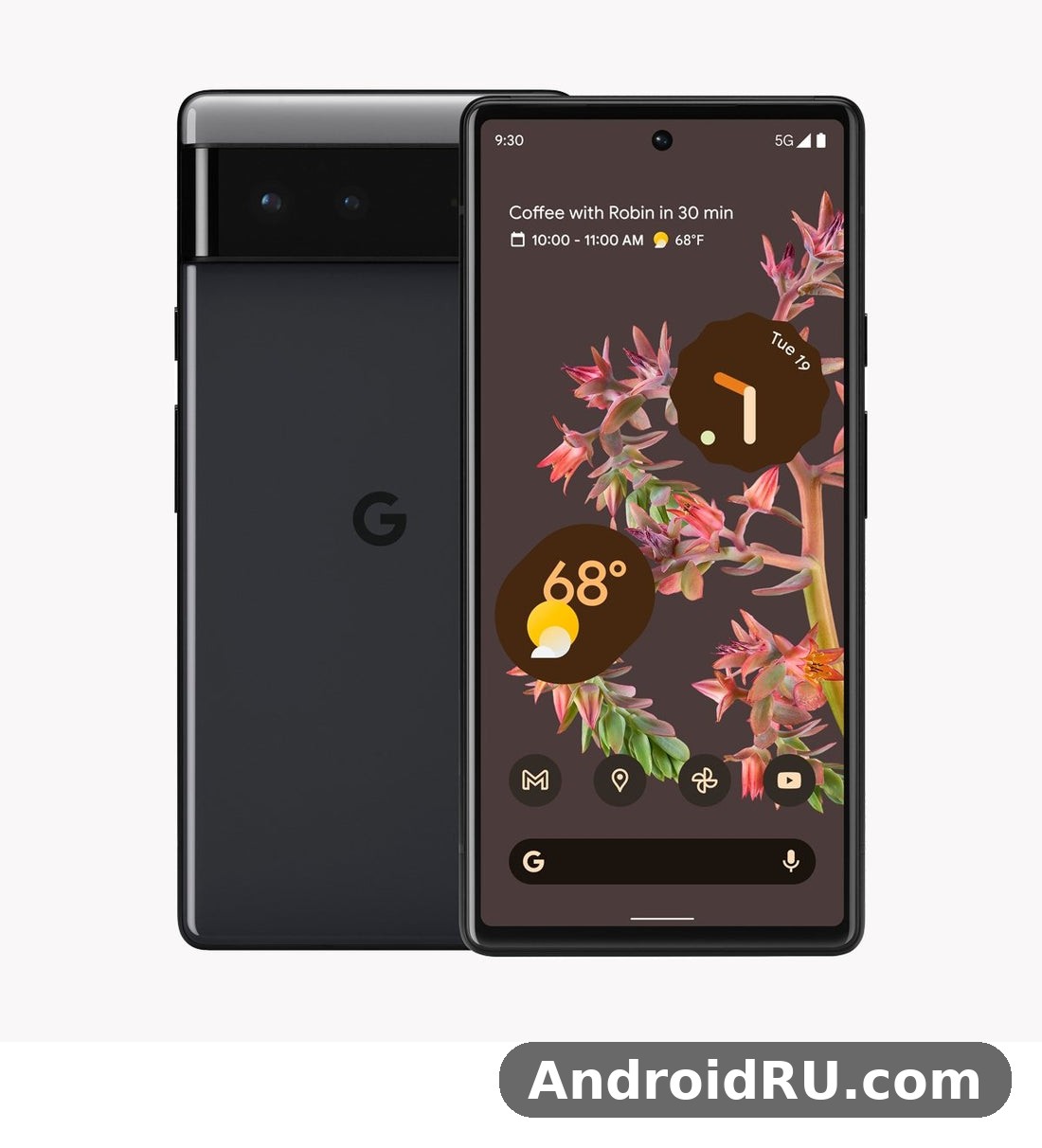
This review covers the three things the title promises: photo quality from the 50MP main camera and 12MP ultrawide, video recording up to 4K at 60 frames per second, and real performance from the Google Tensor G1 chip with 8GB of RAM. The second half of the article adds the full specifications table, so you get the review and the complete spec sheet in one place. If you are comparing it with the larger model, the Google Pixel 6 Pro Review: Daily Performance and Key Features lays out where the extra money goes.
Short version: the Pixel 6 is a camera-first phone with clean software and a battery that gets most people through a day. Its fingerprint sensor can be slow, and the Tensor chip runs warm under sustained load. For photography lovers on a budget, though, it remains one of the best-value phones Google has ever made.
Google Pixel 6 Design and 6.4-Inch 90Hz OLED Display
Google gave the Pixel 6 a look nobody could mistake for another phone. A wide camera bar runs across the back, holding both rear lenses, and the two-tone finish splits the rear panel into a bold upper block and a softer lower half. Sorta Seafoam pairs a pale green body with a mint accent, Kinda Coral is the loudest of the three launch colours, and Stormy Black keeps things quiet. The frame is matte aluminium, the front is Gorilla Glass Victus, and the back is Gorilla Glass 6. At 207 grams and 8.9 mm thick, it feels solid without feeling like a brick, though the camera bar stops it lying flat on a table.
Water resistance is rated IP68, so rain and an accidental dunk should not end your day. There is no headphone jack and no microSD slot, which will bother some buyers, and the single USB-C port handles charging, audio and data. The stereo speakers are loud enough for podcasts in a kitchen and clear enough for calls on speakerphone, even if they lack the bass of a larger phone. Pixel 6 speaker quality is good for a phone this size, with clear voices and no distortion at high volume.
The two-tone design and camera bar
That camera bar is more than a styling trick. It spreads the camera hardware across the width of the phone, so the device wobbles far less than phones with a corner camera bump, and it gives the two lenses room to sit side by side with proper spacing. In the hand, the bar doubles as a small grip point for your index finger. After a month of use, I stopped noticing it entirely, which is the best compliment a design choice can earn. The power button and volume rocker sit on the right edge, easy to reach, and the in-display fingerprint sensor sits low on the screen.
90Hz OLED display in sunlight and at night
The 6.4-inch OLED panel runs at 1080 by 2400 pixels with a 90Hz refresh rate, and that refresh rate is the first thing you notice coming from a 60Hz phone. Scrolling through feeds feels smoother, and animations in Android 12 glide instead of stuttering. The panel is flat, not curved, which makes screen protectors easy and avoids accidental edge touches. Colours are vivid without looking cartoonish, and the always-on display shows the time, date and notifications at a glance.
Outdoor visibility is good rather than great. In direct sunlight the screen stays readable, though it does not reach the peak brightness of the Pro model or the brightest Samsung panels. At night, the low-brightness range is gentle on the eyes, and the automatic brightness settles quickly. For watching video, the 20:9 aspect ratio fills the screen nicely, and HDR content on supported apps shows deeper blacks and brighter highlights than standard video.
Google Tensor G1 Performance and 8GB RAM in Daily Use
The Tensor G1 is the heart of this phone, and it was Google’s first custom mobile chip. Built on a 5 nm process, it pairs two high-performance Cortex-X1 cores with mid and efficiency cores, a Mali-G78 MP20 graphics unit, and a dedicated tensor processing unit for machine learning. On paper it is not the fastest chip of its generation. In practice, it is tuned for the things a Pixel actually does: processing photos the moment you press the shutter, transcribing speech on the device, and translating conversations live.
Day-to-day speed is strong. Apps open quickly, switching between a dozen open apps is smooth thanks to the 8GB of LPDDR5 RAM, and the 128GB or 256GB of UFS 3.1 storage loads large games without long waits. I ran maps, music, messaging and a browser with twenty tabs open at once, and the phone kept up without reloading apps. That is the Google Tensor G1 doing exactly what it was built for: steady, responsive everyday performance with machine-learning features running quietly in the background.
Daily speed and 8GB RAM multitasking
Multitasking is where the 8GB of RAM earns its keep. Split-screen works well on the 6.4-inch display, picture-in-picture video keeps playing while you answer messages, and the phone remembers where you left off in apps hours later. Storage choice matters more than it seems. Choosing between 128GB vs 256GB storage is a decision worth making carefully, because the 128GB model fills up fast once you shoot 4K video and keep photos at full quality, so the 256GB model is the safer pick if you plan to keep the phone for years. There is no expandable storage, so choose carefully at purchase.
Gaming performance on Tensor G1
Games run well at first. Demanding titles load fast and play at high settings, and the 90Hz display makes fast-paced games feel fluid. The catch is heat. After twenty to thirty minutes of a heavy game, the Tensor chip warms up and the phone trims performance to keep temperatures in check. Frame rates dip, and the back of the phone gets noticeably warm near the camera bar. Casual games never trigger this, and short sessions of demanding games are fine. If you are a heavy mobile gamer who plays for hours, a phone with a cooler-running chip will suit you better.
What thermal throttling feels like in games
Throttling on the Pixel 6 is gradual rather than sudden. You will notice a game dropping from smooth to slightly choppy, and the phone may dim the screen a touch on a hot day. It never becomes unusable, and it recovers quickly once you close the game. Playing with a case on traps a little more heat, so taking the case off for a long session helps. This is normal behaviour for the Tensor G1, not a defect in your individual handset.
Pixel 6 Photo Quality: 50MP Main Camera and Night Sight
The camera is the reason to buy this phone. Google paired a 50MP main sensor with a 12MP ultrawide, and then let its computational photography pipeline do the heavy lifting. The main sensor is a large 1/1.31-inch unit with an f/1.85 aperture and optical image stabilisation, and it bins four pixels into one to produce bright, detailed 12.5MP images. The result is photos with natural colours, excellent dynamic range, and detail that holds up when you zoom in on a crop.
Pixel 6 photo quality in daylight is superb. Landscapes keep detail in both bright skies and dark shadows, skin tones look natural instead of over-smoothed, and the HDR+ processing pulls detail out of scenes that would blow out on a lesser phone. Colours lean slightly warm and vivid, which flatters food, travel and portrait shots without crossing into artificial. If you are coming from an older Pixel, the jump in detail from the larger sensor is obvious the first time you pinch to zoom on a photo of a building or a face in a crowd.
50MP main camera in daylight
In bright light the main camera is fast and consistent. Autofocus locks on quickly, even on moving subjects like children and pets, and the shutter lag is short enough to catch candid moments. Detail in foliage, brickwork and fabric is excellent, and the phone handles backlit scenes well, keeping faces bright without turning the sky white. Compared with the previous generation, the larger sensor gathers more light and produces cleaner files, which shows up most clearly when you print a photo or view it on a large screen.
Portrait mode deserves a special mention. Edge detection around hair and glasses is accurate, the background blur looks natural, and you can adjust the blur strength after the shot. The phone uses the main sensor for portraits, so they benefit from the same large-sensor detail as regular photos. For photography beginners, this is a camera that rewards simply pointing and shooting: the automatic mode makes good decisions far more often than it makes bad ones.
Night Sight and low-light photo quality
Night Sight is where the Pixel 6 pulls away from most phones near its price, and it defines Pixel 6 photo quality in low light. Handheld night shots come out bright, sharp and usable, with colours that look close to what your eyes saw. Street scenes at night keep detail in neon signs and shop windows, and faces in dim restaurants stay recognisable instead of turning into noise. The phone takes several frames and merges them, so you need to hold still for a couple of seconds, but the results are worth the wait.
Pixel 6 camera samples taken at night show far less noise than the Pixel 5 could manage, thanks to the larger sensor collecting more light before the software even starts. The ultrawide also works at night, though with more noise and softer detail than the main camera. For the best results, brace the phone against a wall or rest it on a surface, and let Night Sight finish its full capture instead of cutting it short.
Night Sight settings that matter
Night Sight turns on automatically when the scene is dark enough, and you can also switch it on manually in the camera app. The focus setting, which appears as a small slider in some modes, lets you set the exposure time: longer captures gather more light but need a steadier hand. Tap to focus on your subject before shooting, and avoid using the digital zoom at night, since it magnifies noise. A quick wipe of the lens before a night shoot matters more than any setting, because a smudged lens turns every streetlight into a smear.
12MP ultrawide camera and portrait mode
The 12MP ultrawide covers a 114-degree field of view, which is wide enough for interiors, architecture and group shots without stepping backwards. Distortion at the edges is controlled well, and colours match the main camera closely, so switching between lenses in the same scene does not produce a jarring change. Detail is softer than the main sensor, especially in the corners, but for social sharing and web use it is more than good enough.
The ultrawide also doubles as a fun creative tool. Low-angle shots of buildings look dramatic, and tight interiors suddenly fit in the frame. It cannot do macro close-ups like some rivals, and there is no telephoto lens, so zooming beyond 2x relies on digital cropping from the 50MP sensor. That digital zoom is decent up to about 4x in good light, then softens quickly. If long zoom matters to you, the Pro model with its telephoto lens is the better fit.
Astrophotography mode on a tripod
Put the Pixel 6 on a tripod under a dark sky and it will offer astrophotography mode, capturing the stars with exposures lasting up to four minutes. The results can be genuinely striking: constellations, the Milky Way band, and far more stars than the naked eye can pick out. You need a truly dark location away from city lights, a steady mount, and patience. It is a party trick with real substance, and one of the few phone camera features that still surprises people who have seen it all.
Two software features make the camera smarter still. Magic Eraser removes unwanted people and objects from a photo with a tap, and it works well on simple backgrounds like skies and pavements. Face Unblur sharpens faces that moved during a shot, rescuing photos of children and pets that would otherwise go in the bin. Real Tone, tuned with a diverse range of skin tones, renders darker skin accurately instead of washing it out. Together these features show what computational photography means in practice: the photo is finished by software as much as by the lens.
Pixel 6 Video Recording: 4K 60fps, Stabilization and Audio
Video was the weak point of older Pixels, and the Pixel 6 is where Google closed most of the gap. The rear camera records 4K at up to 60 frames per second, and 1080p at up to 240 frames per second for slow motion. Footage is detailed, colours match the stills, and the dynamic range holds up in mixed light. Walking shots look steady, panning is smooth, and the autofocus tracks faces and subjects without hunting.
Pixel 6 video recording at 4K 60fps produces files that look good on a television, not just on the phone screen. The Tensor chip processes video with the same HDR pipeline as stills, so highlights in a bright sky stay controlled while shadows keep detail. Audio is captured in stereo from the built-in microphones, and voices stay clear in a breeze, though strong wind still overwhelms the mics. For family videos, travel clips and short social videos, this is a genuinely capable video camera.
4K 60fps recording and video stabilization
Stabilization comes in several flavours. Standard stabilization crops slightly and smooths handheld shake, locked mode keeps the frame steady when you want a tripod-like shot, and active mode adds stronger correction for walking or running. Active mode crops more, so use it only when you are moving. In practice, walking down a street while filming produces footage that looks like it was shot on a gimbal, with only the occasional bounce on uneven ground giving the game away.
One honest limitation: 4K 60fps recording is capped at about ten minutes per clip in some conditions, and long 4K sessions warm the phone. The front camera records 4K at 30 frames per second, which is plenty for video calls and vlogging. Slow motion at 240fps is fun for sports and pets, though it needs plenty of light to avoid grain. Compared with the best video phones of its era, the Pixel 6 sits a step behind on smoothness in low light, but a clear step ahead of its own predecessors.
Front camera video and audio quality
The 8MP front camera has a fixed focus and an 84-degree field of view, wide enough for two people in a selfie video. In good light, selfies are sharp with natural skin tones, and video calls look clean. In dim light, noise creeps in and detail softens, so face a window or a lamp for the best results. Portrait mode on the front camera blurs backgrounds convincingly, and the wide angle means you rarely need a selfie stick for group shots.
Pixel 6 call quality is clear on both ends, and audio on calls stays intelligible even with background noise. The earpiece is loud, the microphones pick up voices well in a quiet room, and noise reduction does a decent job on a busy street. The Recorder app deserves a mention too: it transcribes speech on the device in real time, which is handy for interviews and lectures, and it works without an internet connection.
Pixel 6 Battery Life: 4614mAh, 21W Wired Charging and Wireless Charging
The 4614mAh battery is a solid size for a 6.4-inch phone, and in real use it gets most people through a full day. My typical day, with messaging, maps, streaming, photos and an hour of video, ended with around 20 to 30 percent left at bedtime. Heavy days with lots of 5G, navigation and 4K recording can drain it by early evening, while light days leave half the battery untouched. The adaptive battery learns your habits and limits power to apps you rarely open, which helps the second week of use feel better than the first.
Pixel 6 battery life in real-world testing lands in the middle of the pack for its class. It beats the Pixel 5 on screen-on time thanks to the larger cell, but the Tensor chip is thirstier than the most efficient rivals, and the 90Hz display costs a little extra power. Turning the refresh rate down to 60Hz saves a small amount, though most people will not find the trade-off worth it. Five hours to seven hours of screen-on time is a realistic expectation for mixed use.
4614mAh battery endurance in real use
Standby drain is low. Overnight, the phone typically loses only a few percent, and the always-on display costs very little. Battery Saver mode kicks in at 15 percent by default and stretches the remaining charge by limiting background activity, while Extreme Battery Saver can keep the phone alive for a day or more on a small charge by restricting apps to a chosen few. If your Pixel 6 is a used purchase in 2026, check the battery health in settings: a heavily used battery will hold less charge, and a replacement is worth considering if endurance has clearly dropped.
21W wired charging and wireless charging speeds
Wired charging tops out at about 21W, even though Google sells a 30W charger for it. That 21W charging speed is modest next to the fastest-charging rivals, and it shapes how you plan your day. That means a full charge from empty takes roughly two hours, with about half the battery filled in the first thirty minutes. It is slower than the fastest-charging rivals, and if you are used to a phone that fills in forty minutes, the Pixel 6 will feel unhurried. The upside is gentler wear on the battery over years of use, and adaptive charging overnight slows the final stretch to protect long-term health.
Wireless charging runs at up to 21W with the second-generation Pixel Stand, and 12W with standard Qi chargers. Battery Share lets the phone wirelessly charge earbuds or a watch from its own battery, which is handy when your earbuds die on a trip. There is no charger in the box, only a USB-C cable and a USB-C to USB-A adapter, so budget for a charger if you do not already own one.
Android 12, Material You and Pixel-Exclusive Software Features
The Pixel 6 launched with Android 12, and with it came Material You, Google’s biggest redesign of Android in years. Colours from your wallpaper flow through the whole interface, buttons get bigger and rounder, and the quick settings panel becomes a set of large, thumb-friendly tiles. It looks fresh and personal, and the phone feels like yours in a way stock Android never quite did before.
Updates were a strong point at launch: three years of Android version updates, taking the phone to Android 15, and five years of security patches through October 2026. That means a Pixel 6 bought in 2026 is near the end of its security support, so check the current patch level before you buy a used one. The clean, bloat-free software is still one of the best reasons to choose a Pixel over a heavily skinned rival.
Material You and Android 12 on the Pixel 6
Material You is more than a fresh coat of paint. Widgets resize and recolour themselves, the lock screen clock grows large when notifications are clear, and the privacy dashboard shows exactly which apps used your camera, microphone and location. The redesigned notification shade groups conversations together, and the new privacy indicators put a small green dot on screen whenever an app uses the camera or microphone. For anyone who values a clean interface and fast updates, this software experience is a genuine selling point.
Magic Eraser, Live Translate and Call Screen
Magic Eraser lives in Google Photos and removes distractions from your pictures with a tap or a brush stroke. Live Translate translates conversations in real time, even in the Messages app, and works on the device for supported languages. Now Playing identifies songs playing around you without sending audio anywhere, and Call Screen answers unknown callers with the Google Assistant to find out who is calling before your phone rings. Hold for Me waits on hold during customer service calls and alerts you when a human picks up. These are the features that make a Pixel feel clever in daily life, not just on a spec sheet.
Call Screen and Hold for Me in practice
Call Screen is the feature I missed most when I switched away from a Pixel. Spam callers hang up when the Assistant answers, and genuine callers leave a transcript you can read before deciding to pick up. Hold for Me is less universally useful, since it depends on your region and carrier, but when it works it turns a twenty-minute hold into time you can spend doing something else. Both features rely on the Tensor chip’s on-device processing, which is why they run fast and keep your audio private.
The fingerprint sensor deserves an honest paragraph. It is an optical sensor under the display, and at launch it was slower and less reliable than the rear sensors on older Pixels. Software updates improved it, and registering the same finger twice helps, but it still misses more often than the best sensors, especially with dry hands or a screen protector. Face unlock is not available, so the fingerprint sensor and PIN are your options. Compared with the Pixel 5, which had a fast rear sensor, this is a step backwards in convenience, and the Google Pixel 5 Review: Design, Battery Life and Usability shows what the older phone did better in daily use.
Google Pixel 6 Full Specifications
Here is the complete specification sheet for the Pixel 6, covering the display, processor, cameras, battery and connectivity. Use it to compare against other phones, or to check a detail before buying a used handset.
Display, processor and battery at a glance
The headline numbers are a 6.4-inch 90Hz OLED display, the Tensor G1 chip with 8GB of RAM, a 50MP main camera, and a 4614mAh battery with 21W wired charging. Everything below that is the full detail.
| Specification | Google Pixel 6 |
|---|---|
| Launch date | October 2021, with Android 12 |
| Display | 6.4-inch OLED, 1080 x 2400 pixels, 90Hz refresh rate, HDR support, Gorilla Glass Victus |
| Processor | Google Tensor G1, 5 nm, octa-core with two Cortex-X1 cores |
| Graphics | Mali-G78 MP20 |
| RAM | 8GB LPDDR5 |
| Storage | 128GB or 256GB UFS 3.1, no microSD slot |
| Rear cameras | 50MP main, f/1.85, 1/1.31-inch sensor, optical image stabilisation; 12MP ultrawide, f/2.2, 114-degree field of view |
| Front camera | 8MP, f/2.0, 84-degree field of view, fixed focus |
| Video recording | Rear 4K at 30 and 60fps, 1080p up to 240fps slow motion; front 4K at 30fps |
| Battery | 4614mAh, non-removable |
| Charging | 21W wired, up to 21W wireless with Pixel Stand (2nd gen), 12W with standard Qi, Battery Share reverse wireless charging |
| Security | In-display fingerprint sensor, Titan M2 security chip |
| Water resistance | IP68 dust and water resistant |
| Connectivity | 5G (sub-6 and mmWave on some models), Wi-Fi 6E, Bluetooth 5.2, NFC, USB-C, GPS |
| Speakers | Stereo speakers, no 3.5 mm headphone jack |
| Build | Aluminium frame, Gorilla Glass Victus front, Gorilla Glass 6 back |
| Dimensions and weight | 158.6 x 74.8 x 8.9 mm, 207 grams |
| Colours | Sorta Seafoam, Kinda Coral, Stormy Black |
| Software updates | Android version updates to Android 15, security patches through October 2026 |
| Launch price | From $599 in the United States |
A few details in that table deserve emphasis. Pixel 6 5G connectivity covers both sub-6 and mmWave on models sold through some carriers, though the exact bands depend on the region and the model number, so check the listing before you buy an imported handset. Wi-Fi 6E is included, which keeps home wireless fast on a compatible router. The Titan M2 chip protects your passwords and payment data in dedicated hardware, and IP68 water resistance means the phone survives rain and brief submersion. Pixel 6 durability is helped by Gorilla Glass Victus on the front, though the polished aluminium frame and glass back still benefit from a case.
Pixel 6 Pros and Cons: Who Should Buy It in 2026
No phone is perfect, and the Pixel 6 is honest about its trade-offs. The camera and software are its strengths, while charging speed and the fingerprint sensor are its weaknesses. Weighing both sides is the only way to decide whether it fits your priorities.
Pros
- Outstanding photo quality from the 50MP main camera, especially at night with Night Sight.
- Clean Android with Material You and Pixel-only features like Magic Eraser, Call Screen and Live Translate.
- Bright 90Hz OLED display that makes everyday scrolling feel smooth.
- Strong value: flagship-level photography at a mid-range launch price, and even cheaper as a used phone in 2026.
- IP68 water resistance, wireless charging and Battery Share at this price.
- Five years of security patches and updates to Android 15.
Cons
- Slow 21W wired charging, with a full charge taking around two hours.
- The in-display fingerprint sensor is slower and less reliable than the rear sensor on older Pixels.
- Tensor G1 runs warm and throttles during long gaming sessions.
- No telephoto lens, so zoom beyond 4x is soft.
- No headphone jack and no microSD expansion.
- Security support ends in October 2026, so a used Pixel 6 has a short support runway left.
Who should buy the Pixel 6 in 2026
The Pixel 6 is for photography lovers who want the best camera they can get for the least money, and for people who love clean Android without bloatware. It suits anyone upgrading from a much older phone, especially a Pixel 4 or earlier: the camera, screen and battery are all big steps forward, as the Google Pixel 4 XL Review: Screen Quality, Cameras and Charging makes clear by comparison. It is also a smart pick as a second phone or a travel camera that happens to make calls.
Pixel 6 price in 2026 makes the case even stronger. Used and refurbished models sell for a fraction of their launch price, and at that level the camera alone is worth the money. Check the battery health, confirm the phone is not carrier-locked if you need an unlocked handset, and verify the security patch date before paying. If you need longer support, faster charging and a cooler chip, the newer generation is the better buy, and the Google Pixel 7 Review: Design, Software and Camera Quality shows what an extra year of progress buys you.
Google Pixel 6 FAQ
Is the Google Pixel 6 still worth buying in 2026?
Yes, at the right price, and mainly for the camera. The 50MP main camera still takes photos that beat most new mid-range phones, Night Sight remains excellent, and the clean Android experience holds up well. The trade-off is support: security patches end in October 2026, charging is slow by modern standards, and the fingerprint sensor is mediocre. Buy it as a budget camera phone or a second device, not as a phone you expect to keep for five more years. For longer support and a cooler chip, look at the newer generation instead.
Does the Pixel 6 overheat with the Tensor G1 chip?
It runs warm under sustained load, but it does not overheat in normal use, and reports of Pixel 6 overheating during everyday tasks are rare. Browsing, messaging, calls and photography keep temperatures comfortable. Heavy gaming, long 4K recording sessions and 5G use on a hot day will warm the phone noticeably, and performance will ease back to control the heat. This is by design. If your phone gets hot during light use, check for a runaway app in the battery settings, and keep the software updated, since Google tuned thermal behaviour in later updates.
How long does the Pixel 6 battery last in real use?
Expect five to seven hours of screen-on time in mixed use, which covers a full day for most people. A typical day of messaging, browsing, maps and photos ends with 20 to 30 percent remaining. Heavy 5G use, navigation and long video recording drain it faster, and a used phone with a worn battery will do worse. Charging is slow: about half the battery in thirty minutes, and a full charge in around two hours with a compatible charger.
Is the Pixel 6 camera better than the Pixel 5 camera?
Yes, clearly. A Pixel 6 vs Pixel 5 comparison on camera hardware tells the story: the larger 50MP sensor gathers far more light than the Pixel 5’s older 12MP sensor, so photos have more detail, less noise and better dynamic range, especially at night. Night Sight shots are cleaner, portraits have more detail, and the ultrawide matches colours better. The Pixel 5 still wins on the fingerprint sensor and on pocketability, since it is smaller and lighter. For photography, though, the Pixel 6 is the better camera by a wide margin.
Is the Pixel 6 fingerprint sensor really that bad?
It is slower than the best sensors, but it is usable once you learn its quirks. Register the same finger twice, keep the screen clean, and press firmly for a beat longer than you think you need. Software updates improved reliability a lot over the launch version. A screen protector can make it worse, so choose one that is certified compatible with in-display sensors. If fingerprint unlock frustrates you daily, the PIN and pattern options are always there, and the phone still unlocks fast enough once the sensor recognises you.
More About the Pixel 6: Price, Specs and Everyday Questions
These extra answers cover the questions readers ask most about the Pixel 6, from price and specifications to the camera, battery life and everyday use.
Pixel 6 Price, Release Date and Specifications
The Pixel 6 specs cover a Tensor G1 chipset, 8GB of RAM and a 4,614 mAh battery, which we cover in detail in the specifications section above. Questions about the Pixel 6 release date come up often, because this model launched alongside the rest of its Pixel generation. The Pixel 6 storage starts at 128GB, with larger options available for buyers who keep a lot of photos and video on the phone. The Pixel 6 RAM is 8GB, which is enough for smooth multitasking and keeping apps open in the background. The Pixel 6 processor is the Tensor G1 chipset, which handles everyday apps and photography well.
The Pixel 6 storage options are 128GB and 256GB. A Pixel 6 trade in can cut the cost of your next phone, and the value depends on the phone’s condition and storage size. The Pixel 6 price and specifications together explain the value case: you pay for the camera and the clean software, so buy at a low used price. The Pixel 6 specifications and price are both covered above, so compare them with the previous Pixel before deciding. The Pixel 6 price in India varies by retailer and storage option, so check local listings for the current street price.
Pixel 6 Camera, Display and Performance
The Pixel 6 display is bright and sharp, with good viewing angles and colours that stay natural outdoors. The Pixel 6 Android software is clean, with no duplicate apps and no heavy skin over the system. The Pixel 6 night mode, known as Night Sight, brightens low-light photos without a flash and keeps detail in the shadows. The Pixel 6 portrait mode blurs the background behind your subject and works well for people and pets. A Pixel 6 camera test in low light shows the Night Sight processing keeping detail without harsh noise. The Pixel 6 display quality is strong for its class, with good brightness outdoors and accurate colours. This Pixel 6 performance review finds everyday speed smooth, with the chipset only showing its limits in long gaming sessions.
The Pixel 6 camera quality stands out in low light, where Night Sight keeps photos bright without a flash. This Pixel 6 camera review finds the main sensor reliable in most light, with the supporting lenses adding real flexibility. The Pixel 6 astrophotography mode works best on a tripod, capturing stars and the night sky over several minutes. The Pixel 6 night sight photos keep detail in dark scenes without a flash, which is where this phone beats many rivals. The Pixel 6 magic eraser how to use guide is simple: open the photo in Google Photos, tap Edit, then remove the unwanted object. The Pixel 6 call screen feature screens unknown callers for you and shows a live transcript before you answer.
Pixel 6 Battery Life and Charging
The Pixel 6 charging setup includes wired fast charging and wireless charging, so you can top up with a cable or a pad. The Pixel 6 wireless charging works with Qi chargers, so you can top up by placing the phone on a pad. In a Pixel 6 battery life test with mixed use, browsing, video and messaging, the phone gets through a full day with charge to spare. This Pixel 6 battery review finds a full day of use realistic, with heavier days needing an evening top-up. The Pixel 6 wireless charging speed is slower than wired charging, so use a pad overnight and a cable when you are in a hurry. A Pixel 6 battery drain overnight fix starts with checking battery use in Settings, then turning off background data for the worst apps. A Pixel 6 overheating problem fix starts with closing heavy apps and moving out of direct sun, then checking for a software update. Does Pixel 6 have wireless charging? Yes, it works with standard Qi chargers and pads.
Pixel 6 SIM, Security and Everyday Use
The Pixel 6 eSIM support lets you add a second line without a physical SIM card, which is handy for travel. The Pixel 6 IP68 rating means the phone is protected against dust and immersion in water up to 1.5 metres for 30 minutes. The Pixel 6 software update support runs for 5 years from launch, covering security patches and feature drops. The Pixel 6 dual SIM setup pairs a physical nano-SIM with an eSIM, so you can keep two numbers on one phone. To learn how to take a screenshot on Pixel 6, press the power and volume-down buttons together, then find the image in Photos.
The Pixel 6 fingerprint sensor not working usually means a dirty sensor or a poorly registered finger, so clean the area and re-register your finger. The Pixel 6 eSIM setup runs through Settings, then Network and internet, then SIMs, where you can add a plan by scanning a QR code. The Pixel 6 dual SIM support combines a nano-SIM with an eSIM, so two numbers can share one phone. Does Pixel 6 support 5G? Yes, on most carriers, using sub-6GHz and mmWave bands where they are available. Is Pixel 6 waterproof? Not fully, no phone is truly waterproof, but the IP68 rating covers rain, splashes and brief immersion.
Pixel 6 Accessories, Repairs and Buying Advice
A Pixel 6 screen protector is worth fitting, because it guards the display against scratches and small drops. A Pixel 6 case adds grip and drop protection, and clear cases show off the phone’s colour. The Pixel 6 accessories worth considering are a case, a screen protector and a USB-C charger, since the box has no charger. Is Pixel 6 worth buying? For most buyers the answer is yes only as a cheap used phone, because the camera still holds up even though software support has ended or is nearly over. This Pixel 6 full review covers the camera, display, performance, battery and software, so you can judge the whole phone. The Pixel 6 screen replacement cost varies by repair shop and region, so get a quote before booking a repair.
Final Verdict on the Pixel 6
The Pixel 6 was Google’s boldest phone in years, and most of its bets paid off. The Tensor chip brought machine-learning features no rival could match, the 50MP camera delivered photos that embarrassed phones costing twice as much, and the design finally gave the Pixel an identity of its own. Its flaws are real but narrow: slow charging, a fussy fingerprint sensor, and heat under heavy load. For most people, most of the time, those flaws stay in the background while the camera and software shine.
If you are choosing between the Pixel 6 and its newer siblings, the decision comes down to price and support. A Pixel 6 vs Pixel 7 decision is really a question of how much longer support and how much faster charging are worth to you, while a Pixel 6 vs Pixel 6 Pro comparison comes down to the telephoto lens, the larger screen and the extra RAM. The Pixel 6 is the value pick today, and the Google Pixel 7 Pro Review: Build Quality, Software and Daily Speed shows what the top of the next generation adds if your budget stretches further. Either way, start with the camera: take a few night shots, try Magic Eraser on a busy photo, and record a walking video. That ten-minute test will tell you more about whether the Pixel 6 is your phone than any spec sheet can.

